

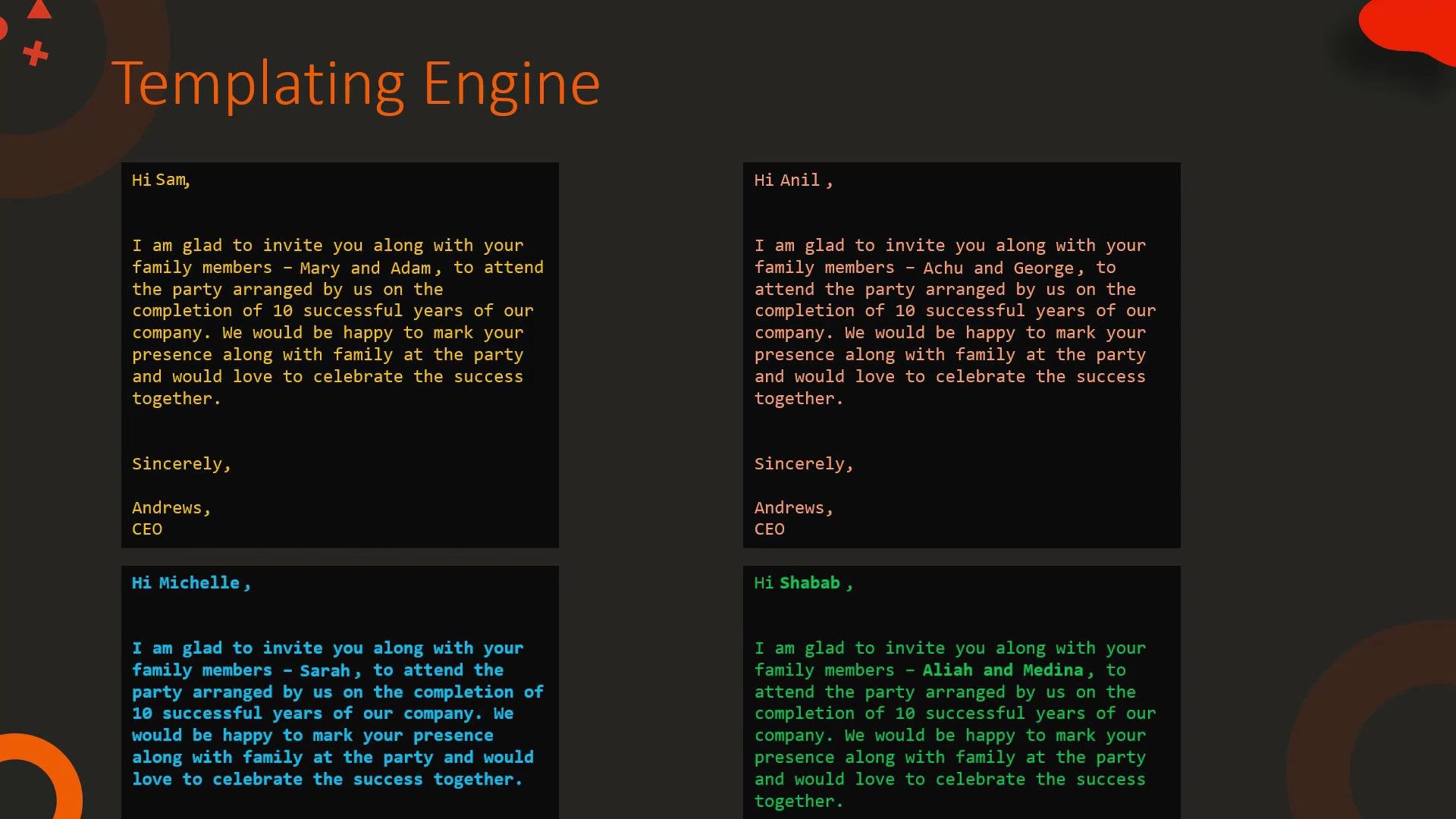
Templating helps you reuse structure and separate content/data from presentation. You can render the same template with different data to produce many customized outputs.
Basic HTML example (Jinja2 template)
Template:Templating in Ansible
Ansible uses Jinja2 extensively for templates and variable interpolation. Example task that touches a file whose path is provided as a variable:file: /tmp/1.txt, the task will operate on /tmp/1.txt.
Templates are also used to generate configuration files. Example Jinja2 template for a MySQL configuration:
pool_size, datadir, and mysql are provided, the template renders into a ready-to-use configuration file for the target host.
For more on Ansible templating, see the Ansible documentation and tutorials such as the KodeKloud course linked below.
What is Jinja2?
Jinja2 is a full-featured templating engine for Python. It supports:- Variable substitution
- Filters to transform values
- Control structures: loops and conditionals
- Blocks and template inheritance
- Macros for reusable snippets
Variables and Filters
A simple substitution uses{{ variable }}. Filters modify values using the pipe | syntax.
Examples:
Undefined variables can cause unexpected output. Use
default(...) or enable strict undefined checks during rendering to catch missing values early.Common filters (overview)
List and set-based filters (examples)
Control structures: loops and conditionals
Jinja2 control structures use{% ... %} tags. Common constructs:
- For loop:
- Loop with conditional (print only number equal to 2):
- If/elif/else example:
Summary
- Jinja2 templates mix static text with placeholders, filters, loops, and conditionals to produce dynamic outputs.
- Use filters to transform values and control structures to repeat or conditionally render content.
- Templating is invaluable in automation (Ansible), configuration management, and web development for reusing structure while rendering variable data.