This guide demonstrates generating certificates for a Kubernetes cluster using OpenSSL, focusing on simplicity and ease of use.
This guide demonstrates how to generate certificates for a Kubernetes cluster using OpenSSL. While various tools such as EasyRSA and CFSSL can perform these tasks, our focus here is on OpenSSL for its simplicity and ease of use.
After these steps, the CA is ready with its private key and root certificate (ca.crt), which will be used to sign all other certificates in the cluster.
This certificate allows the admin user to authenticate with the Kubernetes API Server. For enhanced security and administrative privileges, include group details by specifying an Organizational Unit (OU) parameter. For example:
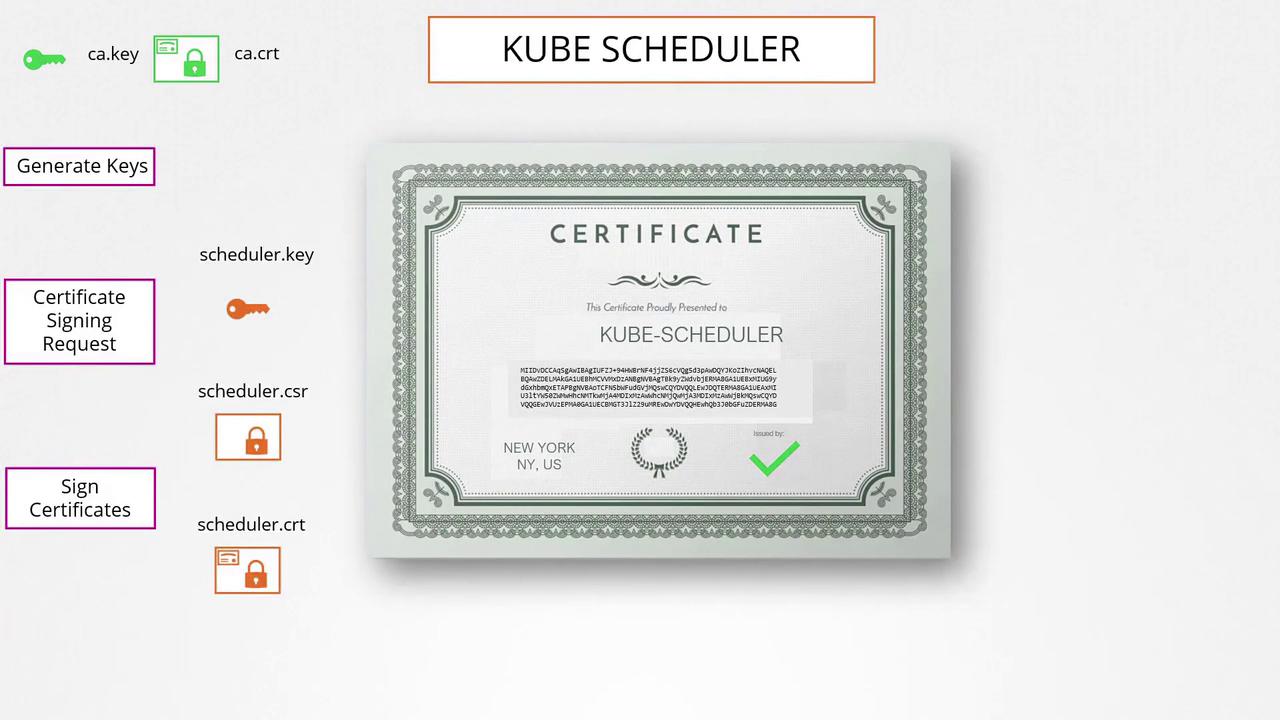
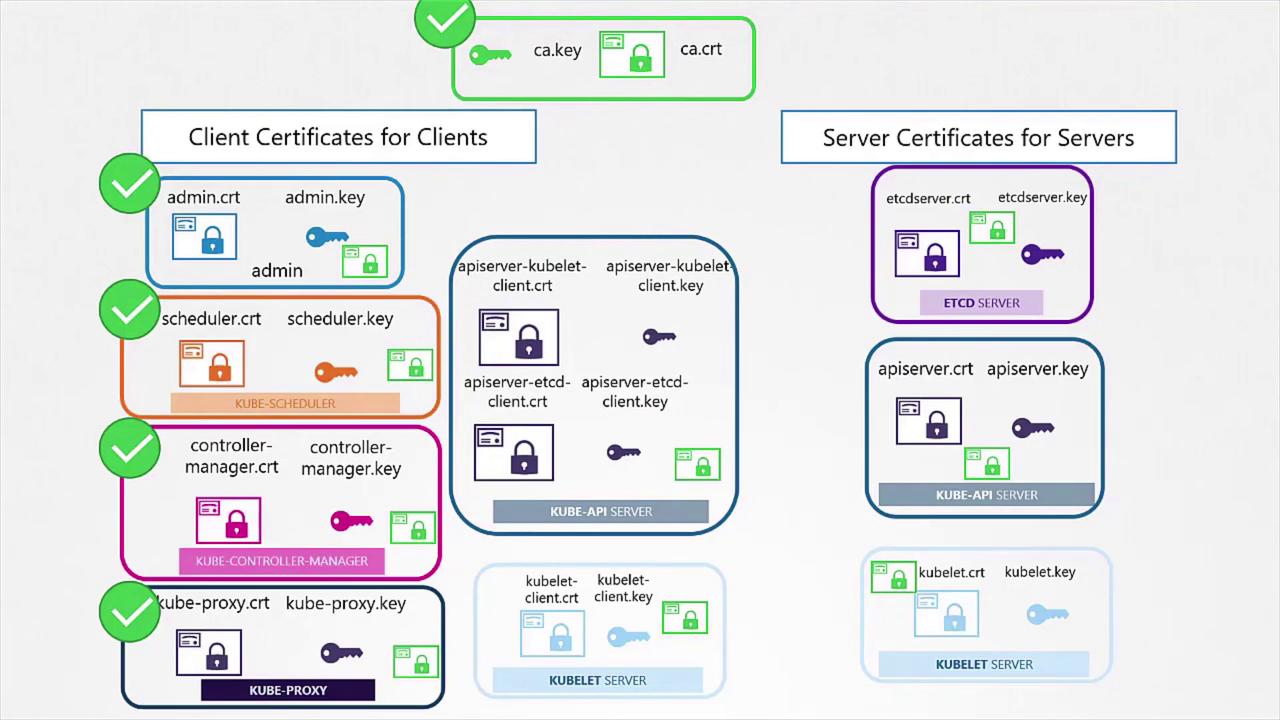
The same procedure applies to other components within Kubernetes (e.g., Kube Scheduler, Controller Manager, and Kube Proxy). These system components typically have names prefixed with “system-” and follow the same signing process using the CA credentials.
Once you generate the certificates, you can use them in multiple ways. To make a REST API call to the Kubernetes API Server with the admin certificate, you can run:
For mutual TLS authentication in Kubernetes, both the client and the server require a copy of the CA’s public certificate. This certificate is essential for verifying the authenticity of certificates presented by clients and servers.
To secure the etcd server, generate a certificate (e.g., “etcd-server”) and, if using a cluster, also generate peer certificates. These generated certificates are then referenced in the etcd server startup options. For example:
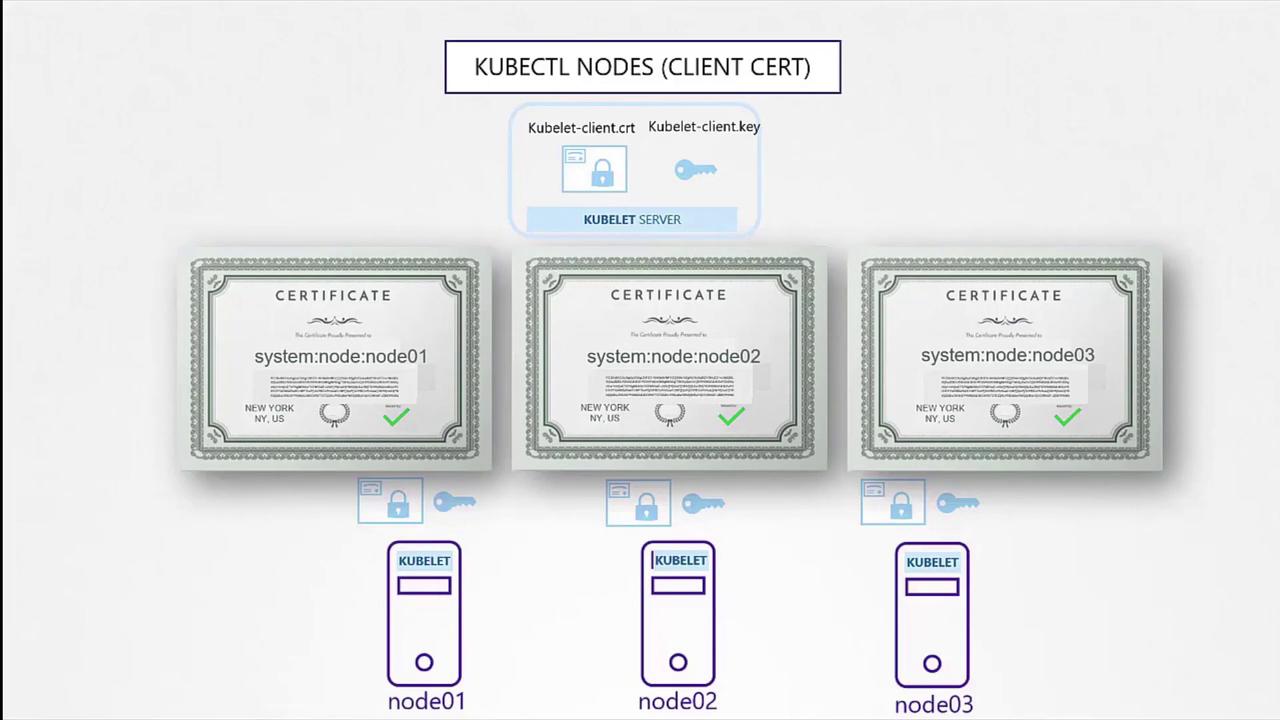
The Kubelet, the node-level component responsible for managing pods, needs its own key and certificate pair. Moreover, when communicating with the API Server, the certificates should follow a naming convention such as “system:node<nodeName>.” This identification is used by the API Server to assign node-specific permissions.After generating these certificates, include them in the kubeconfig files for the respective nodes.
In this guide, we covered the process of generating TLS certificates for both clients and servers within a Kubernetes cluster. We began with the CA certificates, moved on to creating client certificates for admin users and system components, and finally addressed server-side certificates for etcd and the Kube API Server. Key points included:
Signing certificate requests using the CA credentials.
Configuring alternate names for API Server certificates.
Ensuring mutual TLS for secure communication.
In our next article, we will explore how to view certificate details and how tools like kubeadm handle certificate configuration.