

set -o pipefail. You’ll learn best practices for robust Bash scripting and see practical examples.
How Pipelines Work
When you connect commands with a pipe (|), each command’s standard output (stdout) feeds into the next command’s standard input (stdin). However, if a middle command writes to standard error (stderr), that error goes straight to your terminal—even though the rest of the pipeline keeps running.
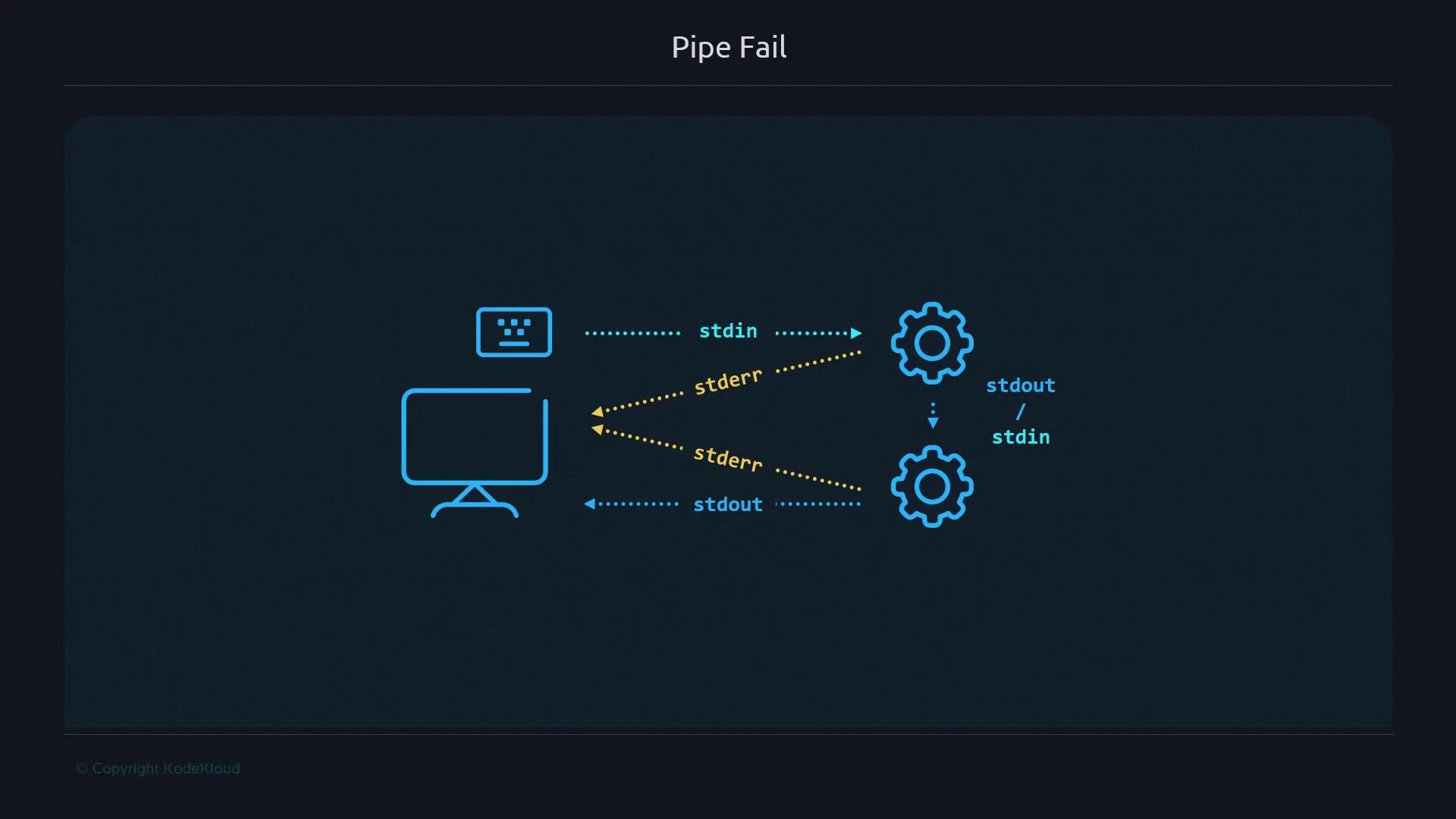
Behavior Without pipefail
Consider this simple pipeline:
sortfails (exit code ≠ 0) and emits an error.uniqstill runs (no input) and exits successfully.cat file.txtprints its content.
sort failed, the pipeline’s final exit status is 0, which masks the error.
Checking Exit Status
Inspect the pipeline’s return code withecho $?:
0. Likewise, boolean operators behave unexpectedly:
echo still runs because the pipeline exit code is 0.
Enabling pipefail
To force a pipeline to return a non-zero status if any command fails, enable pipefail:
set-pipefail.sh and execute:
pipefail:
- The pipeline returns the exit status of the rightmost failing command.
- Subsequent commands and
&&branches are skipped on error.
Common Shell Options
| Option | Description | Default |
|---|---|---|
| pipefail | Pipeline fails if any command errors | off |
| errexit | Exit script on any non-zero command (set -e) | off |
| noclobber | Prevent overwriting files via redirection (set -C) | off |
Stack each
set -o on its own line for clarity:Adding a Guard Clause
Combinepipefail with an exit-on-failure guard:
Always choose a non-zero exit code that makes sense for your script. Avoid overlapping with common system codes.
Combining pipefail with Other Options
Here’s a script that prevents file overwrites and enforces pipeline errors:
pipefail plus the guard clause, the script exits with code 100.