

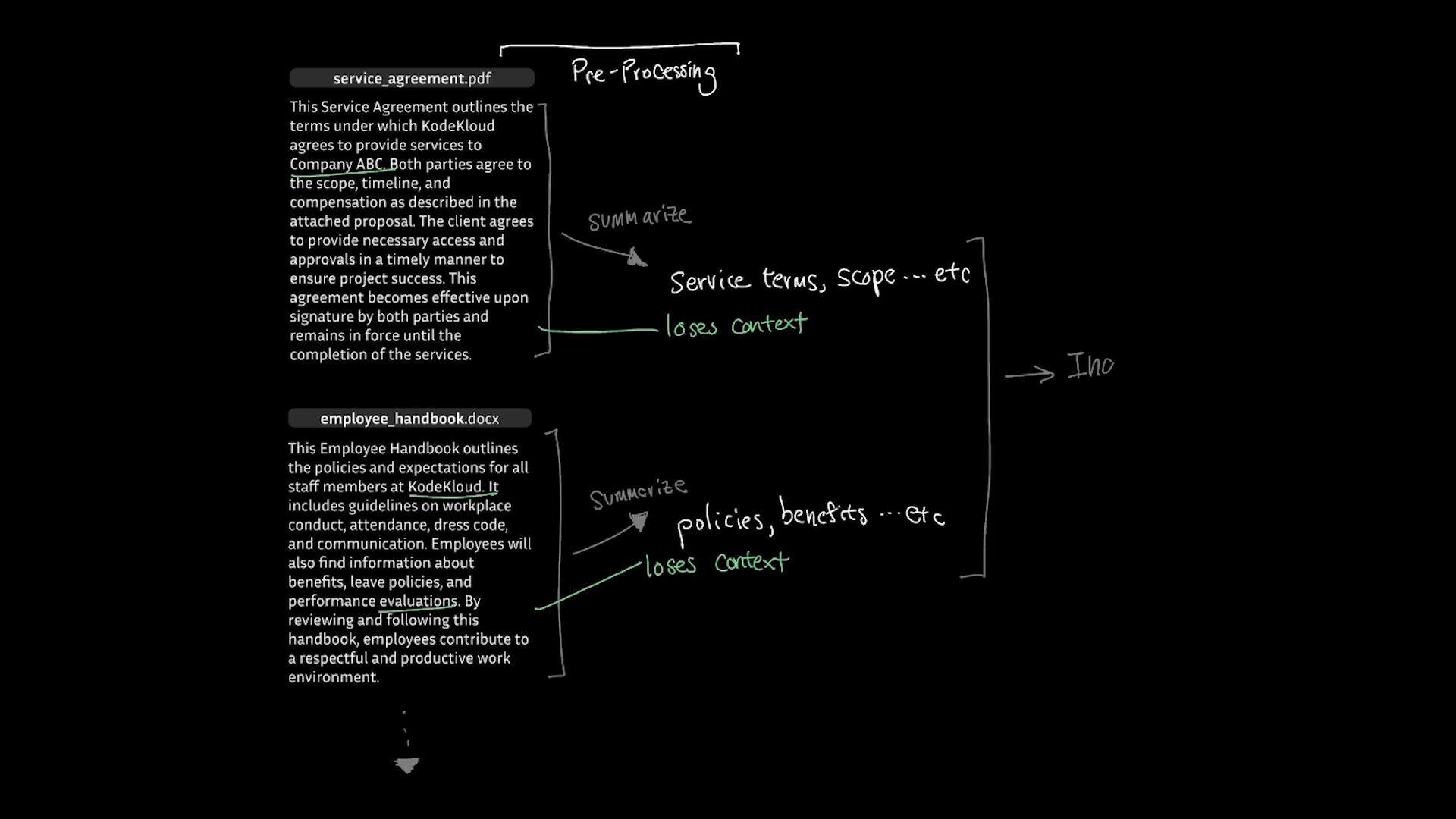
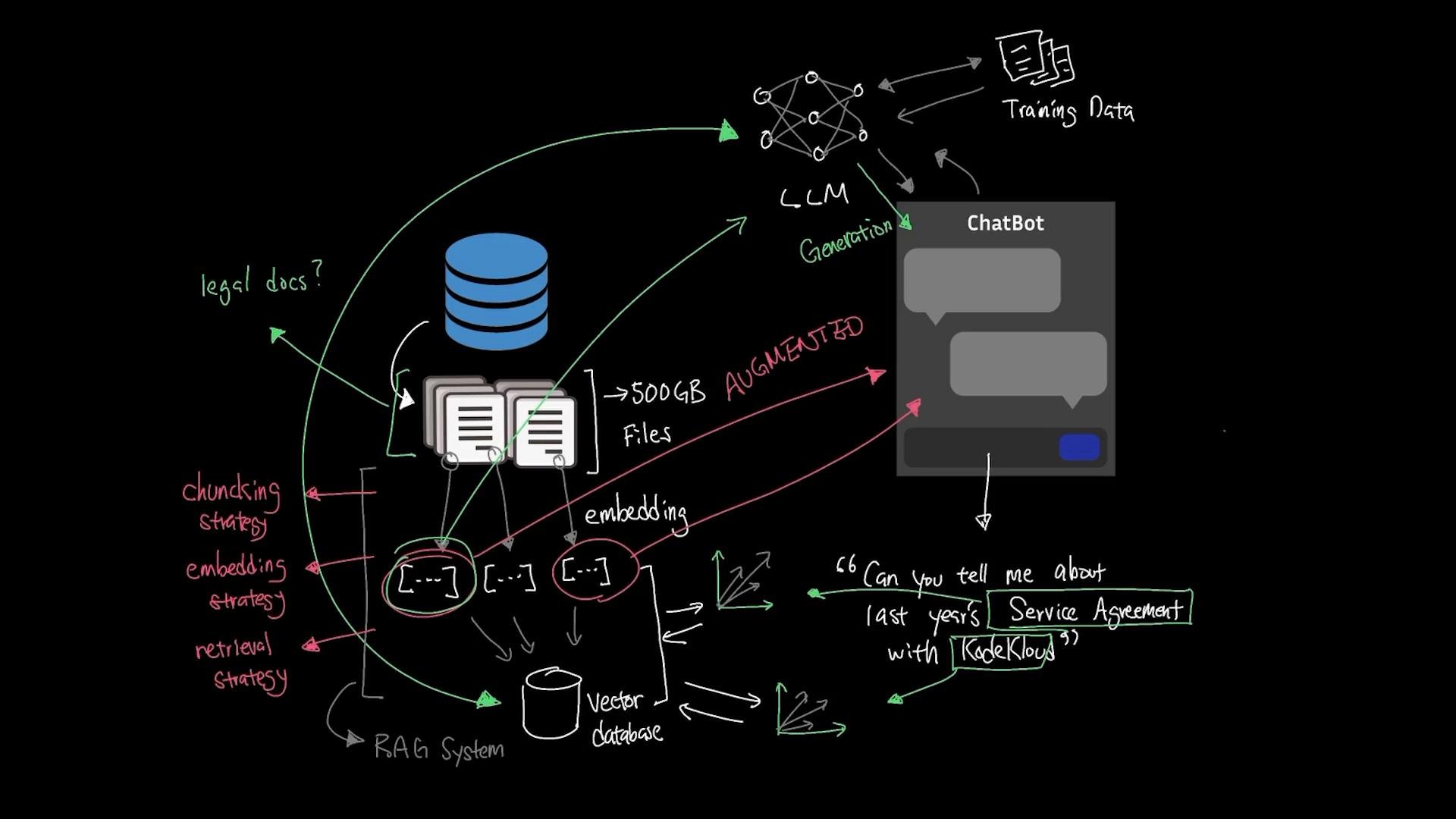
What RAG does (high-level)
RAG splits the work into three clear stages:-
Retrieval
Convert documents and the incoming query into embeddings. Use semantic search against stored vectors to find the most relevant chunks (meaning-based matches, not keyword-only). -
Augmentation
Inject the retrieved chunks into the LLM prompt at runtime so answers are grounded in current, private data. No need to fine-tune the base LLM. -
Generation
The LLM generates the final answer using the augmented prompt. Ideally the response cites source chunks to improve traceability.
- Legal/contract documents → larger chunks preserving structure.
- Conversational transcripts → finer-grained chunks with more overlap to preserve context.
Practical walk-through: from repo to demo UI
This section provides an end-to-end example demonstrating the core components: environment setup, vector DB initialization, chunking, embedding, ingestion, semantic search, and a minimal web UI (Flask) that ties retrieval → augmentation → generation together.Environment setup (example commands)
Create a project directory, virtual environment, install packages, and write a ready marker:Example repository layout (simulated TechCorp)
Initialize the vector database (ChromaDB)
Use a persistent ChromaDB collection to store embeddings, documents, and metadata:Chunking documents (keeps context via overlap)
A robust chunker uses overlapping windows to preserve context between chunks:Embedding basics (semantic vectors)
Use the SentenceTransformers family (example: all-MiniLM-L6-v2) to convert text into vectors and compute cosine similarity:Ingesting documents into ChromaDB
Read files, chunk, embed each chunk, and store IDs, documents, embeddings, and metadata:Semantic search example
Encode the query and retrieve the top N most similar chunks:Minimal UI: Flask app for retrieval → augmentation → generation
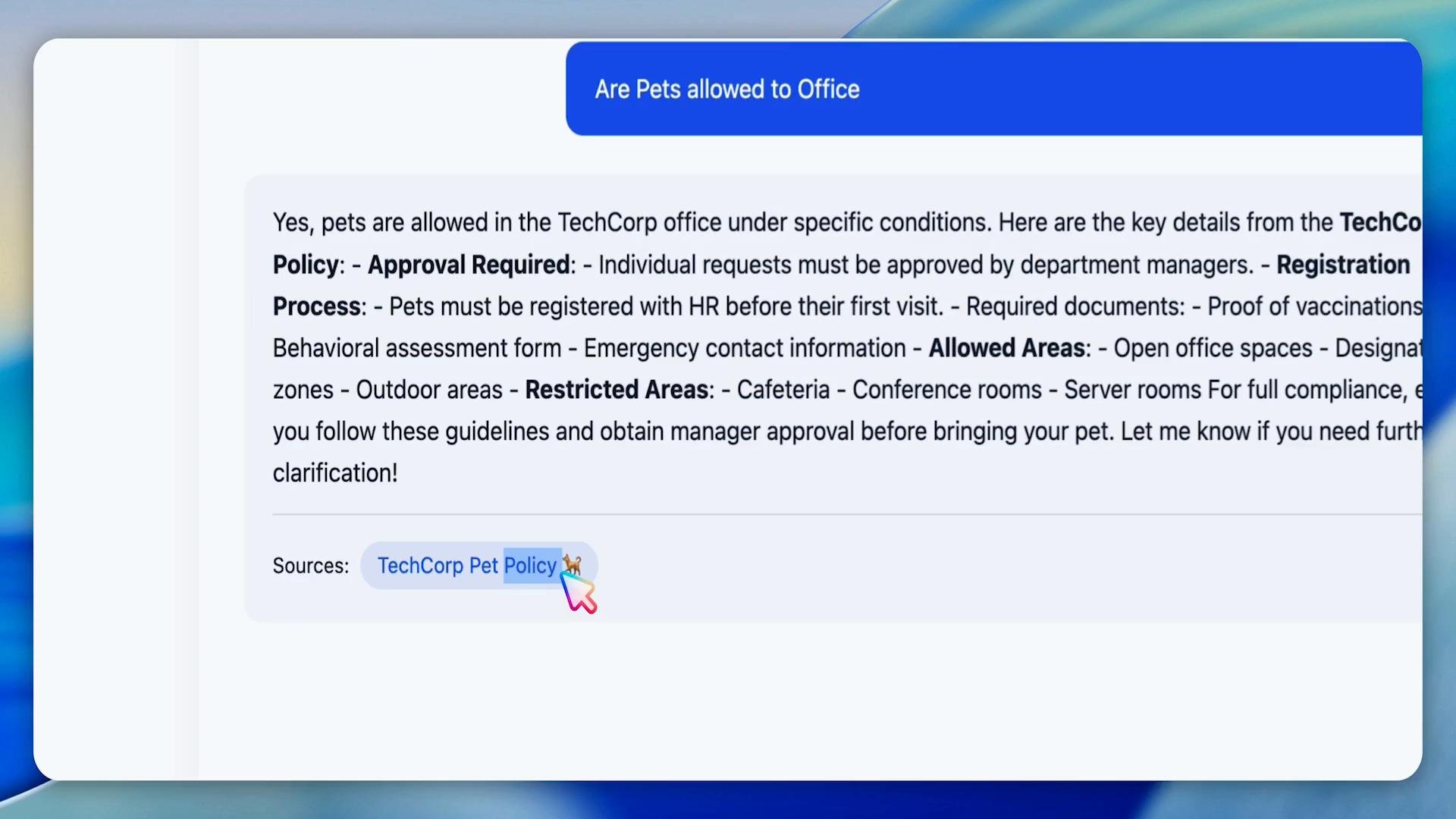
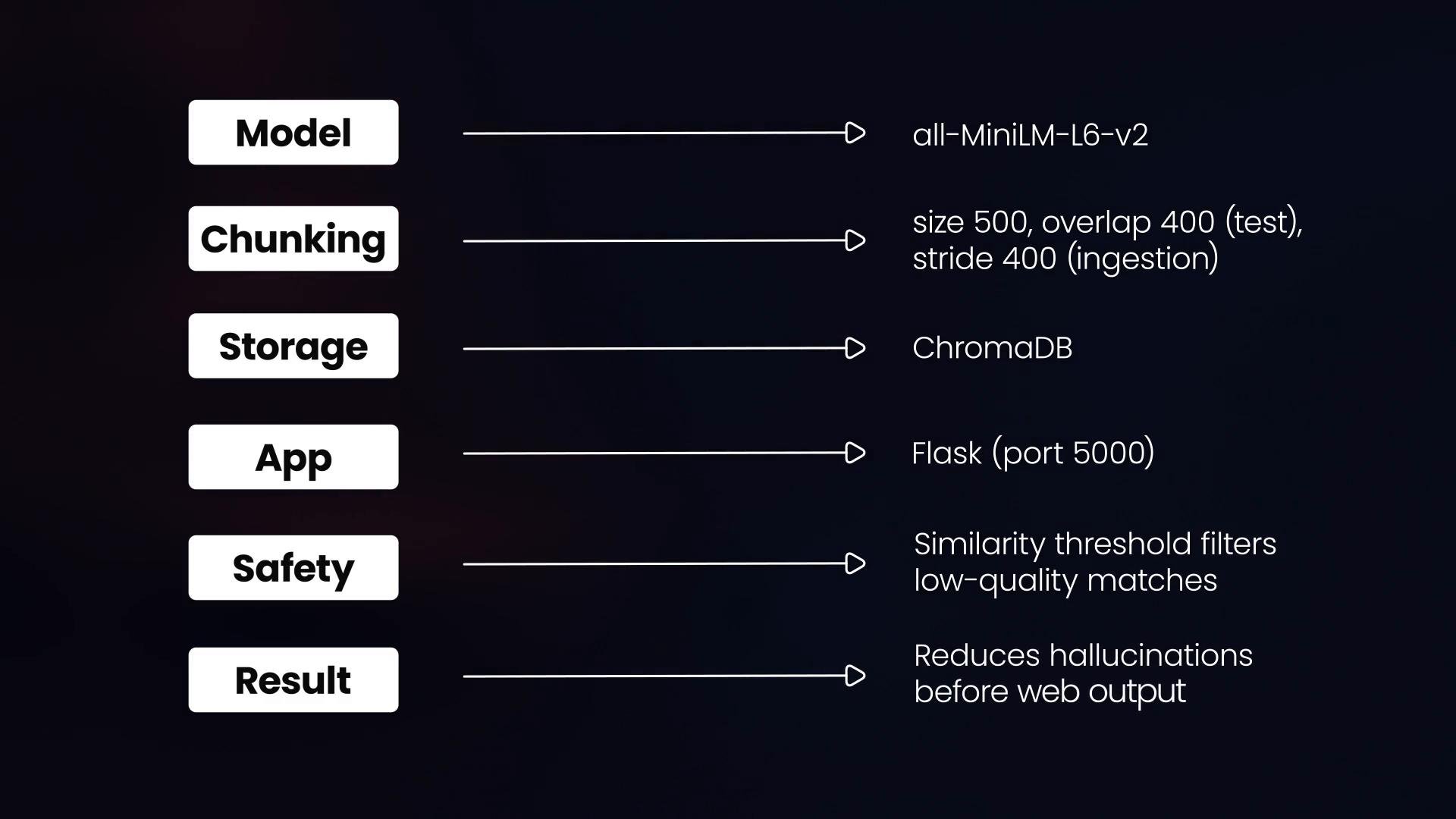
A lightweight Flask app receives a question, runs semantic search, assembles a prompt with retrieved chunks, and calls an LLM (e.g., OpenAI) to generate a grounded answer. Include provenance (metadata + similarity scores) in responses to reduce hallucination. High-level notes:- Embedding model:
all-MiniLM-L6-v2(compact, performant). - Chunking: size 500 chars; overlap 100–400 depending on content density.
- Storage: ChromaDB persistent collection
techcorp_docs. - Web: Flask app for quick prototyping (port 5000).
- Safety: apply similarity thresholds, metadata filters, and return provenance links to mitigate hallucinations.
Operational advice and tuning knobs
Key tuning variables to monitor and iterate on:
- Chunk size and overlap (balance context vs. prompt cost).
- Embedding model (trade-offs: cost, latency, semantic quality).
- Retrieval n_results and similarity threshold to reduce noise.
- Provenance reporting in responses to help debugging and reduce hallucinations.
- Legal/technical docs → larger chunks, higher overlap to keep structure.
- Conversational logs → smaller chunks with more overlap to preserve turn-level context.
- Run embedding and retrieval tests (e.g., the test_embeddings script) to validate semantic distances for your corpus.
Be careful with sensitive data. Embeddings and vector indexes may leak information if not properly secured. Ensure access controls, encryption at rest, and a clear data policy before indexing PII.
Final checklist before production
- Tune chunk size and overlap on a representative sample of your corpus.
- Choose an embedding model that balances cost, latency, and semantic fidelity.
- Implement retrieval filtering (similarity thresholds, metadata) to reduce noise.
- Log provenance and similarity scores to help debug and explain answers.
- Secure your vector DB and restrict access to sensitive data.
- Retrieval-augmented generation (Wikipedia)
- ChromaDB
- SentenceTransformers (SBERT)
- Flask documentation
- OpenAI platform