

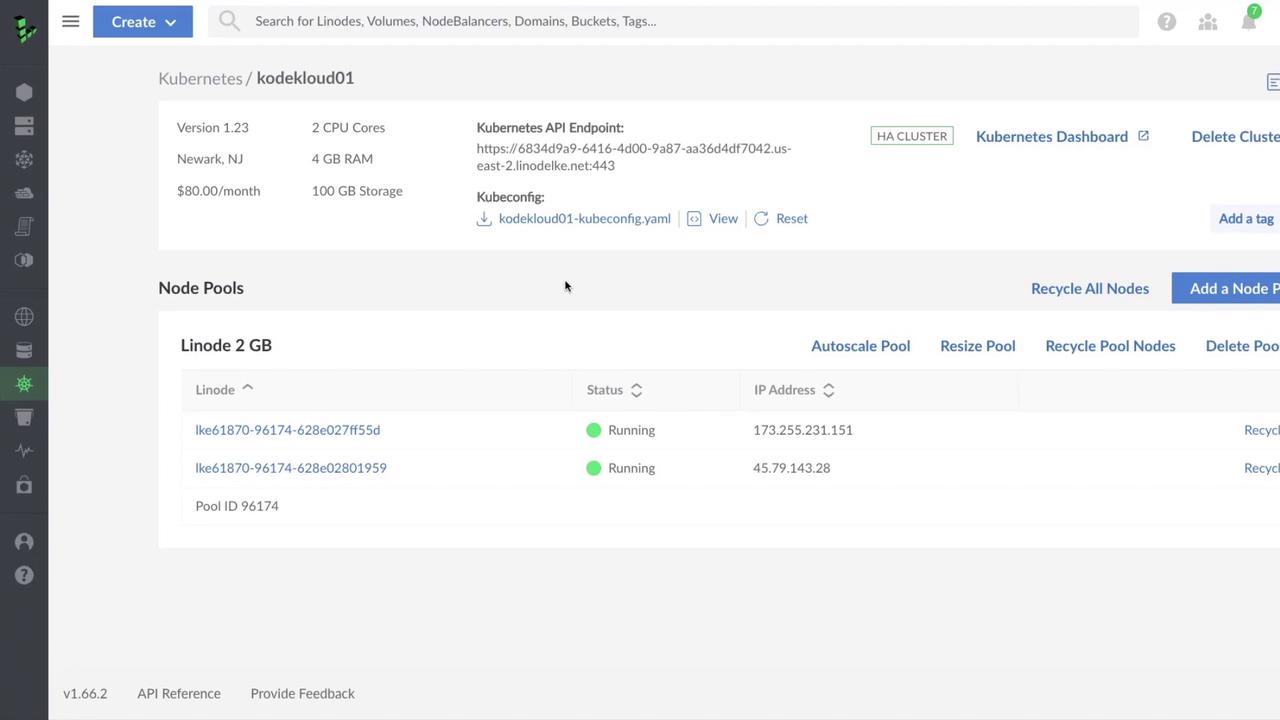
Exploring the LKE dashboard first gives you context on what happens behind the scenes when you later create and manage clusters.
Cluster Details
API Endpoint
LKE exposes your cluster’s API endpoint publicly. If you query it without valid credentials, you’ll see a 403 Forbidden error:Kubeconfig File
Download your cluster’s Kubeconfig from the dashboard and save it to~/.kube/config (or merge with your existing file). It includes:
- Certificate Authority data
- API server URL
- User credentials (token)
- Context settings
If your Kubeconfig is ever compromised, regenerate it immediately to revoke the old credentials.
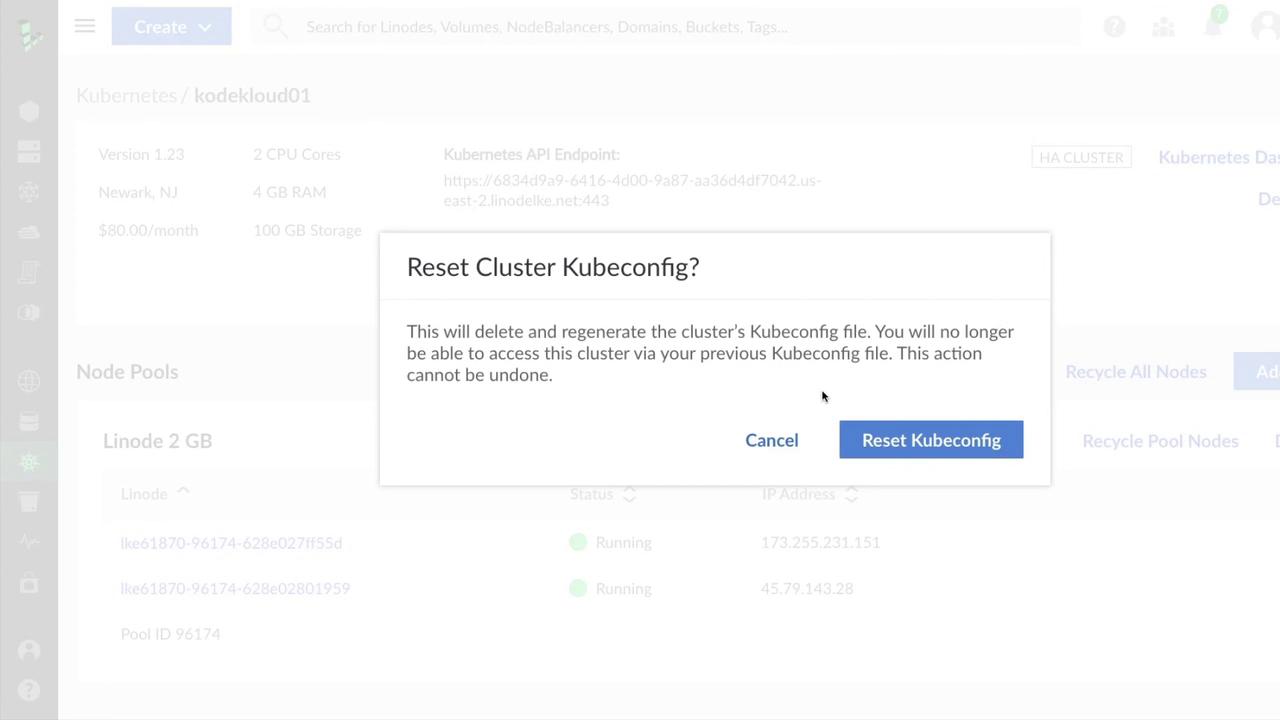
Kubernetes Dashboard & Node Pools
In the LKE dashboard, you’ll also find quick links for:- Accessing the Kubernetes Dashboard
- Managing cluster tags
- Deleting the entire cluster
- Recycle individual nodes or all nodes at once
- Enable autoscaling for dynamic scaling
- Resize node plans
- Delete individual nodes or entire node pools
- Create additional node pools