

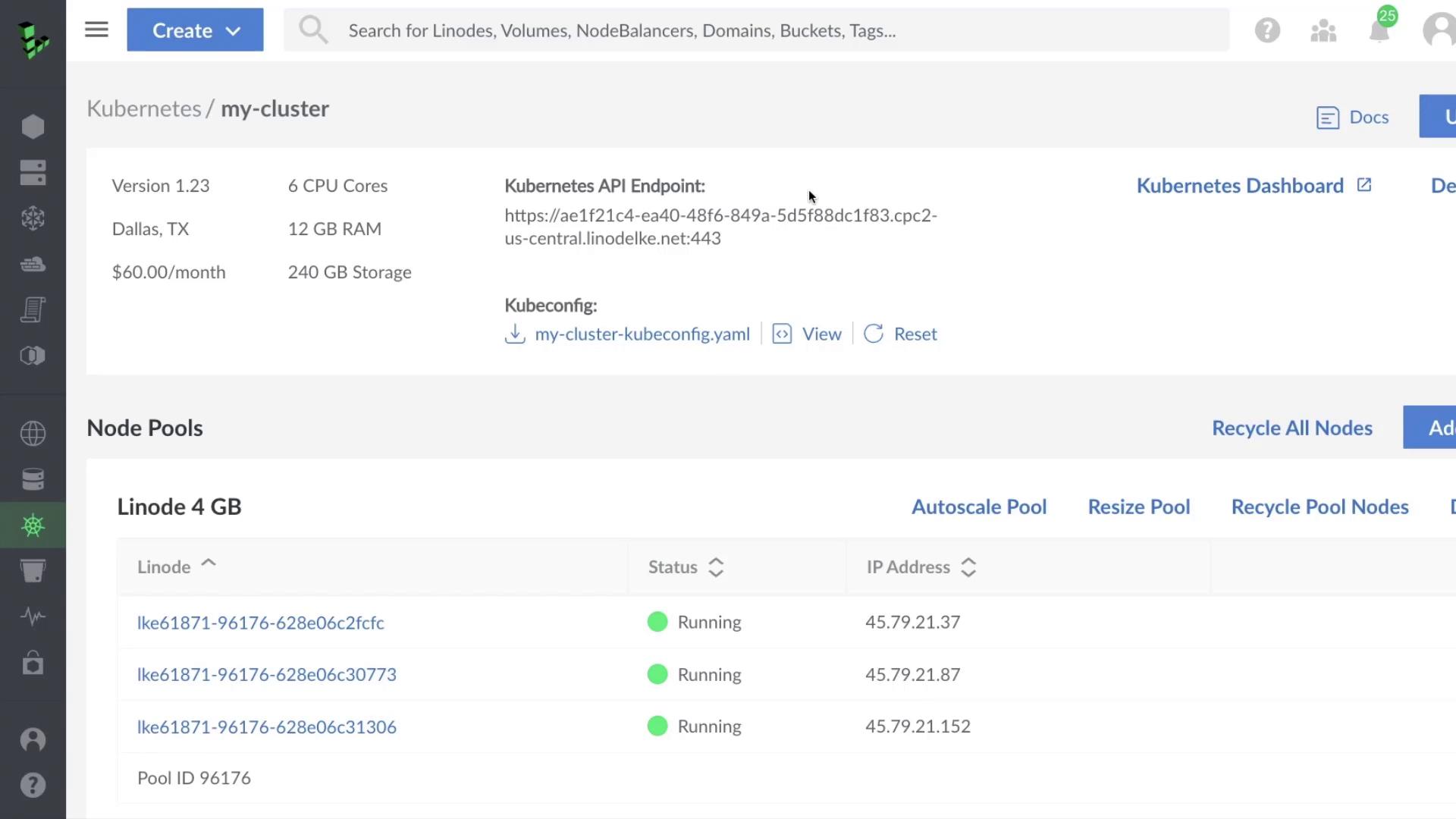
- Enable autoscaling for a pool
- Resize an existing pool
- Add a new node pool
1. Autoscaling a Node Pool
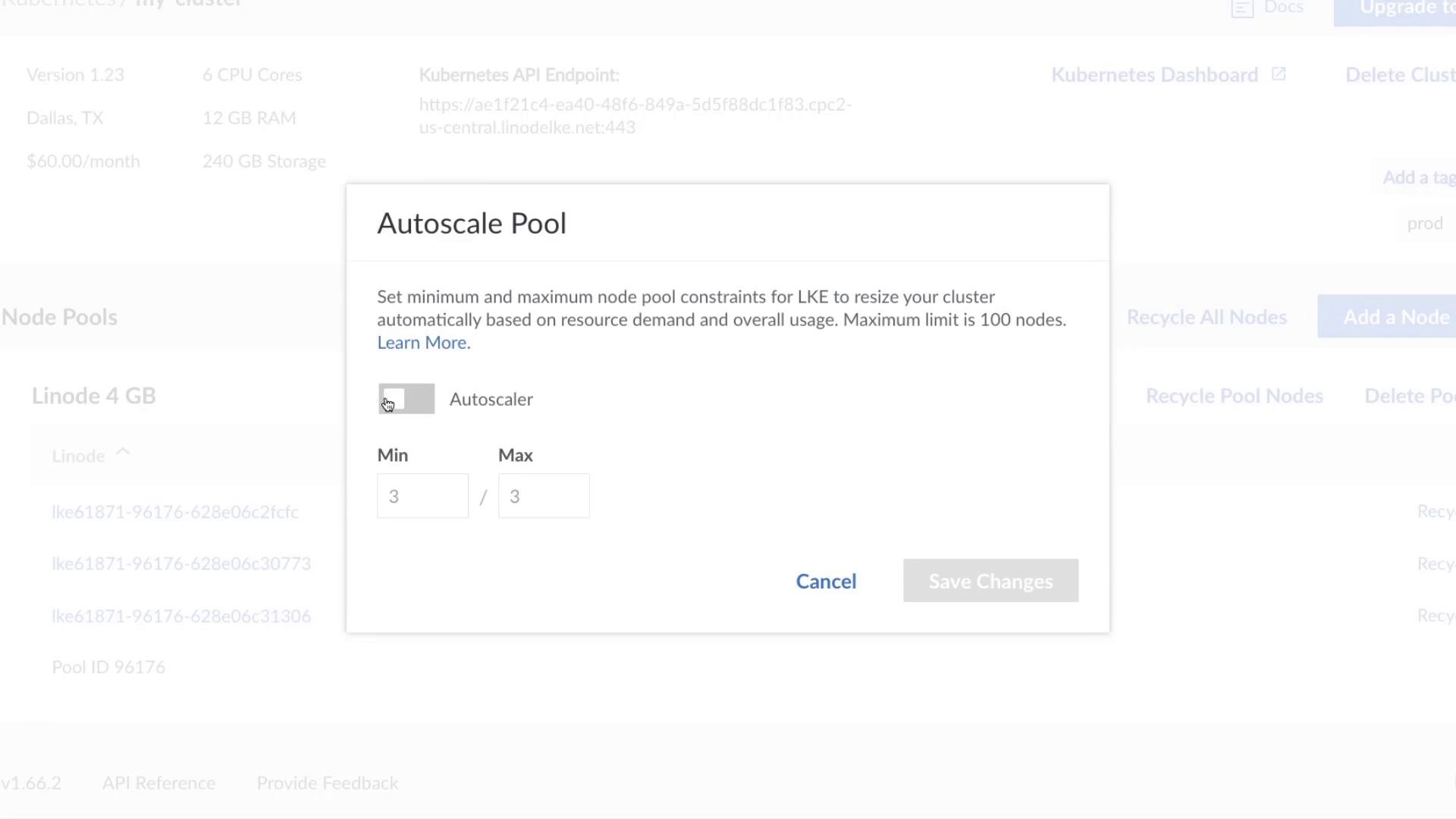
To configure horizontal autoscaling:- Click Autoscale Pool.
- In the Autoscale Pool dialog, check Autoscaler.
- Set the Min and Max worker node counts (for example, Min = 3, Max = 6).
- Click Save.
You can automate this step with Terraform using the
linode_lke_node_pool resource. See Terraform LKE Provider for details.2. Resizing a Node Pool
To manually change the node count:- Click Resize Pool for your target pool.
- Enter the desired number of nodes (e.g., increase from 3 to 4).
- Optionally, select Recycle Pool to replace all nodes.
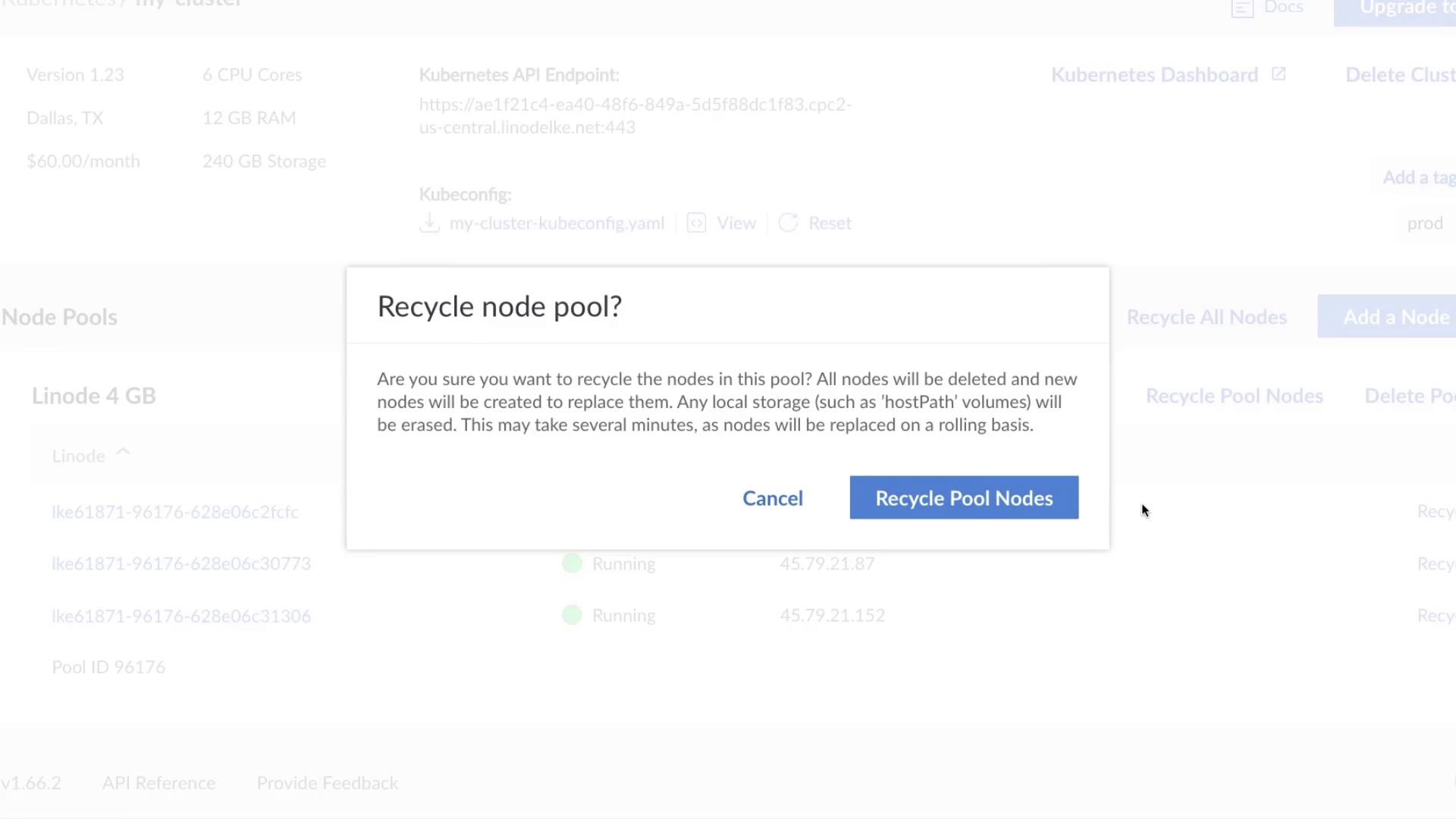
Recycling a pool deletes and re-provisions all nodes, which can cause downtime for pods running on those nodes. Schedule this during maintenance windows.
3. Adding a New Node Pool
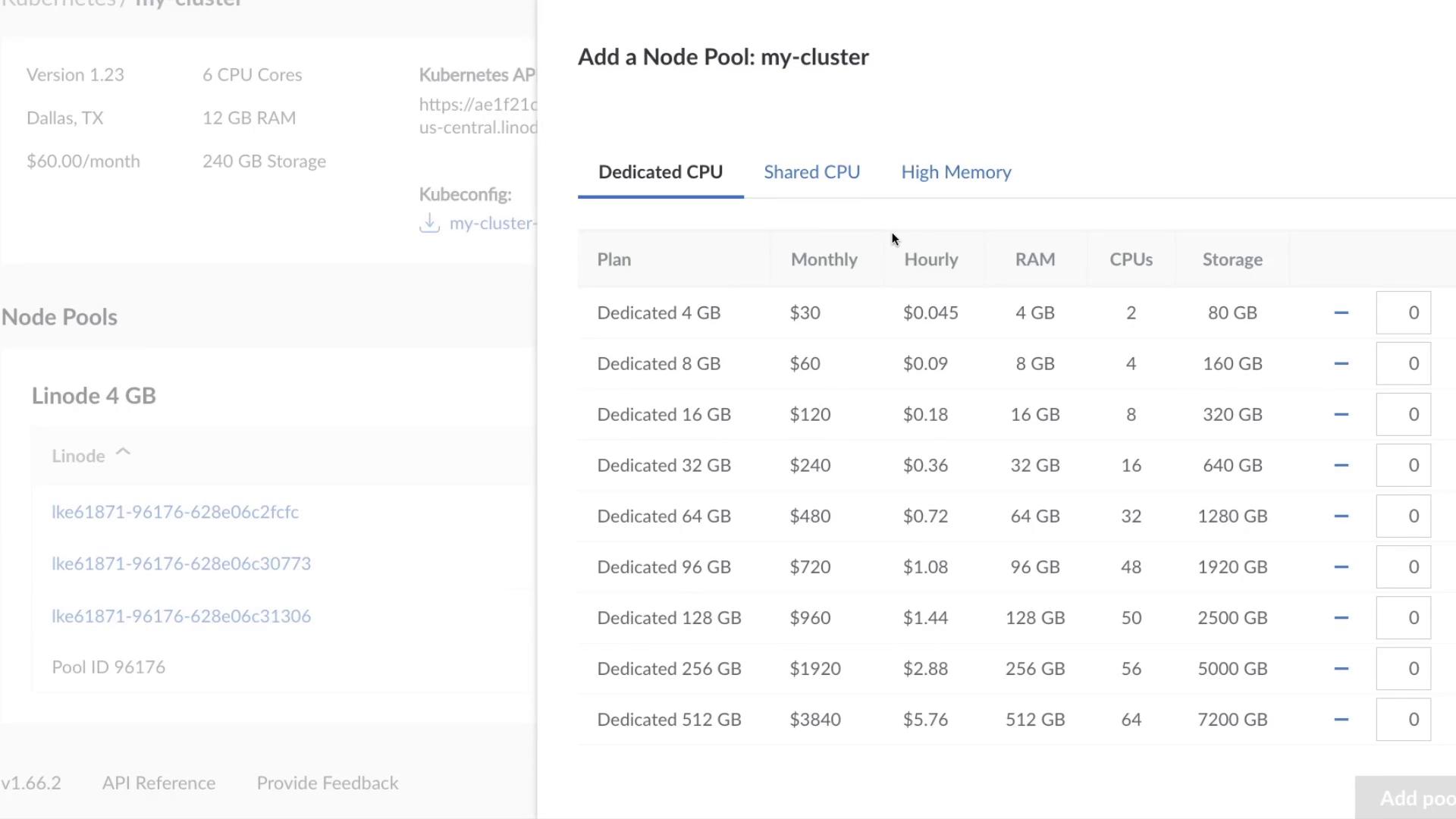
For specialized workloads—such as high-memory or GPU-intensive applications—you can add a separate node pool:- Click Add Pool.
- Choose the plan that fits your requirements.
- Click Add Pool to provision the nodes.
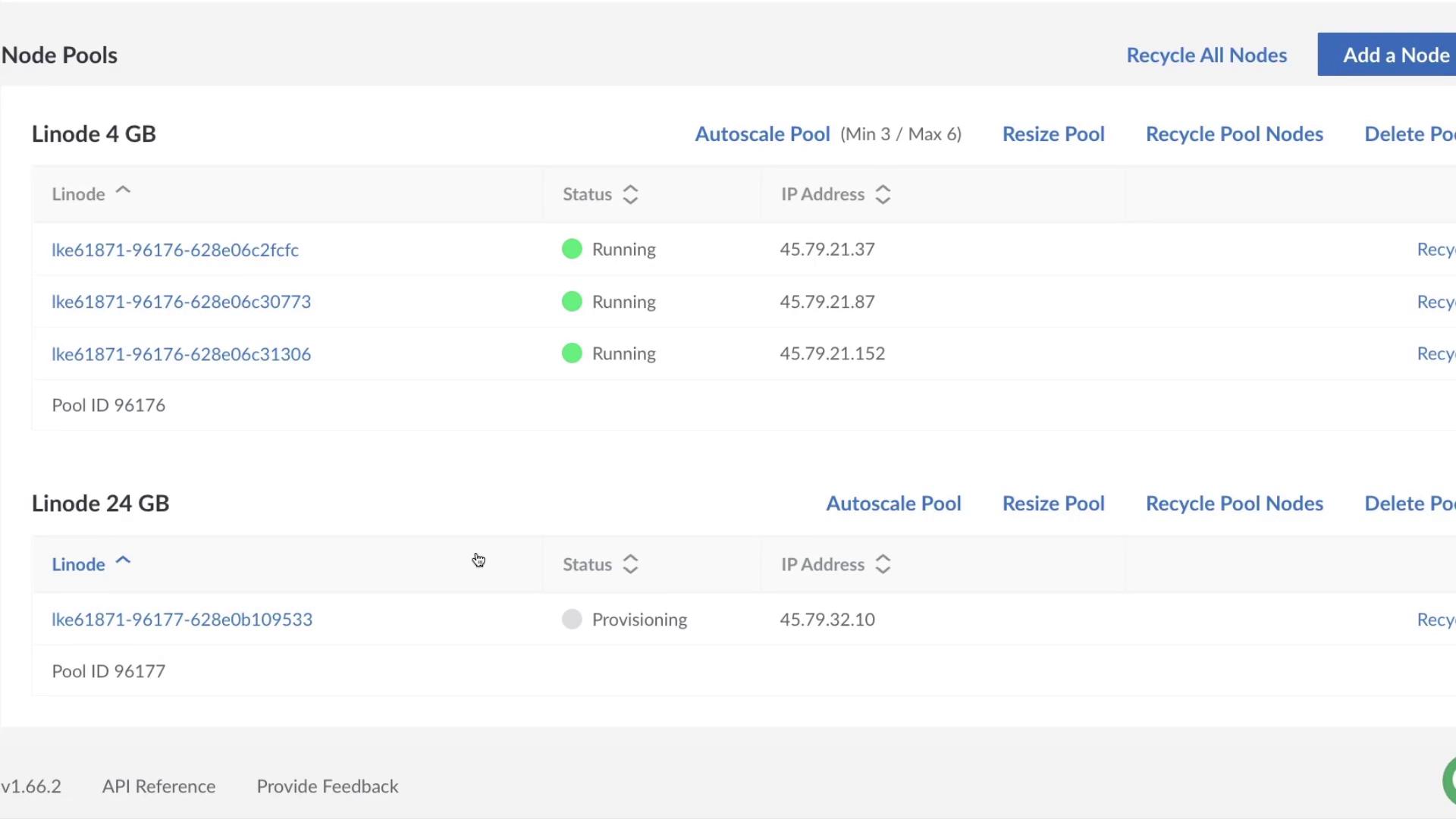
Scaling Options Overview
Links and References
- Linode Kubernetes Engine (LKE)
- Terraform | Infrastructure as Code
- Kubernetes Autoscaling
- Terraform LKE Node Pool Resource