

- Benefit: Throughput increases roughly in proportion to batch size.
- Cost: Small queuing latency while waiting for the batch to fill.
- Per-user compute: Remains roughly the same per token; the savings are amortized across the batch.
Tip: Measure both throughput (tokens/sec) and tail latency (95th/99th percentile latency). Increasing batch size improves throughput but can worsen tail latency for interactive users.
- The model weights (usually kept resident for low-latency inference).
- All simultaneously active users’ KV caches.
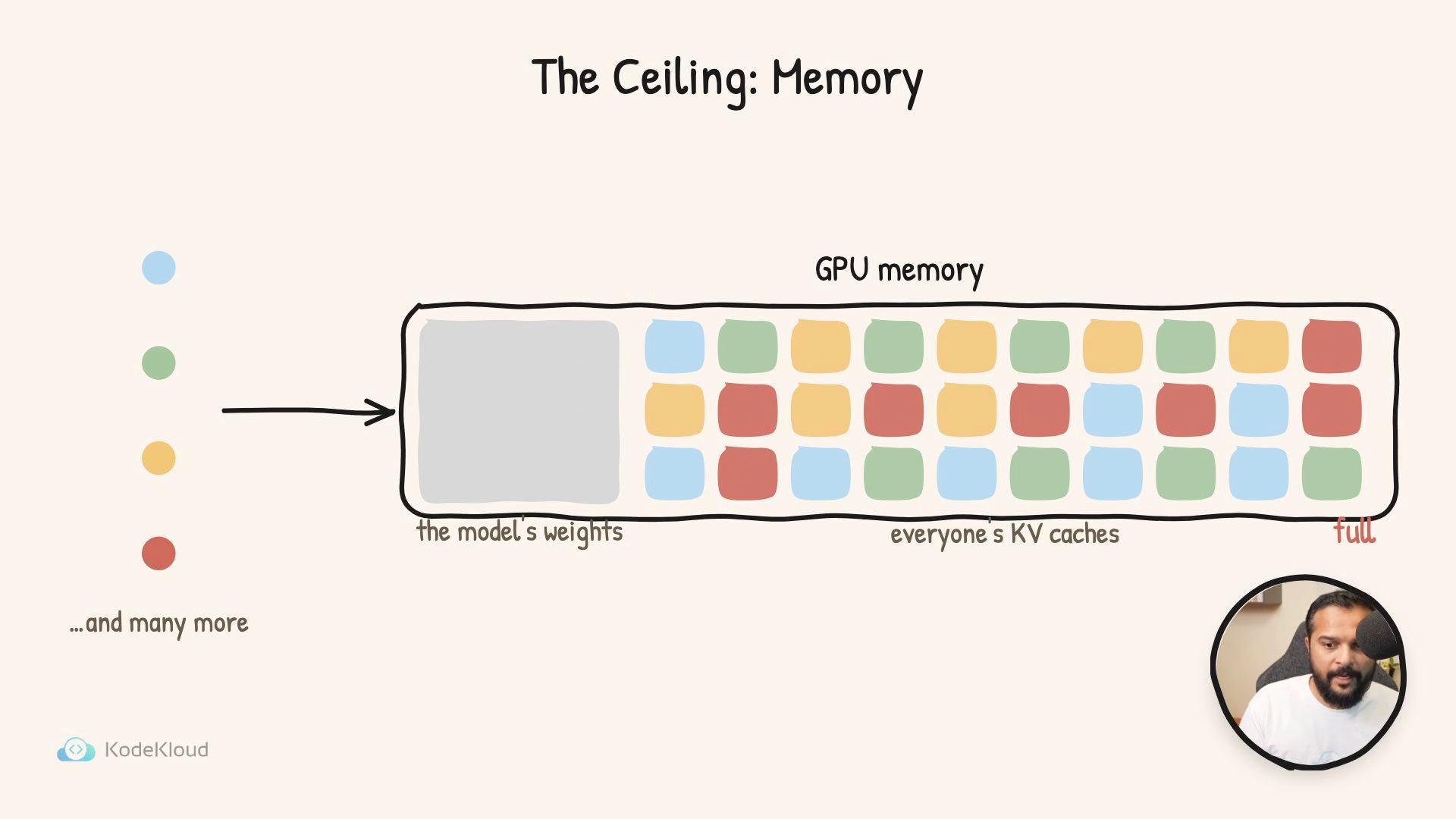
- Overprovisioning: Teams often buy additional GPUs not because they need more compute, but because they need extra memory capacity to hold more KV caches. Those added GPUs may sit partially idle for compute while still incurring cost.
- Capacity signals: When a platform reports “at capacity,” it is often the GPU memory that’s exhausted, not the math units.
- User experience: If memory is exhausted, incoming sessions may be queued, rejected, or served with degraded performance after evicting other sessions.
Warning: Evicting active KV caches to free memory can cause users to lose session context, increase response latency, or require expensive recomputation. Prefer architectural solutions (sharding, offloading, quantization) before eviction when possible.
- Model too big for one GPU: The largest models may not fit entirely on any single GPU. In that case you must use techniques that trade memory for other resources.
- Common strategies:
- Model sharding (model parallelism): split model weights across multiple GPUs.
- Offloading: move parts of the model or KV cache to CPU RAM or NVMe.
- Quantization: reduce weight precision (e.g., 8-bit or 4-bit) to shrink model size and KV cache size.
- Memory-optimized runtimes: specialized serving frameworks that compress or stream KV caches.
Practical recommendations
- Profile memory usage per-session and KV cache size at your target sequence lengths to estimate max concurrent sessions per GPU.
- Benchmark throughput and tail latency at different batch sizes for real traffic patterns.
- Consider hybrid strategies: quantize weights, offload cold parts to CPU, and shard hot layers across GPUs.
- Use autoscaling policies that react to memory pressure, not just compute utilization.
- Model parallelism / sharding patterns — background on splitting models across devices.
- Quantization techniques and tradeoffs — how lower-precision formats reduce memory.
- Offloading and memory hierarchies — strategies for NVMe and CPU-backed offload.