

The Challenge of Repetitive CI YAML
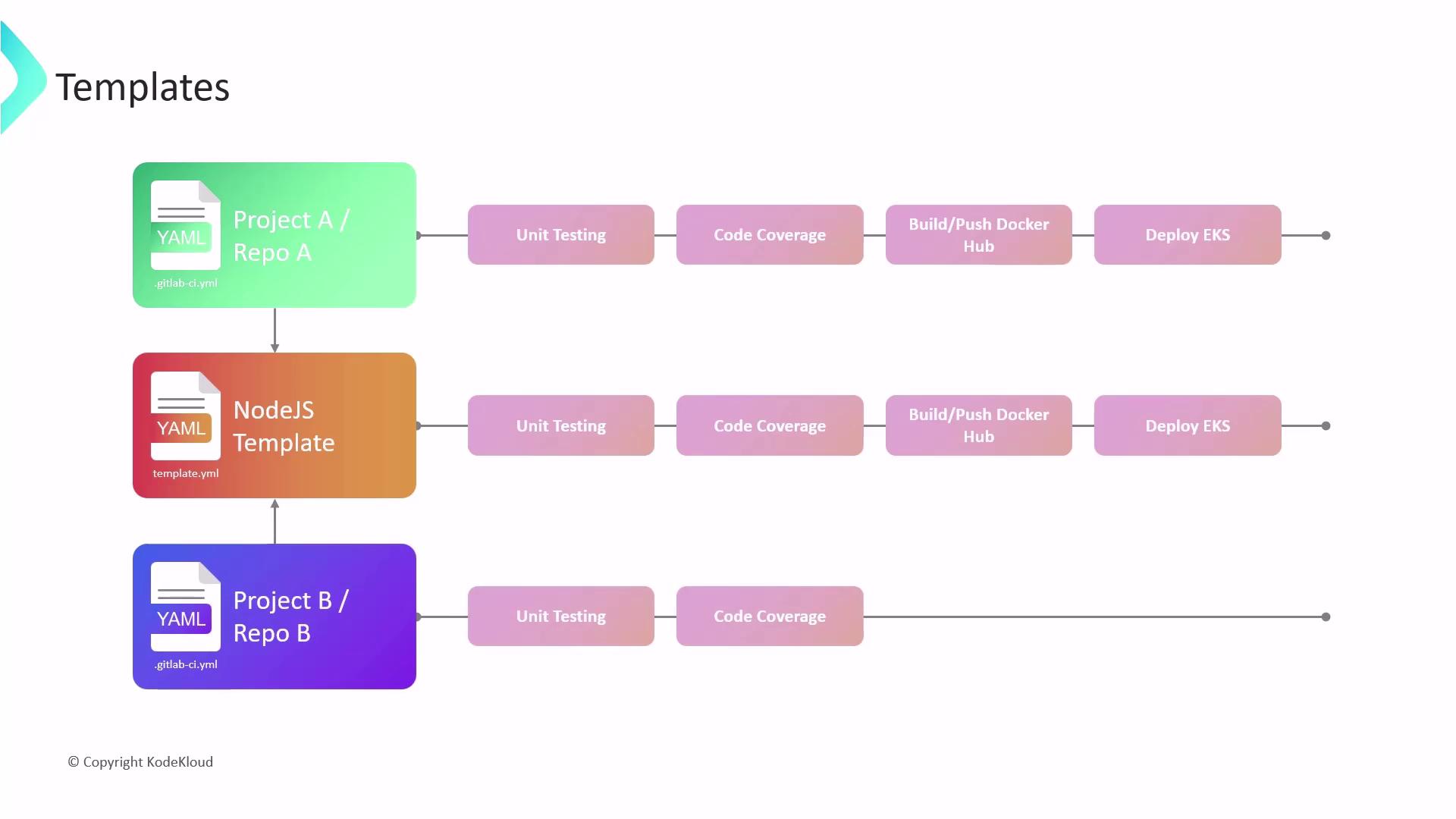
When you define similar jobs (e.g., unit tests, code coverage) across multiple repositories, you often end up duplicating large blocks of configuration:GitLab CI/CD Templates
GitLab provides two primary template categories:- Pipeline Templates
Full end-to-end CI/CD workflows for common project types (Node.js, Ruby on Rails, etc.). - Job Templates
Standalone jobs for tasks like security scans, linting, or Docker builds.
Built-in templates live in the
gitlab-org/gitlab repository. You can also publish your own templates in a dedicated project.Example: Reusing a Node.js Pipeline Template
Team A and Team B share a common Node.js template but customize deployment targets:- Team A
- Registry: Docker Hub
- Deployment: AWS EKS
- Team B
- Registry: Google Container Registry
- Deployment: GKE
script overrides.
Key Takeaways
- Reusable templates accelerate onboarding and ensure best practices.
- Modular design lets teams opt into only the stages they require.
- Customization points (variables,
before_script,after_script) handle project-specific needs.
Types of Includes
GitLab CI/CD supports four include sources:| Include Type | Description | YAML Example |
|---|---|---|
| local | Files in the same repo/branch | - local: 'jobs/.after-script.yml' |
| remote | YAML from an external URL | - remote: 'https://example.com/ci/.before-script.yml' |
| project | Files in another project on the same instance | - project: 'my-group/avengers-project' ref: main file: '/jobs/.gitlab-ci.yml' |
| template | GitLab’s built-in CI templates | - template: 'Code-Quality.gitlab-ci.yml' |
When using
local includes, the default branch is HEAD. Specify ref if you need a different branch or tag.Conditional Includes
You can apply includes only under specific conditions usingrules: