

- create and use variables to store data
- distinguish between strings, integers, floats, and booleans
- use
input()to make a program interactive - perform calculations and build messages with variables
name.
Using variables in multiple places
"Ada" once, but reused it multiple times via the variable.
Order matters
Python executes code from top to bottom. If you try to use a variable before assigning it, you’ll get an error:
Do not reference variables before they are assigned. This causes a
NameError because Python hasn’t stored a value yet.name before you use it.
Tip: If your terminal output is cluttered, use the clear command (or cls on Windows) to wipe the slate.
Comments to temporarily disable code
If parts of the dashboard distract you while you test other sections, comment them out so they won’t execute. In many editors (for example, VS Code) press Command+/ on macOS or Control+/ on Windows to toggle # at the start of selected lines.
Basic data types
Python infers a variable’s type from the value you assign. The most common primitive types are in the table below.
Strings (text)
- Use single or double quotes (be consistent).
True or False)
print() to show them on one line:
energy so you can add or subtract points:
print().
User input
Use input() to get information from the user. Note: input() always returns a string.
input() returns text. If you need numeric input for calculations, convert the result with int() or float(). Always validate or handle invalid input in real programs.mood, energy, and goals so the dashboard reflects the user’s responses:
energy, wrap the input() call in int() as shown earlier.
Variable naming rules and conventions
- Use underscores for multi-word names:
user_age, notuser age. - Start names with a letter or underscore (not a number).
- Use only letters, numbers, and underscores (no hyphens).
- Pick clear, descriptive names (avoid
n; usenameoruser_countinstead).
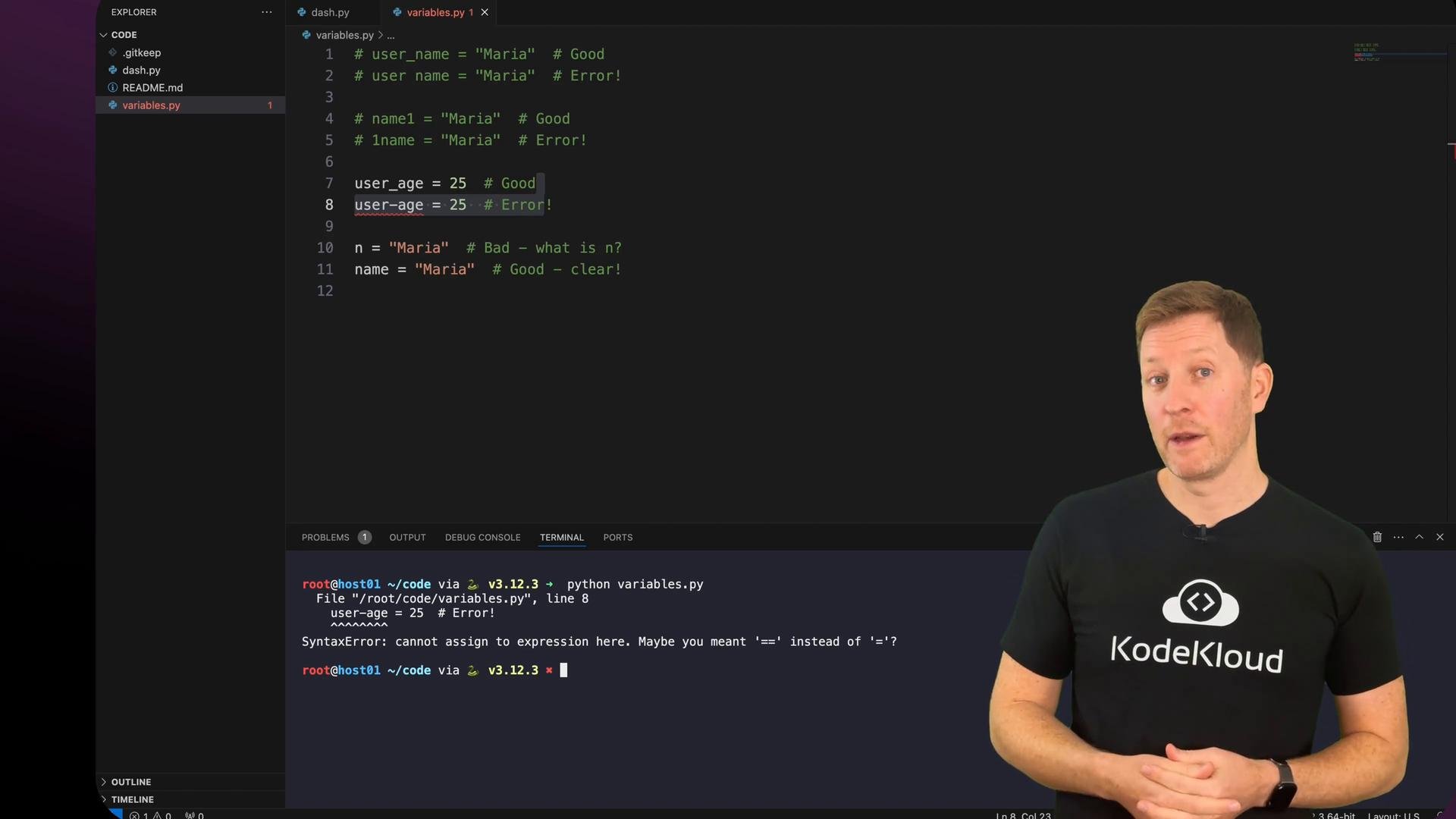
variables.py script in your workspace — try experimenting with naming conventions and see which ones cause syntax errors.
Summary
- Variables store information so your program can remember and reuse values.
- Python detects data types automatically: strings use quotes, integers and floats are numeric, booleans are
True/False. input()collects text from the user (cast it withint()orfloat()if you need numbers).- Variables let you combine text (concatenation) and perform arithmetic with numbers.
- Good naming and organization (comments, grouping) make code easier to read and maintain.