

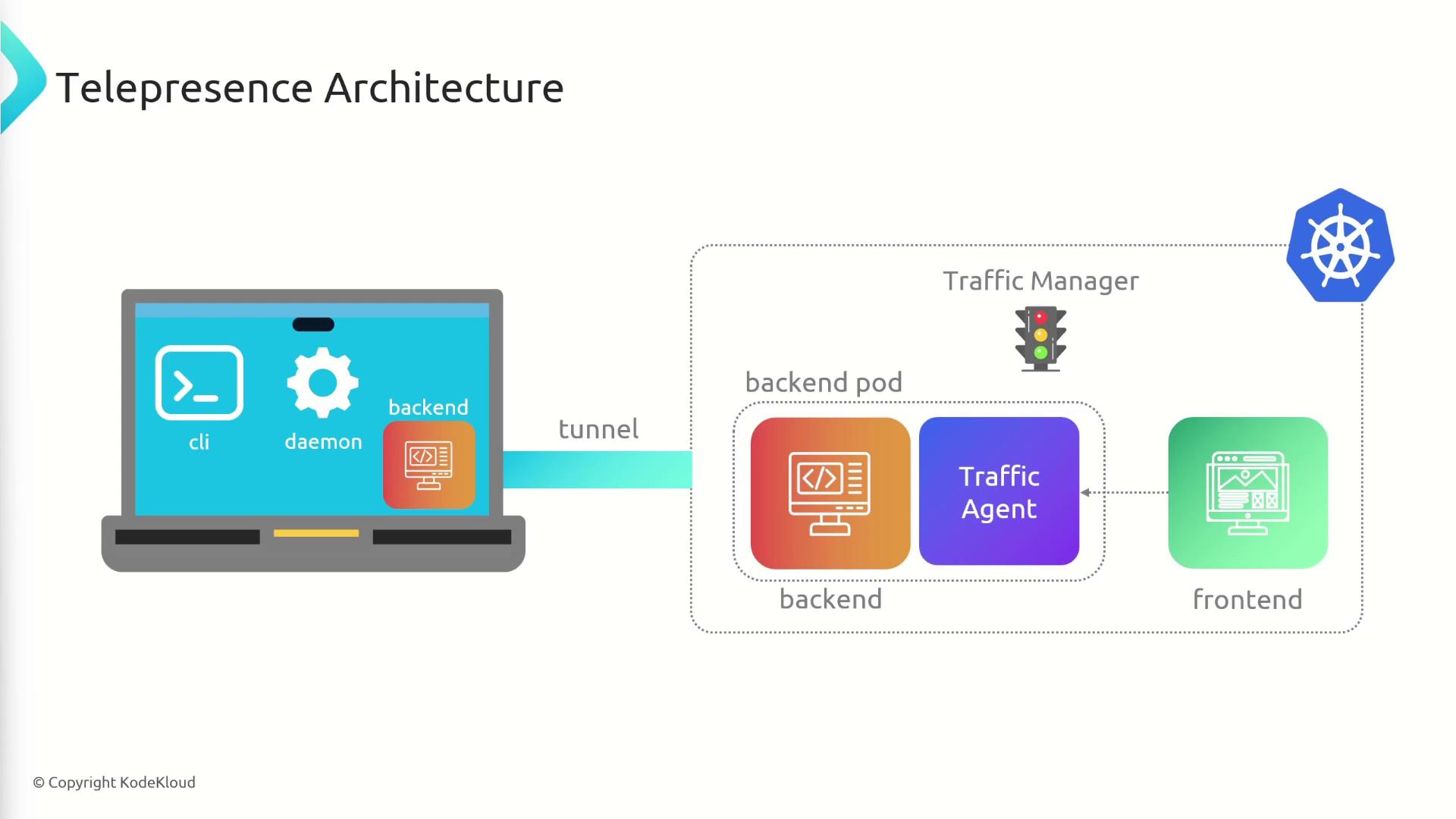
Telepresence lets you develop and debug services locally while connecting seamlessly to a remote Kubernetes cluster. By creating a bi-directional network tunnel, it feels as if your workstation is inside the cluster—eliminating the need to build container images or exec into pods for iterative development.Documentation Index
Fetch the complete documentation index at: https://notes.kodekloud.com/llms.txt
Use this file to discover all available pages before exploring further.
Architecture Overview
| Component | Location | Responsibility |
|---|---|---|
| Telepresence CLI | Local machine | Provides commands to connect, intercept services, and manage the Traffic Manager. |
| Traffic Manager | Kubernetes cluster | Coordinates traffic routing between the cluster and your workstation. |
| Telepresence Daemon | Local machine | Maintains a persistent tunnel and reroutes intercepted traffic to local processes. |
Prerequisites
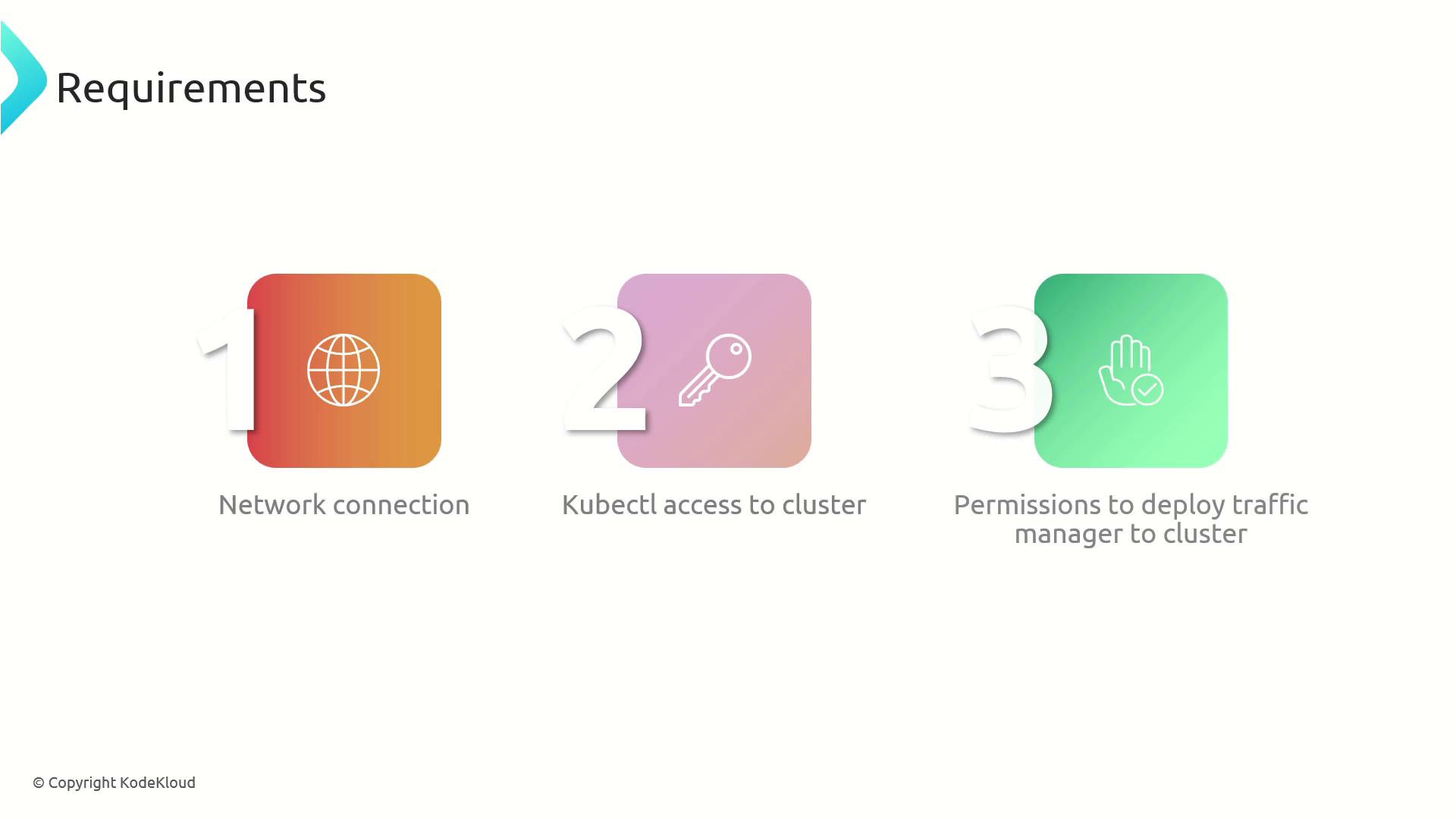
Before you begin, confirm you have:
- Network access to your Kubernetes cluster
kubectlconfigured with the correct context- Permissions to install or upgrade cluster components (or a colleague who can)
Installation
1. Install the Telepresence CLI
Download the latest Telepresence binary and make it executable:2. Deploy the Traffic Manager
Use the built-in Helm support to install:Establishing the Connection
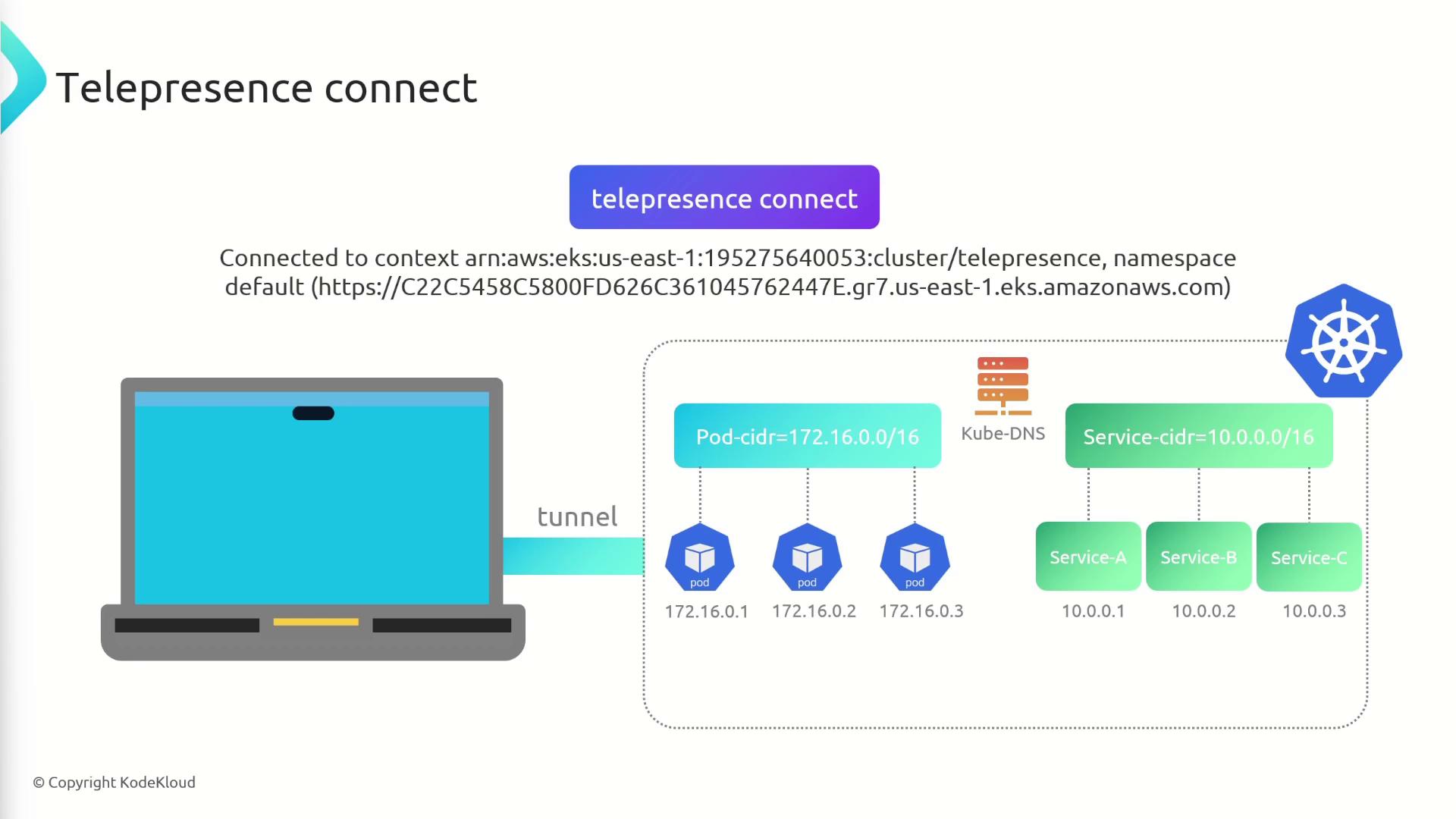
Run the following to start the daemon and open the tunnel:- Launch the local Telepresence daemon
- Connect to the Traffic Manager in your cluster
- Configure routing so cluster pod and service IPs resolve locally
Common Telepresence Commands
| Command | Description |
|---|---|
| telepresence connect | Establishes the network tunnel |
| telepresence status | Displays current connection and routing status |
| telepresence intercept NAME | Redirects traffic for a Kubernetes service to your local process |
Verifying Your Connection
Check connection health and routing:Local Routing
Telepresence adds local routes for cluster IP ranges. View them with:tel1 tunnel interface.