Prerequisites
- A running Kubernetes cluster with the Telepresence Traffic Manager installed.
- An active Telepresence session:
This establishes a secure tunnel between your local environment and the cluster.
Creating an Intercept
To redirect Service traffic for local debugging, you create an intercept on a Deployment. In this example, aproducts-depl Deployment is exposed on port 3000 in the cluster:
Command Syntax
| Argument / Flag | Description | Example |
|---|---|---|
| products-depl | Name of the Deployment or Service to intercept | products-depl |
--port LOCAL:REMOTE | Forward REMOTE port in the cluster to LOCAL port on your host | --port 8000:3000 |
If the target Service exposes only one port, you can omit
For example:
:REMOTE.For example:
products-depl Pod. All calls from other Pods (for example, an inventory Service) to port 3000 are proxied through the cluster to your local process on port 8000.
Intercept Details
After running the command, Telepresence prints status information:Listing and Managing Active Intercepts
View all active intercepts:Each intercept binds a unique local port. Reusing a port will cause the command to fail.
Traffic Flow with Multiple Intercepts
When one intercepted Service calls another, traffic may loop through the cluster multiple times:- Client in cluster → local
products-depl(port 8000) - Local
products-depl→ cluster → localinventory-depl(port 9000) - Local
inventory-depl→ cluster → localproducts-depl→ original caller
/etc/hosts or use a local proxy to shortcut these hops, Telepresence does not automate intra-local traffic resolution.
Collaboration Best Practices
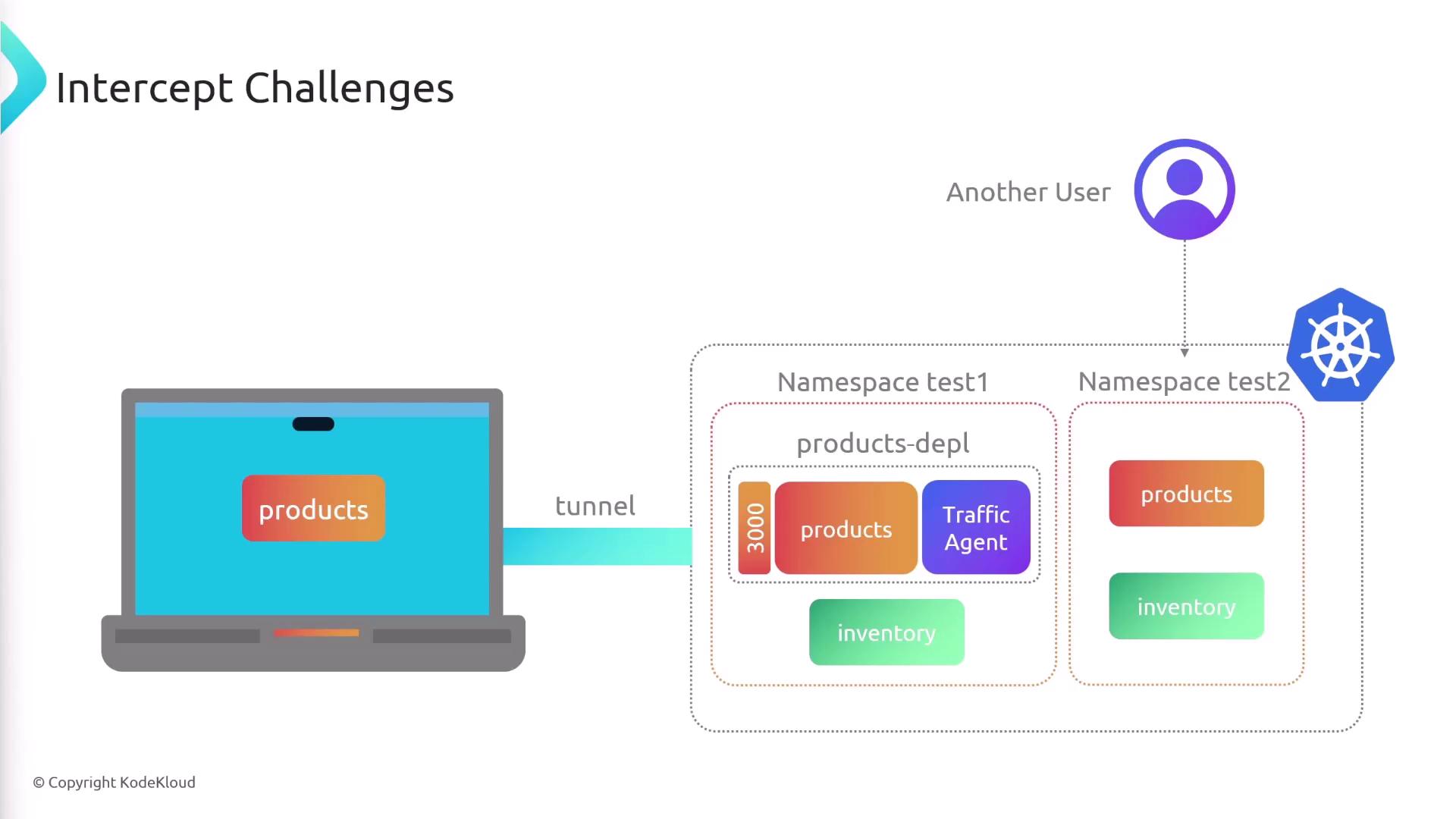
Active intercepts route all cluster traffic for a Service to your machine. If multiple developers intercept the same Service in a shared namespace, requests will collide.- Deploy each developer’s version into a dedicated namespace.
- Instruct teammates to intercept only their namespace’s resources.