

Step 1: Create a New Task Definition
Navigate to the Task Definitions section in your AWS ECS console and select Create new Task Definition. Since the deployment target is Fargate, choose Fargate as the launch type. Provide a task definition name (for example, “ECS-Project1”) and select the pre-created role.If you have not run the initial quick start wizard, make sure to do so in order to establish the necessary permissions for ECS to manage underlying resources.
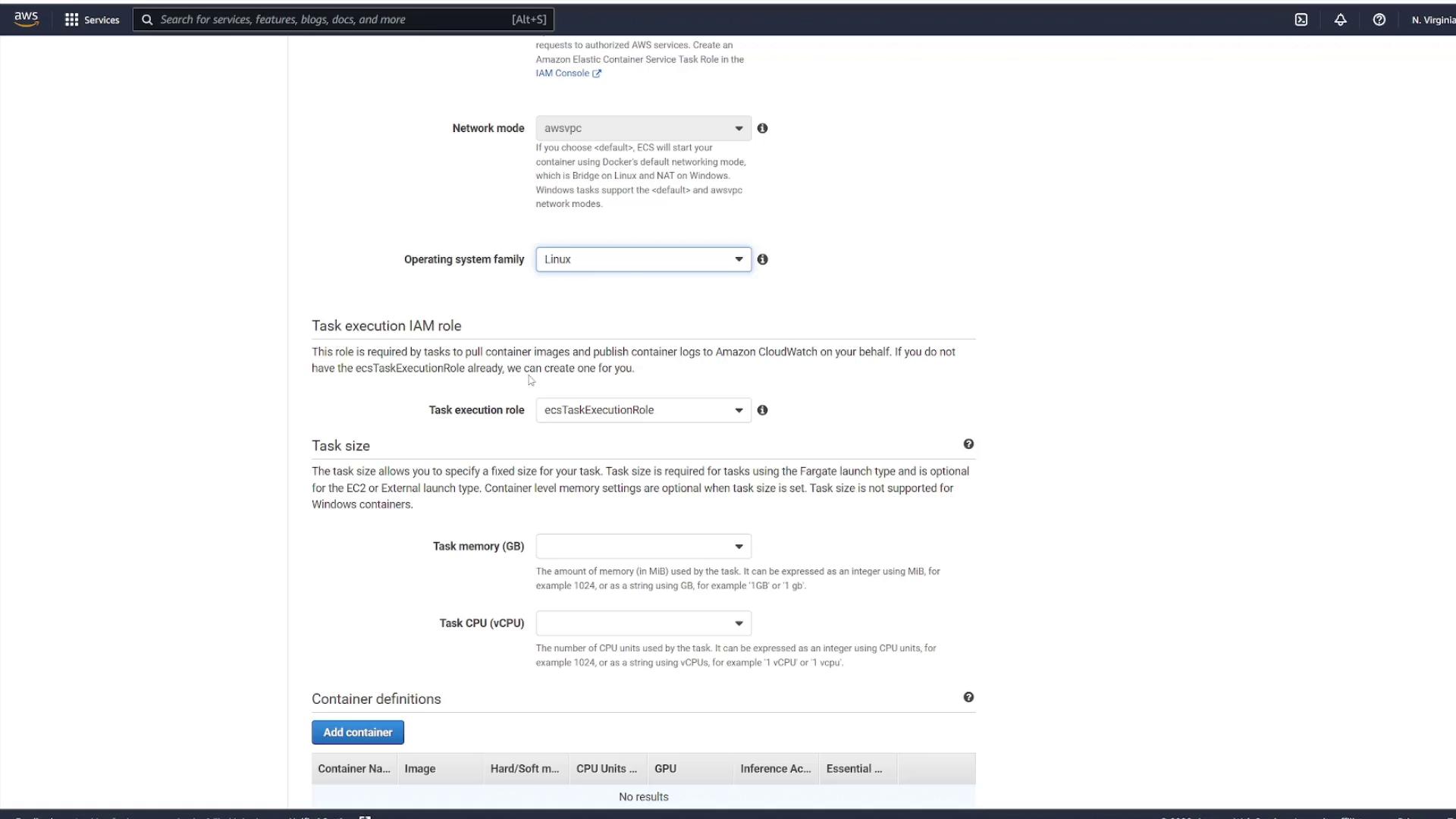
Step 2: Add a Container Definition
Add a container definition by entering a container name (for instance, “node_app_image”) and specifying the container image you used previously. Configure the startup command by including the following check to ensure your application starts correctly:Step 3: Launch the Task Definition as a Service
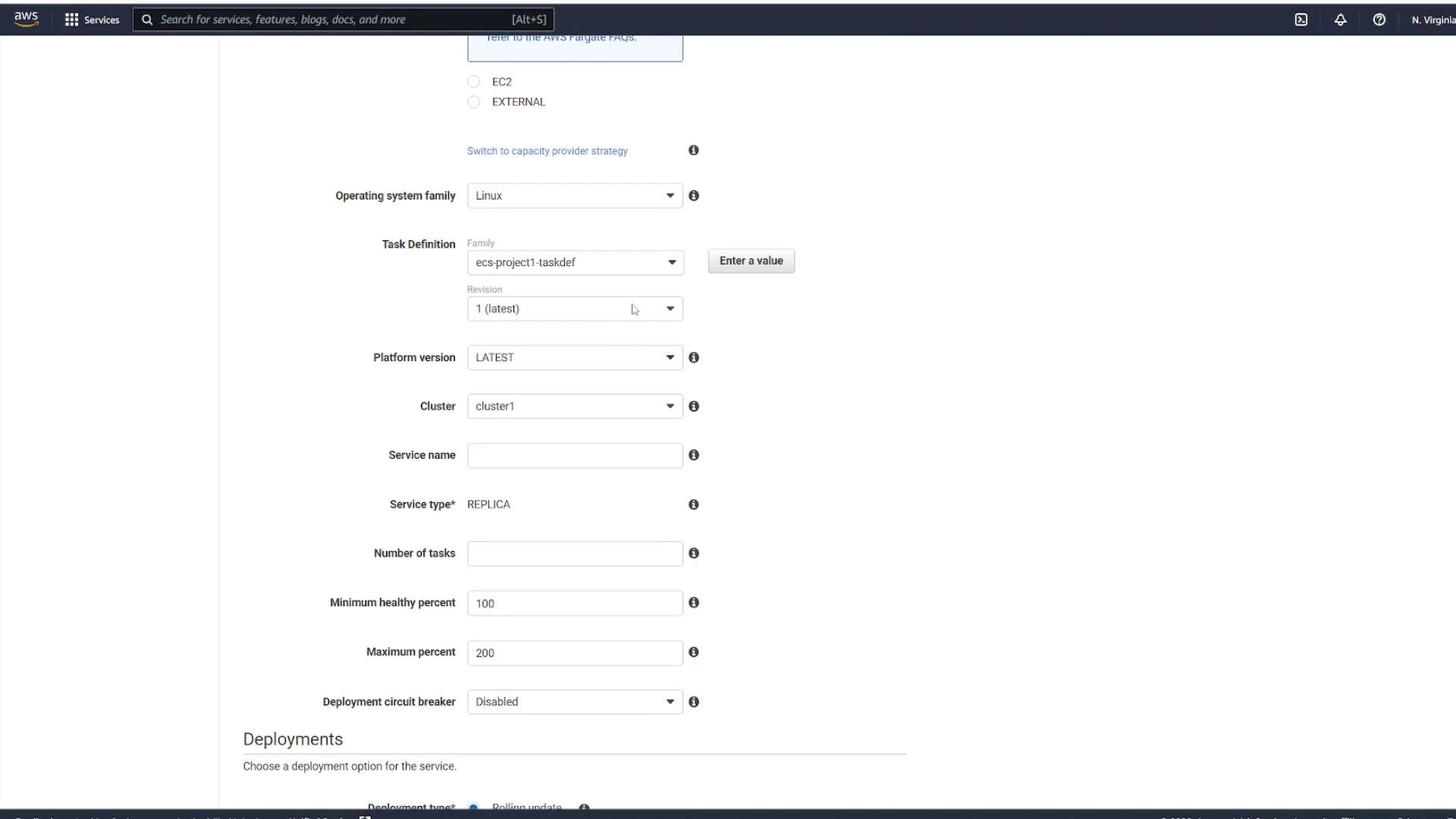
To run an instance of your task definition, navigate to the Services section within your cluster. Click on your cluster (for example, “cluster one”) and go to the Services tab. When creating a service, use the following settings:- Launch type: Fargate
- Operating system: Linux
- Task Definition: Select your created file (e.g., “ECS-Project1”) and choose the latest revision.
- Cluster: Use the default cluster.
- Service Name: Enter a name such as “project1-service”.
- Number of Tasks: Specify the desired instances (for example, select two to create two task instances).
Step 4: Configure Networking and Security
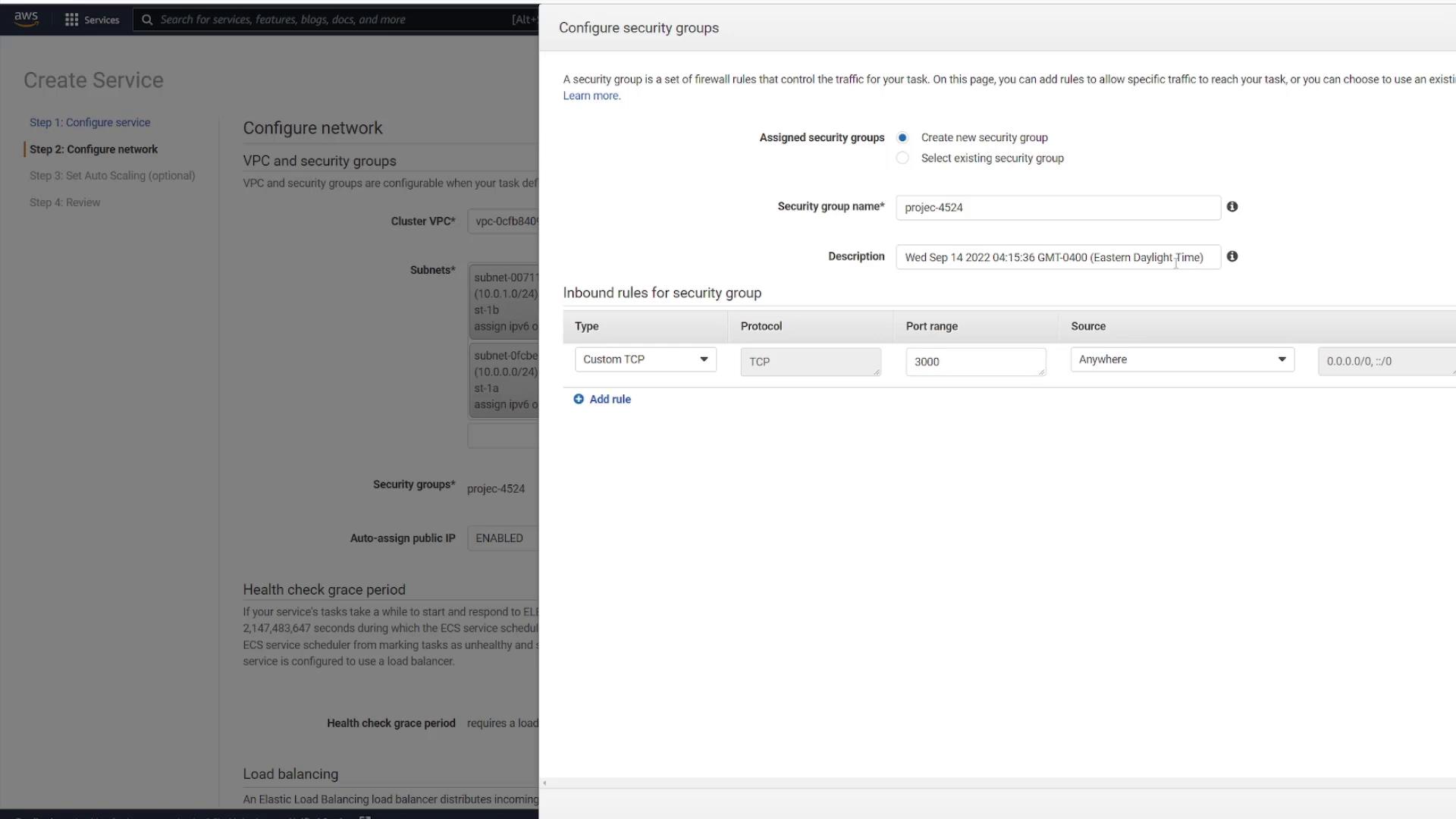
Proceed by selecting the appropriate VPC (the one created specifically for ECS) along with two subnets. Configure your security groups to control traffic for the service.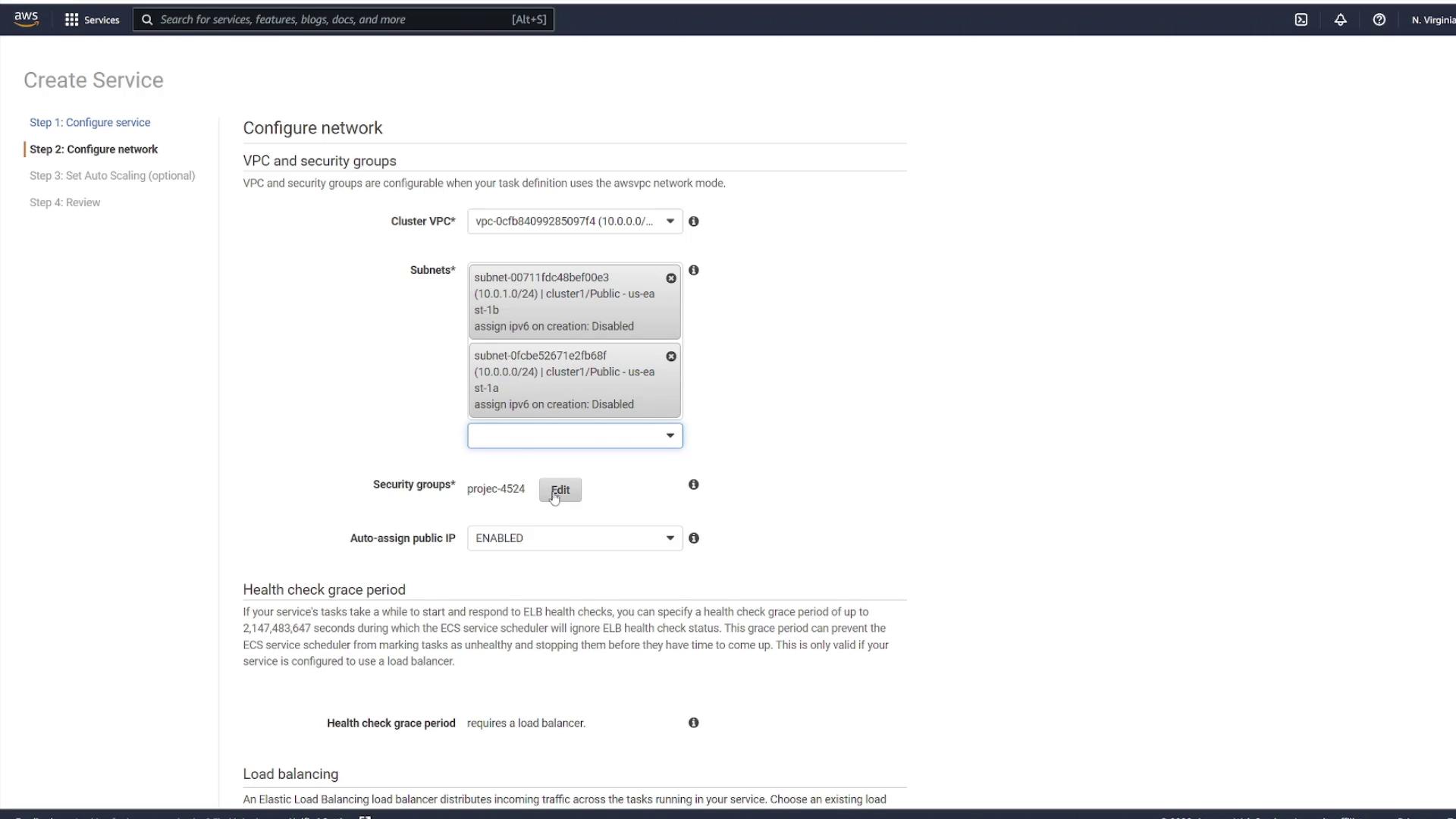
Step 5: Configure Auto Scaling and Create the Service
In the subsequent step, you have the option to configure auto scaling for the service. For this demonstration, disable auto scaling. Review all configurations carefully, then click Create Service.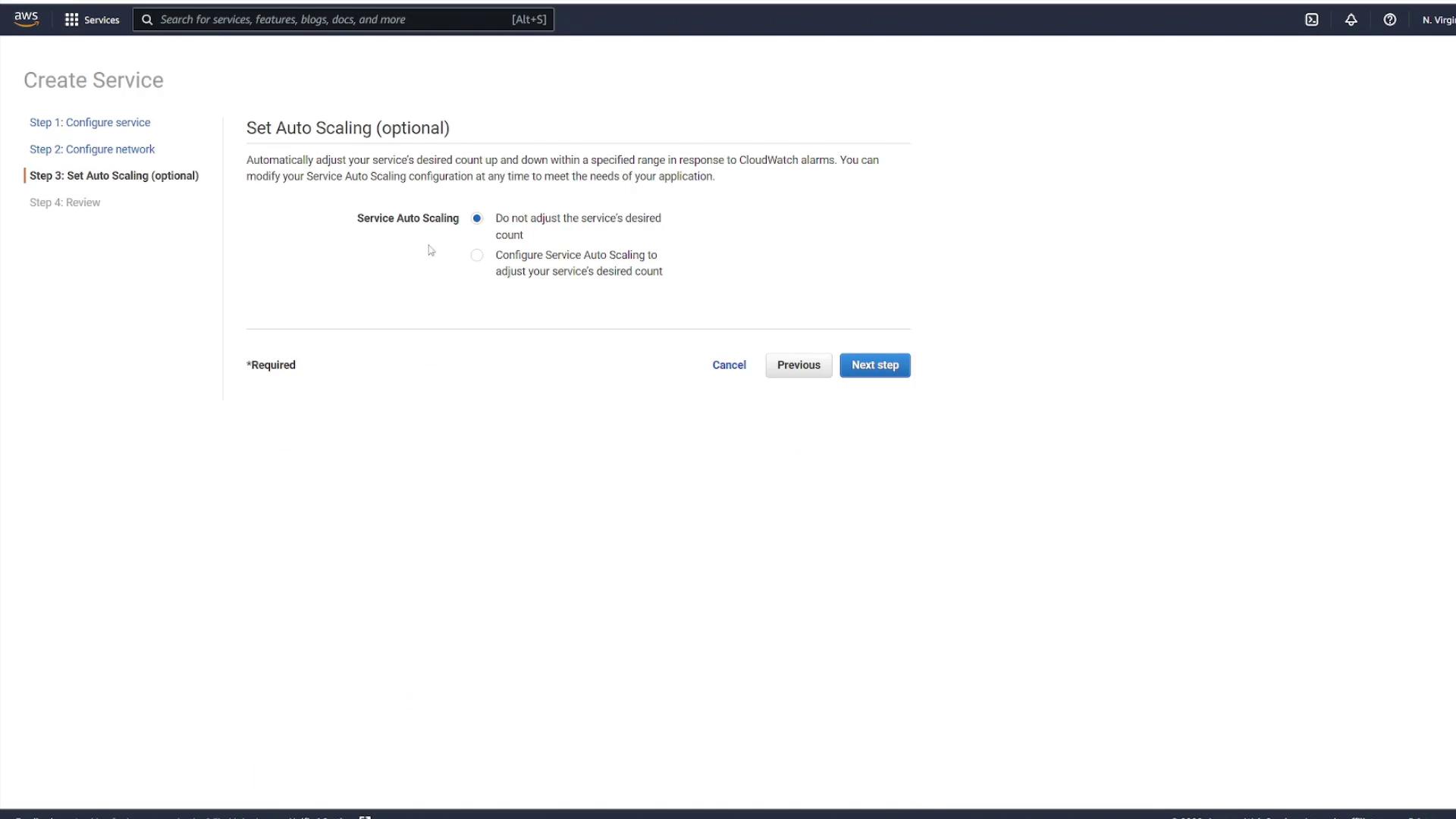
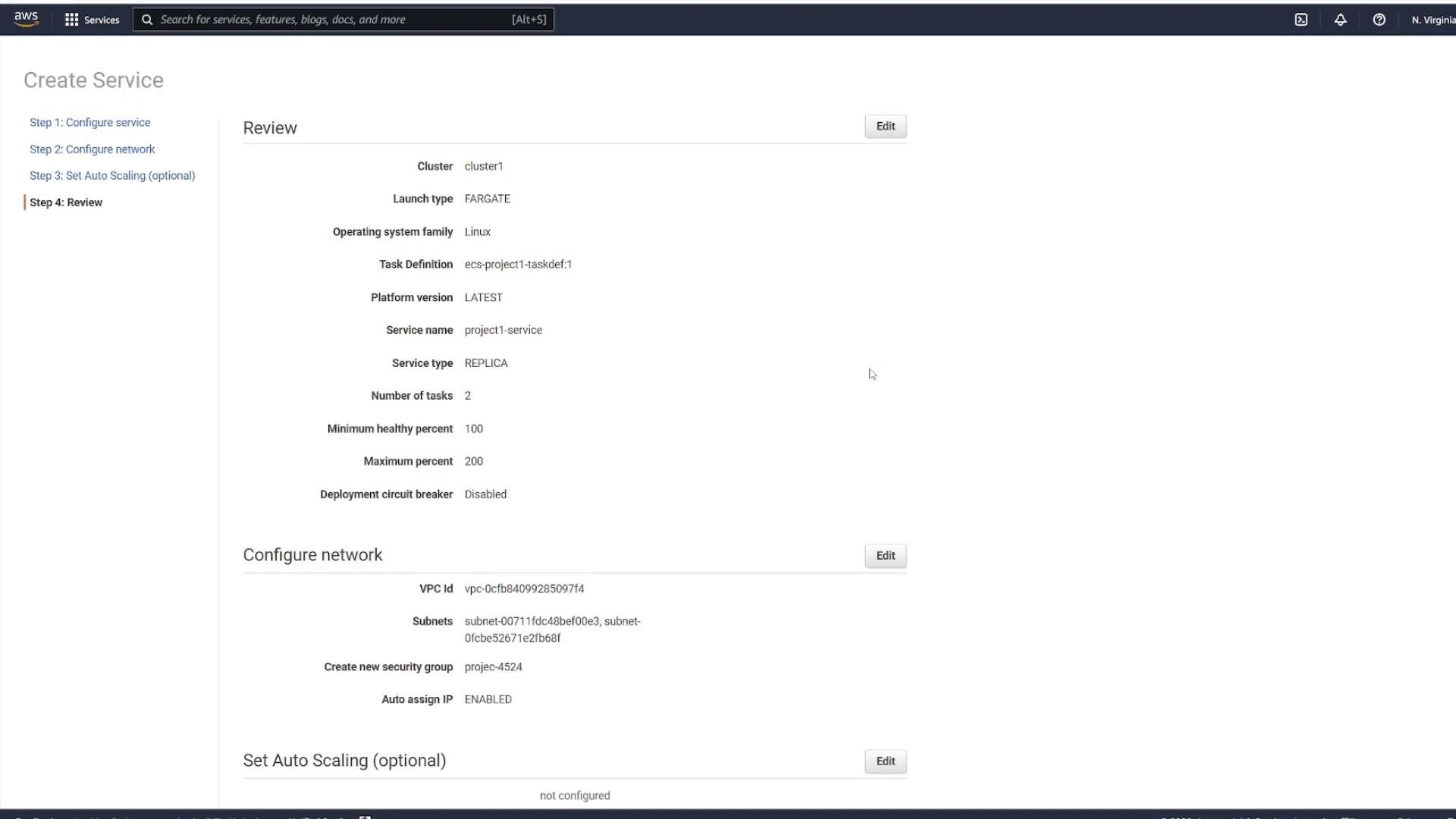
Step 6: Review and Monitor Your Service
Once the service is created, select View Service. Initially, you might see no running tasks; however, a refresh will reveal that provisioning has begun based on the number of tasks selected (in this example, two).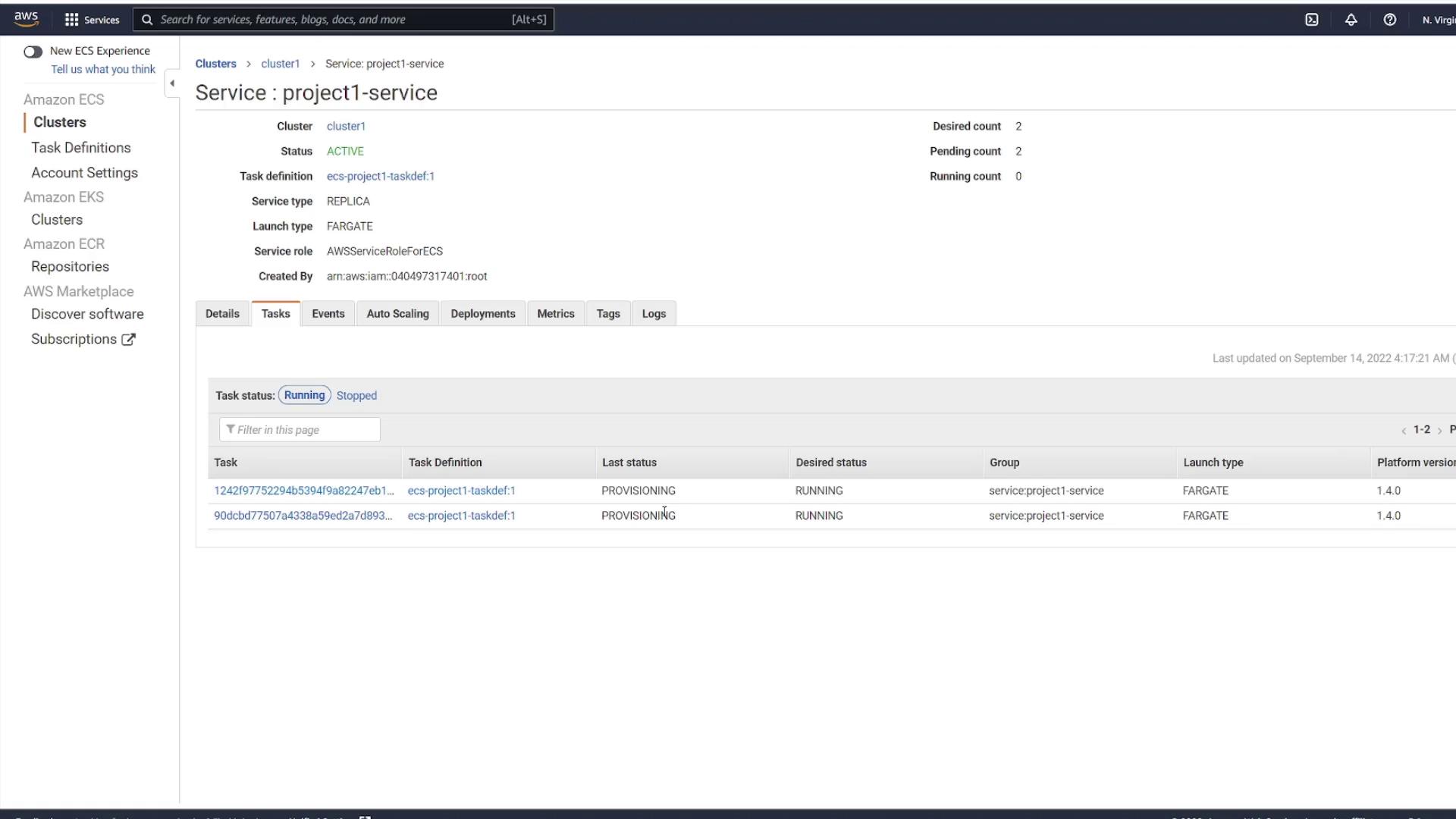
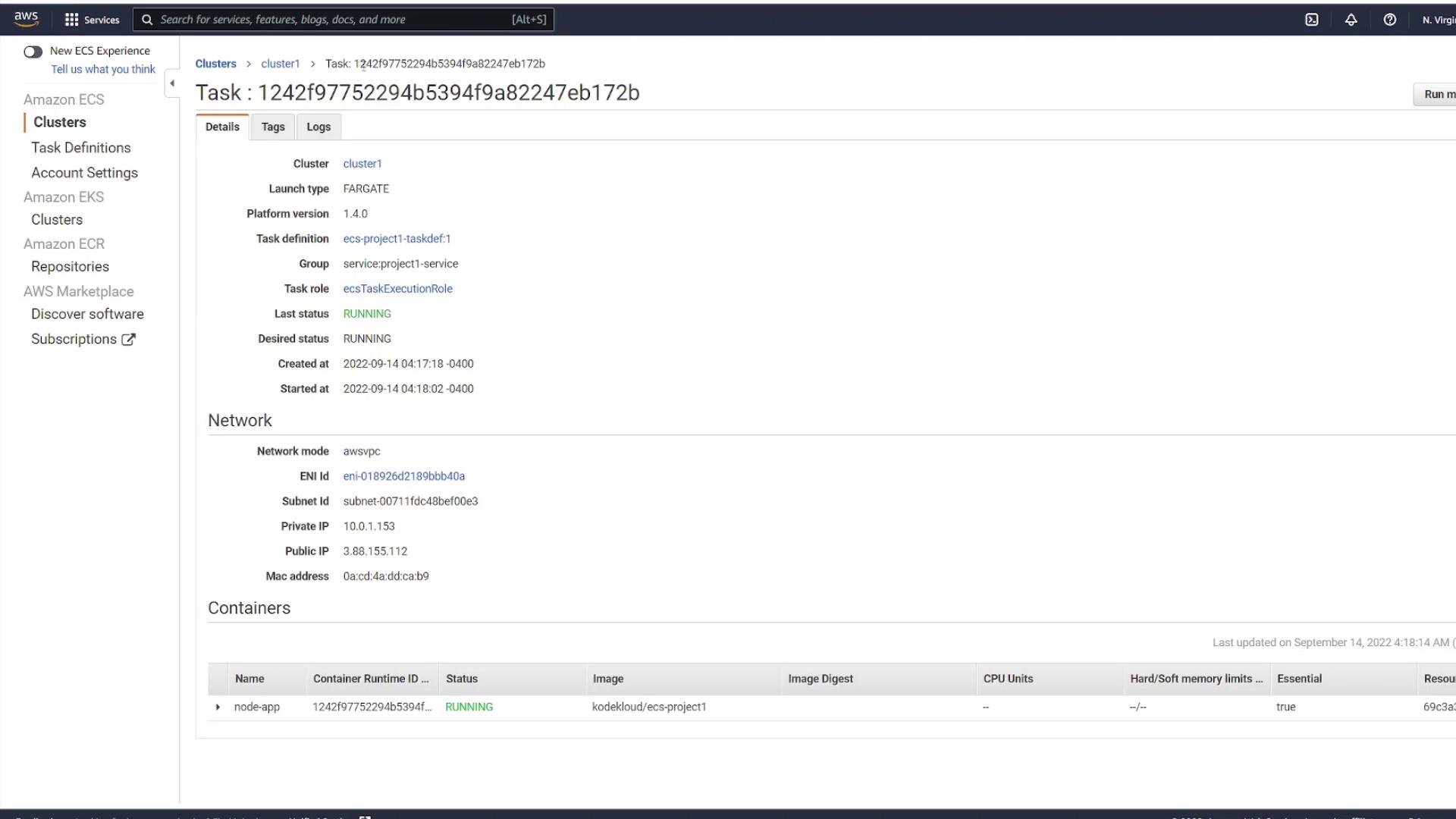
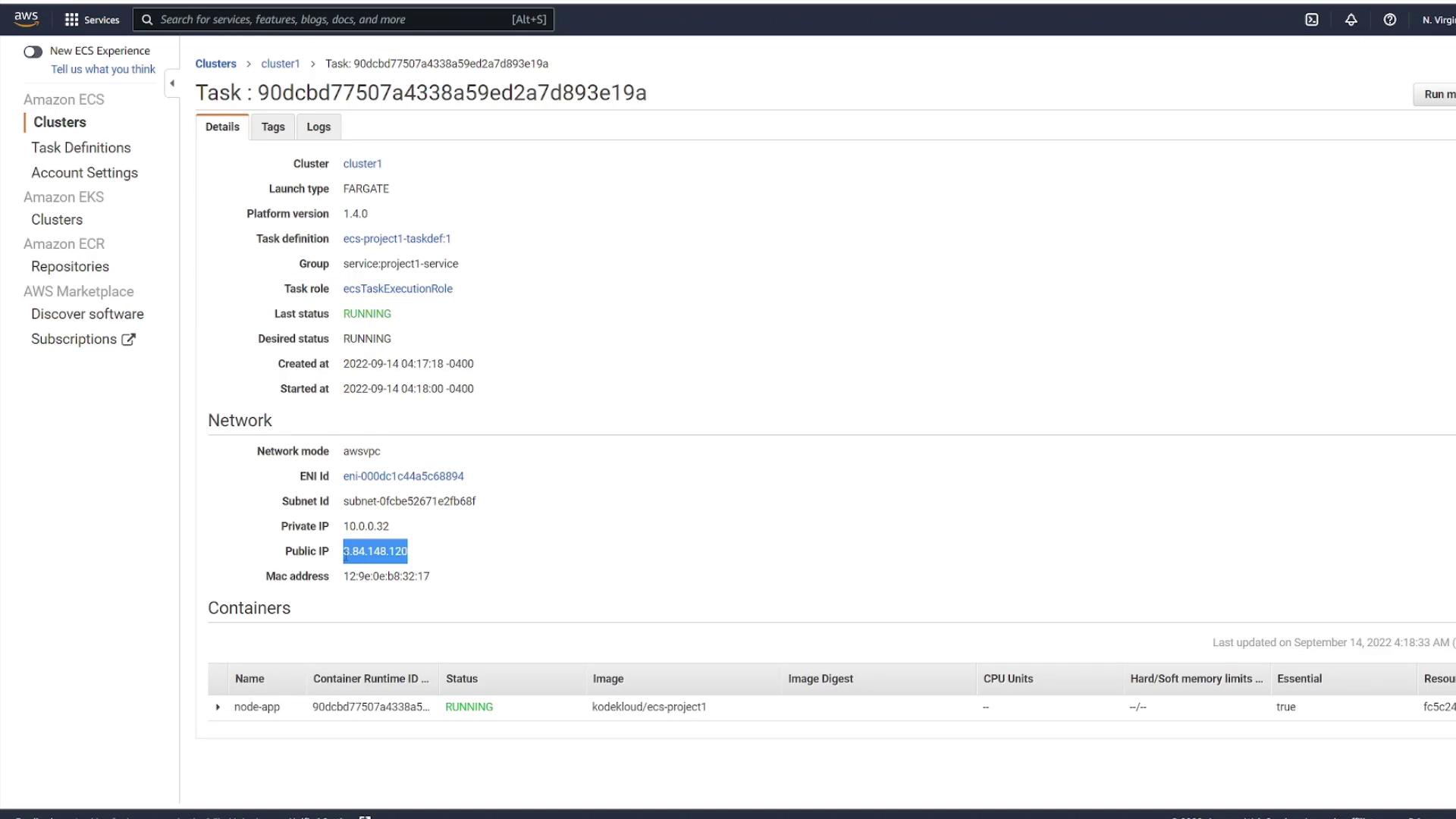
For front-end applications, having a single IP or DNS name can simplify traffic management. In robust architectures, consider configuring a load balancer to distribute incoming requests evenly across tasks. This approach exposes a single endpoint while managing dynamic IP addresses behind the scenes.