

Pushing Your Changes
Before creating a pull request, push your latest changes to the branch you’re working on. For instance, if your branch is named “sarah”, execute the following command in your terminal:Creating a Pull Request
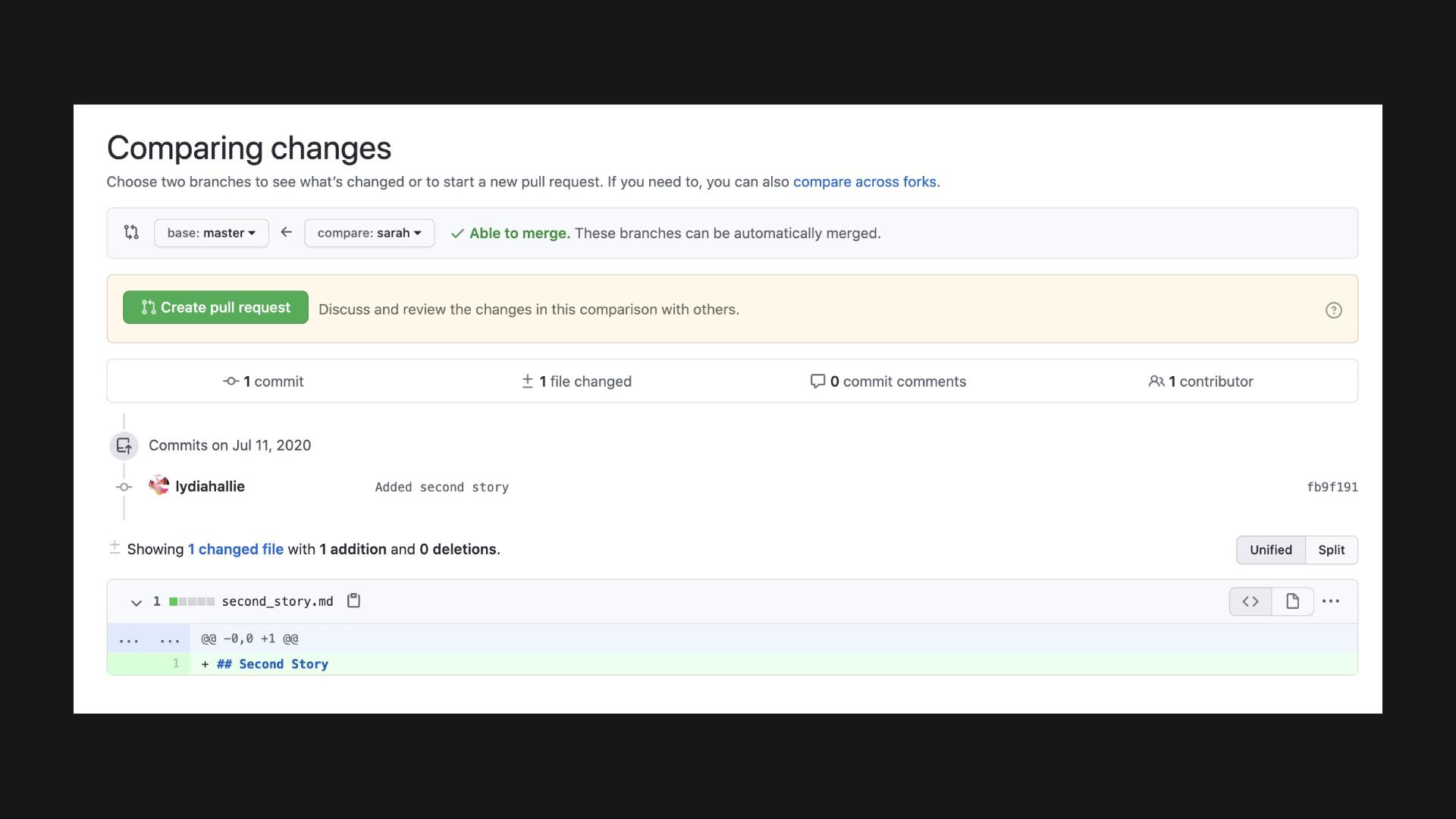
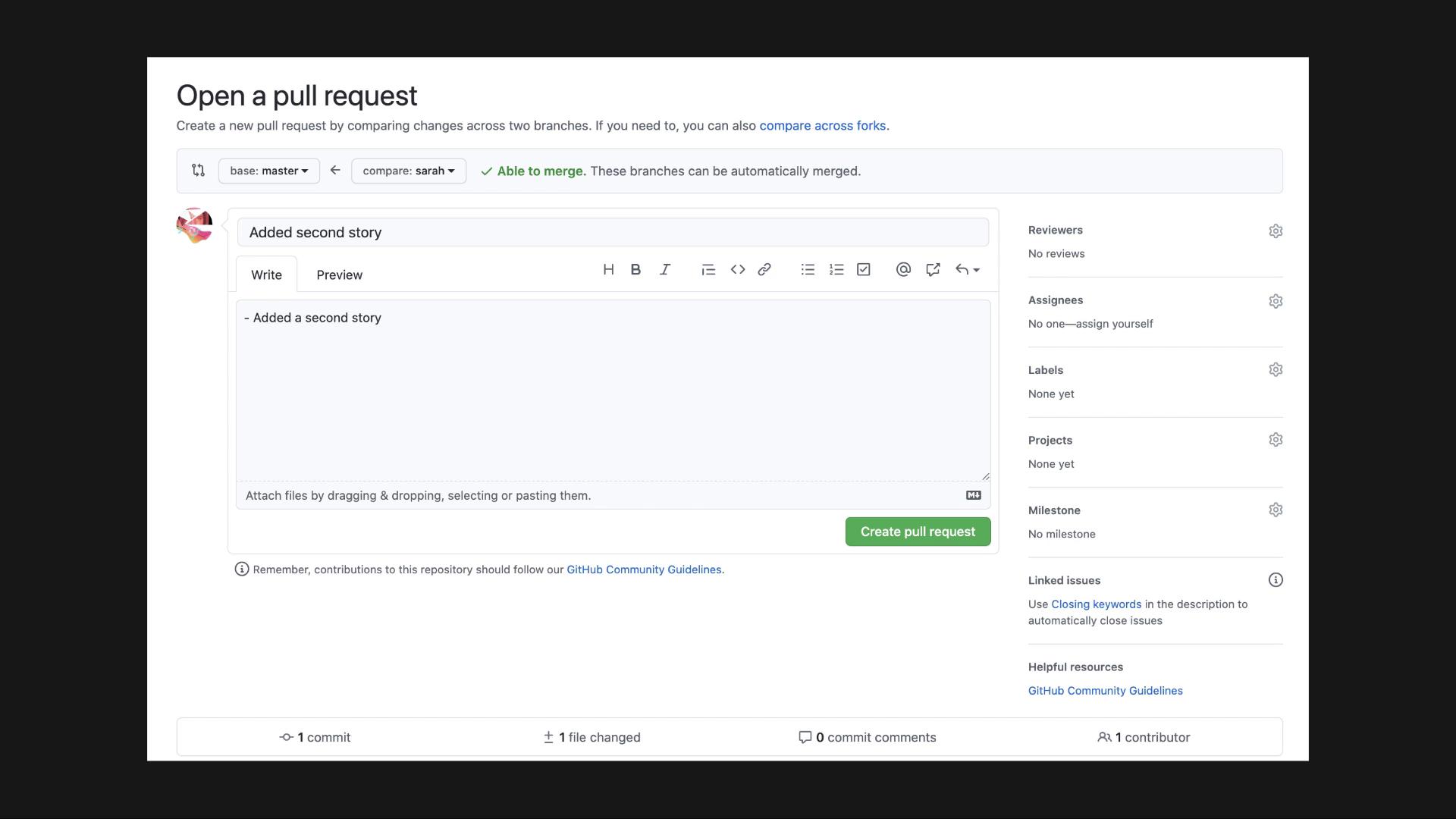
Initiate the pull request process by clicking the pull request button in the top navigation bar, or by using the prompt from the notification pop-up. GitHub will then present a comparison view between the “sarah” branch and the master branch, showcasing the changes made.Ensure that you review the differences carefully before proceeding. Providing a detailed title, description, and appropriate labels can help your team understand the purpose of your changes.
Reviewing and Merging
Once the pull request is submitted, your team members can review the modifications and provide feedback. When the changes are approved, you can merge them into the master branch by clicking the “Merge pull request” button. This process avoids the need to check out the master branch locally, as the merge is performed directly on GitHub.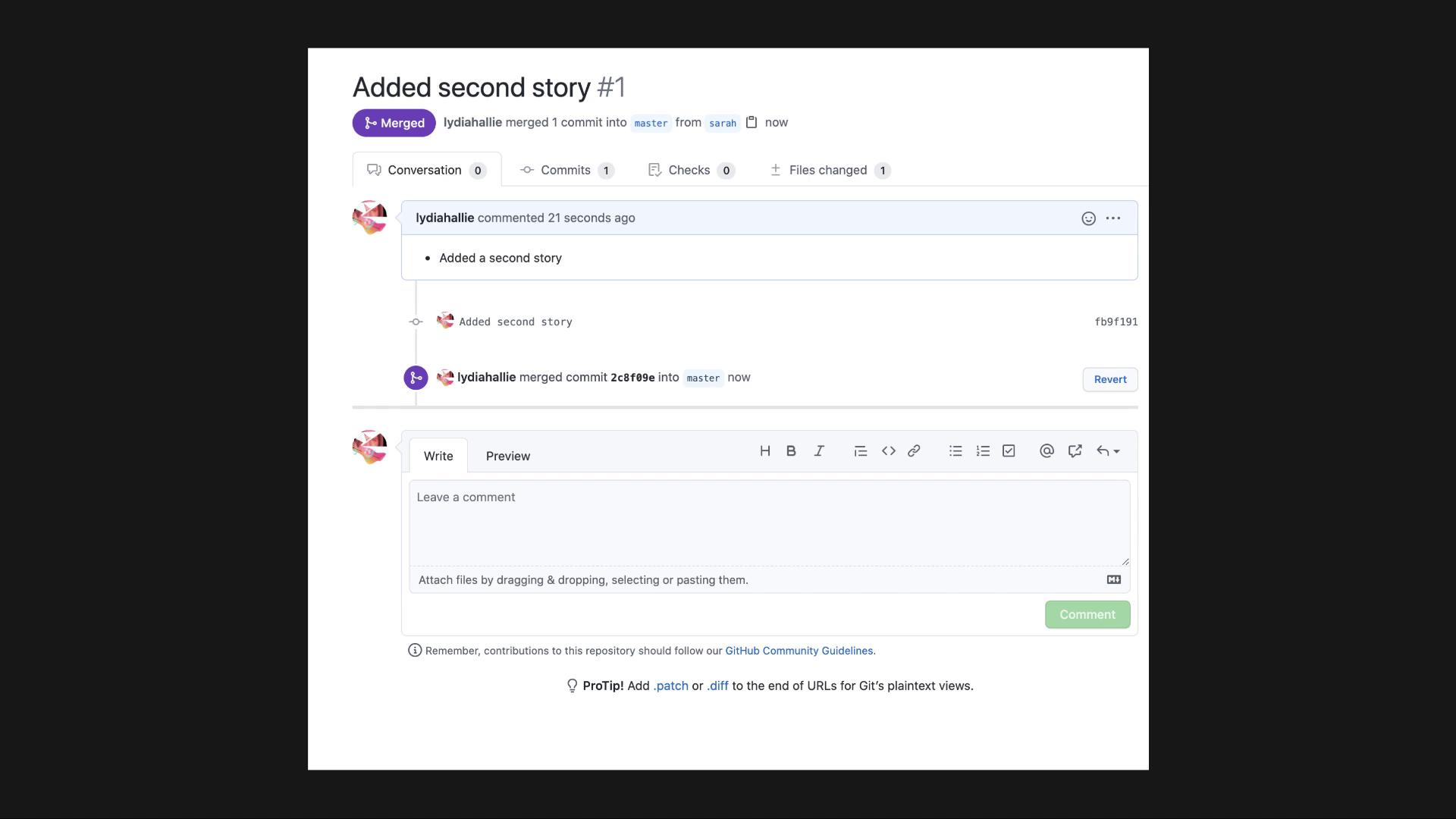
In larger teams or enterprise environments, merging into the master branch may require specific permissions. If you encounter restrictions, consult with a team member who has the necessary access rights.