

Directory Layout
Our project structure separates API and database manifests into their own folders: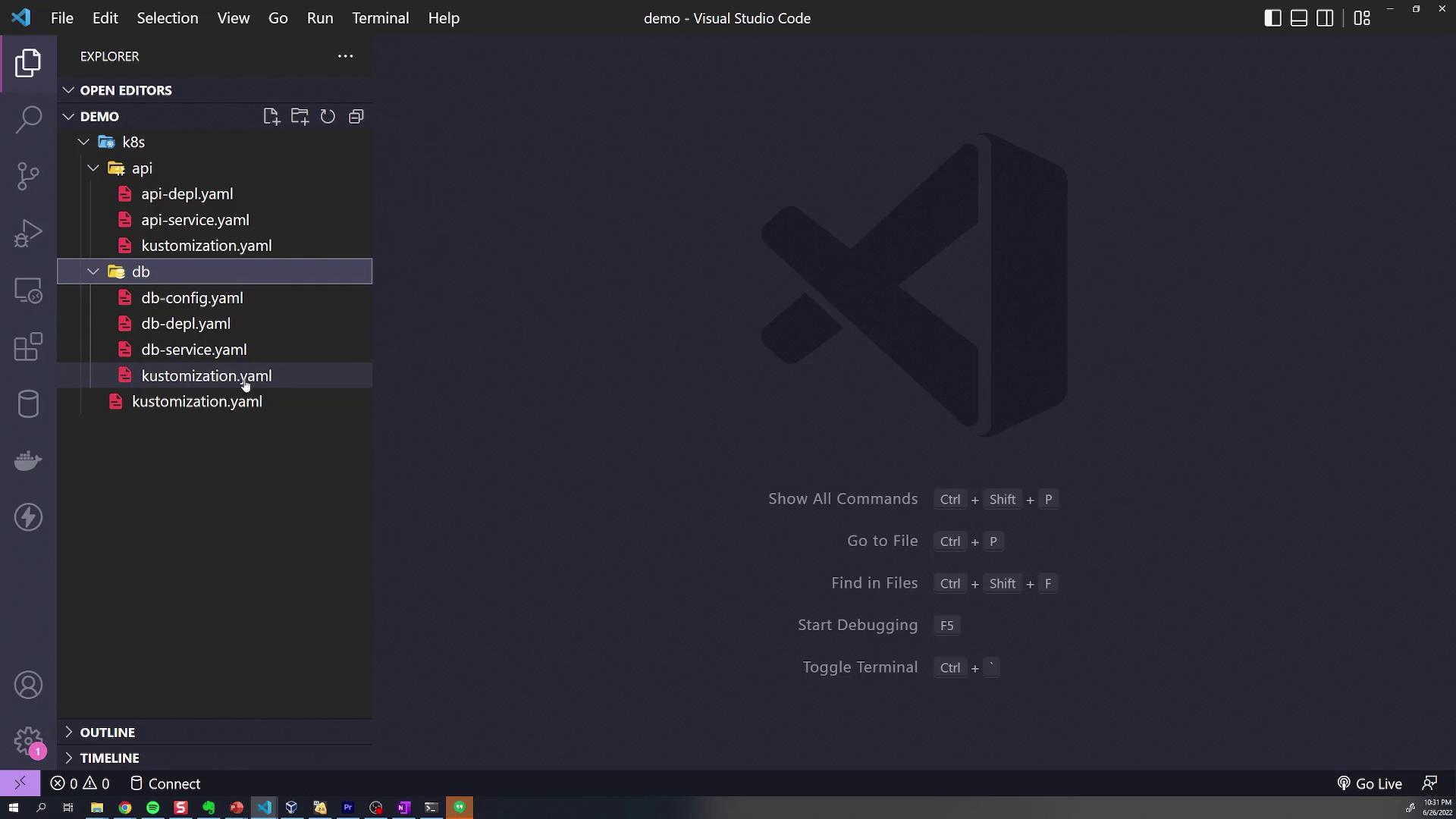
kustomization.yaml declares its local resources. For example, api/kustomization.yaml:
db/kustomization.yaml:
kustomization.yaml aggregates both:
1. Global Labels with commonLabels
To tag all resources with department=engineering, add a commonLabels section at the root:
2. Scoped Labels in Subdirectories
Labels in a subdirectory only affect its own resources. API folder example (api/kustomization.yaml):
- API resources include both
department=engineeringandfeature=api. - DB resources remain only
department=engineering.
feature: db to db/kustomization.yaml:
3. Assigning a Namespace
To place all resources into a namespace (e.g.,debugging), set namespace at the root:
4. Name Prefixes and Suffixes
Global Prefix
In the rootkustomization.yaml:
KodeKloud-.
Subdirectory Suffixes
-
api/kustomization.yaml:
-
db/kustomization.yaml:
name: KodeKloud-api-deployment-webname: KodeKloud-db-deployment-storage
5. Common Annotations
AddcommonAnnotations at the root to include annotations globally:
6. Overriding Container Images
Use theimages transformer where needed. In db/kustomization.yaml, override the MongoDB image:
Always quote
newTag so that it’s parsed as a string by Kustomize.Kustomize Transformers at a Glance
Next, try these transformers hands-on to see how they simplify your Kubernetes deployments.
Links and References
- Kustomize Official Documentation
- Kustomize Transformers Reference
- Kubernetes Concepts: Labels and Selectors