

- how devices split and reassemble data into packets,
- how addressing (IP and MAC) helps packets find their destination,
- how routers forward packets between networks, and
- how switches deliver frames inside local networks.
- a header with delivery information (source/destination IPs, source/destination ports, protocol, sequence or identification fields),
- a payload carrying part of the message,
- and usually a checksum or CRC to detect transmission errors.
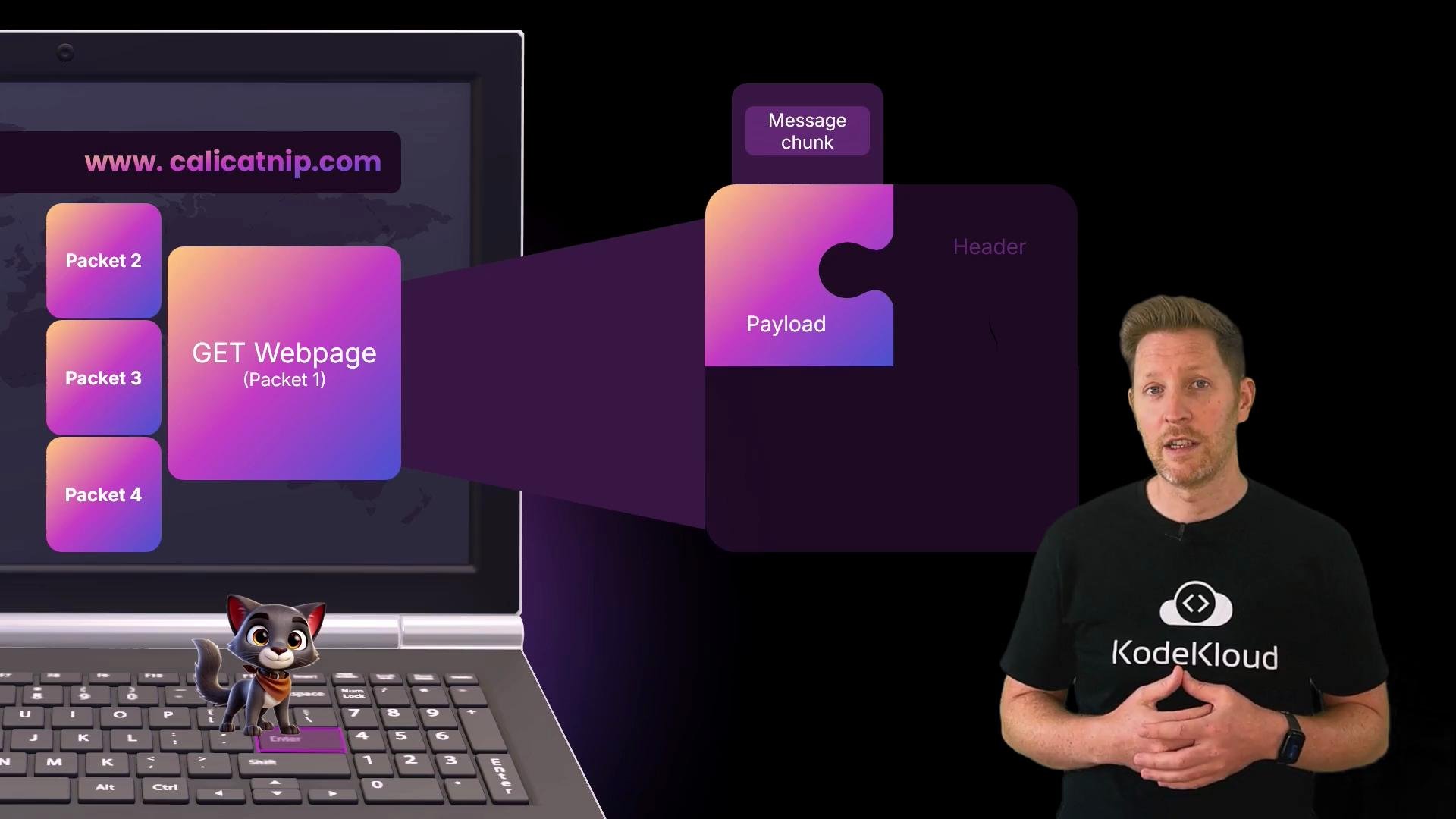
Splitting data into packets makes networks robust and efficient: only the damaged packets need retransmitting rather than the whole file.
DNS and addressing
Human-friendly names like www.calicatnip.com must be translated into numeric IP addresses that routers and hosts can use. The Domain Name System (DNS) performs this translation — acting like the Internet’s phone book.
- DNS returns the destination IP address that identifies the server on the network.
- Kody’s laptop uses a private IP inside her home LAN; her home router holds a public IP visible to the wider Internet.
- The packet header therefore carries a source IP (where it originated) and a destination IP (where it should arrive).
DNS: try
dig +short www.calicatnip.com or nslookup www.calicatnip.com to see how names map to addresses. Note that private IPs (RFC 1918) are only meaningful inside a local network; NAT translates private-to-public at the router.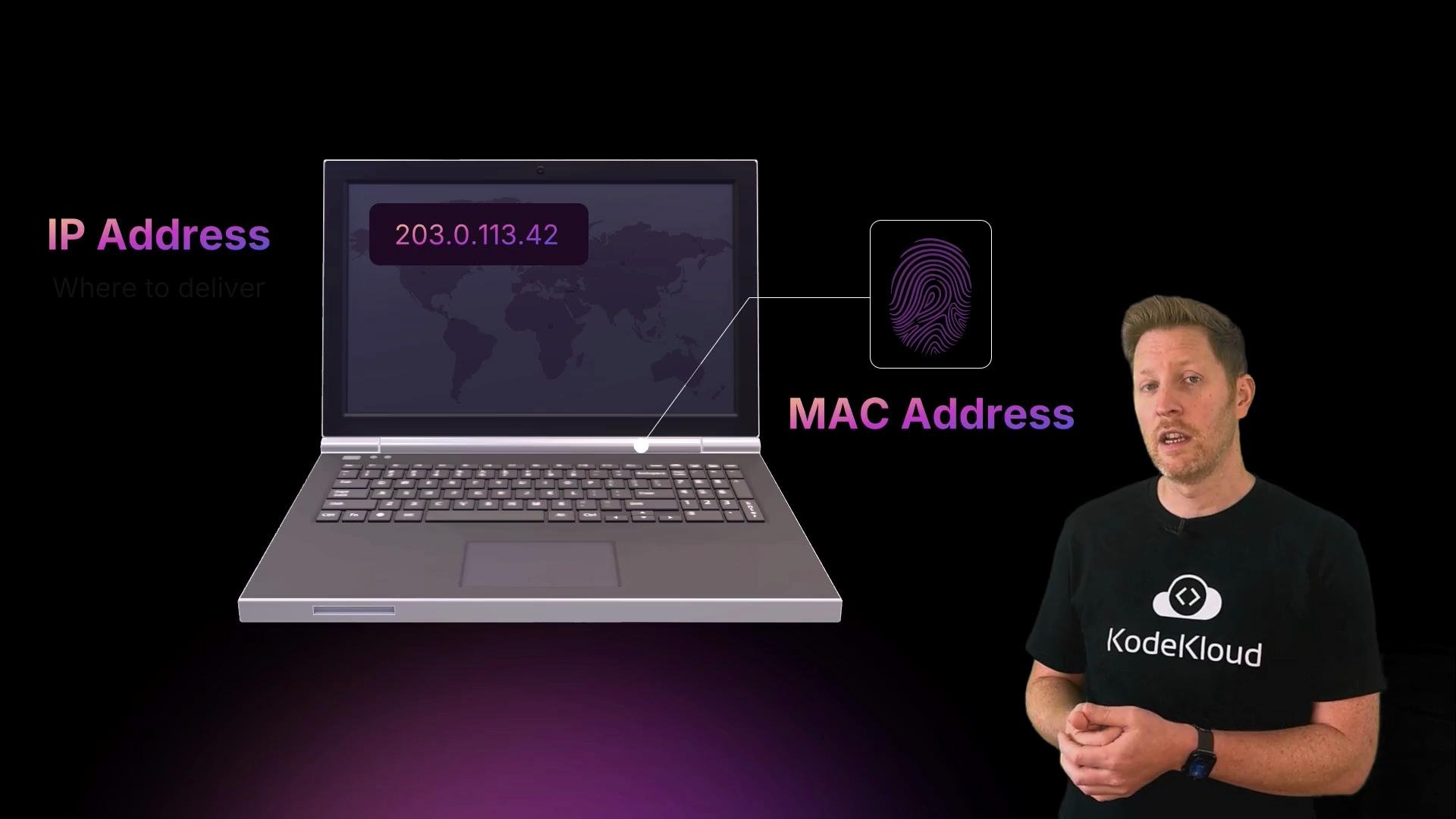
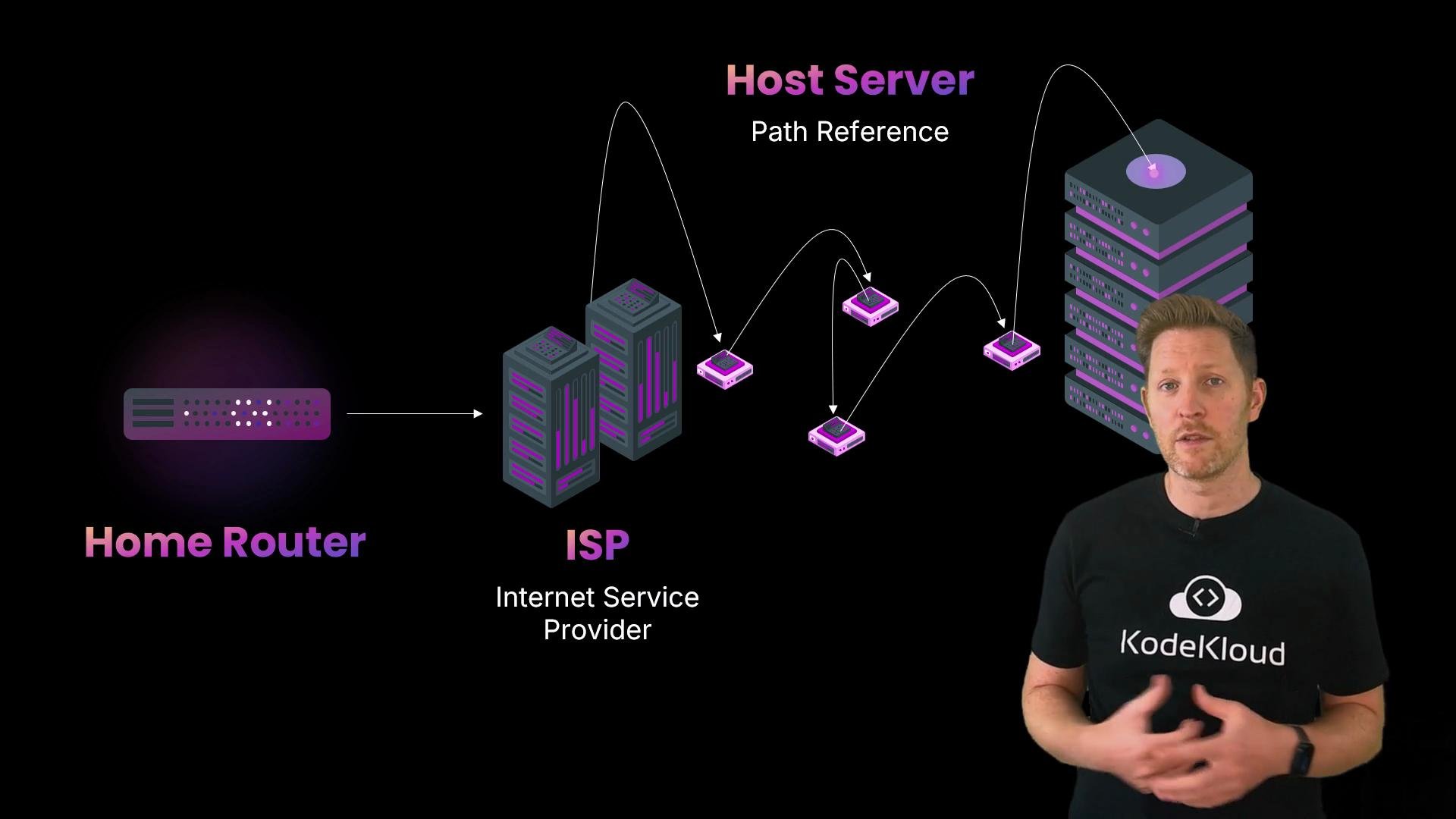
- Each router reads the destination IP in the packet header and consults its routing table to decide the next hop.
- Routers forward packets hop-by-hop rather than computing a full end-to-end path for each packet.
- Routing tables are built and updated using routing protocols (for example, BGP between ASes, OSPF or IS‑IS within an AS).
- When links fail or become congested, routing protocols help routers converge on new paths.
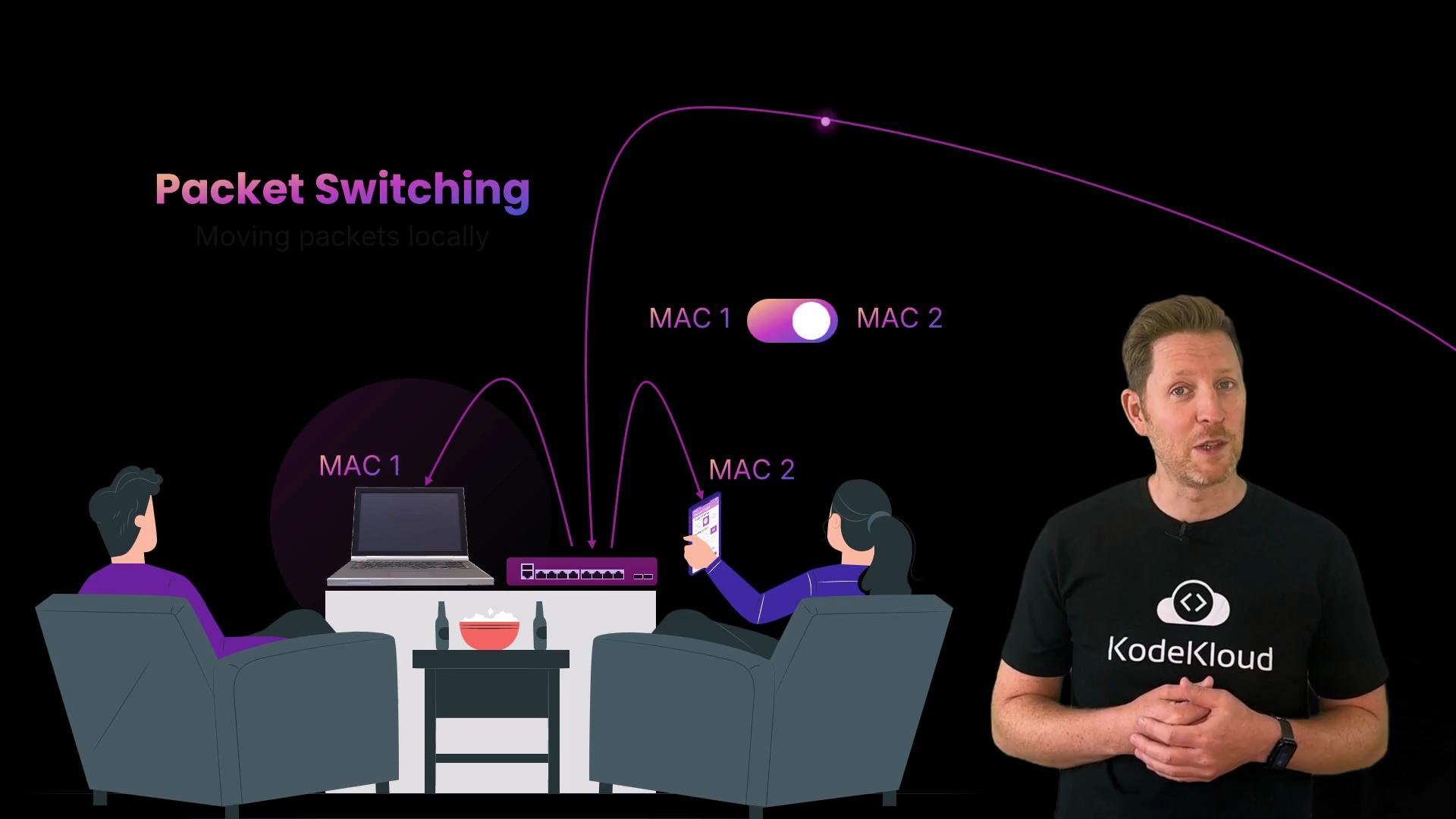
- Switches learn which MAC addresses are reachable on which physical ports and build a MAC address table.
- When a frame arrives, the switch looks up the destination MAC and forwards the frame only to the port where that MAC was last seen.
- This design is efficient and supports many simultaneous conversations over the same physical media (multiplexing), unlike circuit switching which reserved a dedicated path.
B. MAC addresses are used to route packets across the Internet.
C. The entire route is chosen before the packet leaves Kody’s device.
D. Switches reserve a dedicated path between devices to avoid collisions. Pause now to lock in your answer. Correct answer: A. Data is divided into smaller packets that are labeled and reassembled on arrival. Why the other options are incorrect:
- B: MAC addresses are used only for local delivery inside a LAN; routers use IP addresses to forward packets between networks.
- C: Routers make hop-by-hop forwarding decisions; they do not precompute a fixed end-to-end path for each packet.
- D: Circuit switching reserved dedicated paths; modern Ethernet switching is packet-based and multiplexes many flows over the same media.
- Data is split into packets to reduce retransmission cost; packets include a header, payload, and checksum.
- Packets travel independently and are reassembled at the receiver using sequence identifiers.
- IP addresses provide logical, globally routable addressing across networks.
- MAC addresses provide link-layer addressing for local delivery inside a LAN.
- Routers use destination IPs and routing tables to choose the next hop; routes can change dynamically.
- Switches use MAC addresses to forward frames inside local networks without reserving a path.
- DNS: https://en.wikipedia.org/wiki/Domain_Name_System
- IP addressing: https://tools.ietf.org/html/rfc791
- MAC addresses and Ethernet: https://en.wikipedia.org/wiki/MAC_address
- BGP overview: https://en.wikipedia.org/wiki/Border_Gateway_Protocol
- OSPF overview: https://en.wikipedia.org/wiki/Open_Shortest_Path_First