This article explores implementing caching in a buildpack to streamline the build process and reduce redundant work during repeated builds.
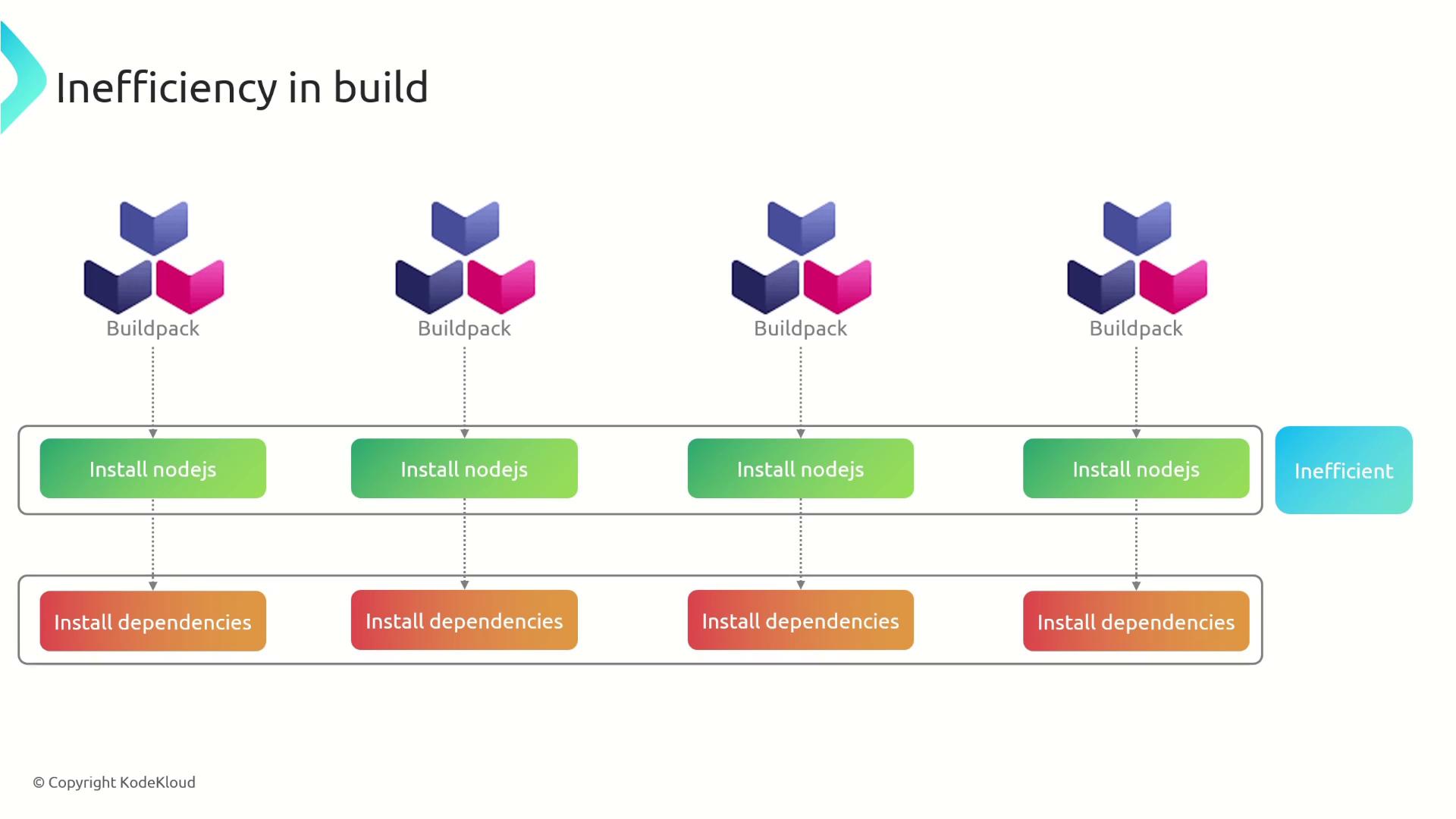
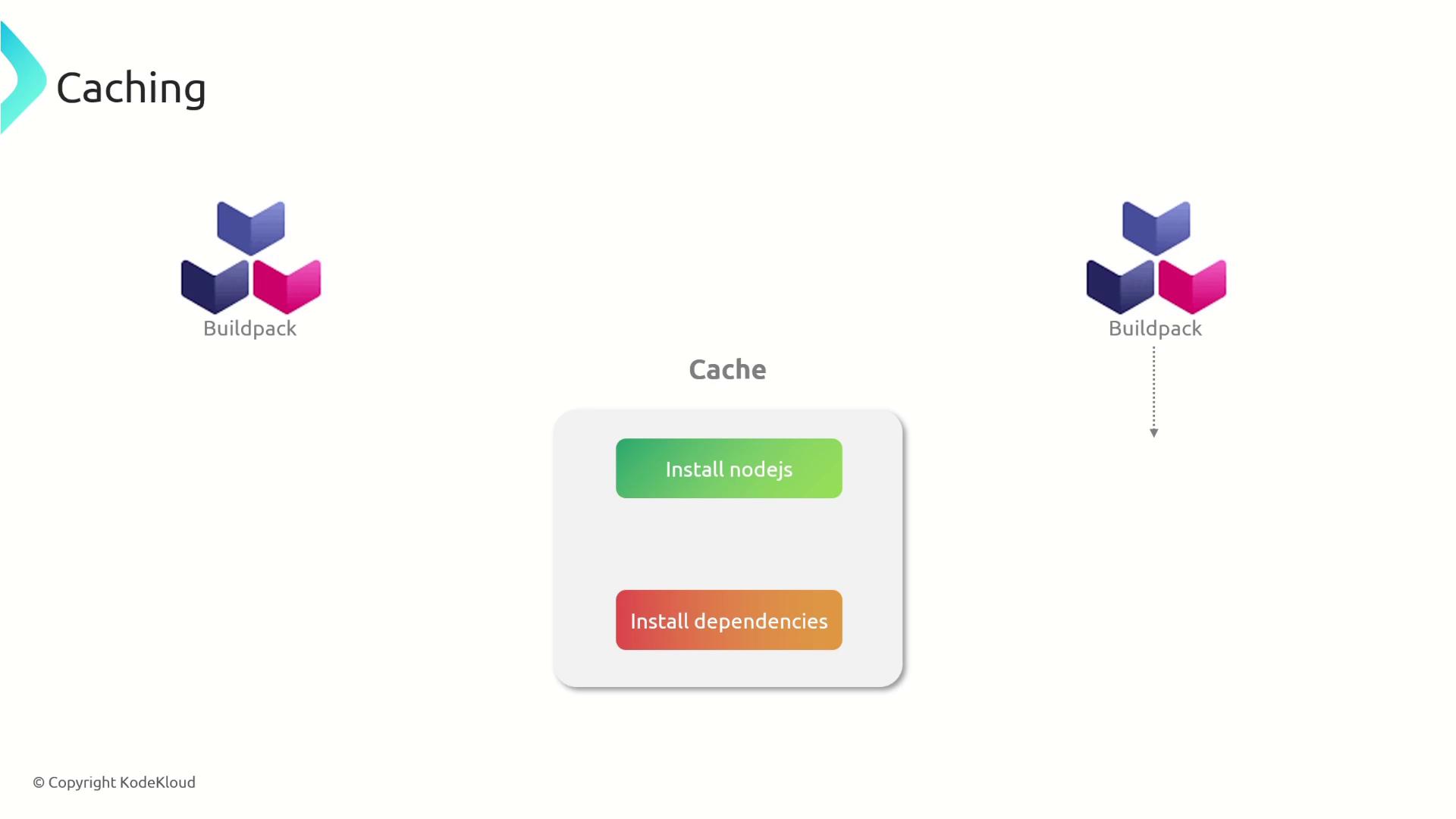
In this article, we explore how to implement caching within a buildpack to streamline the build process. Caching eliminates redundant work during repeated builds by storing pre-built layers, such as the Node.js runtime and application dependencies. Without caching, each build would require reinstalling Node.js and downloading all dependencies from scratch—an inefficient and time-consuming process.
By implementing caching, our buildpack creates reusable layers. For example, one layer is dedicated to Node.js and another to dependencies (node_modules). These layers are stored and reused in subsequent builds, significantly reducing build times by avoiding unnecessary downloads and installations.
Below, we detail how caching is implemented for both the Node.js runtime layer and the node_modules layer.
To enable caching for the Node.js layer, we modify the project.toml file to set the cache property to true and include additional metadata, such as the Node.js version. The script below demonstrates how the desired Node.js version is retrieved from the build plan, compares it with the cached version, and determines whether to download and extract Node.js or reuse the existing cached version:
Copy
Ask AI
# Retrieve the user’s desired Node.js version from the build plannode_js_version=$(cat "$CNB_BP_PLAN_PATH" | .metadata.version | jq -r '.entries[] | select(.name == "node-js")')echo "nodejs version: ${node_js_version}"# Get the currently cached Node.js versioncached_nodejs_version=$(cat "${CNB_LAYERS_DIR}/node-js.toml" 2>/dev/null | yj -t | jq -r '.metadata.nodejs_version' 2>/dev/null || echo "NOT FOUND")echo "cached version: ${cached_nodejs_version}"# If the desired Node.js version differs from the cached version or the cache is missing,# download and extract Node.js; otherwise, reuse the cached version.if [[ "${node_js_version}" != *"${cached_nodejs_version}"* ]] || [[ ! -d "${node_js_layer}" ]]; then echo "---> Downloading and extracting NodeJS" wget -q -O "${node_js_url}" | tar -xJf - --strip-components 1 -C "${node_js_layer}"else echo "---> Reusing NodeJS"fi# Make Node.js available during launch and mark the layer as cacheable.cat > "${CNB_LAYERS_DIR}/node-js.toml" << EOL[types]build = falselaunch = truecache = true[metadata]nodejs_version = "${node_js_version}"EOL
This script first reads the user-specified Node.js version and then checks the cache for an existing version. If the versions mismatch or if the cache is absent, it downloads and extracts Node.js accordingly.
Caching application dependencies is handled by comparing the hash of the package-lock.json file. Since this file specifies exact versions of dependencies, any change in its content indicates that the dependencies have been updated. The following script manages the caching logic for the node_modules layer:
Copy
Ask AI
# Get the hash of the current package-lock.json filepkg_lock_hash=$(sha256sum "package-lock.json" | cut -d ' ' -f 1)prev_hash=""# Retrieve the cached package-lock hash if availableif [ -f "${node_modules_layer}.toml" ]; then prev_hash=$(cat "${node_modules_layer}.toml" | grep "package_lock_hash" || true)fi# Install dependencies if the cache is invalid:# either the node_modules directory does not exist or the hashes differ.if [ ! -d "${node_modules_layer}/node_modules" ] || [[ "${prev_hash}" != *"${pkg_lock_hash}"* ]]; then echo "---> Installing node modules" # Copy package.json and package-lock.json to the layer cp package*.json "${node_modules_layer}/" # Install dependencies in the layer cd "${node_modules_layer}" npm ci cd "$workdir"else echo "---> Reusing node modules from cache"fi# Create a symbolic link to make the node_modules layer available in the working directoryln -s "${node_modules_layer}/node_modules" "/workspace/node_modules"# Mark the modules layer as available during build and launch, and enable cachingcat > "${node_modules_layer}.toml" << EOL[types]build = truelaunch = truecache = true[metadata]package_lock_hash = "${pkg_lock_hash}"EOL
This caching process works as follows:
A SHA-256 hash is generated for the current package-lock.json.
The script checks if there is a previously cached hash.
If the node_modules directory is missing or the hashes do not match (indicating updated dependencies), the script copies the package.json and package-lock.json to the layer, runs npm ci to install dependencies, and updates the cache.
A symbolic link is created, making the node_modules layer accessible from the working directory.
Finally, metadata is saved to ensure the layer remains cacheable for future builds.
Using caching not only speeds up the build process but also ensures that builds are consistent by reusing the exact versions of dependencies from previous builds.
Implementing caching logic with both the Node.js runtime and the node_modules layers optimizes the build process. By reusing these layers, subsequent builds can avoid unnecessary downloads, leading to improved efficiency and faster deployment times.For more details on related topics, refer to the following resources: