

- MCP configuration (
mcp.json) that points a client to a server - A minimal MCP server exposing tools, resources, and prompts
- A minimal client that lists tools, calls tools, reads resources, and fetches prompts
- How to wire up Contexts, Roots, Sampling, and Elicitation so server and client coordinate during long-running or interactive operations
mcp.json configuration to find MCP servers. This guide shows how to implement a custom client and server if you want more control.
Example MCP configuration
A simplemcp.json pointing a client to an MCP server:
Overview: Server and Client roles
- Server (FastMCP) — defines tools, resources, and prompts and can request client-side LLM sampling or elicit user input.
- Client (ClientSession) — connects to the server, enumerates capabilities, calls tools, reads resources, returns prompts, answers elicitations, and performs sampling when requested.
Server (FastMCP) — minimal example
This FastMCP server exposes a tool, a resource, and a prompt:@mcp.tool()— registers a callable tool (synchronous or async).@mcp.resource(...)— exposes a resource accessible via a URI pattern.@mcp.prompt()— returns a text prompt the client can request.
Client (ClientSession) — minimal example
This client connects to the server, lists available tools, calls a tool, reads a resource, and fetches a prompt:Client-side convenience methods you will use frequently include
list_tools(), call_tool(), read_resource(), and get_prompt(). Use them to discover and invoke the server-side capabilities.Contexts — server-to-client progress & logging
Contexts let a server stream messages back to the client during long-running tool executions (progress updates, info logs, or debug messages). On the server side, theContext object provides helpers such as:
ctx.info(...)— send informational messagesctx.report_progress(...)— send progress updatesctx.debug(...)— send debug messages
Roots — controlled client filesystem access
Roots are client-defined folders the MCP server may access or reference. Think of them as shared folders: you explicitly expose only safe paths so the server cannot access the entire client filesystem. The client provides allowed roots when creating a session and the server can inspect them withcontext.session.list_roots().
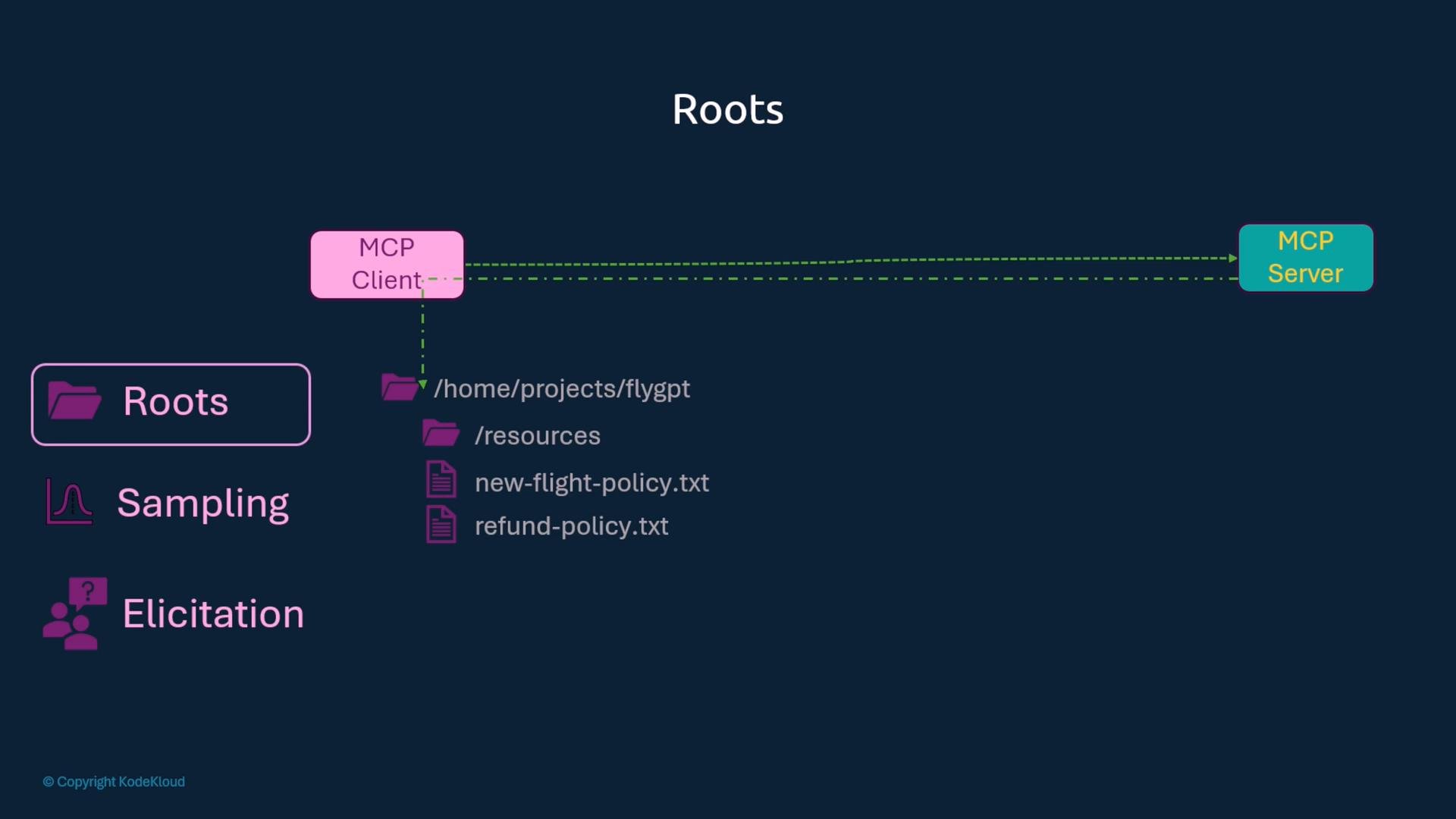
Only expose directories you trust. Roots grant the server limited access to client files — avoid adding sensitive or system directories.
Sampling — client-driven LLM calls
Why sampling? A server may request that the client perform LLM generation instead of hosting or calling an LLM itself. This keeps the server lightweight and lets each client control model selection, token limits, and billing. Server requests sampling via the context/session; the client supplies a sampling handler when creating the session. Client-side sampling handler example:Elicitation — prompt end users for structured input
Elicitation allows the server to ask the client to prompt the end user for more data during tool execution. The server callsctx.elicit(...) with a message and optional schema. The client must provide an elicitation callback that captures, validates, and returns the structured response.
Client-side elicitation handler (streamable HTTP transport example):
Feature quick-reference
Notes:
- In the table, any examples like
{"name":"value"}orflight://status/IDare safe to use as literal examples inside backticks. - Use streaming transports (e.g., streamable-http) when you need real-time progress, elicitation, or streaming responses.
Summary
- The MCP server defines tools, resources, and prompts and can request client-side actions (sampling, elicitation).
- The client connects via a session, discovers capabilities, invokes tools, reads resources, and obtains prompts.
- Contexts let servers stream info, progress, and debug messages to clients during execution.
- Roots let clients limit which local folders the server can access.
- Sampling delegates LLM calls to the client, enabling clients to control model choice, token limits, and costs.
- Elicitation allows servers to request structured input from end users via the client.
Links and references
- Model Context Protocol (MCP) concepts and API (project docs)
- Kubernetes Documentation
- Cursor AI course (example)
- Claude Code for Beginners (example)
- LangGraph course (next lesson preview)