

/var/log/*.log, and verify logs in Grafana Explore (Loki).
1. SSH into Node 2
Start by SSHing into Node 2:2. Prerequisites and adding Grafana’s apt repository (Debian/Ubuntu)
Install basic utilities (GPG + wget), add the Grafana keyring, and register the apt repository:Sample installation output (trimmed)
3. Inspect the default Alloy sample config
The package ships a sample config at/etc/alloy/config.alloy. A trimmed excerpt looks like:
4. Configure Alloy to tail /var/log/*.log and forward to Loki
We will add three blocks to the Alloy config:local.file_match— discover files under/var/log/*.logloki.source.file— create a file source that tails those filesloki.write— forward scraped logs to the Loki endpoint
/etc/alloy/config.alloy with the following content. This example tails files under /var/log/*.log and forwards them to the Loki instance at http://node01:3100/loki/api/v1/push:
tail_from_end = true prevents Alloy from ingesting the entire previous file history; it starts tailing new lines from the end of each file.
If you need to filter noisy log lines before sending to Loki, insert a processing stage (for example,
loki.process "filter_logs" using stage.drop) and forward from loki.source.file to loki.process.filter_logs.receiver instead of directly to the write receiver.Ensure network connectivity and access control: Alloy must be able to reach
node01:3100. If Loki is protected, configure basic_auth or other auth methods in loki.write. Also verify any firewall rules between Node 2 and Node 1 allow port 3100.5. Reload/Restart Alloy and check status
After saving/etc/alloy/config.alloy, reload the systemd units and restart Alloy:
/var/log/*.log, tail new lines, and push them to the configured Loki endpoint on node01.
6. Verify logs in Grafana Explore (Loki)
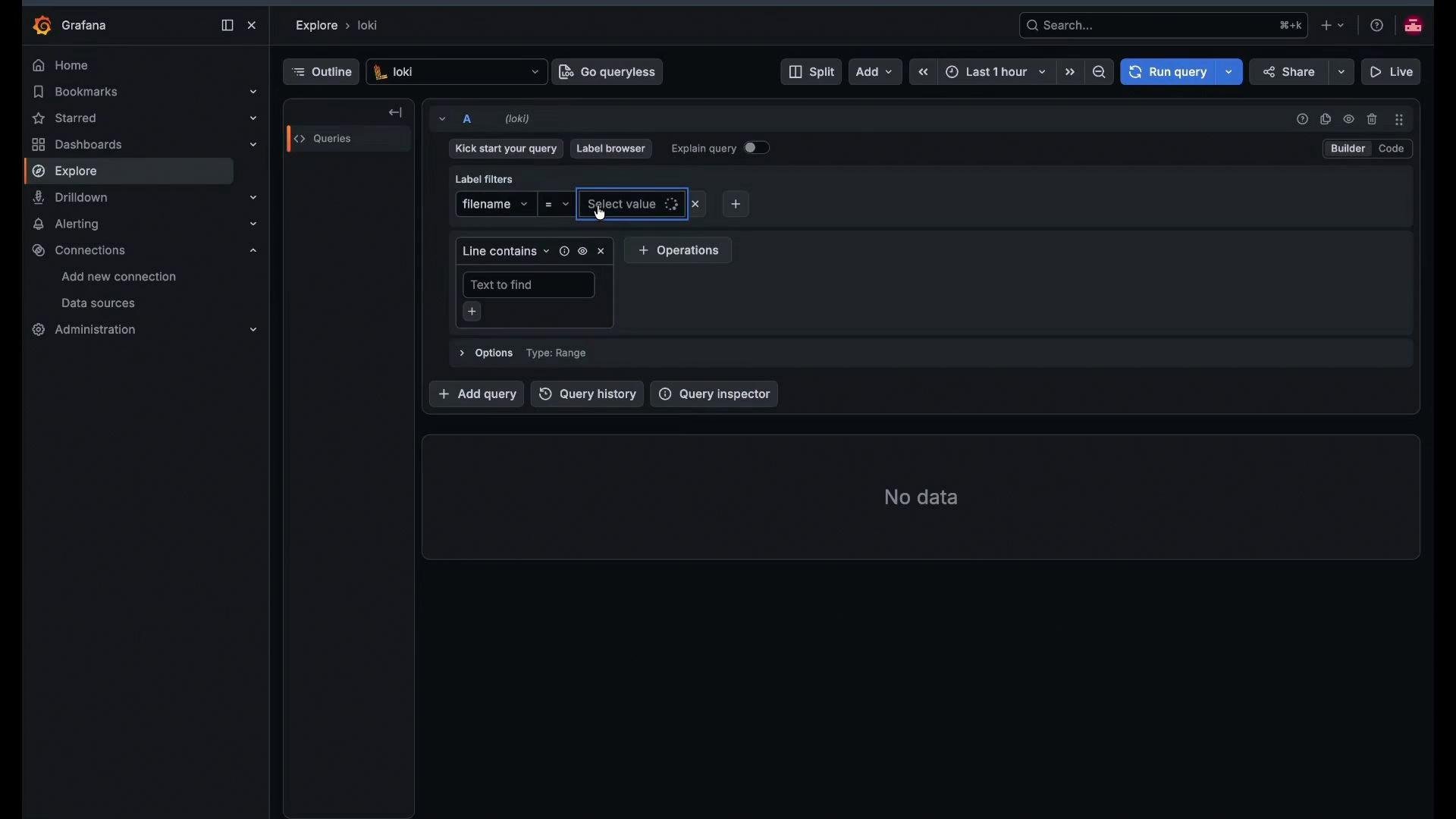
Open Grafana and go to Explore → Loki to query logs. Example LogQL to select logs from/var/log/dpkg.log:
Troubleshooting checklist
- Verify Alloy service is active:
sudo systemctl status alloy
- Inspect Alloy logs live:
sudo journalctl -u alloy -f
- Confirm Loki is reachable from Node 2:
curl -sS http://node01:3100/readycurl -sS http://node01:3100/loki/api/v1/labels --fail
- If Loki requires authentication, configure it in
loki.writeand ensure credentials are correct. - If no labels appear, confirm
local.file_matchpath patterns match existing files and thattail_from_endbehavior is understood (it won’t send historical lines).
Quick Reference
Links and references
- Grafana Alloy docs: https://grafana.com/docs/alloy
- Grafana Loki docs: https://grafana.com/docs/loki
- Grafana Explore (Loki tutorial): https://learn.kodekloud.com/user/courses/grafana-loki