Picture a clerk at a sorting center who opens each parcel as it arrives, reads the few details that matter—the destination and the priority—and writes them clearly on the outside. A little work up front makes downstream sorting instant because the important details are right there on the label, not hidden inside the box. Application logs are those unopened boxes. If useful values are embedded inside the free-form message text, queries that filter by those values must scan every line. Extracting and promoting those values into indexed labels makes queries fast and efficient. Example: logs arriving as JSON lines with method and status code inside the message:
We can search the message text, but filtering by a field (for example, every request that returned a 500) requires scanning the contents of every line. The processing pipeline extracts those values and makes them available as structured fields and, when appropriate, as indexed labels. In Alloy, the loki.process component sits between the source and the writer and runs each log line through an ordered series of stages before storage. A typical pipeline for the example above:
  • match stage: select only logs from the application we care about.
  • json stage: parse log lines and extract fields such as method and code.
  • labels stage: convert selected extracted fields into indexed labels for fast querying.
Order matters: extract the structured fields first, then promote them to labels.
Always run extraction stages (for example json) before labels. If you label first, there is nothing to extract from the newly indexed fields.
A small caution before you start labeling everything — labels must remain low-cardinality. Status codes (200, 404, 500) are suitable labels; unique request IDs or user IDs are not. Indexing high-cardinality values harms Loki’s performance and increases storage costs.
Keep labels low-cardinality. Use labels for fields with a small, bounded set of possible values (for example, HTTP status codes or environment). For high-cardinality values (for example, request IDs or user IDs), keep them as structured metadata so you can filter them after the selector with pipes instead of promoting them to labels.
The loki.process pipeline might be represented like this:
Pipeline stages at a glance: For values that should not be indexed, use structured metadata. Structured metadata is attached to each log line but not indexed; you can still filter or query these fields after the selector with a pipe without the costs of making them labels. Further reading and references:
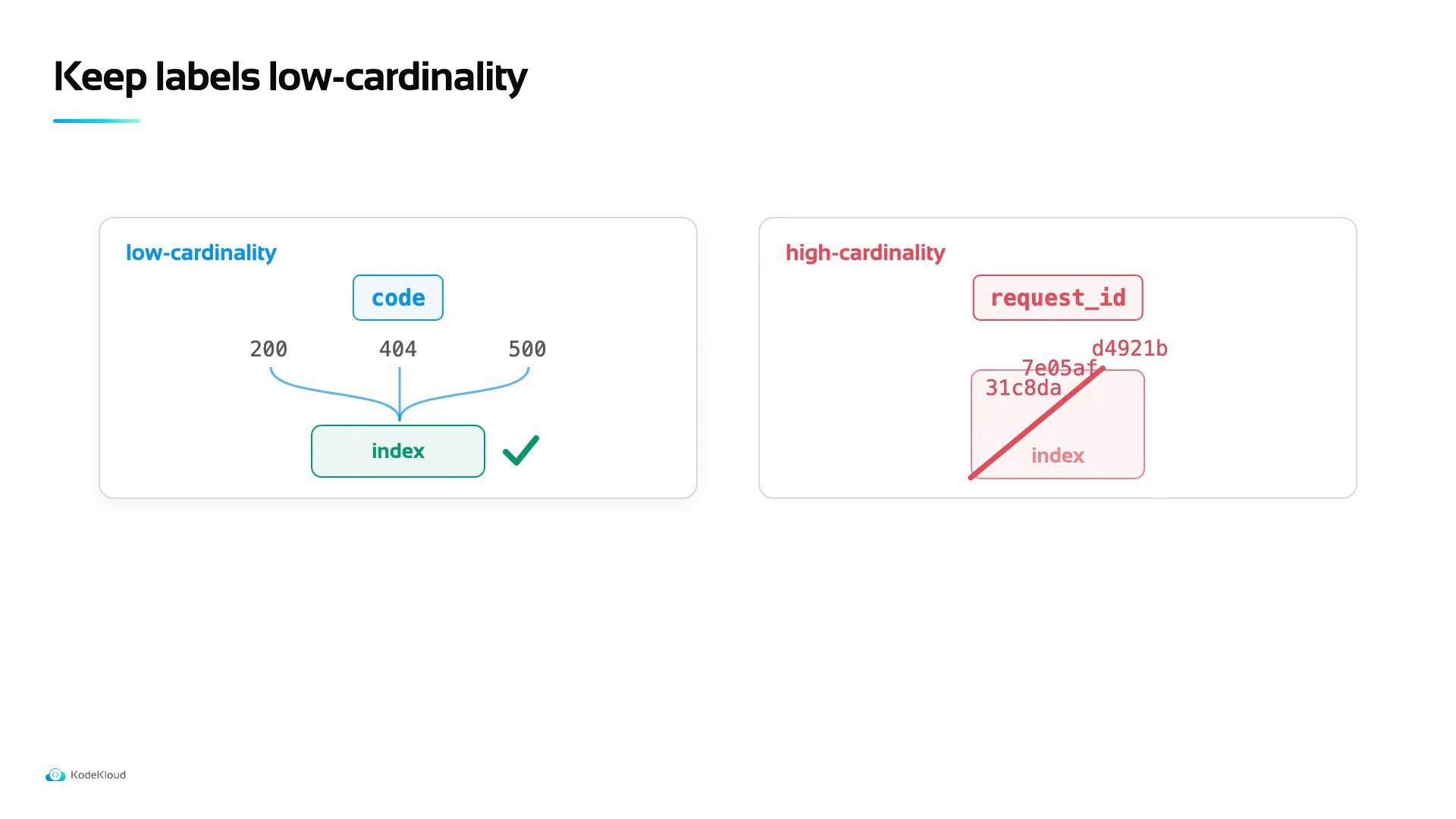
A slide titled "Keep labels low-cardinality" comparing two cases: the left shows low-cardinality "code" values (200, 404, 500) aggregated into an "index" with a check mark. The right shows high-cardinality "request_id" with many unique IDs mapped to an "index" and flagged as problematic.

Watch Video

Practice Lab