Documentation Index

Fetch the complete documentation index at: https://notes.kodekloud.com/llms.txt

Use this file to discover all available pages before exploring further.

When writing programs in Python, operators are essential for performing calculations. This guide explores the seven primary arithmetic operators: exponentiation, multiplication, division (including true division and floor division), modulo, addition, and subtraction. You will also learn about operator precedence and the use of sub-expressions.

Arithmetic Operators

Python uses the double asterisk (**) as the exponentiation operator instead of superscripts. For example, to raise a number to a power:
The image displays various arithmetic operators: Add, Subtract, Multiply, Divide, Floor Divide, Modulo, and Exponential, each represented by their respective symbols.
Below are some examples demonstrating exponentiation:
print(2 ** 3)    # 8
print(2. ** 3.)  # 8.0
print(2 ** 3.)   # 8.0
print(2. ** 3)   # 8.0

Multiplication

To multiply numbers in Python, use the single asterisk (*) operator. The behavior for integers and floating-point numbers follows the same rules:
print(2 * 3)     # 6
print(2. * 3.)   # 6.0
print(2 * 3.)    # 6.0
print(2. * 3)    # 6.0

Division

The division operator (/) always returns a floating-point number, even when dividing two integers:
print(10 / 2)    # 5.0
print(10. / 2.)  # 5.0
print(10. / 2)   # 5.0

Floor Division

If you require an integer quotient when both operands are integers, use the floor division operator (//). This operator returns the quotient rounded toward the lower integer value:
print(10 // 2)   # 5
print(10. // 2.) # 5.0
Consider the following examples when dividing 6 by 4:
print(6 / 4)    # 1.5
print(6 // 4)   # 1.0
And when dividing 6 by -4:
print(6 / -4)   # -1.5
print(6 // -4)  # -2.0
Floor division always rounds down to the next lower integer. Positive results round down (e.g., 1.5 to 1.0), while negative results round further away from zero (e.g., -1.5 to -2.0).

Modulo

The modulo operator (%) returns the remainder from a division:
print(4 % 2)    # 0
For instance, when dividing 5 by 2, there is a remaining part:
print(5 % 2)    # 1

Binary vs. Unary Operators

In Python, the plus sign (+) functions as an addition operator and the minus sign (−) serves as a subtraction operator. These are examples of binary operators, where an operator takes two operands (one on the left and one on the right). However, the minus sign can also be a unary operator to indicate a negative number.
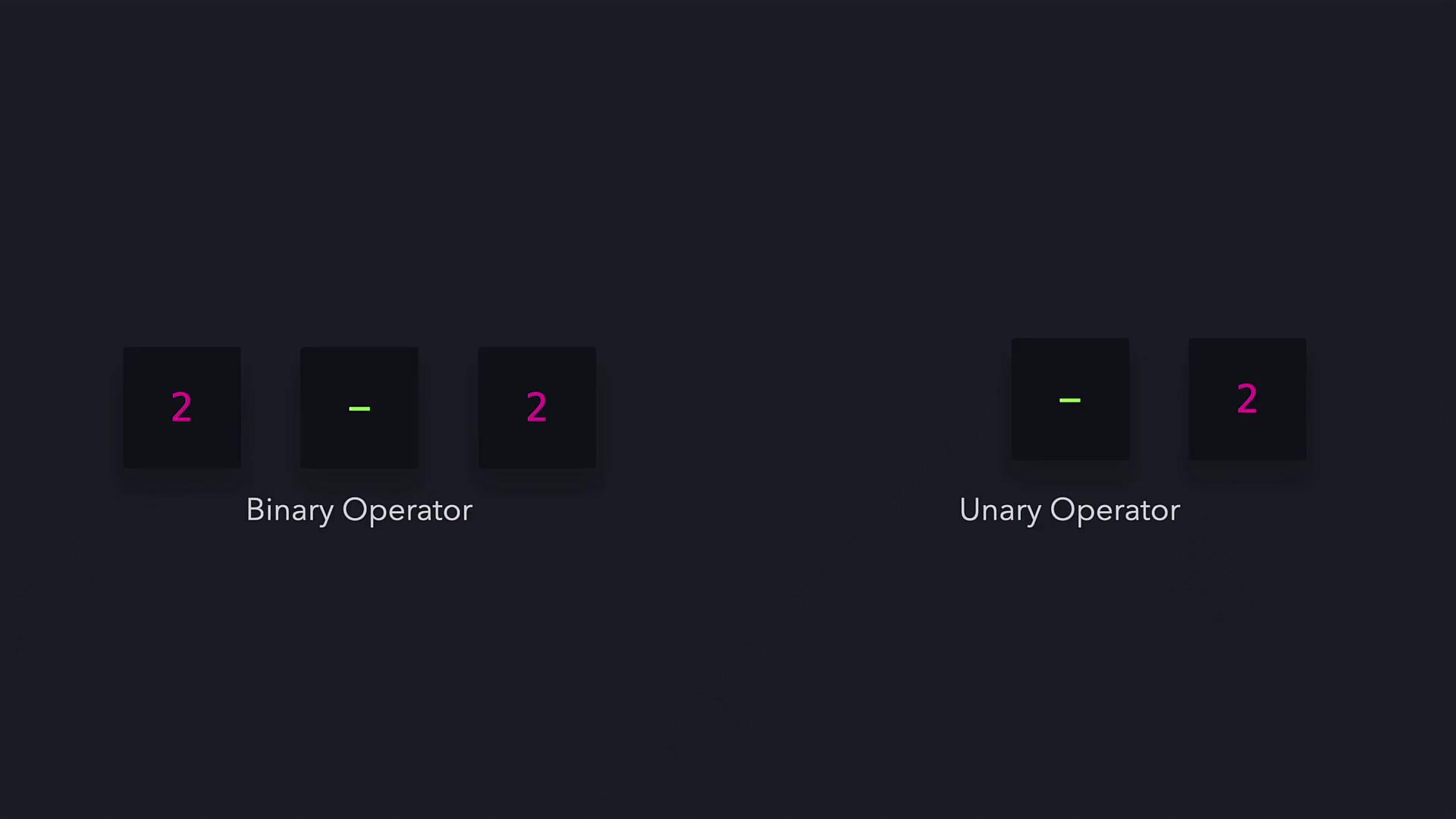
The image illustrates the difference between binary and unary operators using the number 2 and the minus sign.
Here are some examples showcasing both usages:
print(-6 - 6)   # -12
print(10 - -6)  # 16

Operator Precedence

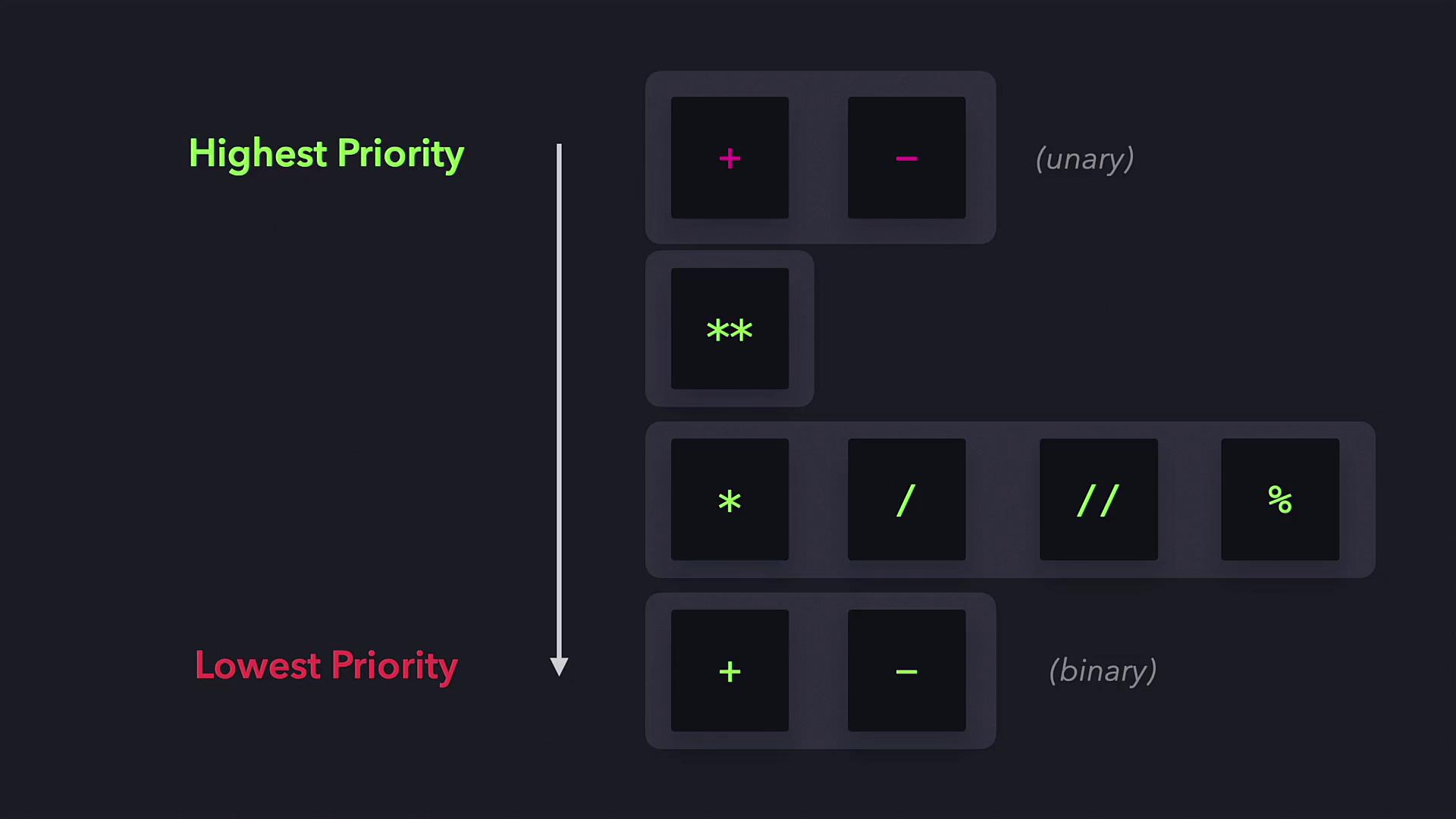
Operator precedence determines the order in which parts of an expression are evaluated. The rules are as follows:
  1. Unary operators (e.g., the unary minus)
  2. Exponentiation (**)
  3. Multiplication, true division (/), floor division (//), and modulo (%)
  4. Addition and subtraction
The image shows operator precedence in programming, with unary operators having the highest priority and binary operators having the lowest.
For example, consider the expression:
print(10 - 6 ** 2 / 9 * 10 + 1)
This expression is evaluated in the following steps:
  1. Exponentiation: 6 ** 2 → 36.
  2. Division and multiplication occur from left to right: 36 / 9 → 4, then 4 * 10 → 40.
  3. Finally, perform addition and subtraction from left to right: 10 - 40 + 1 → -29.
The final result is -29.

Sub-Expressions

Sub-expressions, defined by parentheses, override the normal operator precedence rules. Operations within parentheses are computed first. For example:
print(2 * (2 + 3))  # 10
In this case, (2 + 3) is evaluated first to produce 5, and then multiplied by 2 for the final result.
Using parentheses can simplify complex expressions and improve readability within your code.
That’s the essence of Python arithmetic operators. With a solid understanding of these operators, you can now practice and incorporate them into your coding projects for effective computation. Happy coding!

Additional Resources

Watch Video