

Deployment Overview
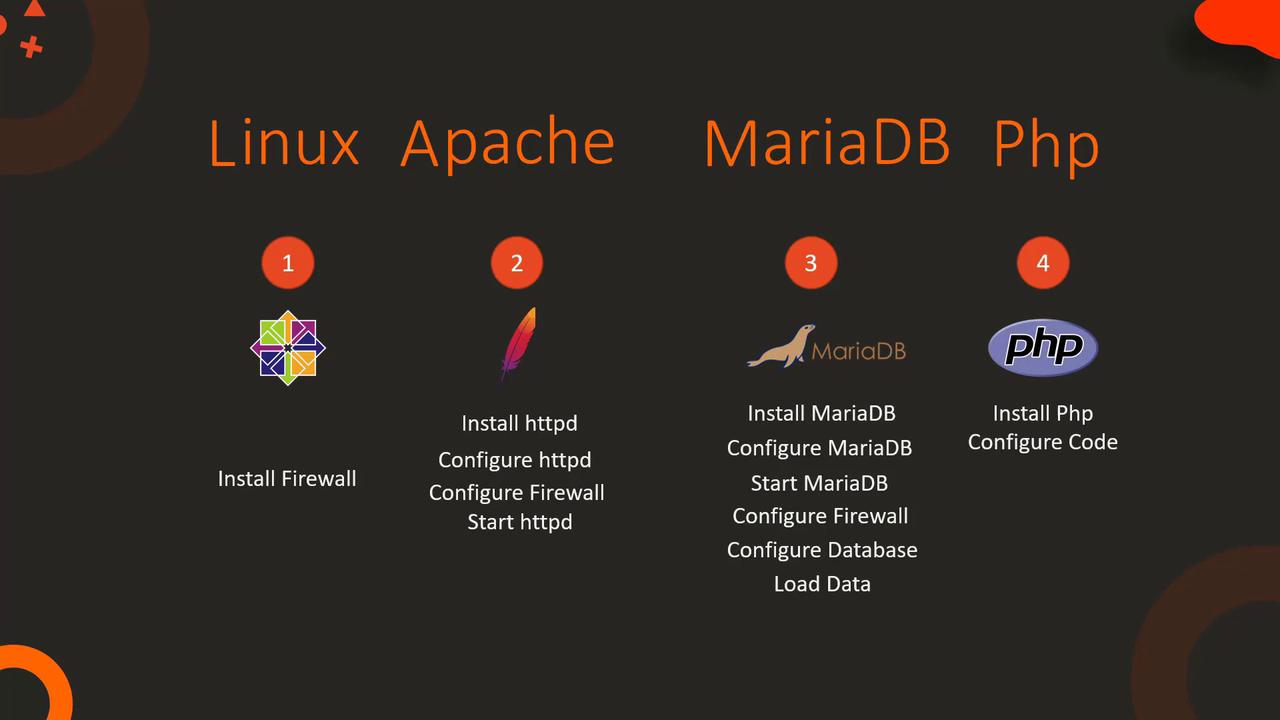
The deployment process is divided into several key steps:- Identify the system for deployment (using a CentOS machine).
- Install and configure the Apache HTTP server.
- Install and configure the MariaDB database (using MariaDB instead of MySQL).
- Install and configure PHP to integrate smoothly with Apache.
- Set up additional system requirements, such as firewall rules.
- Download and configure the application code from Git.
Step 1: Firewall and Database Setup
Before installing application components, ensure all system prerequisites are met. Begin by setting up the firewall and configuring the MariaDB database:- Install and start the
firewalldservice. - Install and configure MariaDB by editing the
/etc/my.cnffile for the correct port settings. - Start and enable the MariaDB service.
- Add firewall rules to allow SQL access on port 3306.
- Configure the database by creating the necessary user and database, then import inventory data.
- Install Apache, PHP packages, and optionally Git to download the application code.
Ensure that the
/etc/my.cnf file is correctly updated with the appropriate port settings before starting MariaDB.Step 2: Apache and PHP Configuration
Next, configure Apache and PHP. This step involves the installation of necessary packages, updating Apache’s configuration to prioritizeindex.php, adjusting firewall rules for HTTP traffic, and cloning the application code from Git.
Multi-Node Deployment
In a multi-node deployment scenario, the database and web server are hosted on separate nodes. The fundamental configuration steps remain the same, with an emphasis on connectivity settings. For example, when configuring the database, specify the web server’s IP address for user access. Similarly, update theindex.php file on the web server with the database server’s IP address.
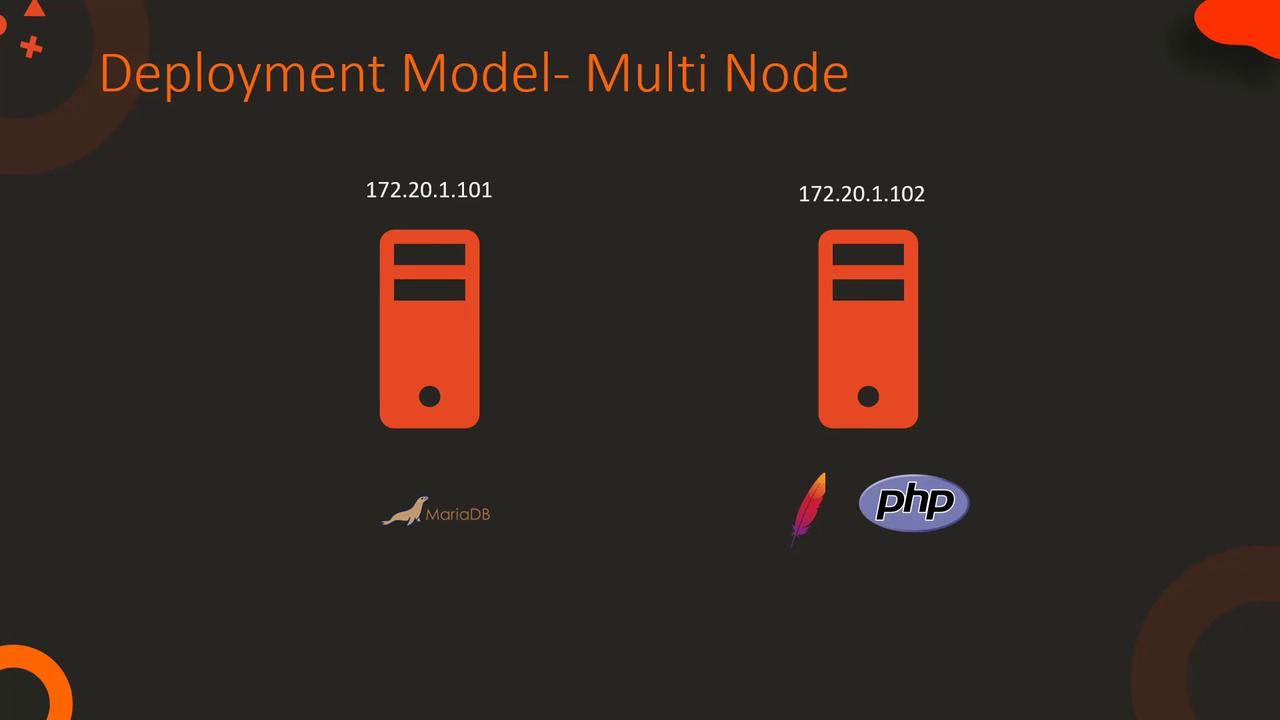
Configuring the Database for Multi-Node Setup
Execute the following commands to set up the database for a multi-node environment:Example PHP Code for Remote Database Connection
Below is a sample PHP code snippet that demonstrates how to connect to the remote database server:Detailed Example: index.php File
A crucial component of the application is theindex.php file, which is responsible for establishing the database connection and rendering product information. In the following example, the connection to the MariaDB database is set up using the IP address, database name, user ID, and password:
Double-check the database credentials and IP addresses during configuration. Incorrect settings may lead to connection failures.