This guide explains how to import existing infrastructure into Terraform configuration using the Terraform import command.
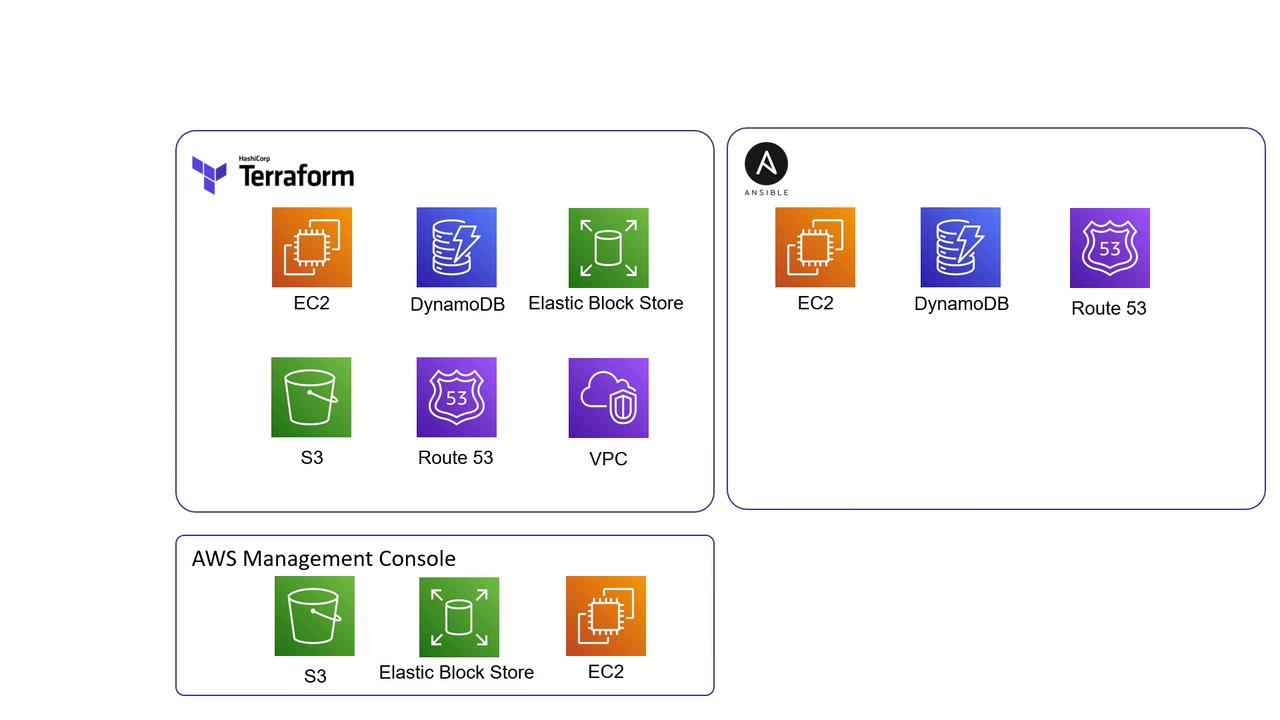
In this guide, we will explain how to import existing infrastructure into your Terraform configuration using the Terraform import command. Typically, you create and manage resources with Terraform. However, in many real-world projects, some resources might be provisioned with tools like the AWS Management Console or Ansible. Importing these resources into Terraform helps streamline provisioning, updates, and deletion.For instance, consider the following diagram illustrating AWS services managed by Terraform, Ansible, and the AWS Management Console:
This diagram sets the stage for your inquiry: How can you bring externally created resources under Terraform’s direct management?
Initially, you might leverage data sources in Terraform to fetch details from resources not currently managed by your configuration. Data sources allow you to read attributes and integrate existing infrastructure into your workflow without enabling Terraform to update or delete these resources.For example, the configuration below reads attributes of an existing AWS instance using its instance ID:
Copy
Ask AI
data "aws_instance" "newserver" { instance_id = "i-026e13be10d5326f7"}output "newserver" { value = data.aws_instance.newserver.public_ip}
Before running the import command, ensure that the corresponding configuration exists. If the resource block isn’t defined, Terraform will return an error.
If the resource configuration hasn’t been created, you might see an error like:
Copy
Ask AI
Error: resource address "aws_instance.webserver-2" does not exist in the configuration.Before importing this resource, please create its configuration in the root module. For example:resource "aws_instance" "webserver-2" { # (resource arguments)}
Terraform import only updates the state file and does not alter configuration files. Hence, ensure that you create an appropriate resource block beforehand.
Next, update the resource block with the necessary configurations. You can retrieve the required attribute values from the AWS Management Console or by inspecting the state file. For example, update the resource configuration as follows:
Running a Terraform plan now ensures that your configuration matches the imported infrastructure:
Copy
Ask AI
$ terraform planRefreshing Terraform state in-memory prior to plan...The refreshed state will be used to calculate this plan, but will not be persisted to local or remote state storage.aws_instance.webserver-2: Refreshing state... [id=i-0d7c0088069819ff8]-------------------------------------------------------------------------------No changes. Infrastructure is up-to-date.
This output confirms that Terraform has successfully imported the resource. Any future changes to the infrastructure can be managed by modifying this configuration and following the standard Terraform workflow: init, plan, and apply.
Proceed to the hands-on labs to practice using the Terraform import command, and continue streamlining your infrastructure management by bringing all resources under Terraform control.For further information, check out: