

Overview of AI Vision Capabilities
Azure AI Vision Service empowers you to analyze and interpret images with intelligence. Here are some of its key features:- Descriptive Captioning and Tagging: Automatically generate captions like “a group of people walking on a sidewalk” along with relevant tags such as building, jeans, street, outdoor, jacket, etc.
- Object and People Detection: Identify objects (e.g., jeans, footwear) and detect individuals within images, making it ideal for scenarios like security and surveillance.
- Text Extraction (OCR): Extract text from images whether they are printed, handwritten, or digitally rendered.
- Smart Crop: Automatically crop images to highlight key areas, ensuring optimal display in websites, social media, or e-commerce platforms.
Azure AI Vision Service can be customized to suit industry-specific needs, making it a powerful tool for various applications such as healthcare, retail, and security.
Detailed Capabilities
Model Customization
Tailor image analysis models to meet specific scenarios. For instance, organizations handling medical images can adjust models to detect medical instruments or conditions, vastly improving analysis accuracy.Reading Text from Images (OCR)
Leverage Optical Character Recognition (OCR) to extract text from different image types. Whether digitizing printed literature, business documents, or handwritten notes, OCR converts content into editable text, streamlining workflows across many industries.Detecting People in Images
The service can locate and identify people in images, making it highly suitable for crowd monitoring, security surveillance, and retail analytics. The detection is precise enough to outline individuals, aiding in both head counts and behavior analysis.Generating Image Captions
Automatically generate descriptive captions for images. Instead of manually labeling visuals, use this feature to produce captions like “a group of people walking on a sidewalk” to improve accessibility and content organization.Detecting and Labeling Objects
Automatically identify and label objects in images for use cases such as inventory management or autonomous systems. For example, the service can label books, shoes, or backpacks, enhancing the overall identification process.Tagging Visual Features
Apply descriptive tags to various elements within an image. Tags such as trees, bench, or lake for a park image help in efficiently categorizing and retrieving images from large datasets.Smart Crop
Automatically crop images to emphasize the most significant areas. This feature is especially useful for generating attractive thumbnails and ensuring that key subjects in an image are prominently displayed.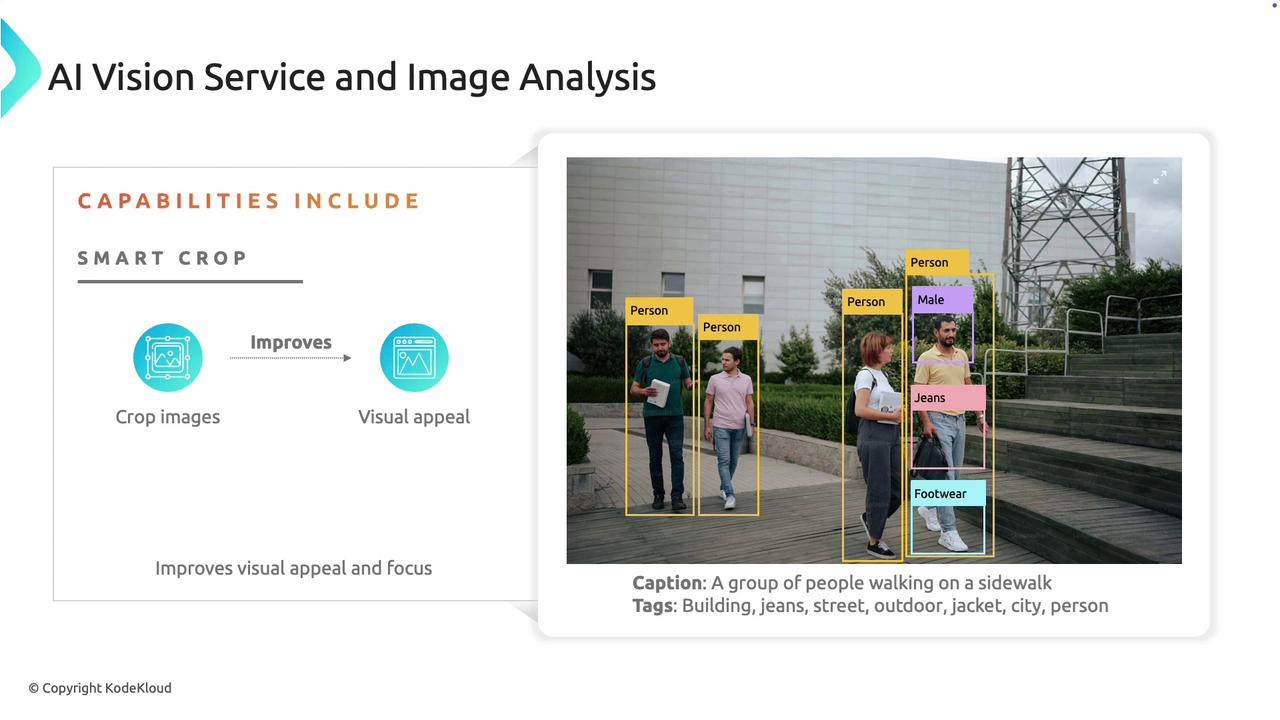
Working with Azure AI Vision in the Azure Portal
Start by accessing the Azure Portal and navigating to Azure AI Services. Although it’s possible to deploy the Computer Vision Service independently, this demonstration uses an AI Services deployment that includes all necessary components.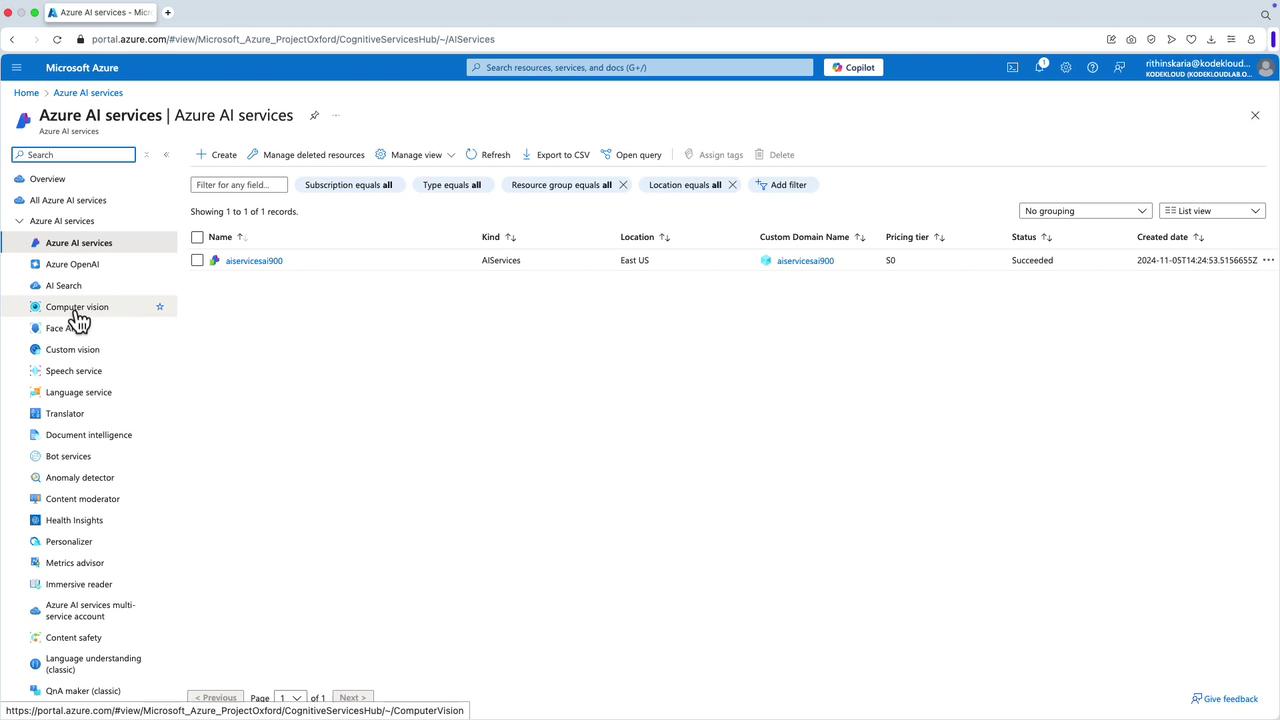
Navigating the AI Studio Vision Section
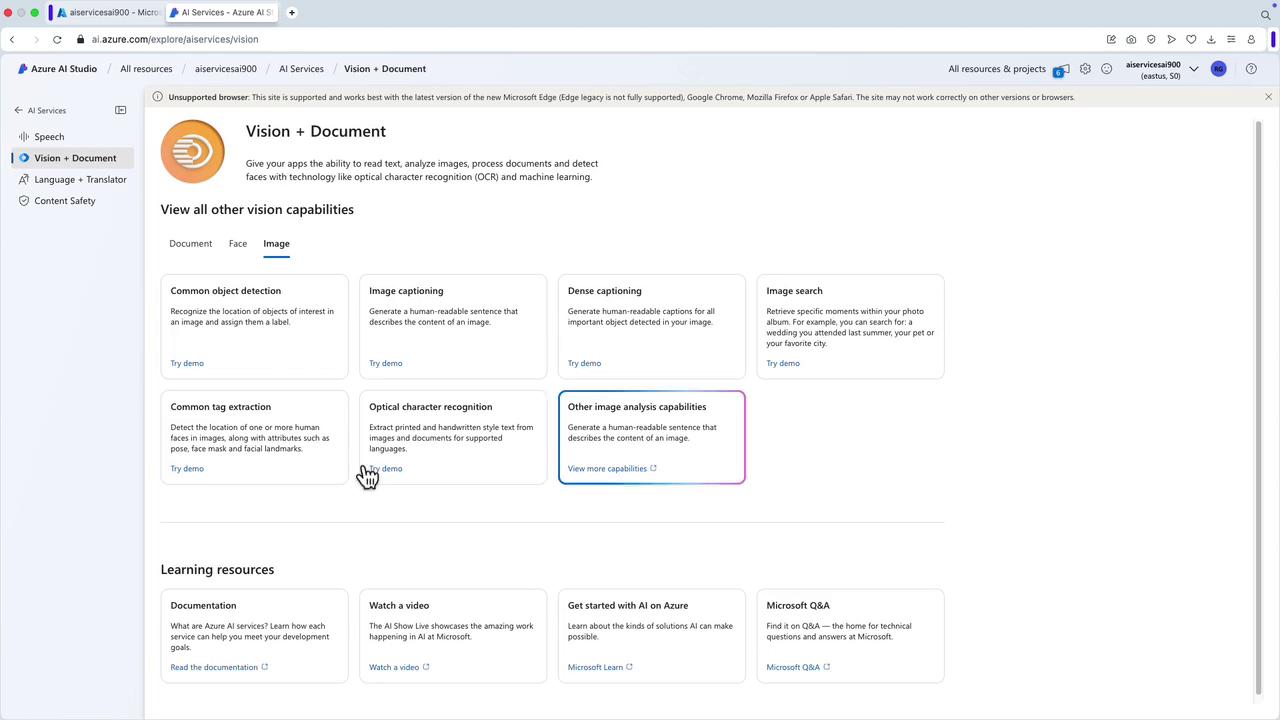
Within the AI Studio, the Vision section is organized into several key areas:- Document: Dedicated to OCR tasks.
- Face: Focused on face detection.
- Image: Encompasses all image-related capabilities, including captioning, object detection, and more.
Object Detection
Within AI Studio, the object detection feature recognizes and locates items within an image. To test this feature:- Select or create a hub.
- Choose an image from the available samples or upload your own.
- The system will detect objects (e.g., person, laptop, seating, table) and display attributes accordingly.
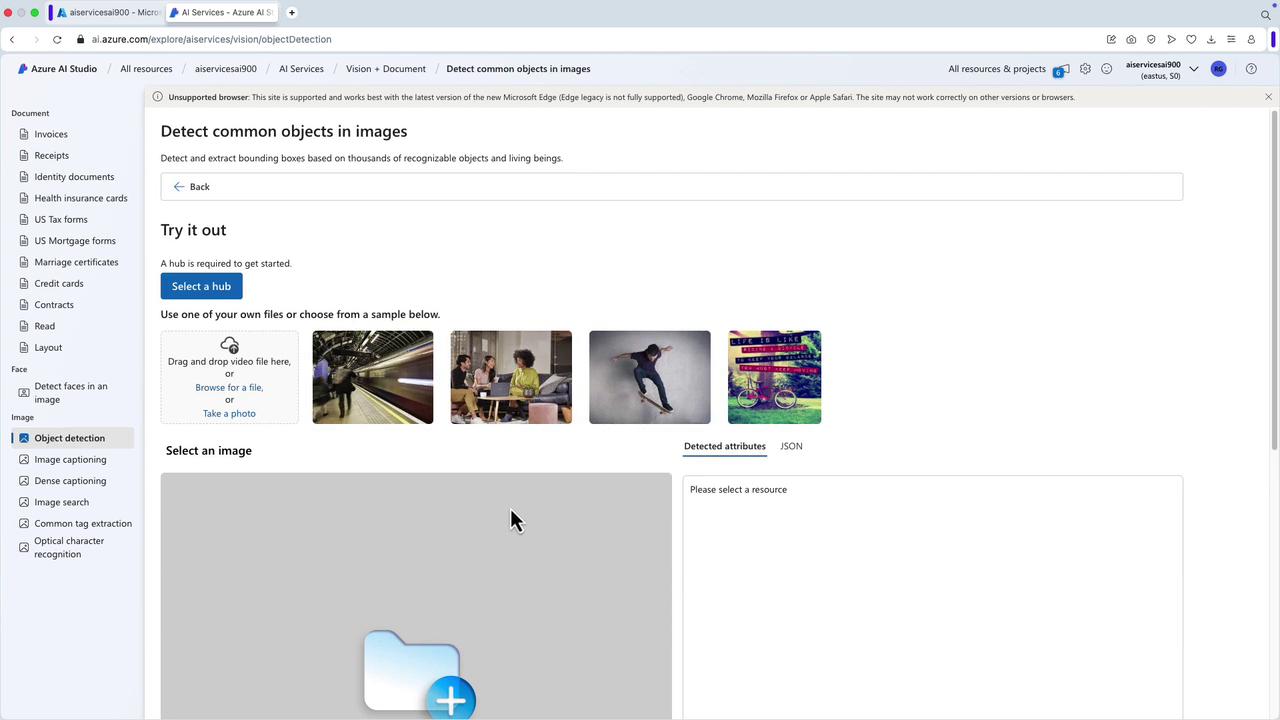
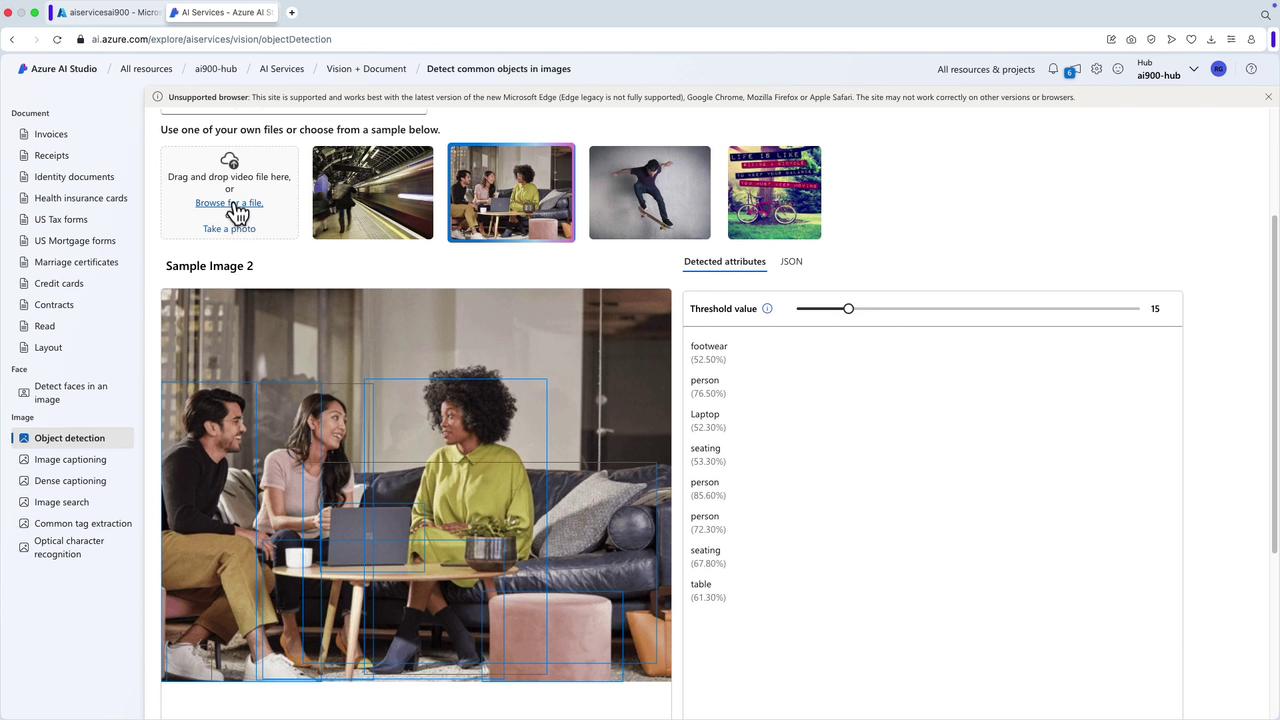
Image Captioning
Leveraging the Image section, the captioning feature enables automatic descriptive captions. For example, hubs might generate captions such as “a statue of a woman holding a scale on top of a building” or describe a pile of fruits accurately. Sample code is provided below for integrating these capabilities programmatically using the SDK and REST API with Python:Dense Captioning
Dense Captioning generates detailed, human-readable captions for all significant objects in your image. For instance:- A person holding a sprig of rosemary.
- A person cutting a sprig of rosemary.
- A city street with many buildings and cars.
- Yellow taxi cabs on a street.
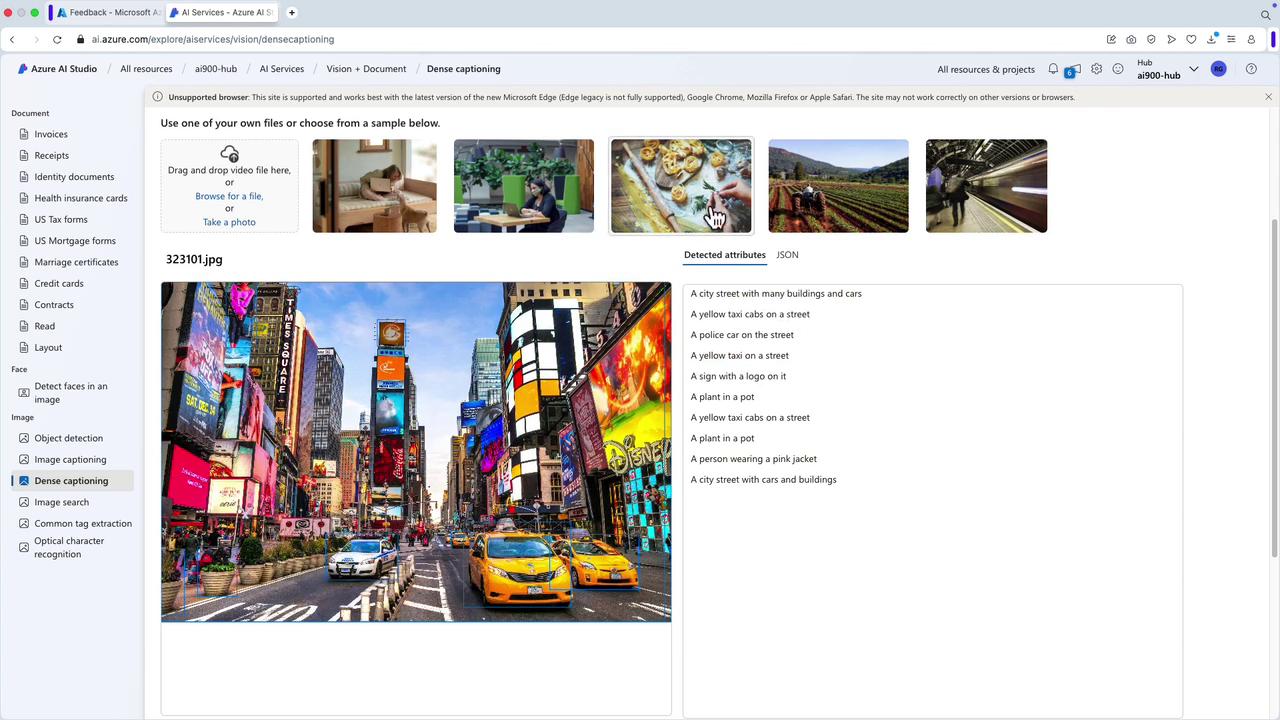
Image Search
The Image Search feature allows you to query a collection of images similar to popular photo management systems. For example, searching for “rocky beaches” among a collection of 260 images retrieves all relevant photos. You can also adjust relevance settings to optimize search results.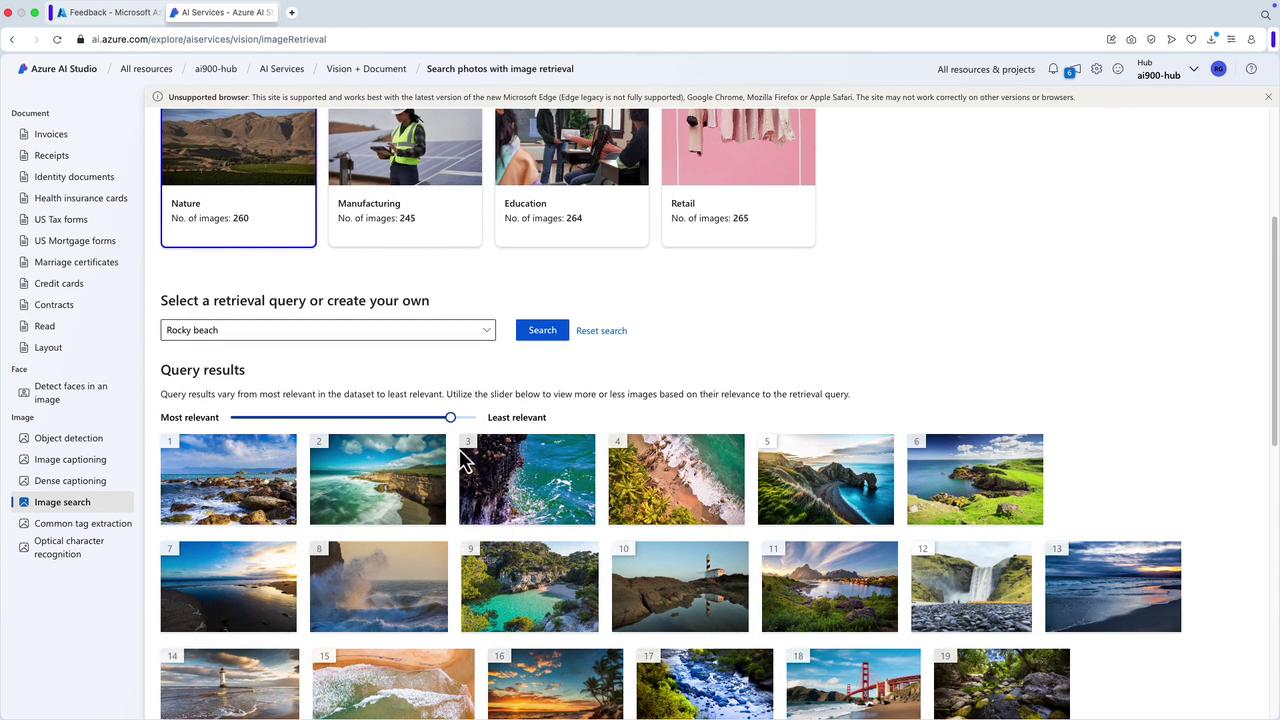
Common Tag Extraction
This feature extracts descriptive tags from images to enhance categorization. For example, after uploading an image, you might receive tags like “sports person,” “skateboarder,” “individual sports,” or “street stunts.” For a seamless experience, create a hub and link it to your Azure AI service.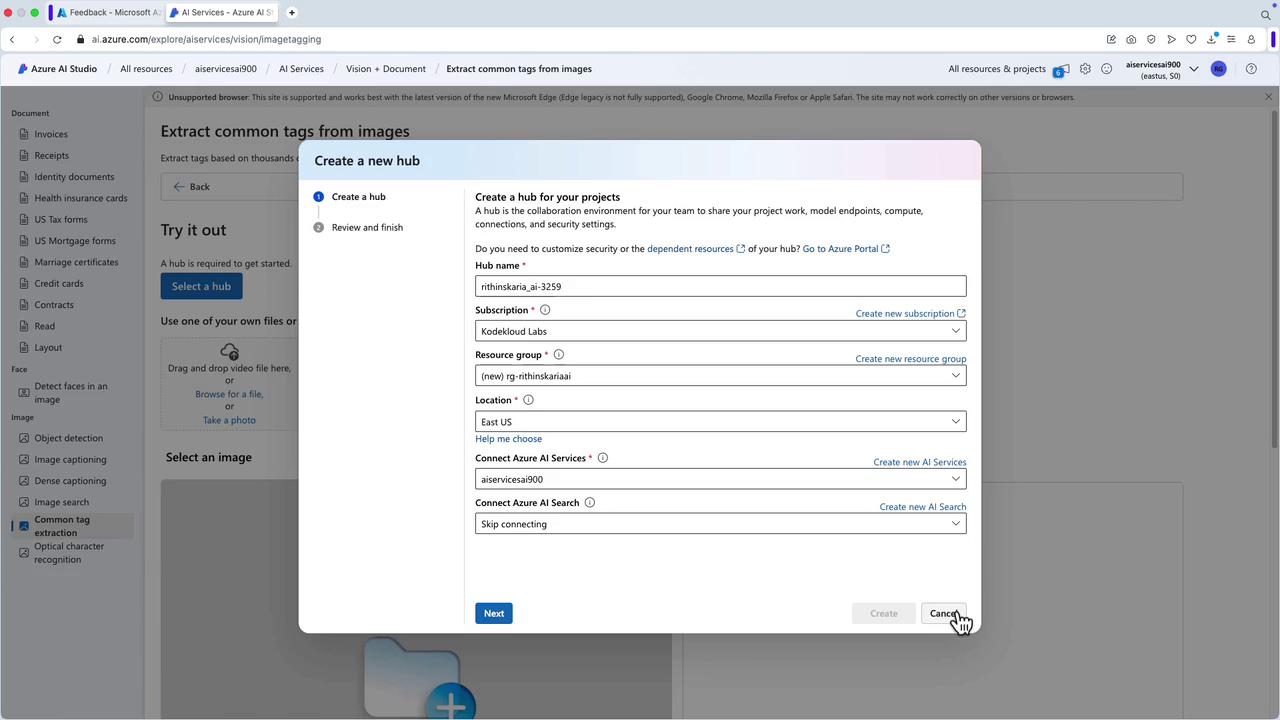
Optical Character Recognition (OCR)
OCR is used for extracting both printed and handwritten text from images and documents. This is especially useful for verifying identification documents or digitizing various texts (e.g., nutrition labels showing “sodium 20 mg daily” or “vitamin A 50%”).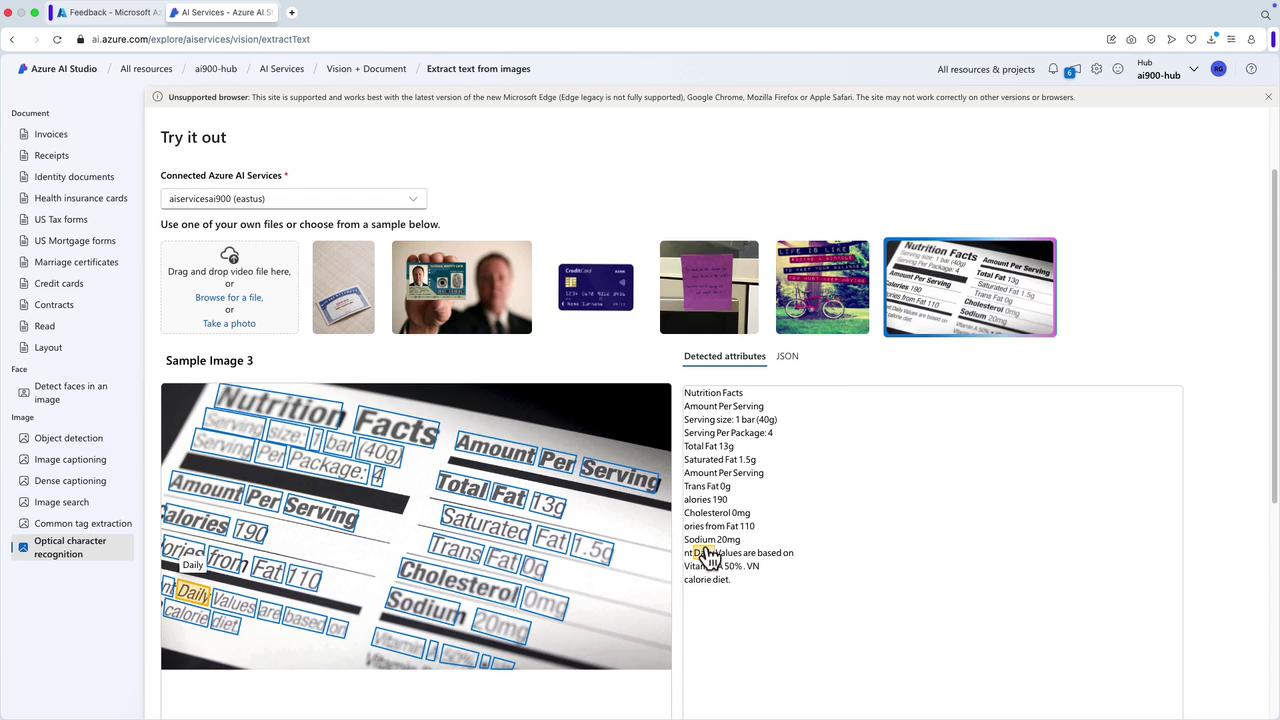
Additional Vision Studio Features
In addition to the functionalities discussed above, Vision Studio offers several other features:- Smart Crop for automated image adjustments.
- Generating human-readable captions for enhanced accessibility.
- Detecting common objects to streamline analysis.
- Extracting text and performing portrait processing.
- Matching photo IDs for verification purposes.
Please note that the multi-account AI Services deployment does not support Vision Studio features directly. To use Vision Studio, create a dedicated Custom Vision service. Similar segregation applies for other domains (e.g., Speech Studio requires a separate Speech service).