

Why Use the AWS Pricing Calculator for Lambda?
- Generate precise cost estimates without guessing
- Compare CPU architectures (ARM vs. x86)
- Test storage, memory, and duration impacts instantly
- Export calculation details for budgets and reports
Example Scenario
We’ll estimate monthly costs for a Lambda function with these characteristics:1. Access the AWS Pricing Calculator
Open your browser and go to https://calculator.aws. No AWS account or sign-in is required.2. Create a New Estimate
- Click Create estimate.
- In Search all services, type Lambda and select AWS Lambda.
- Click Configure.
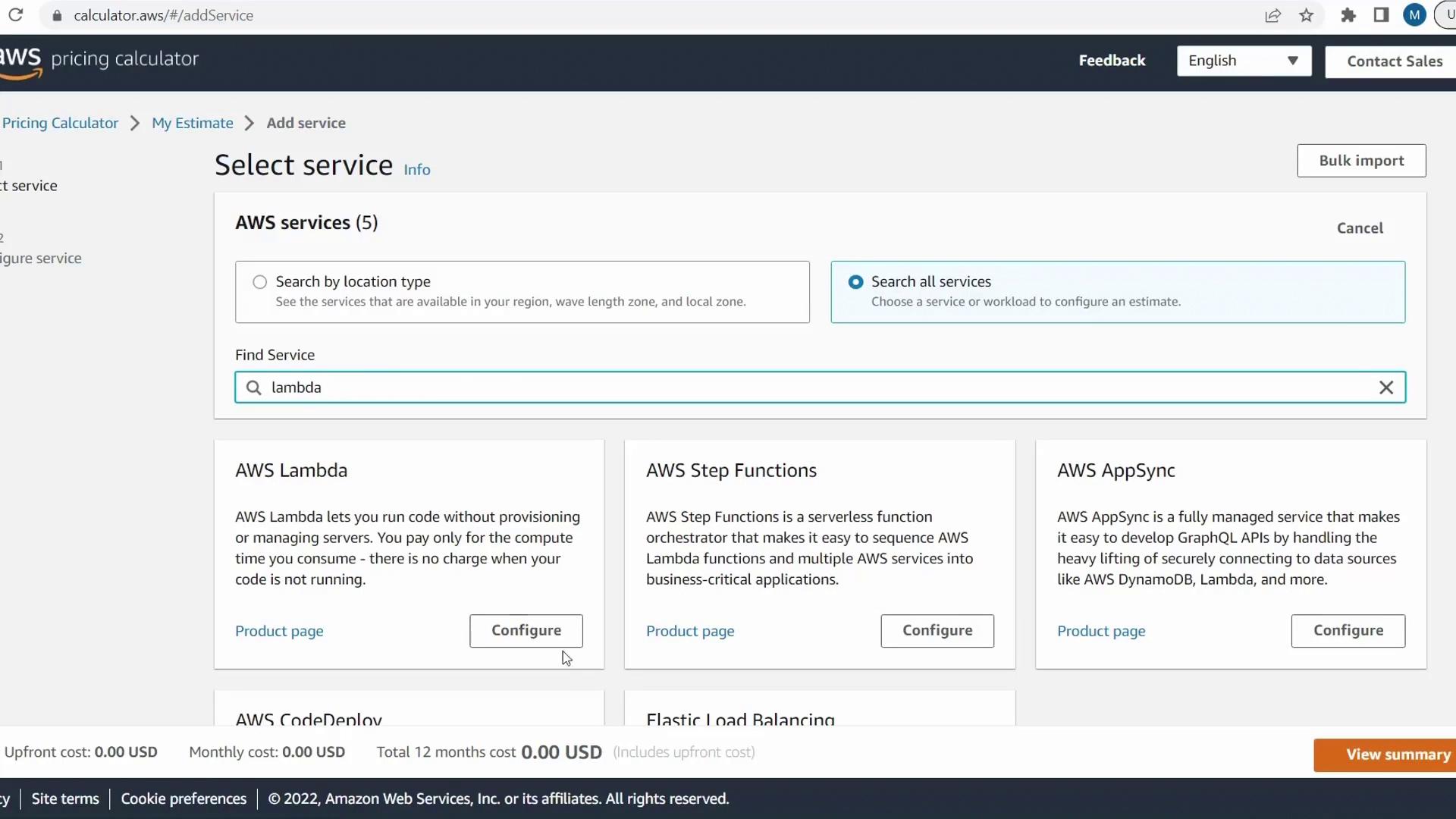
3. Configure Your Lambda Estimate
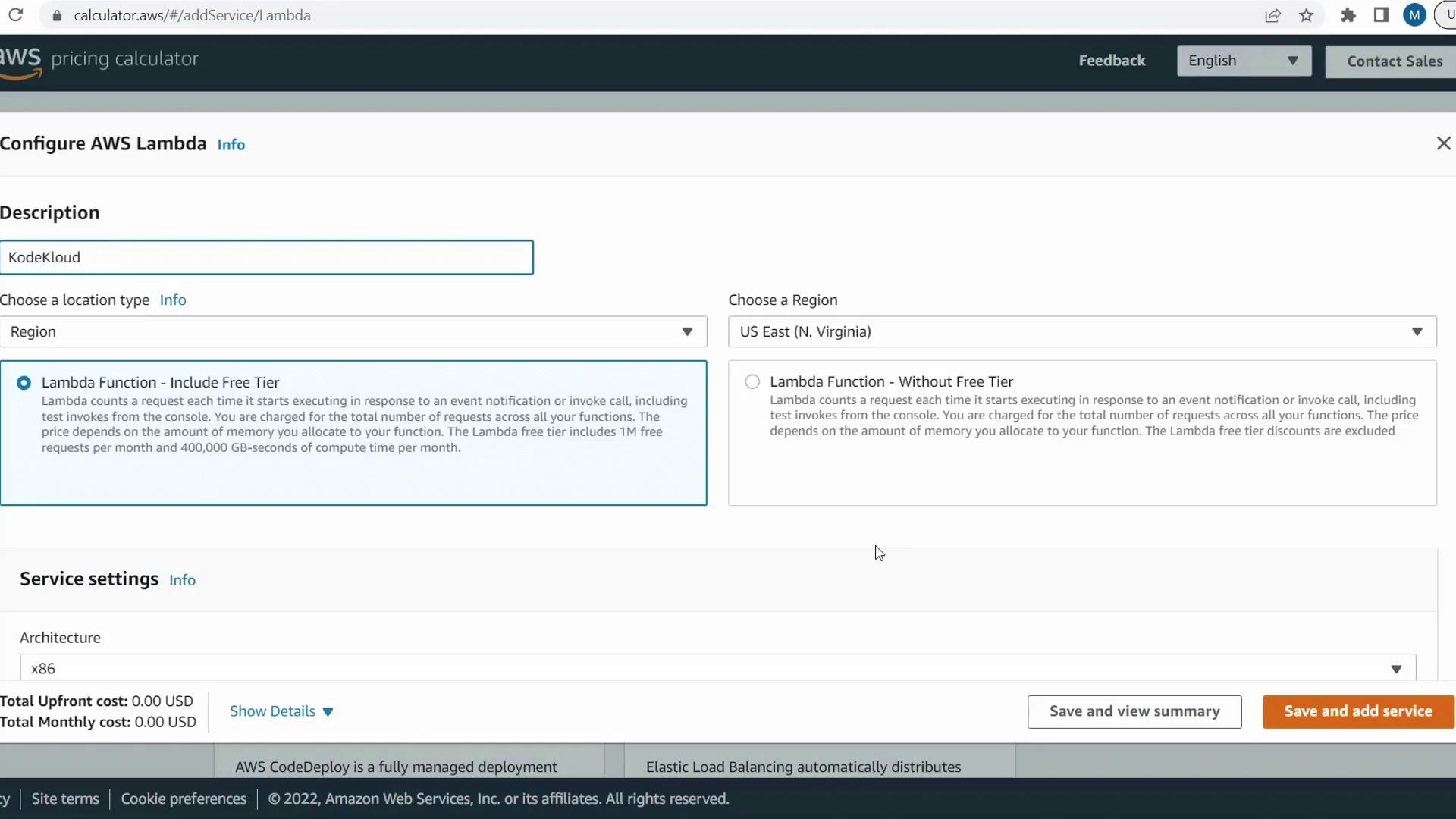
On the Lambda configuration page, enter the following:-
Description
e.g.,KodeKloud Lambda Test -
Region
Select US East (N. Virginia) for this demo. - Free Tier
By default, AWS includes the free tier (1M requests and 400,000 GB-seconds). Deselect Include free tier to see actual charges.
-
Architecture
Choose ARM (Graviton) for lower compute costs (default is x86). -
Monthly Requests
Enter10000000. -
Duration per Request
Enter500 ms. -
Memory (MB)
Enter512. -
Ephemeral Storage (MB)
Keep the default512.
4. Review the Cost Estimate
With our configuration, the estimated monthly cost is $29.80.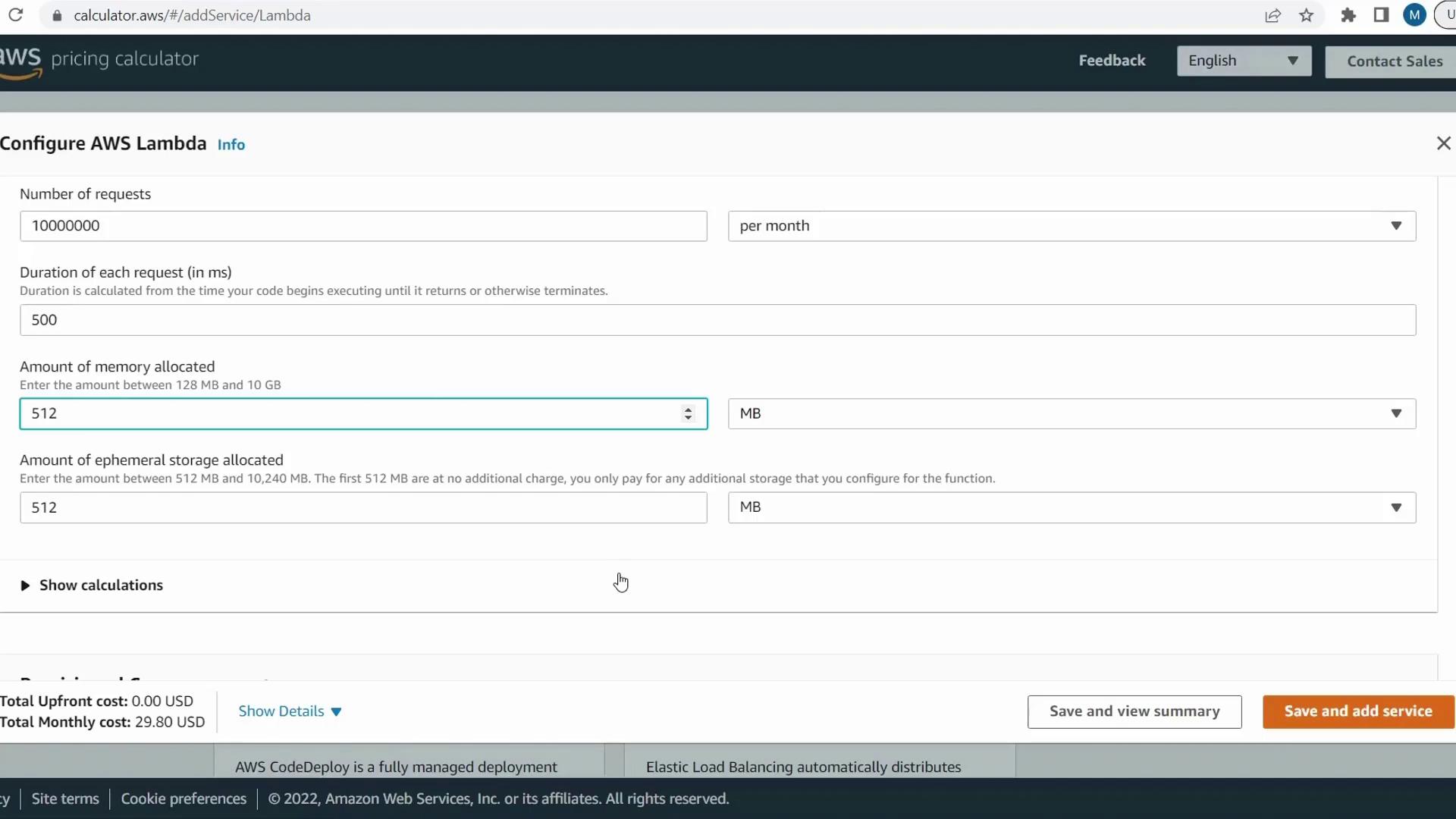
5. Experiment with Settings
Use this table to explore how changes affect your monthly bill:Long function durations and large memory allocations can dramatically raise your AWS Lambda bill. Always profile and optimize your code to minimize runtime.
Conclusion
In this guide, you learned how to:- Access the AWS Pricing Calculator
- Configure a Lambda cost estimate step by step
- Analyze pricing impacts of architecture, memory, storage, and execution time