

Table of Contents
- Inspecting the Default VPC
- Default VPC Across Regions
- Subnets by Availability Zone
- Resource Map Visualization
- Internet Gateway & Default Route
- Launching a Test EC2 Instance
- Connecting via SSH & Testing Connectivity
- Links and References
Inspecting the Default VPC
- Sign in to the AWS Management Console.
- Navigate to VPC (search “VPC” or select from recently visited services).
- Click VPCs in the sidebar and locate the one marked Default VPC.
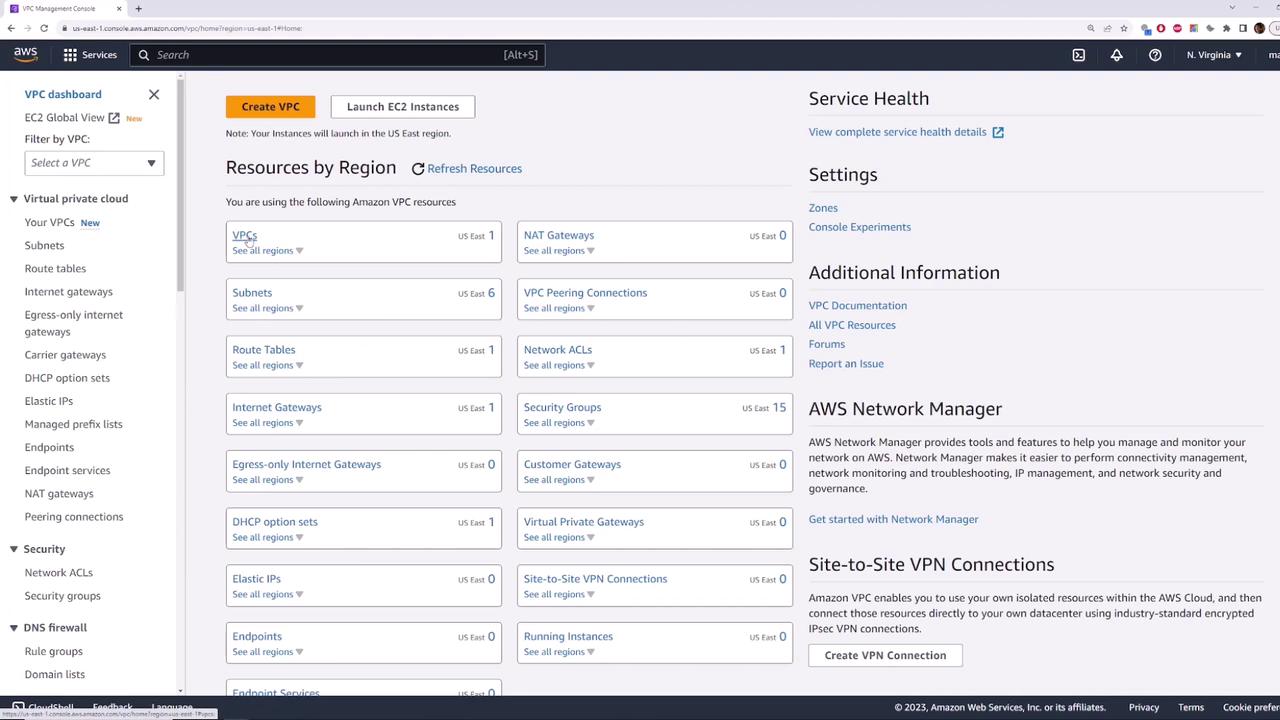
- State: available
- CIDR block:
172.31.0.0/16 - Default VPC: Yes
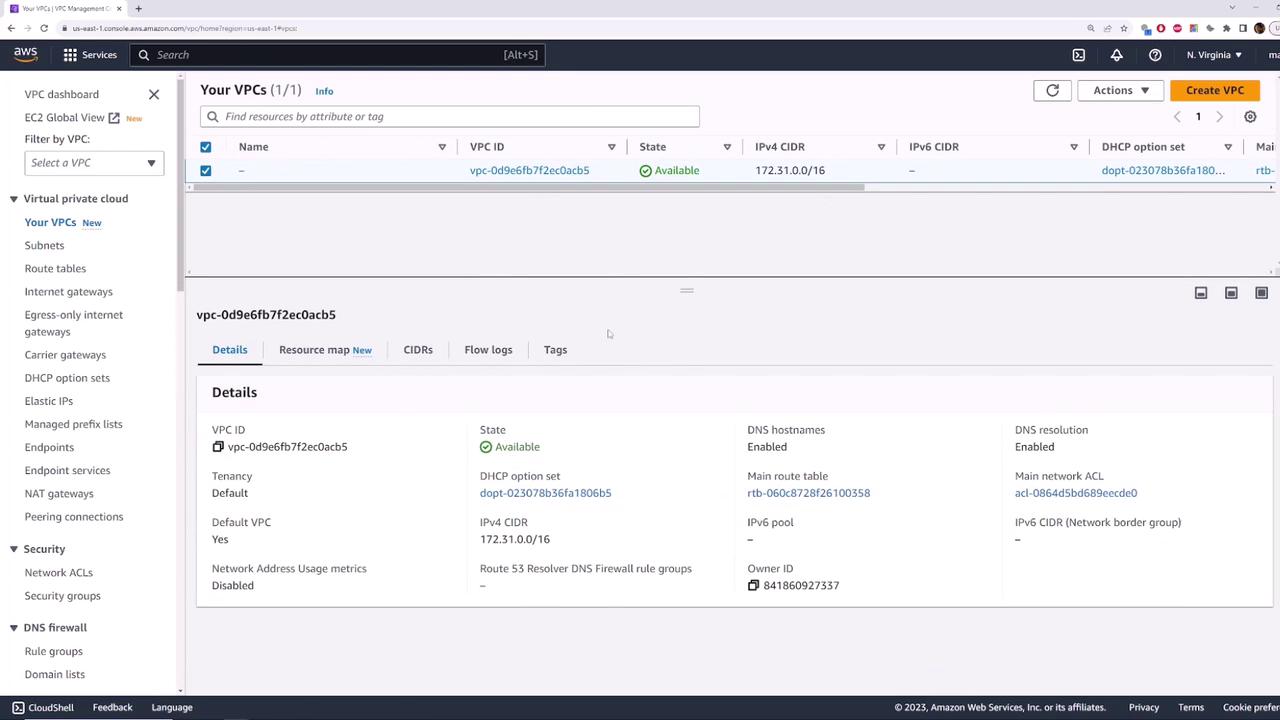
Every AWS region automatically gets one default VPC with the same
172.31.0.0/16 CIDR block.Default VPC Across Regions
AWS creates an identical default VPC in each region. To verify:- Switch your region (e.g., from US East (N. Virginia) to US East (Ohio)).
- Open VPCs—you’ll again see one default VPC with the same settings and CIDR block.
Subnets by Availability Zone
Within a default VPC, AWS provisions one subnet per Availability Zone (AZ). In us-east-1 there are six AZs, so you get six subnets.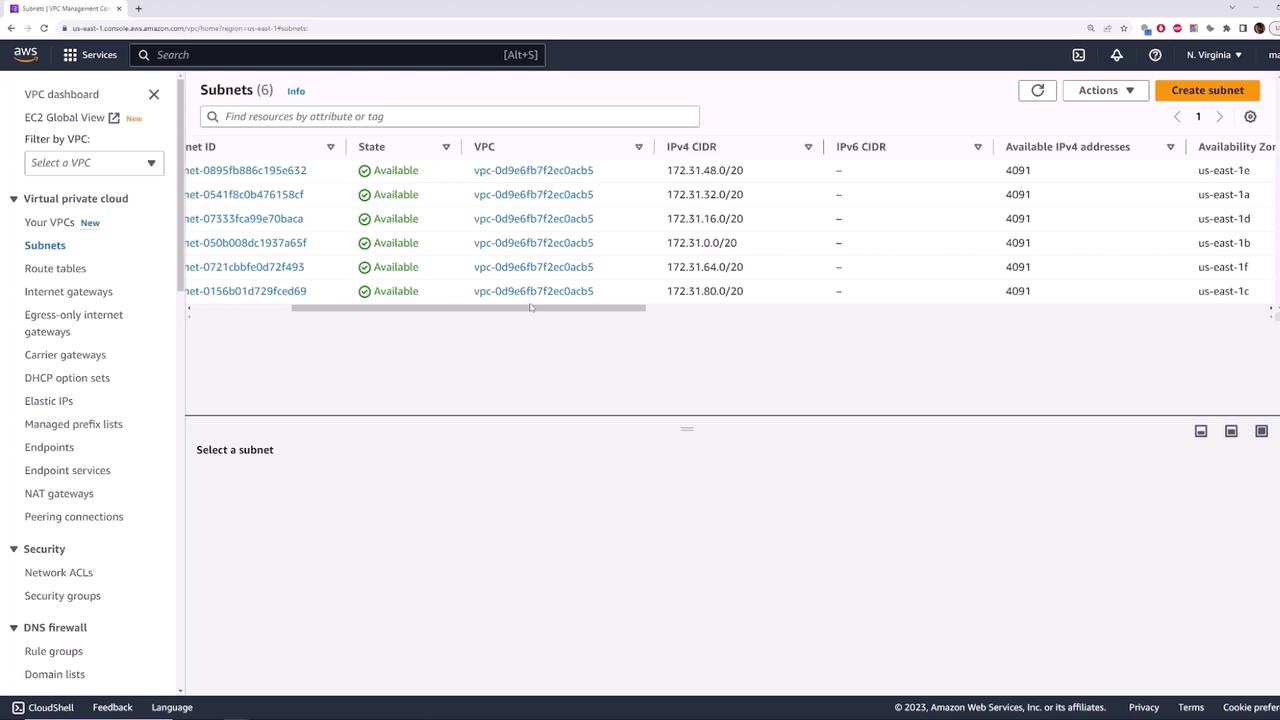
Resource Map Visualization
Use the Resource Map view to see the relationships between subnets, route tables, and the Internet Gateway.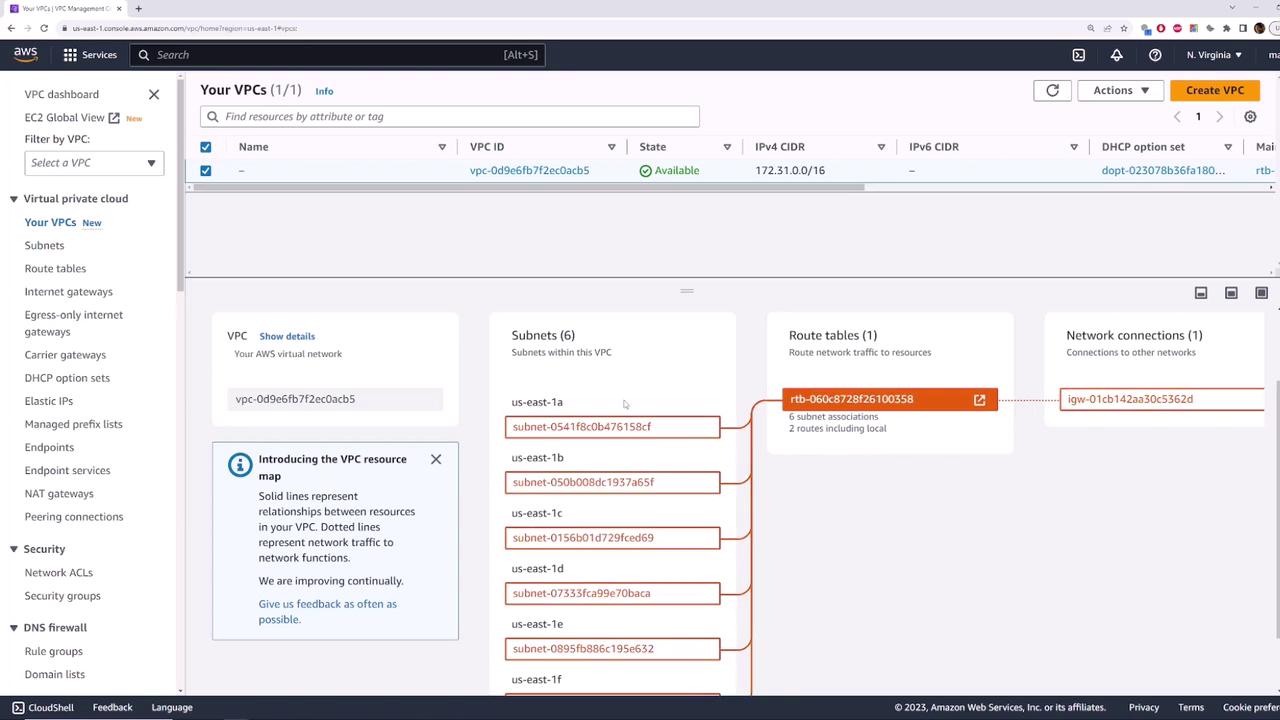
Internet Gateway & Default Route
- A Default Internet Gateway is attached to your default VPC.
- The main route table includes an
0.0.0.0/0route targeting the Internet Gateway. - Each default subnet has Auto-assign Public IPv4 enabled.
Launching a Test EC2 Instance
Let’s launch a Linux instance into the default VPC to validate internet connectivity.- Go to the EC2 console and click Launch Instance.
- Select Amazon Linux 2 AMI and t2.micro.
- Click Next until Key Pair—create a new key named
aws-demoand download the.pemfile.
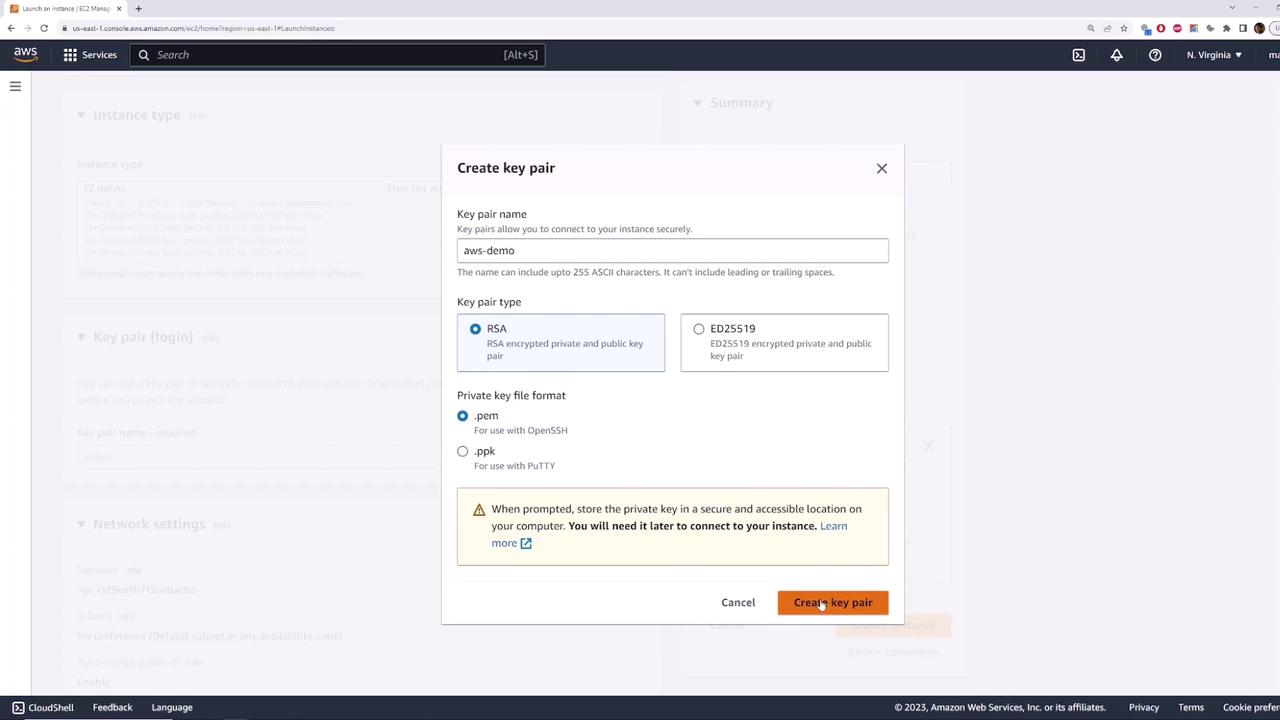
- In Configure Security Group, allow SSH (port 22) from your IP.
- Under Configure Instance, ensure:
- Network: Default VPC (
172.31.0.0/16) - Subnet: e.g., us-east-1b
- Auto-assign Public IP: Enabled
- Network: Default VPC (
- Review and Launch.
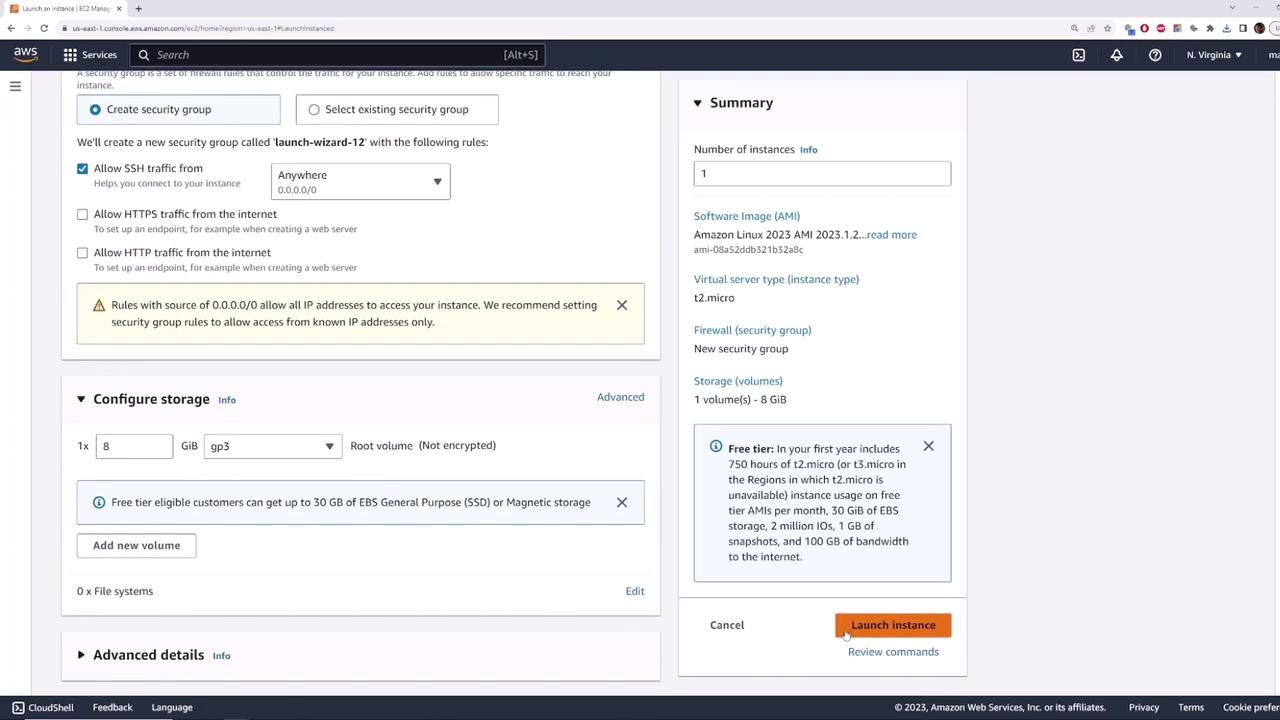
Terminate your test instance when finished to avoid unexpected charges.