

Make sure both VPCs have security groups and network ACLs allowing ICMP traffic. You also need IAM permissions to manage VPC peering and route tables.
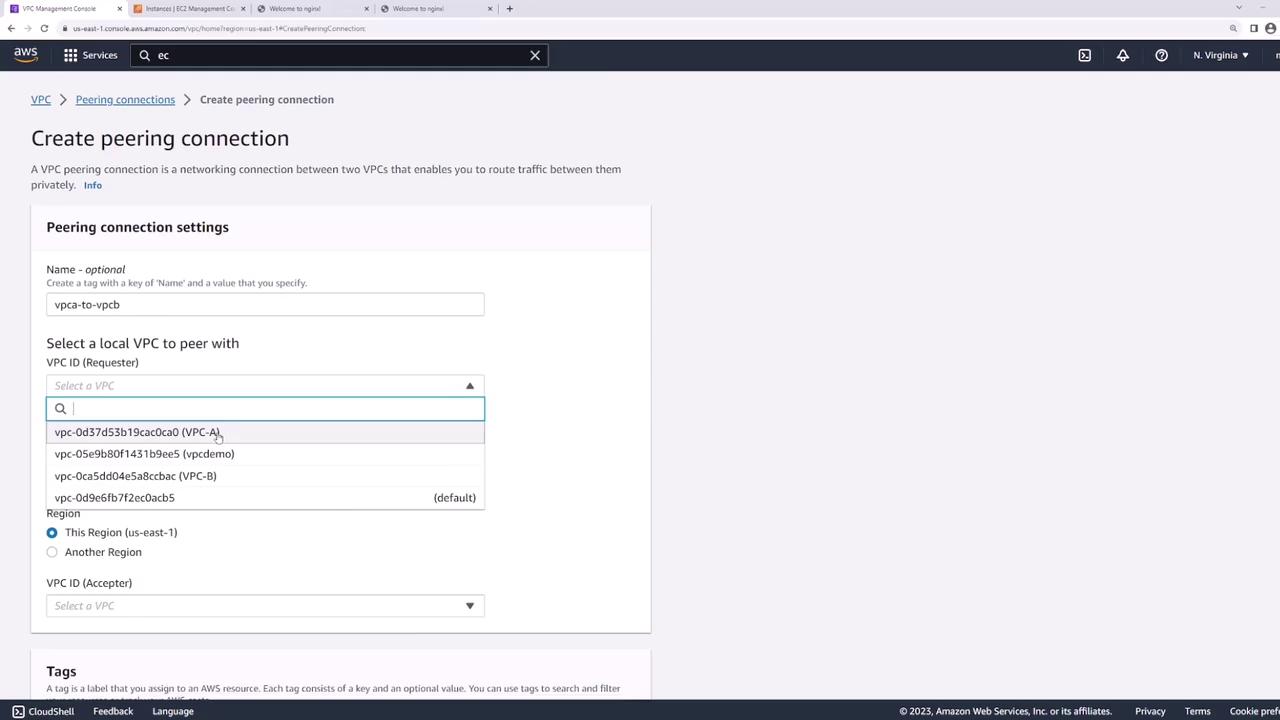
1. Create the VPC Peering Connection
- Open the AWS VPC console and select Peering Connections → Create Peering Connection.
- Name the connection
VPC-A-to-VPC-B. - Under Requester, choose VPC-A.
- Under Accepter, select your account and region, then choose VPC-B.
- Click Create Peering Connection.
You can also provision VPC peering using Infrastructure as Code tools like Terraform or AWS CloudFormation.
2. Accept the Peering Request
- In Peering Connections, locate the new connection in Pending Acceptance.
- Select it, then choose Actions → Accept Request.
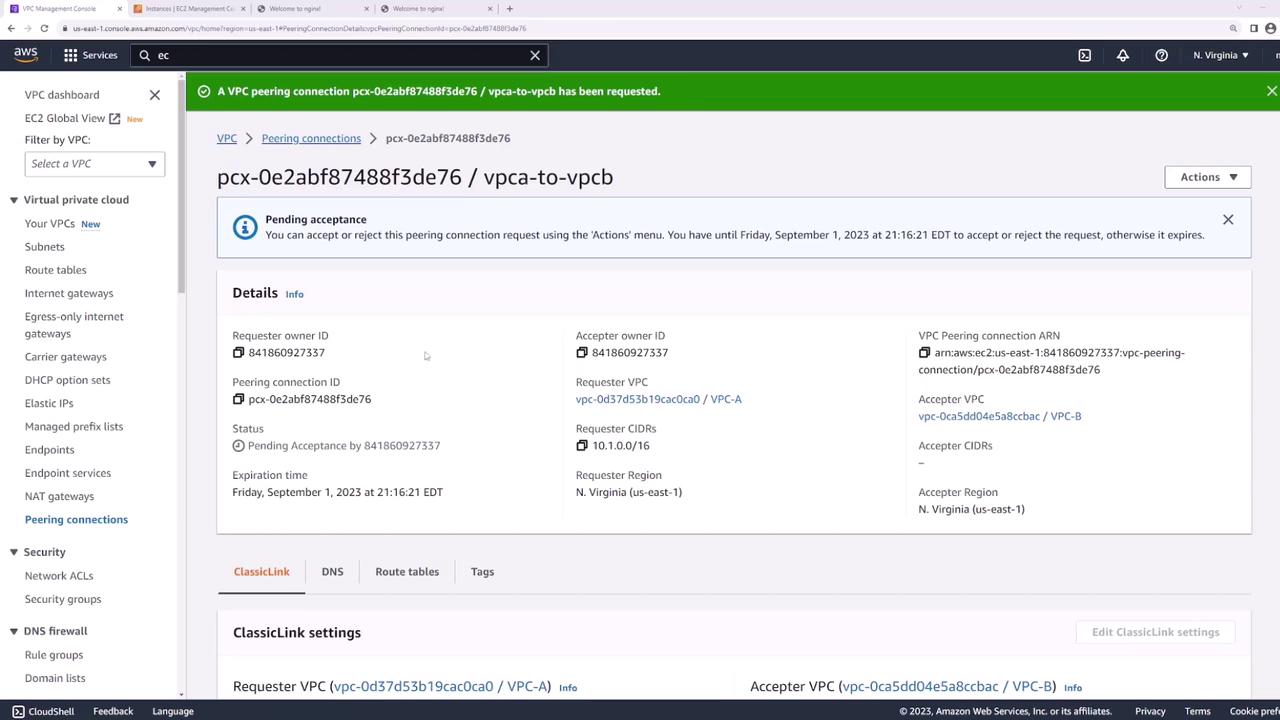
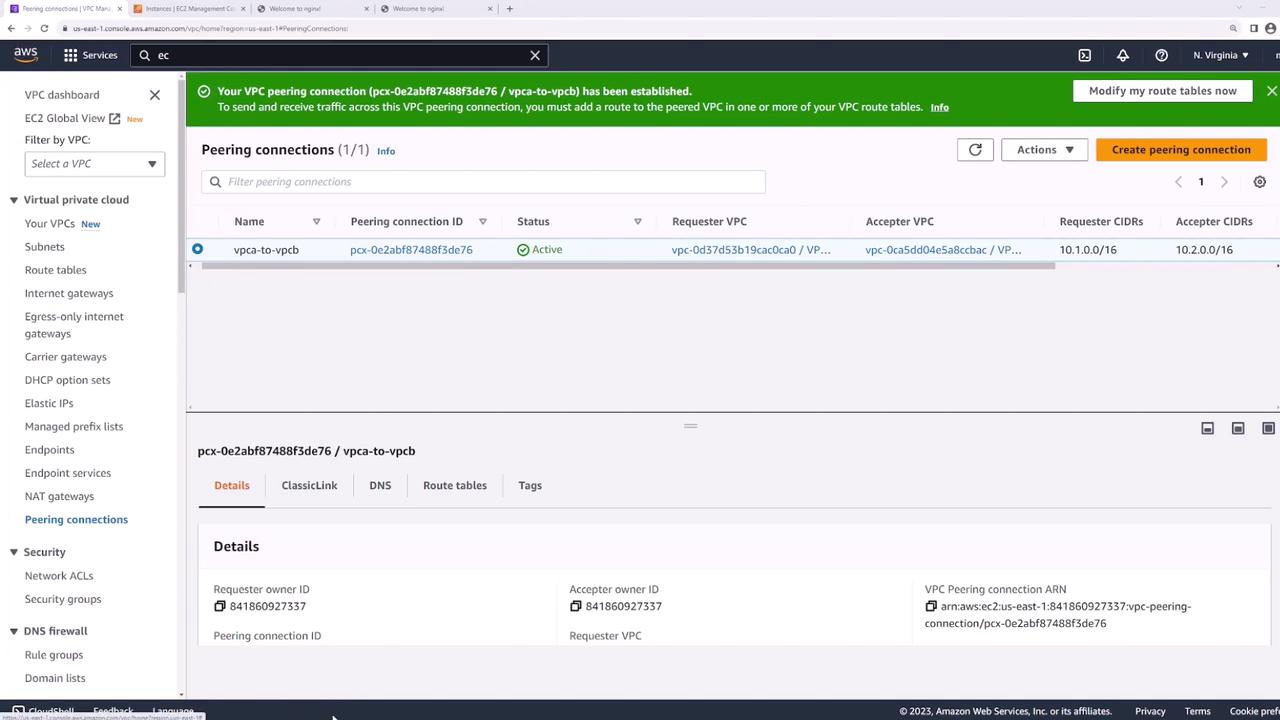
Even after peering is active, traffic won’t flow until you update each VPC’s route tables.
3. Update Route Tables
Each VPC needs a route pointing to the other VPC’s CIDR block through the peering connection:- In the VPC console, go to Route Tables.
- Select the route table for VPC-A.
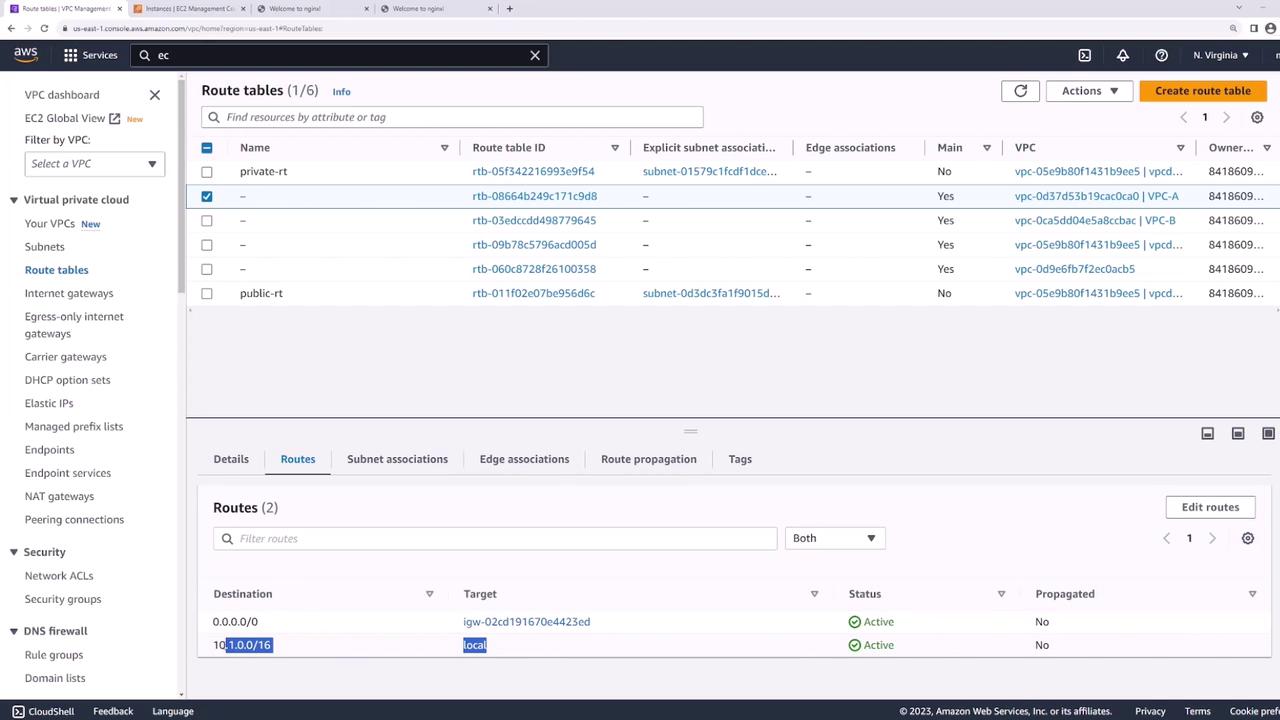
- Under Routes, click Edit routes → Add route:
- Destination:
10.2.0.0/16 - Target: the peering connection (
VPC-A-to-VPC-B)
- Destination:
- Save changes.
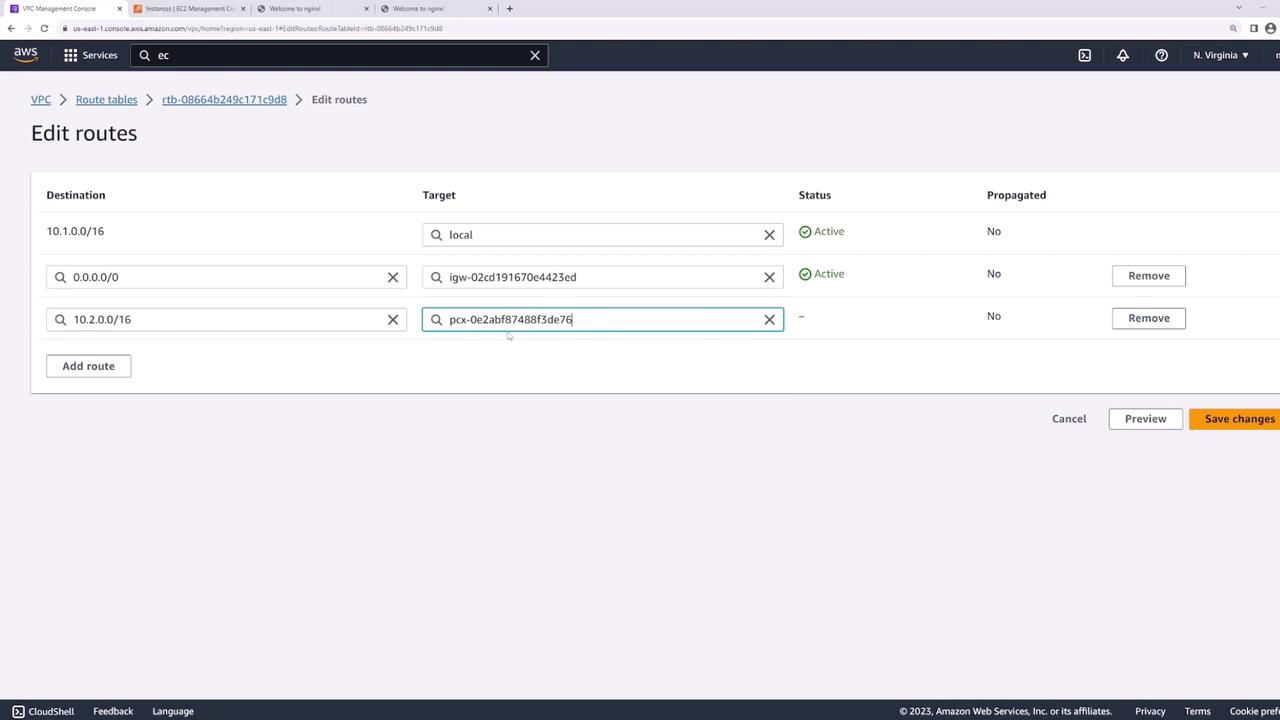
- Repeat these steps on VPC-B’s route table, adding a route to
10.1.0.0/16via the same peering connection.