Guide to scaffold and run a minimal ADK helpdesk agent using Python, Google AI backend, and ADK tools including CLI and web UI
All right — let’s get the project started. In this guide you’ll go from zero to a running ADK agent: install required tools, scaffold a project, and wire up a simple helpdesk agent that responds in natural language.Although this demo uses Google Cloud IDE and the Google AI backend, the ADK is model-agnostic. You can swap in other LLM backends (or run locally) later.
The CLI will prompt for a model and backend. For this demo choose:
Model: gemini-2.5-flash
Backend: Google AI (not Vertex AI)
If you do not yet have an API key, follow the CLI prompt to create one in AI Studio.Example interactive prompts:
Copy
Choose a model for the root agent:1. gemini-2.5-flash2. Other models (fill later)Choose model (1, 2): 11. Google AI2. Vertex AIChoose a backend (1, 2): 1Don't have API Key? Create one in AI Studio: https://aistudio.google.com/apikeyEnter Google API key:
After completion the CLI lists the created files:
Copy
Agent created in /Users/jeremy/Repos/adkdemos/ticketpro/helpdesk_agent:- .env- __init__.py- agent.py(.venv) jeremy@MACSTUDIO ticketpro %
Here’s a quick reference for the files the scaffold creates:
File
Purpose
Notes / Example
.env
Environment flags and API key placeholder
DO NOT commit real keys to source control
init.py
Makes the directory a Python package
Typically imports the agent module
agent.py
Root agent definition
Contains the Agent instance ADK will run
Examples and snippets below.
init.py
This file makes the directory a Python package and commonly imports the agent so the ADK runtime can discover it:
Copy
from . import agent
.env
The scaffold includes an .env file containing a flag for Vertex AI usage and a placeholder for your API key. Replace the placeholder with a secure secret (see callout below).Example .env (do not commit real keys to source control):
Store real API keys securely — use environment variables, a secret manager, or another safe credential store. Avoid committing keys to source control.
agent.py
The scaffolded agent is an LLM-only agent. The only required element in an ADK app is a “root agent” instance that the ADK runtime will import and run. A minimal LLM root agent looks like this:
Copy
from google.adk.agents.llm_agent import Agentroot_agent = Agent( model='gemini-2.5-flash', name="helpdesk_root_agent", description="Smart IT Helpdesk assistant that helps troubleshoot basic IT issues.", instruction=( "You are a friendly but efficient IT helpdesk assistant for an internal company.\n" "\n" "Goals:\n" "1. Quickly understand the user's problem.\n" "2. Ask one or two clarifying questions if needed.\n" "3. Give clear, step-by-step instructions they can follow.\n" "4. Keep answers concise and practical.\n" "\n" "Constraints for now:\n" "- You do NOT have access to tools yet.\n" "- Don't claim to check real systems.\n" "- Use phrases like 'Based on common IT practice...' instead of pretending.\n" ), tools=[] # Tools will be added later)
This instruction block guides the LLM’s tone, goals, and constraints. We intentionally set tools=[] for now — tools (e.g., account lookups, ticket creation, status checks) will be added in later lessons.
Run the agent using the ADK runtime so it can locate and execute the root agent:
Copy
adk run helpdesk_root_agent
If you omit the agent name the CLI will report a missing argument:
Copy
usage: adk run [OPTIONS] AGENTError: Missing required argument: AGENT
Example run output (trimmed):
Copy
Log setup complete: /tmp/agents_log/agent.latest.logRunning agent helpdesk_root_agent, type exit to exit.[user]: My VPN disconnects every 5 minutes[helpdesk_root_agent]: That sounds frustrating! A frequent VPN disconnect can be caused by several issues.To help narrow it down, could you tell me:1. Which VPN software are you using (e.g., Cisco AnyConnect, FortiClient, OpenVPN)?2. Are you connected via Wi-Fi or wired (Ethernet)?[user]:
This is a plain LLM interaction — the same behavior you’d get from sending the same prompt to Gemini directly. The ADK advantage is the structured agent scaffold that’s ready to be extended with tools, traces, sessions, and a web UI.
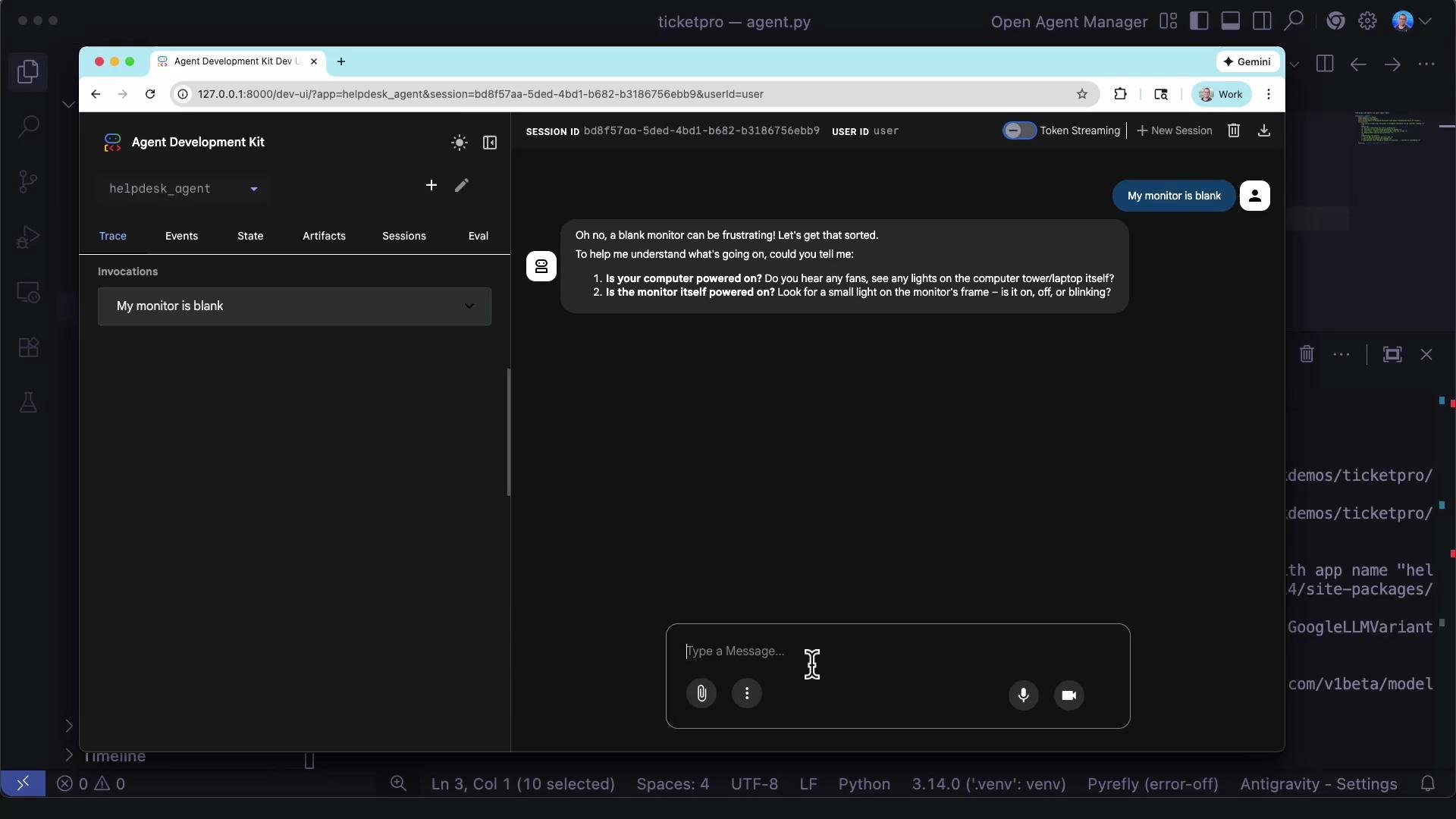
ADK includes a web interface (adk web) to interact with your agent in a browser. Use it to inspect traces, events, state, artifacts, sessions, and evals — very helpful for debugging and iterating quickly.You can use both the CLI and the web UI concurrently during development.
Created and activated a Python virtual environment.
Installed the google-adk package.
Scaffolded a helpdesk ADK project and inspected its files (.env, init.py, agent.py).
Configured the root_agent with goals, constraints, and a friendly instruction set.
Ran the agent via adk run to interact with the LLM.
Verified the web UI is available for interactive debugging and traces.
Next steps: add tools to give this agent real “powers” — for example, user account lookups, ticket creation, and system status queries. These will let the agent perform actions instead of only replying with general advice.