

Ensure your Bookinfo app is deployed and your Kiali and Istio environments are correctly configured before following these steps.
Adjusting Fault Injection Delay
To begin, we lower the fault injection delay percentage to 10%. This adjustment reduces error occurrences while still allowing a controlled amount of traffic flow. Apply the following VirtualService configuration: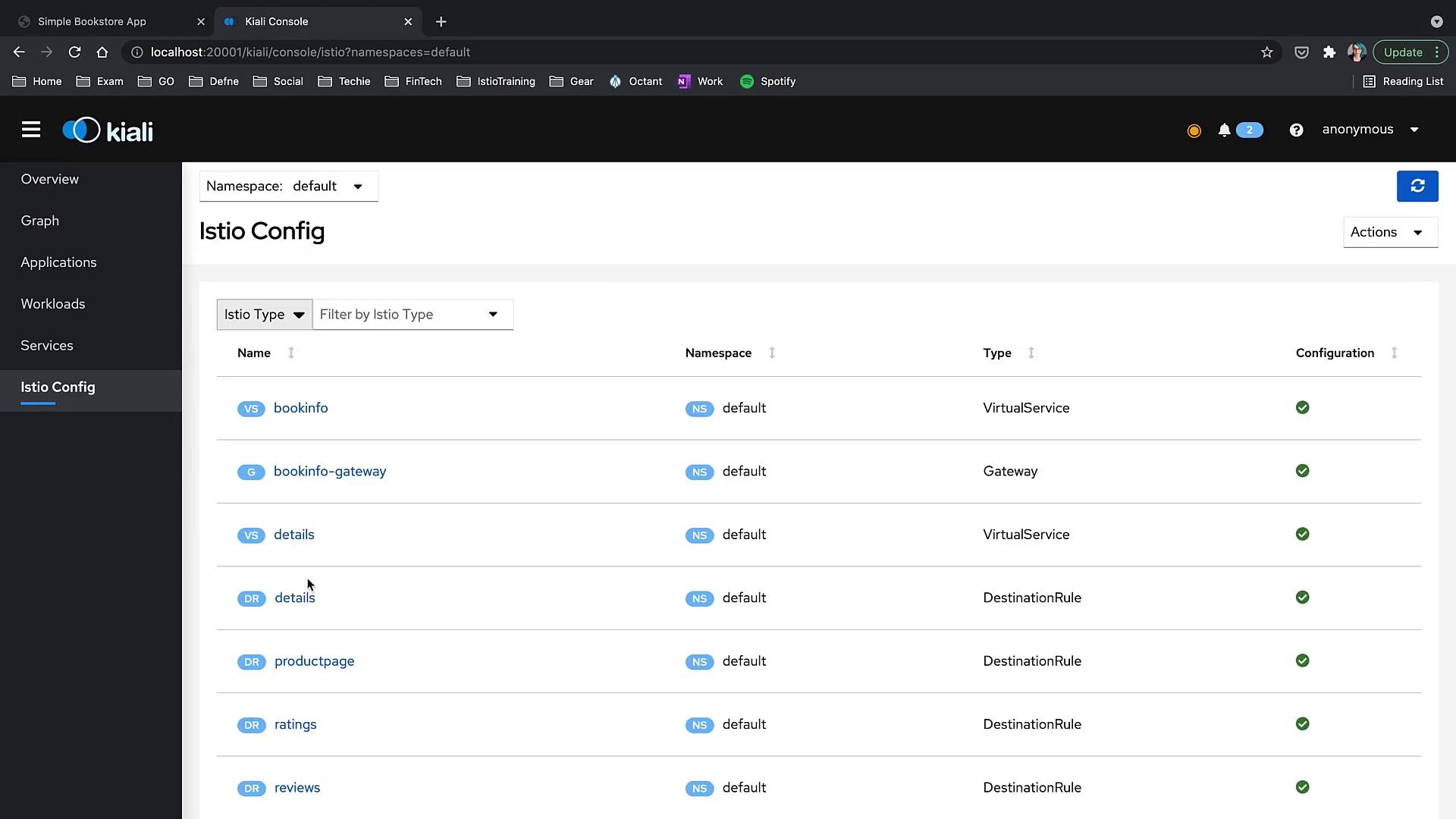
Observing Service Mesh Behavior
In the diagram below, you can notice that some errors exist in the mesh, yet traffic continues to be processed.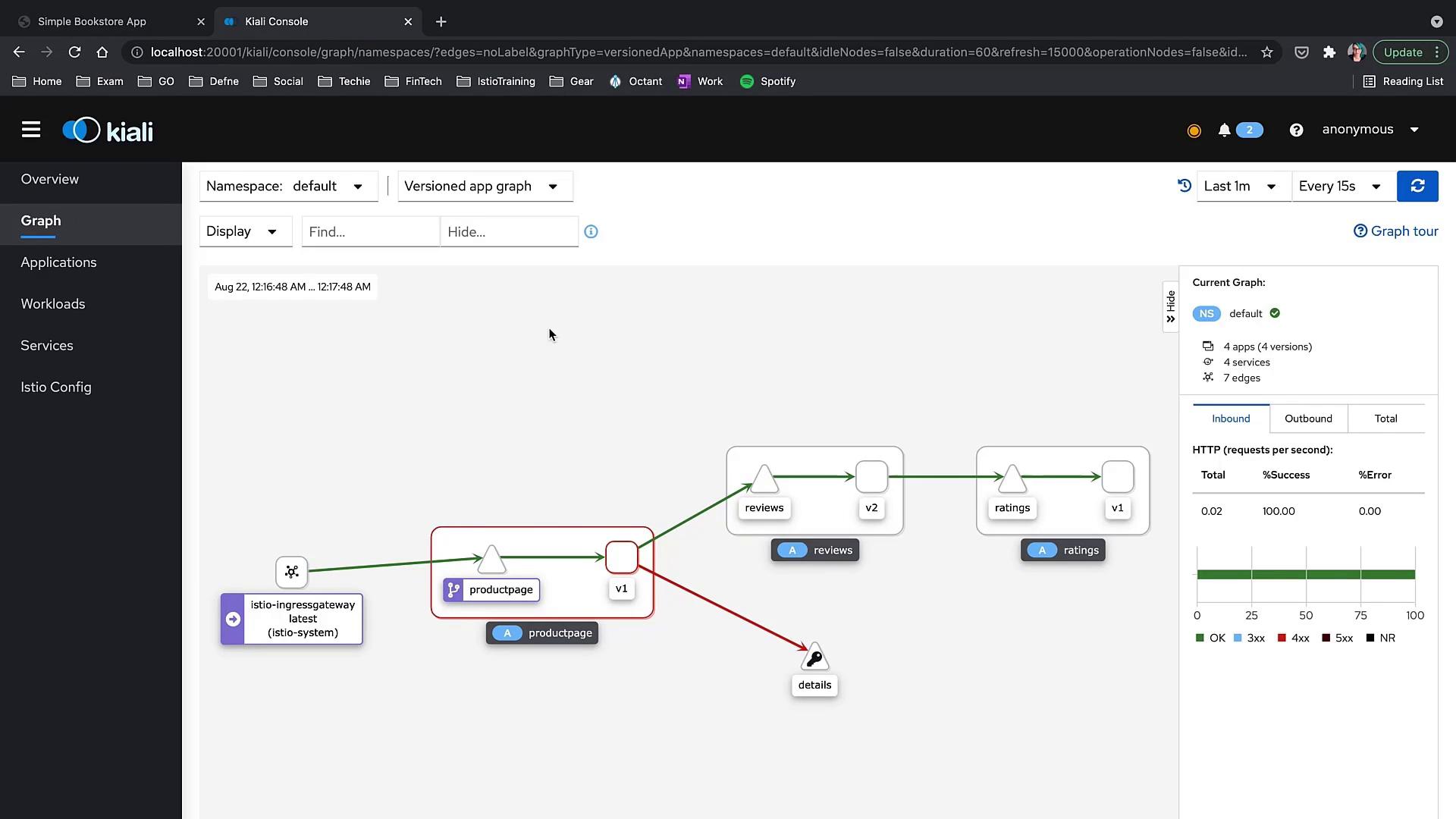
Exploring Kiali Features
Overview
Start with the Overview section in Kiali to get a high-level summary of your mesh—displaying workloads, services, and their health, mTLS status, or namespace labels. For this demo, we only have the “default” and “Istio system” namespaces. Use the namespace filtering options to view health details for apps, workloads, and services.Graph Menu
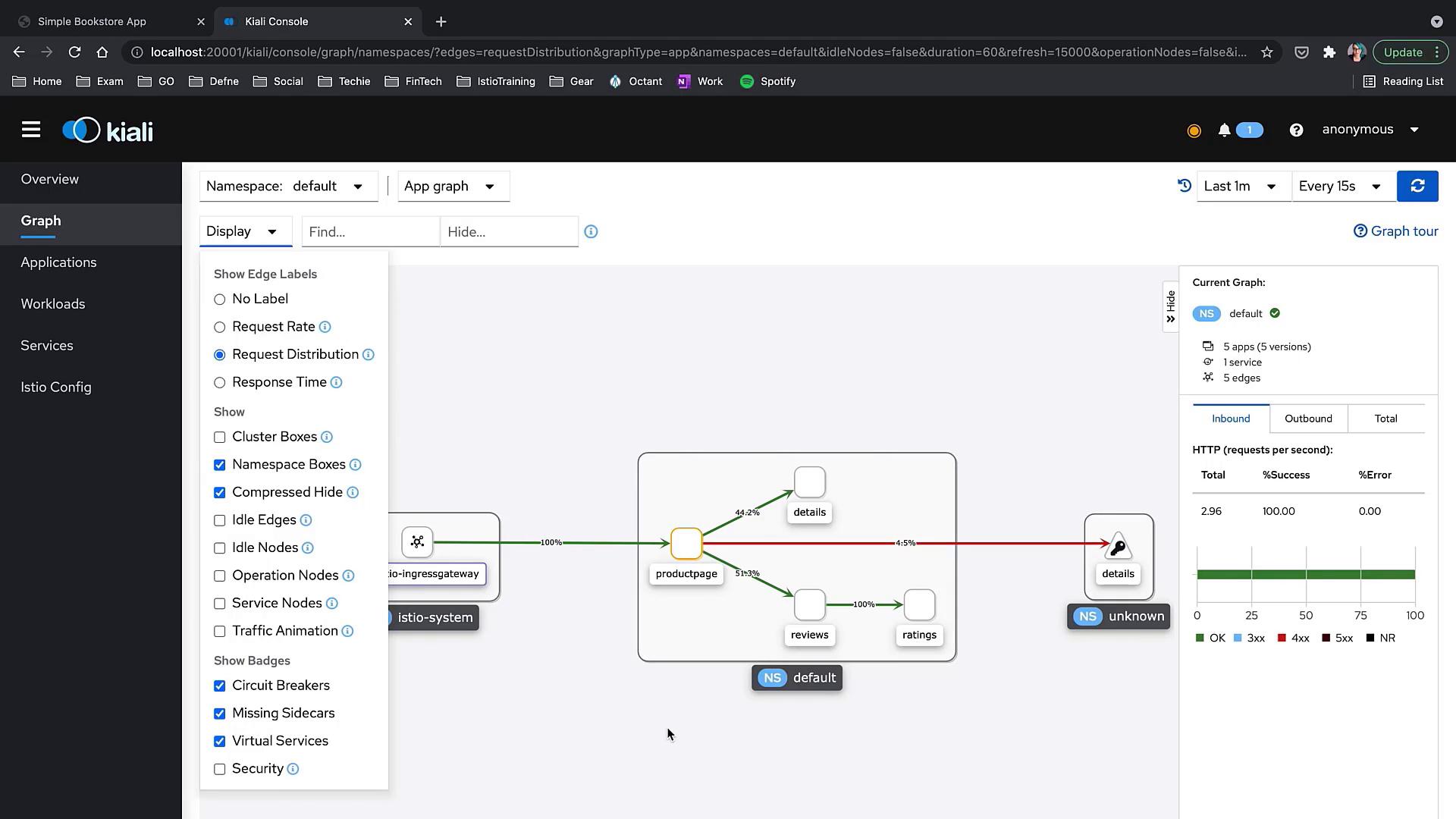
Navigate to the Graph menu for a detailed visualization of inter-service traffic. Kiali supports multiple views, such as:- App Graph
- Service Graph
- Versioned App Graph
- Workload Graph
- Request rate
- Request distribution (traffic percentages between services)
- Response time on traffic arrows
- Cluster boxes and namespace boxes
- Traffic animation (animate traffic flow)
- Service badges (alert for missing sidecars or circuit breakers)
Removing Fault Injection
After observing the initial behavior, remove the fault injection rule. As you apply the update, you’ll notice red error indicators disappearing and the details service transitioning to a green status. Apply the updated VirtualService configuration without the fault injection delay:Simulating a Service Disruption
Next, pause the traffic animation and simulate an issue by deleting the review service. Run the following command:Analyzing Traffic Metrics
In the Traffic tab, you can evaluate both inbound and outbound traffic details, including data on rate, success percentage, protocol, and links to detailed metrics. Here is an example of the reviews service traffic metrics interface: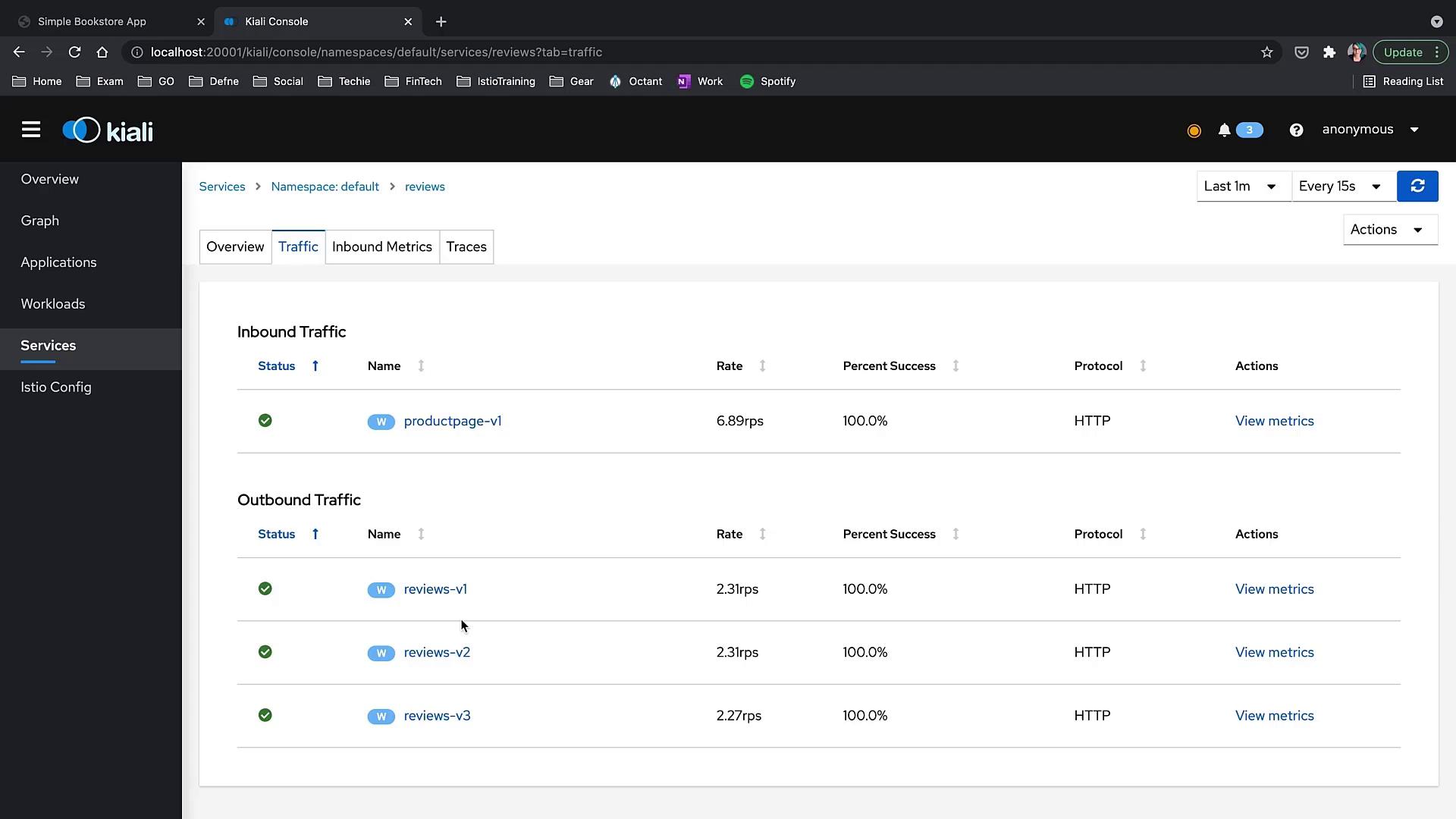
Workload Logs and Metrics
From the service details page, you can navigate to an outbound workload page presenting:- Traffic details
- Logs from the workload
Reviewing Istio Configuration
Kiali’s Istio Config section simplifies the management and validation of Istio objects. It enhances your workflow with features that go beyond basic YAML application via kubectl. You can quickly filter and navigate through Istio configuration objects such as Virtual Services and Gateways. Additionally, Kiali provides wizards to help you create configurations without editing raw YAML. For example, here is a sample DestinationRule for the reviews service:Using Kiali wizards to create Istio configurations minimizes manual errors and ensures your service mesh definitions are validated in real-time.