

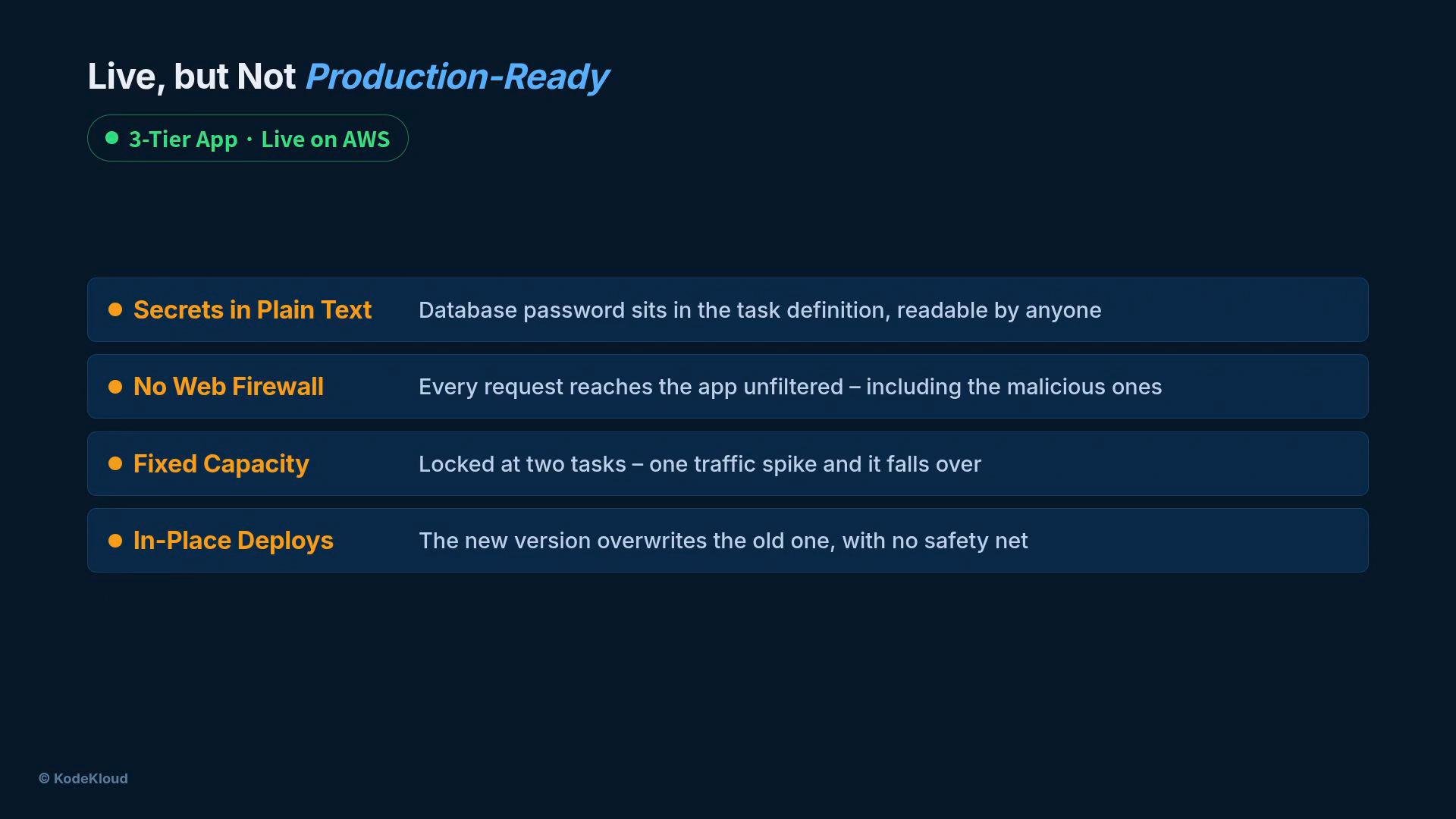
- Secrets stored in plaintext inside the
ECStask definition. - No web firewall in front of the load balancer (AWS WAF).
- Fixed capacity (two tasks) that can’t follow demand.
- In-place deploys with no safety net.
- Drift between the infrastructure template and the running environment.
Strategy: Narrow Ownership, Focused Fixes
Operate like a dedicated hardening specialist: limit the scope, apply minimal changes that materially reduce risk, and automate the checks.Quick summary of fixes
Focus fixes on what reduces the most risk quickly: secrets, edge protection, least-privilege permissions, autoscaling, drift detection, and safe deploys.
Secrets: Remove plaintext credentials
- Move the database password and any other secrets into AWS Secrets Manager.
- Update the
ECStask definition so it does not contain secret values. Instead:- Reference the secret by ARN and populate runtime environment variables using the task definition’s
secretsfield, or read secrets from Secrets Manager at runtime using the SDK.
- Reference the secret by ARN and populate runtime environment variables using the task definition’s
- Remove plaintext secrets from source control, CI artifacts, and container images.
- AWS Secrets Manager: https://docs.aws.amazon.com/secretsmanager/latest/userguide/intro.html
- ECS task secrets field: https://docs.aws.amazon.com/AmazonECS/latest/developerguide/specifying-sensitive-data.html
Firewall: Block bad traffic at the edge
- Create an AWS WAF web ACL and attach it to your load balancer (ALB).
- Add an AWS-managed ruleset to block common malicious requests so most bad traffic stops before it reaches containers.
- AWS WAF web ACL: https://docs.aws.amazon.com/waf/latest/developerguide/web-acl.html
- AWS managed rule groups: https://docs.aws.amazon.com/waf/latest/developerguide/aws-managed-rule-groups.html
Permissions: Apply least privilege
- Restrict the ECS task role to only the IAM actions the application needs (e.g., read a specific secret, publish metrics, read S3 objects if required).
- Avoid broad policies such as
*orAdministratorAccessfor runtime roles.
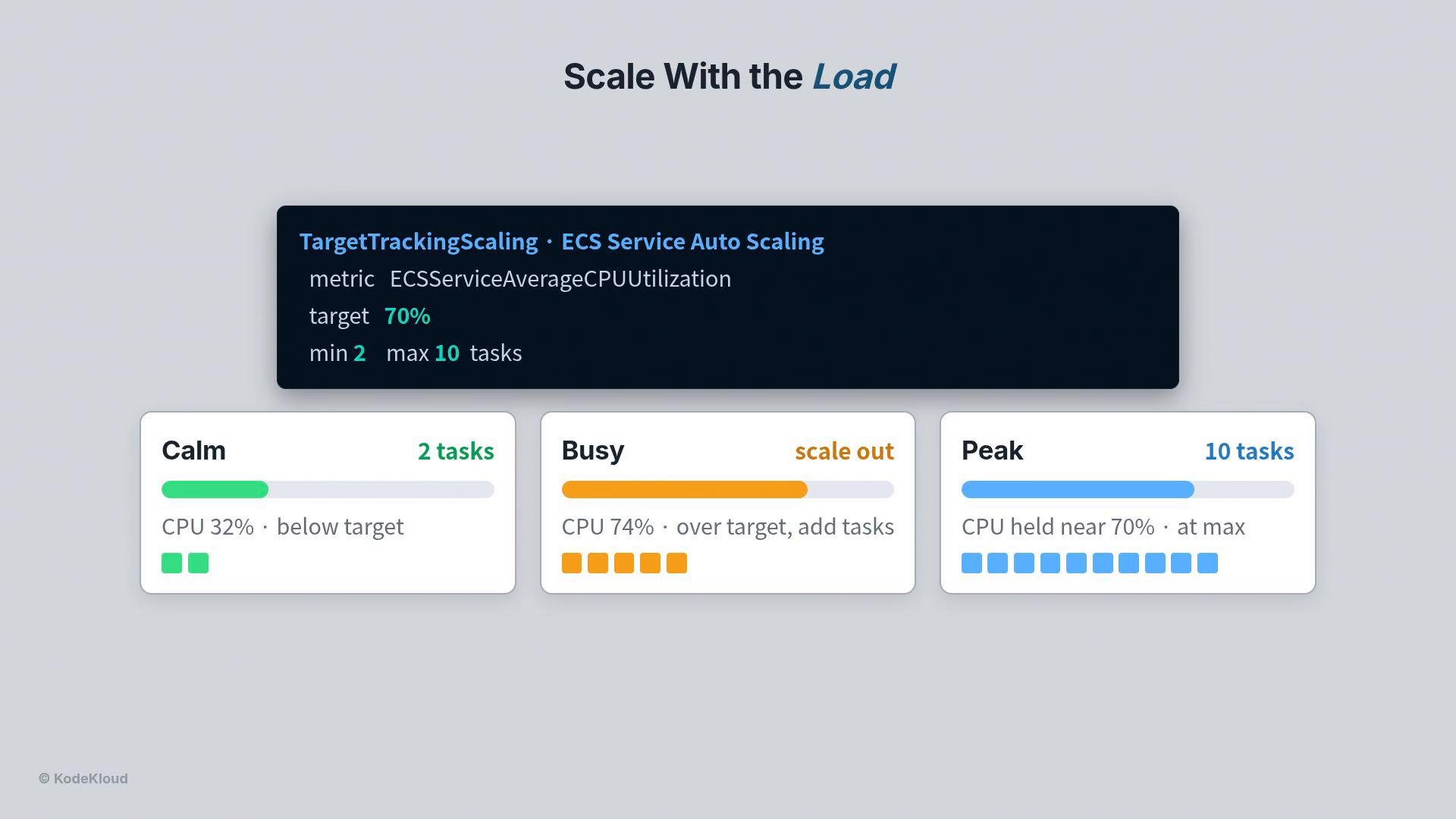
Capacity: Let load drive the task count
Autoscale your ECS service using target-tracking on average CPU to keep utilization near a chosen target (example below uses 70%). With target tracking, you declare the objective rather than the exact task count.- Example policy: target-tracking on metric
ECSServiceAverageCPUUtilization, target 70%, minimum 2 tasks, maximum 10 tasks.
Drift detection: Keep IaC and live infra aligned
- Manual edits during incidents cause drift, which leads to configuration sprawl and fragile environments.
- Run CloudFormation drift detection (for example via a lightweight CloudFormation MCP server) to compare live resources against your stack templates.
- Drifted resources are flagged so you can decide to incorporate the hand change into the template or revert the change.
- Resources that match the template: IN_SYNC
- Resources that differ: DRIFTED
Safe deployments: Make rollouts reversible
Never replace a running version blindly. Use deployment patterns and features that ensure a failed release does not cause downtime:- Bring the new version up alongside the old version.
- Let the load balancer perform health checks on the new tasks.
- Only shift traffic after the new tasks are healthy.
- If a deployment fails, ECS’s deployment circuit breaker can halt the rollout and automatically roll back.
- The old version continues serving users until the new version is verified.
Always test deployment behavior in a staging environment that mirrors production health checks and scaling behavior before applying to production.
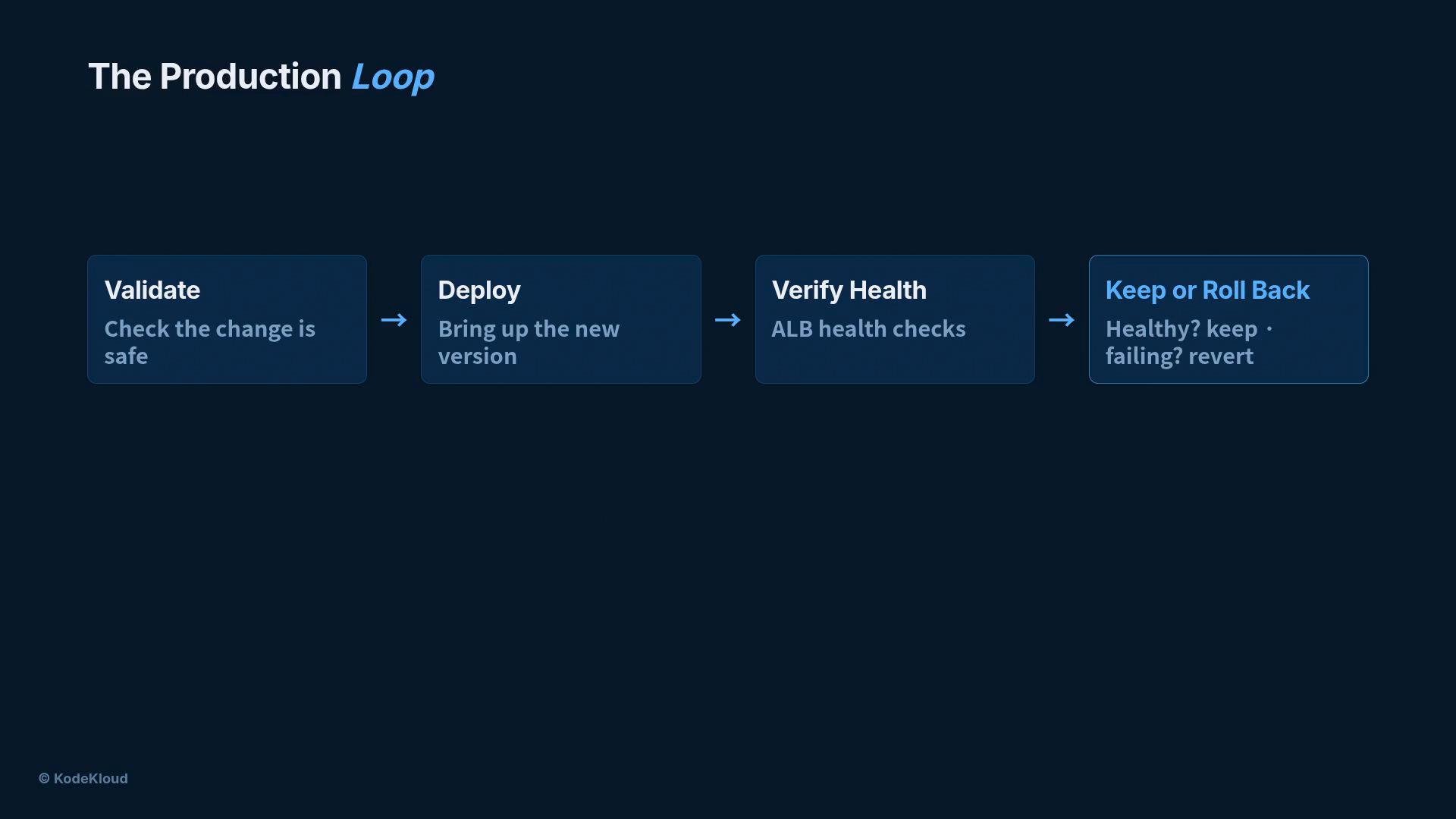
The production loop
Every change should follow a short, repeatable loop:- Validate the change (safety checks, policy, automated tests).
- Deploy safely (bring up new tasks alongside the old version).
- Verify health with real checks (ALB health checks and application-level probes).
- Keep the change if healthy, or roll back if not.
Put it all together
A production-hardened system includes:- Secrets stored in
AWS Secrets Managerand removed from plaintext artifacts. - A web firewall (AWS WAF) protecting the edge.
- Tight task-role permissions (least privilege).
- Capacity that auto-scales with demand.
- Drift detection that surfaces manual changes immediately.
- Safe, reversible deployments that avoid downtime.
Links & References
- AWS Secrets Manager: https://docs.aws.amazon.com/secretsmanager/latest/userguide/intro.html
- ECS task definitions and secrets: https://docs.aws.amazon.com/AmazonECS/latest/developerguide/task_definitions.html
- AWS WAF web ACLs: https://docs.aws.amazon.com/waf/latest/developerguide/web-acl.html
- ECS Service Auto Scaling: https://docs.aws.amazon.com/AmazonECS/latest/developerguide/service-auto-scaling.html
- CloudFormation drift detection: https://docs.aws.amazon.com/AWSCloudFormation/latest/UserGuide/using-cfn-stack-drift.html