

query work well for one-off tasks: you ask, Claude answers, the session ends, and the model forgets everything. But many workflows—like iteratively crafting infrastructure templates or incrementally editing code—need memory. That’s where the stateful client comes in: it preserves the conversation so each new turn can reference everything that came before.
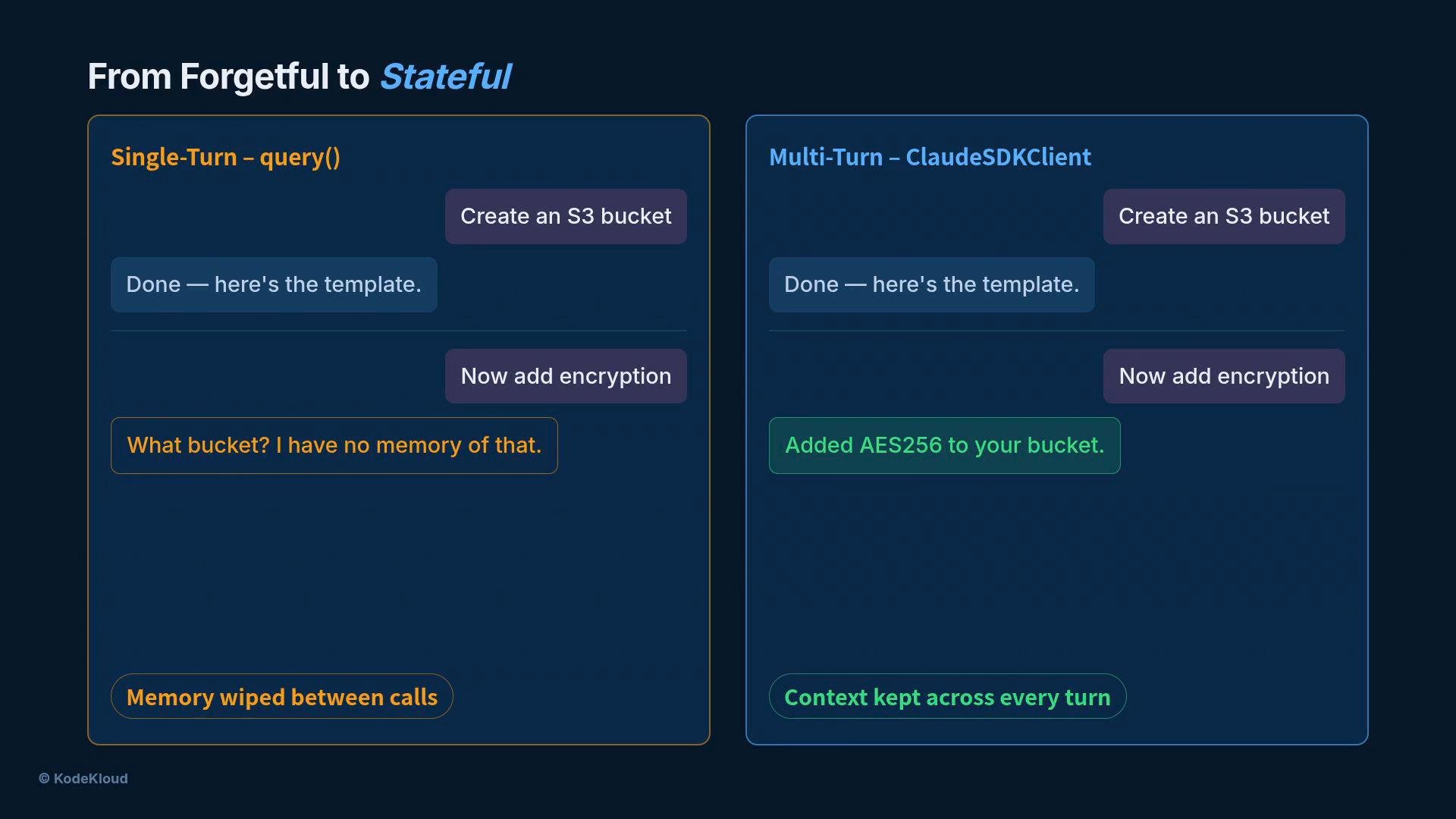
Stateful client: ClaudeSDKClient
UseClaudeSDKClient when you need cross-turn memory. Open the client with an async context manager:
- Enter the session with
async with ClaudeSDKClient(...)to start a stateful connection. - Exit the context to shut the session down cleanly.
- Send user instructions with
client.query(...). - Read the assistant’s replies using
client.receive_response().
query helper performs both steps at once for short-lived interactions; the stateful client separates them so the conversation can accumulate.
Minimal send/receive example
How the memory works — and its cost
Every time you callclient.query, the SDK includes the full conversation history in the request payload. That means:
- Turn 1 sends one message.
- Turn 2 sends turn 1 + new message.
- Turn N sends all N messages.
Preserving full conversation history improves continuity but increases token usage and latency. Monitor the size of your history and consider summarizing, pruning, or checkpointing older turns to control costs and avoid context limits.
Safety controls: permission mode and allowed tools
Before Claude can modify files or run commands, decide what it’s allowed to do. The SDK exposes two complementary controls:- Permission mode (how freely Claude may act), e.g.,
acceptEditsto auto-approve file edits ordefaultfor a more cautious, confirmation-first posture. - Allowed tools (a whitelist of actions Claude may take), e.g.,
Write,Bash, etc. An empty list means the agent can only provide guidance.
Use stricter modes and minimal tool sets for sensitive environments; relax them in trusted automation pipelines.
Iterative infrastructure building (practical payoff)
With a stateful client you can grow a single template across multiple turns. For example:- Turn 1: “Create a starter S3 bucket and save it as
s3template.yaml.” - Turn 2: “Enable versioning and AES-256 encryption.”
- Turn 3: “Add lifecycle rules, public access block, and tags.”
query calls.
Interactive builder pattern
Wrap the stateful loop in a user input loop and you get an interactive builder: open the client once, then repeatedly accept user instructions until the session ends.Summary and next steps
UseClaudeSDKClient when conversation continuity matters: it preserves history so the agent can iteratively build, edit, and refine artifacts across multiple turns. Balance that convenience against token growth and latency by pruning or summarizing history where appropriate, and apply permission modes plus a minimal allowed tools list to keep agents safe in production.
Next, you’ll learn how to package common capabilities into reusable components so agents can load and run them on demand.