

- A chatbot without tools only describes changes.
- An agent with tools can inspect real files, perform exact edits, run commands, and save evidence — turning description into operation.
- The SDK’s allowed-tools mechanism enforces least privilege: give the agent only the tools needed for each step.
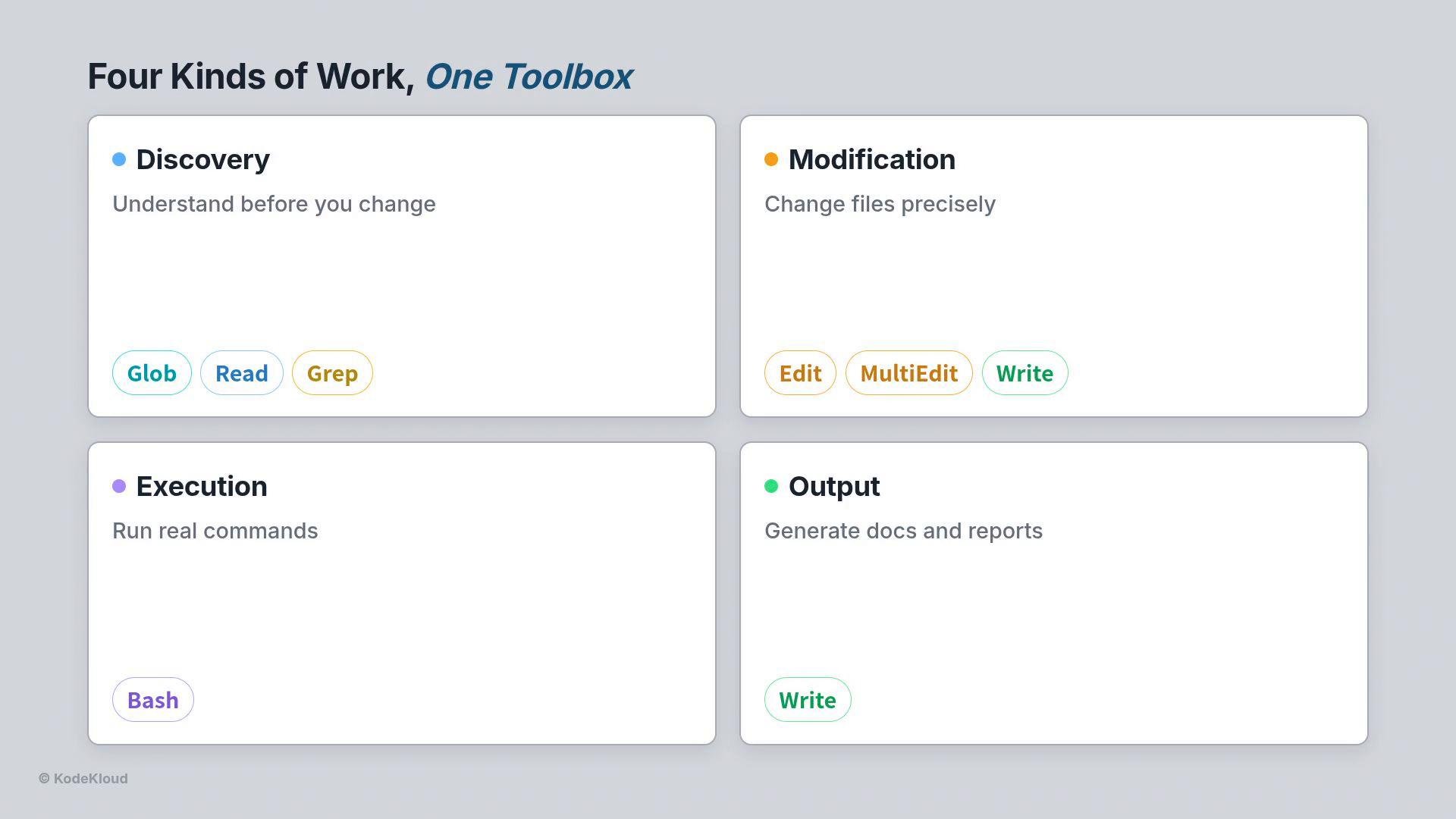
- Discovery: find and read the project so the agent knows what to change.
Glob— locate files by pattern.Read— open files with line numbers and partial reads for large files.Grep— search inside files and return matches with line numbers.
- Modification: edit or create files.
Edit— one exact replacement; surgical and requires reading first.MultiEdit— apply a set of edits atomically (all succeed or none do).Write— create a new file from scratch.
- Execution:
Bash— run shell commands (Terraform, AWS CLI, Git, tests).
- Output:
Write— produce documentation, reports, or READMEs as final artifacts.
- Use an allowed tools list to control which tools are available for each step.
- Add a
cwdoption so every tool runs inside the correct project folder. - This is a simple, strong safety control: a discovery step that only has
ReadandGrepcannot modify files.
Principle: Make production agents 99% deterministic and 1% reasoning. The model decides which tool to use and what to pass it (the 1%). The tools perform deterministic operations that don’t hallucinate (the 99%): reading bytes from disk, returning grep matches with line numbers, and running the shell exactly as written.
-
Discover first
Globfinds every.tffile in the folder.Readopensmain.tfand shows a missing brace in alifecycleblock.Grepsearches for risky settings (e.g.,public-read) and returns matches with line numbers.
-
Plan edits
- Confirm the exact text to replace by reading the file (Edit requires an exact match).
- Decide whether changes are single-line fixes (
Edit) or multiple related edits that must happen together (MultiEdit).
-
Make changes safely
- Use
Editfor a precise, single replacement. - Use
MultiEditwhen multiple updates must be atomic (for example, enabling encryption and versioning in the same commit).
- Use
- Fix a stray missing brace in a
lifecycleblock:
- Apply server-side encryption and enable versioning together (use
MultiEditso both changes land atomically):
Validate and report — never auto-apply
- After edits, run
terraform validatewithBash. - Run
terraform planto produce a plan for human review. - The agent should stop before
terraform apply; leave the plan for a person to approve. This preserves professional Terraform workflow and safety.
- Discovery:
Glob,Read,Grep. - Fix:
EditandMultiEdit. - Validate:
Bash→terraform validateandterraform plan. - Document:
Write→ deployment report or README. - Human: review plan, then
terraform applymanually.
- Grant the least privilege: give the agent only the tools it needs per step.
- Always read before editing;
Editdemands an exact match. - Use
MultiEditfor grouped changes so the repository never ends up in a half-broken state. - Validate and plan automatically, but require human approval for apply/deploy stages.
- Keep
cwdexplicit so tools run inside the intended project directory.