

Choose a transport based on locality, latency, and streaming needs:
- Use STDIO for simple local processes and developer workflows.
- Use HTTP for remote, network-accessible APIs and short atomic requests.
- Use SSE for server-to-client streaming, e.g., progressive model token delivery.
STDIO (Standard Input / Standard Output)
STDIO is the simplest IPC mechanism for running an MCP service as a local subprocess or executable. Communication happens over standard input (stdin) and standard output (stdout), with no network layer between the application and the service. Typical uses include CLI tools, local servers, and single-machine batch jobs. How STDIO works:- The application launches or connects to a local MCP executable and writes a prompt or request to its stdin.
- The MCP service processes that input and writes the full response to stdout.
- No network transport is involved between the application and the service.
- The STDIO process can still access networks or external resources (databases, documents, APIs) if the host machine permits, but other machines cannot directly reach the STDIO stream.
- STDIO is low-overhead and straightforward, making it ideal for development, testing, and single-machine workloads.
HTTP
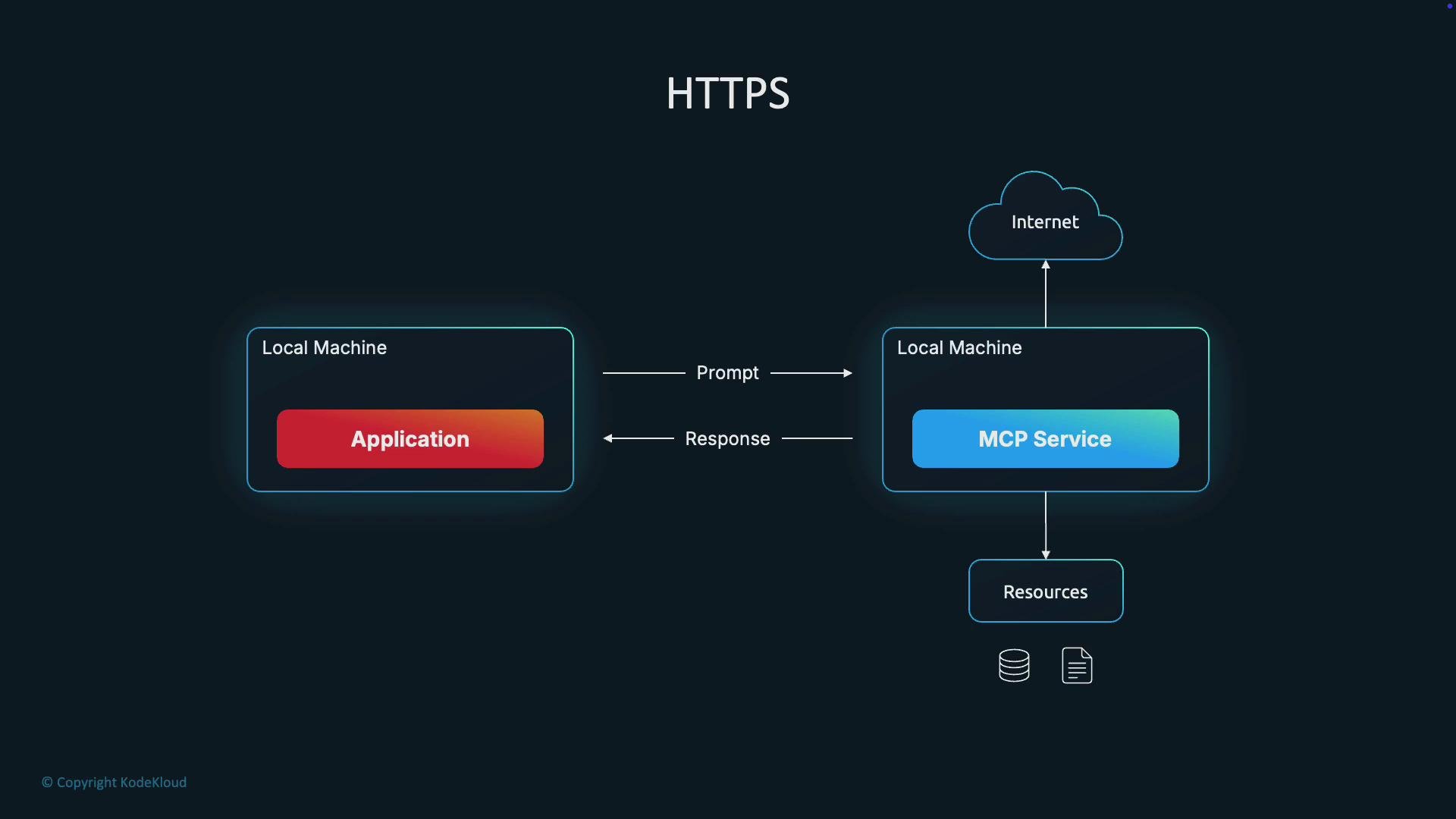
HTTP exposes the MCP service over a network so clients send standard HTTP requests and receive HTTP responses. This follows the familiar client–server API model and supports remote access, load balancing, and multi-client usage. How HTTP works:- Client sends an HTTP request containing the prompt or payload.
- The MCP service processes the request and returns an HTTP response (JSON, text, etc.).
- Each logical request is independent, though underlying TCP connections may be reused (keep-alive).
- Short, atomic tasks such as classification, function calling, or quick Q&A.
- Cases that require remote access, authentication, and horizontal scaling.
- When you need a conventional REST/gRPC-style API surface.
- HTTP adds per-request overhead (headers, TLS handshake, request lifecycle).
- Connection reuse (keep-alive) and HTTP/2 can mitigate overhead for many small requests.
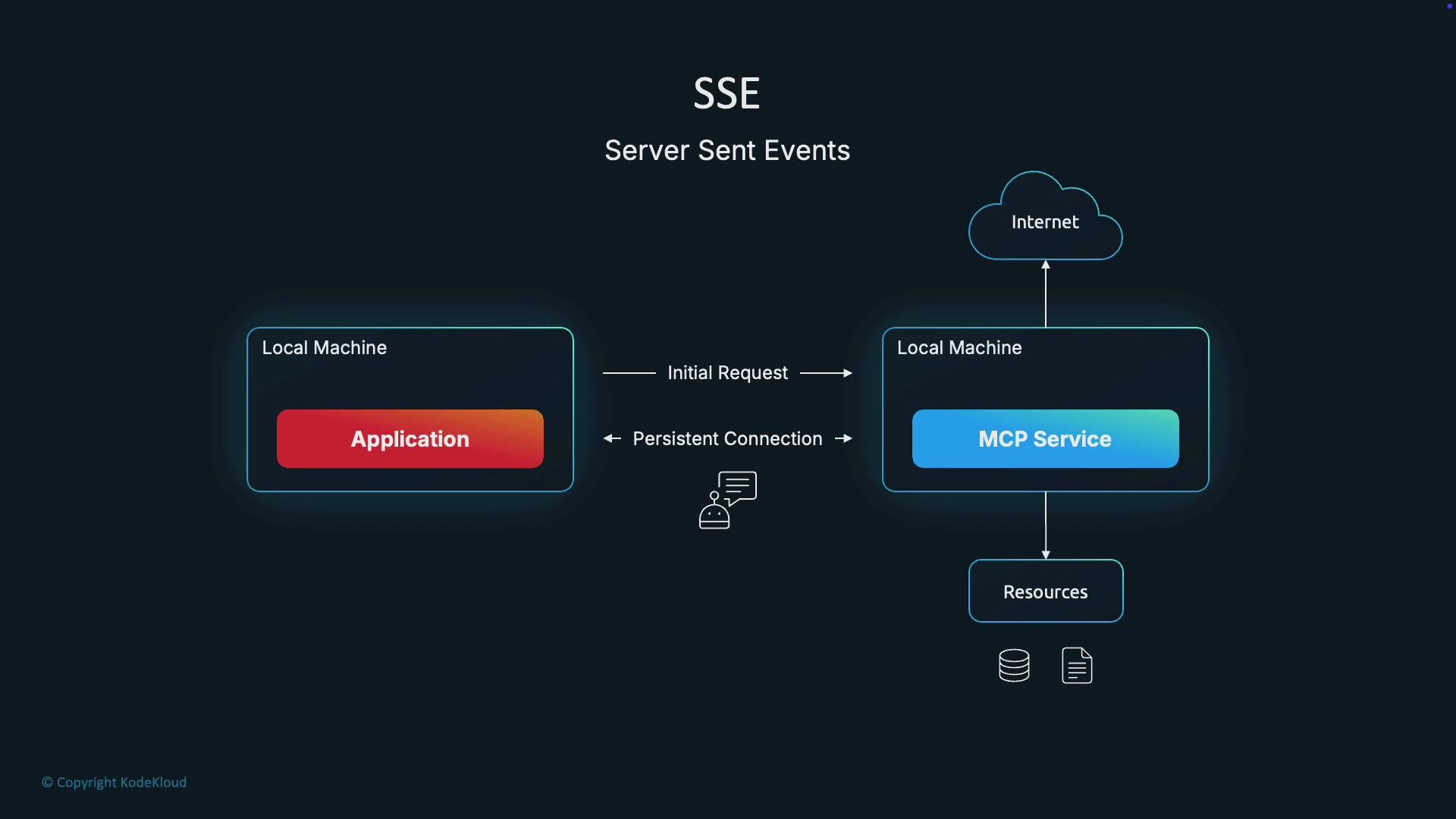
SSE (Server-Sent Events)
SSE (Server-Sent Events) is an HTTP-based, server→client streaming mechanism. The client makes an initial HTTP request to open a long-lived connection; the server then pushes events to the client when new data is available. SSE is ideal for sending incremental outputs (e.g., streaming model tokens) to improve perceived responsiveness. How SSE works:- Client initiates an HTTP request to open the event stream.
- The server keeps the connection open and sends
text/event-streammessages incrementally. - The client receives server-pushed events without repeatedly re-establishing HTTP handshakes.
- SSE is unidirectional (server → client). For bidirectional streaming (client ↔ server), use WebSockets or another full-duplex protocol.
- SSE is text-based and works well in browsers via the EventSource API.
Protocol differences and typical use cases
Below is a concise comparison of the three transports to help you decide which to use.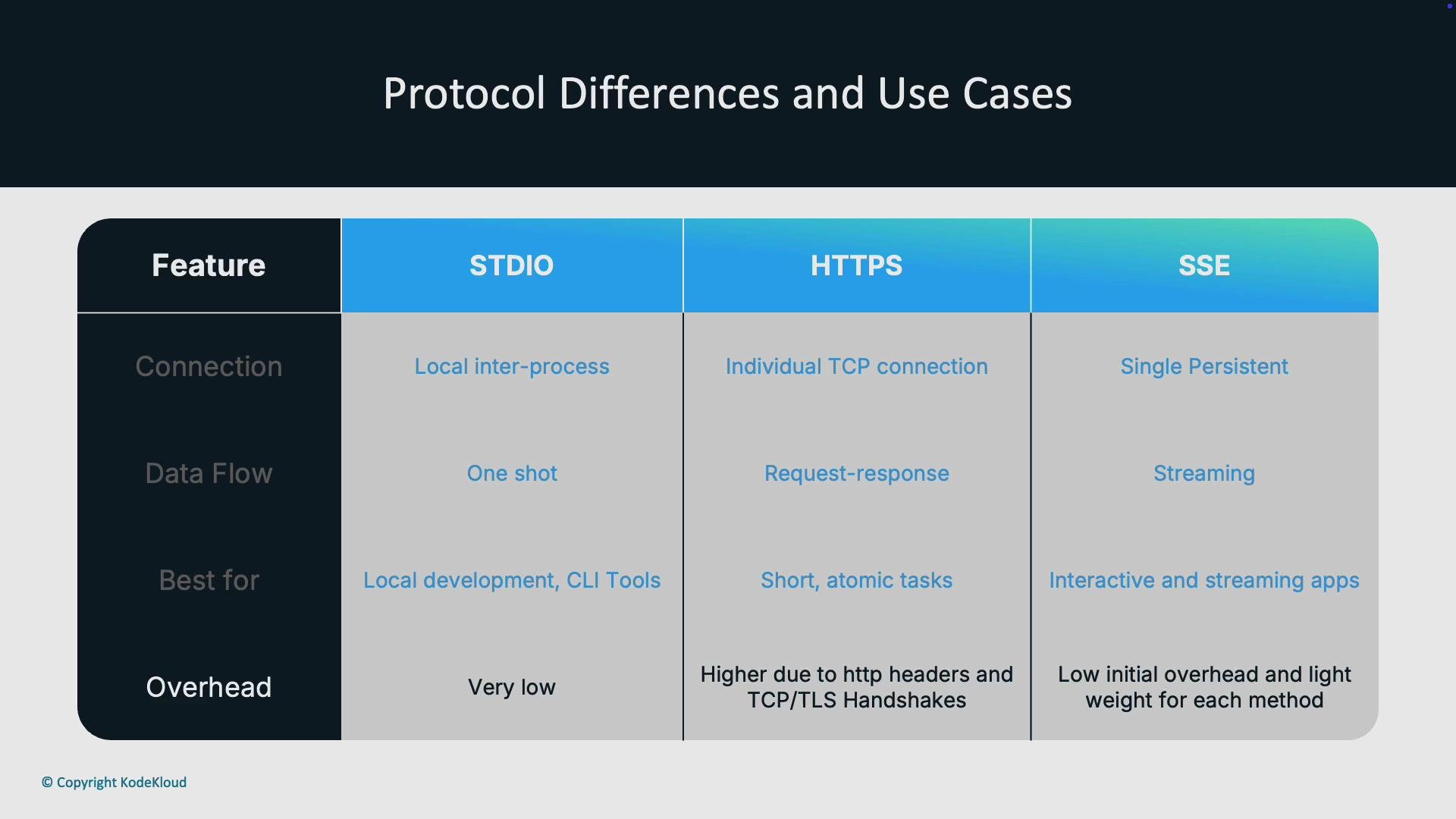
Summary — Which transport should you pick?
- STDIO: Use for fast, simple local integrations, developer tooling, CLI utilities, and environments where both processes run on the same host.
- HTTP: Use when you need a network-accessible API, multi-client access, load balancing, authentication, or short, atomic requests.
- SSE: Use when you want server-to-client streaming (for example, streaming model tokens for a chat UI). For full two-way streaming, prefer WebSockets or another bidirectional protocol.
SSE is a one-way stream (server → client). If your use case requires simultaneous client↔server streaming, use WebSockets or another full-duplex protocol.
- Standard streams (stdin/stdout) — Wikipedia
- HTTP overview — MDN
- Server-sent events — MDN
- WebSocket — MDN