

- How to generate a local MCP server from a Postman collection
- How to inspect the generated Node.js project and its files
- How to install dependencies, provide environment variables, and run the server
- How to point an LLM/tool host at the local MCP server so it discovers tools
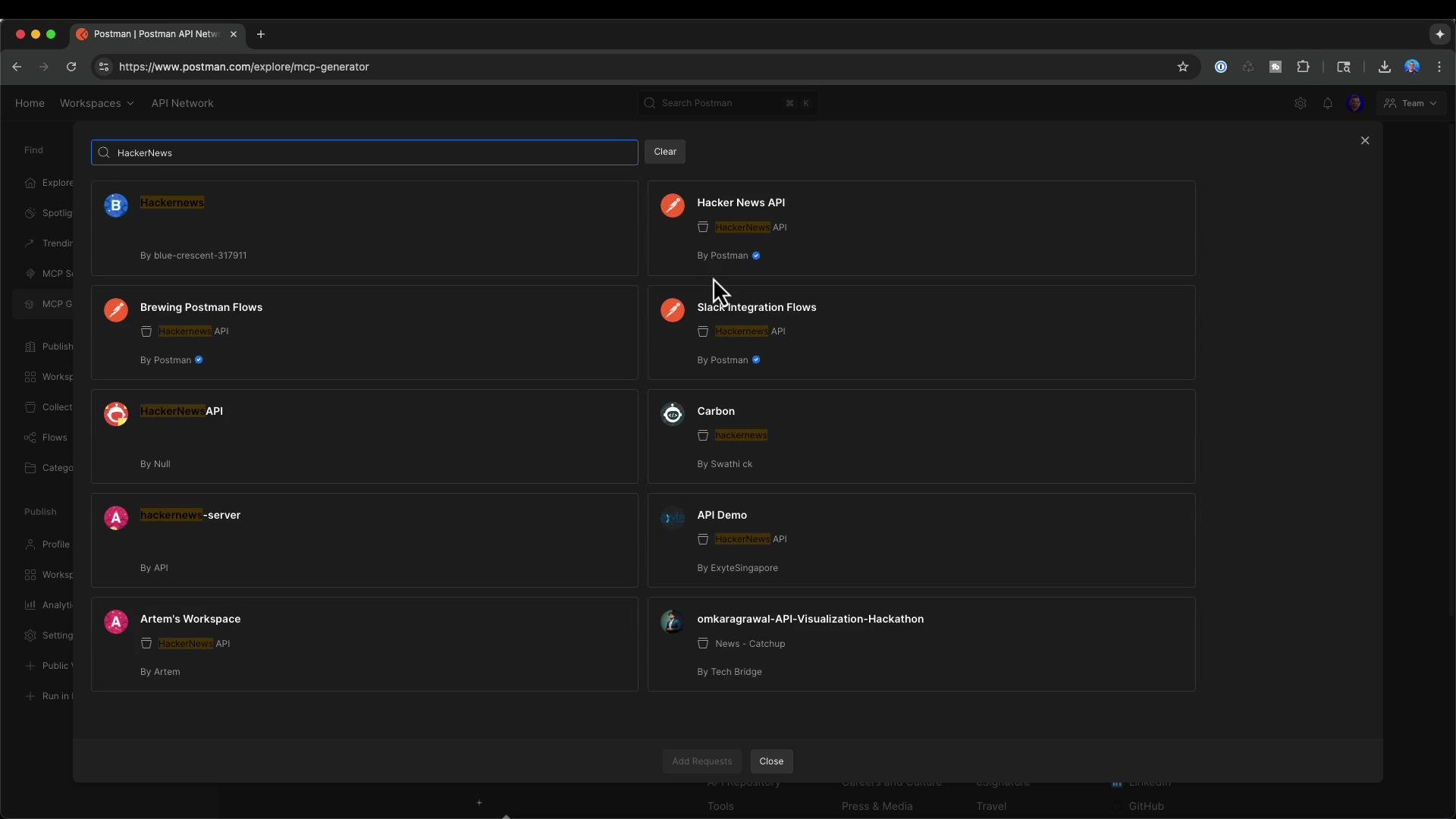
1 — Pick a Postman collection and generate the project
Open the Postman MCP generator at postman.com/explore/mcp-generator, choose the Hacker News API collection (or any collection you control), and select the requests you want exposed via the MCP server. Typical Hacker News endpoints you might include are:2 — Inspect the generated project
Unzip the download and open the folder in your editor (Visual Studio Code is shown below). The generator produces a focused project you can review and modify before running.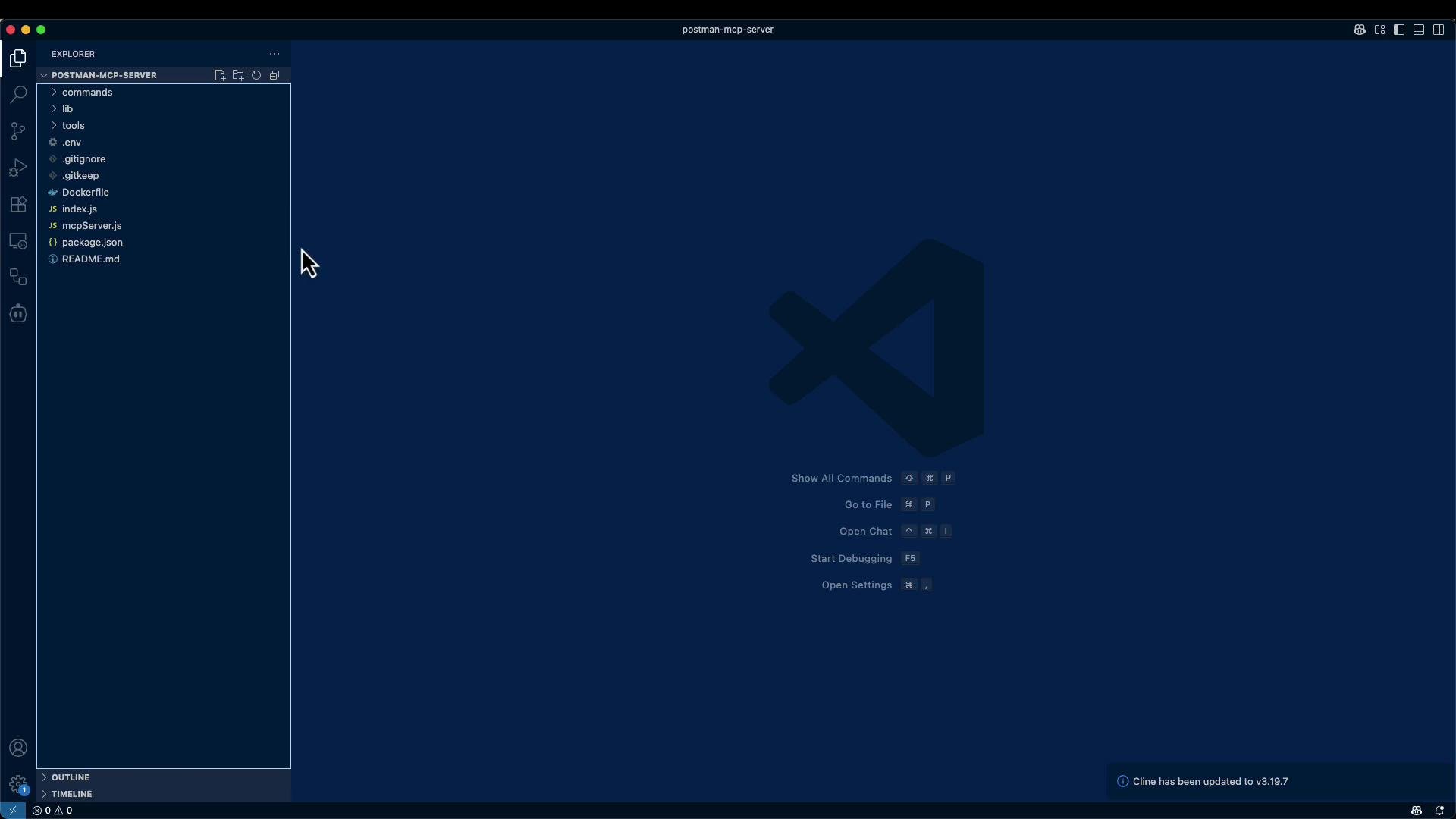
Example Dockerfile included with the generator:
package.json (the generator may include additional fields):
3 — Install dependencies and configure secrets
Read the included README for exact setup details. In short, from the project root:.env or documents the environment variables required by each workspace/tool. Example .env entries:
.env with any API keys or secrets before starting the server.
4 — Run the MCP server locally
From the project directory you can run the server directly:npm install:
5 — MCP request and tool discovery
With the MCP server running, it will expose the configured tools. A typical MCP request to fetch a single Hacker News story looks like this:mcpServer.js path as an argument. Use the which node and realpath mcpServer.js outputs to fill in the command and arguments in your host configuration.
Example host configuration (conceptual):
- Command:
/usr/local/bin/node - Arguments:
/full/path/to/postman-mcp-server/mcpServer.js
itemId.
You can run the generated MCP server locally (or in Docker). The Postman MCP generator currently produces local servers — it does not publish a remotely reachable server for you. If you need a remote endpoint, deploy the generated project to your preferred hosting environment or container platform.
6 — End-to-end checklist
- Use Postman’s MCP generator to select APIs and generate a project.
- Download and unzip the generated project.
- Inspect and optionally edit
mcpServer.js,index.js, and individual tool files. - Create or populate
.envwith required API keys and secrets. - Run
npm install, then start the server withnode mcpServer.js(or build and run via Docker). - Point your LLM/tool host to the Node command and the
mcpServer.jspath; restart the host to discover tools. - Call tools via MCP (e.g., fetch top stories, then fetch individual stories by
itemId).
Links and references
- Postman MCP Generator: https://www.postman.com/explore/MCP-generator
- Hacker News API: https://github.com/HackerNews/API