

Overview
- Initialize a local Git repository and connect it to a GitHub remote.
- Commit and tag a release (e.g.
v0.1.0). - Push the branch and tag to GitHub.
- Remove any local
replacedirectives in the consuming module and fetch the released version withgo get. - Verify the consuming module uses the published release.
1. Initialize a Git repository
From the root of your unversioned project directory:2. Add a remote and verify it
Copy your repository URL from GitHub (for example:https://github.com/Priyanka-yadavv/cryptit.git) and add it as the origin remote:
3. Stage and commit your files
Add your module files (for example,encrypt/, decrypt/, go.mod, main.go) and create a commit:
4. Tag the release
Create a version tag for this set of changes. Semantic version tags are recommended:5. Push the branch and tag to GitHub
If you haven’t pushed the branch yet, push it (replacemaster with your branch name if different):
Make sure you push both the branch and the tag. Tags are not automatically pushed with branches unless you use
git push --tags.6. Verify on GitHub
After pushing, open your repository on GitHub and confirm the files and tag appear.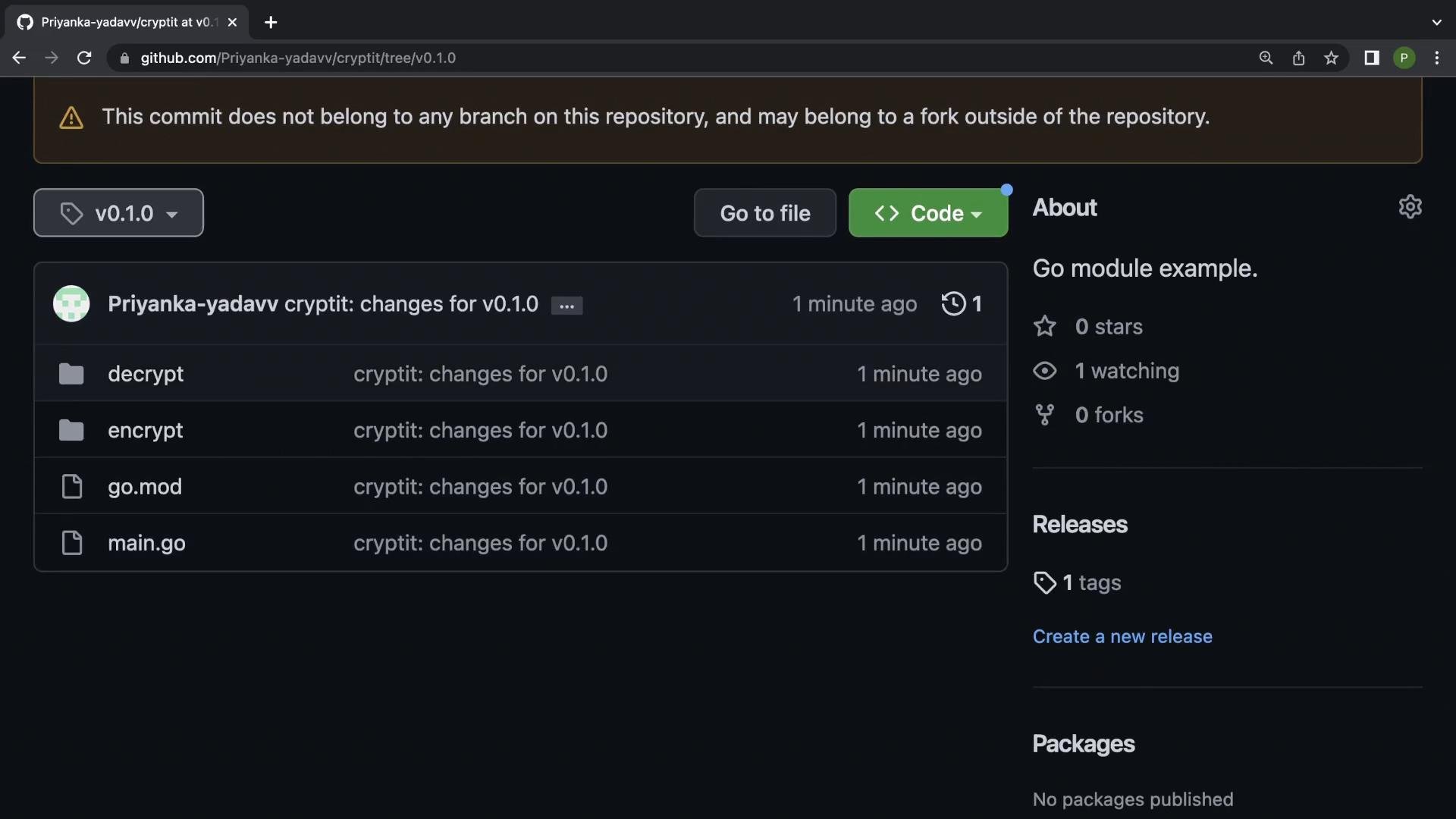
v0.1.0 tag on the repository page.
7. Remove local replace in the consuming module
If a consuming module previously used areplace directive to point to a local copy of your module, remove that directive so Go can fetch the published version from GitHub.
Example go.mod before removing replace:
replace line. After removing it, go can resolve and download the module from the remote repository.
8. Fetch the published version with go get
In the consuming module run:go.mod will reflect the published version (it may show // indirect if not directly referenced by imports):
9. Run your main program to verify
In your consuming module (for exampleexample.com/learn) ensure you import and call the function from the published module.
Example main.go:
cryptit module fetched from GitHub (not a local replacement).
Quick reference: common Git commands for publishing
Updating the module later
When you change the module and want to publish a new release:- Bump the version tag (for example
v0.1.1). - Commit required changes.
- Create and push the new tag:
git tag v0.1.1 && git push origin v0.1.1 - In the consuming module:
go get github.com/Priyanka-yadavv/cryptit@v0.1.1
Always increment the module version (tag) for new releases. Consumers should use
go get <module>@<tag> to fetch a specific release.