

- Inspect cluster resources and CNI
- Verify service connectivity using a pod
- Create and apply default-deny ingress NetworkPolicies
- Observe differences between absent
ingressandingress: [] - Outline how to restore only the minimal required traffic paths
Inspect the cluster
Bob starts by listing pods and services in thedefault namespace to understand what’s running:
default:
kube-system:
NetworkPolicy enforcement depends on your CNI plugin. If your cluster uses a CNI that doesn’t support Kubernetes NetworkPolicies, the policies will have no effect—Calico and Canal are common CNIs that support them.
Verify connectivity between services
With no NetworkPolicies in place, Bob verifies connectivity from a frontend pod to the middleware and MySQL services. He lists frontend pods, chooses one, and runs netcat inside it. Netcat is run with-z (scan without sending data), -v (verbose), and -w 3 (3-second timeout) so the command doesn’t hang:
Apply a default-deny ingress policy
Bob writes his first policy to deny all ingress to pods in thedefault namespace. The podSelector is empty ({}), selecting all pods, policyTypes contains only Ingress, and no ingress rules are provided:
ingress rules, it prevents any incoming traffic to those selected pods. Bob applies the policy:
default are denied unless another NetworkPolicy explicitly allows them.
Add a broad allow policy (to demonstrate policy behavior)
Next, Bob adds a second policy,default-allow-ingress, that also selects all pods (podSelector: {}) but contains a single, empty ingress rule (- {}), which matches all sources and allows all incoming traffic:
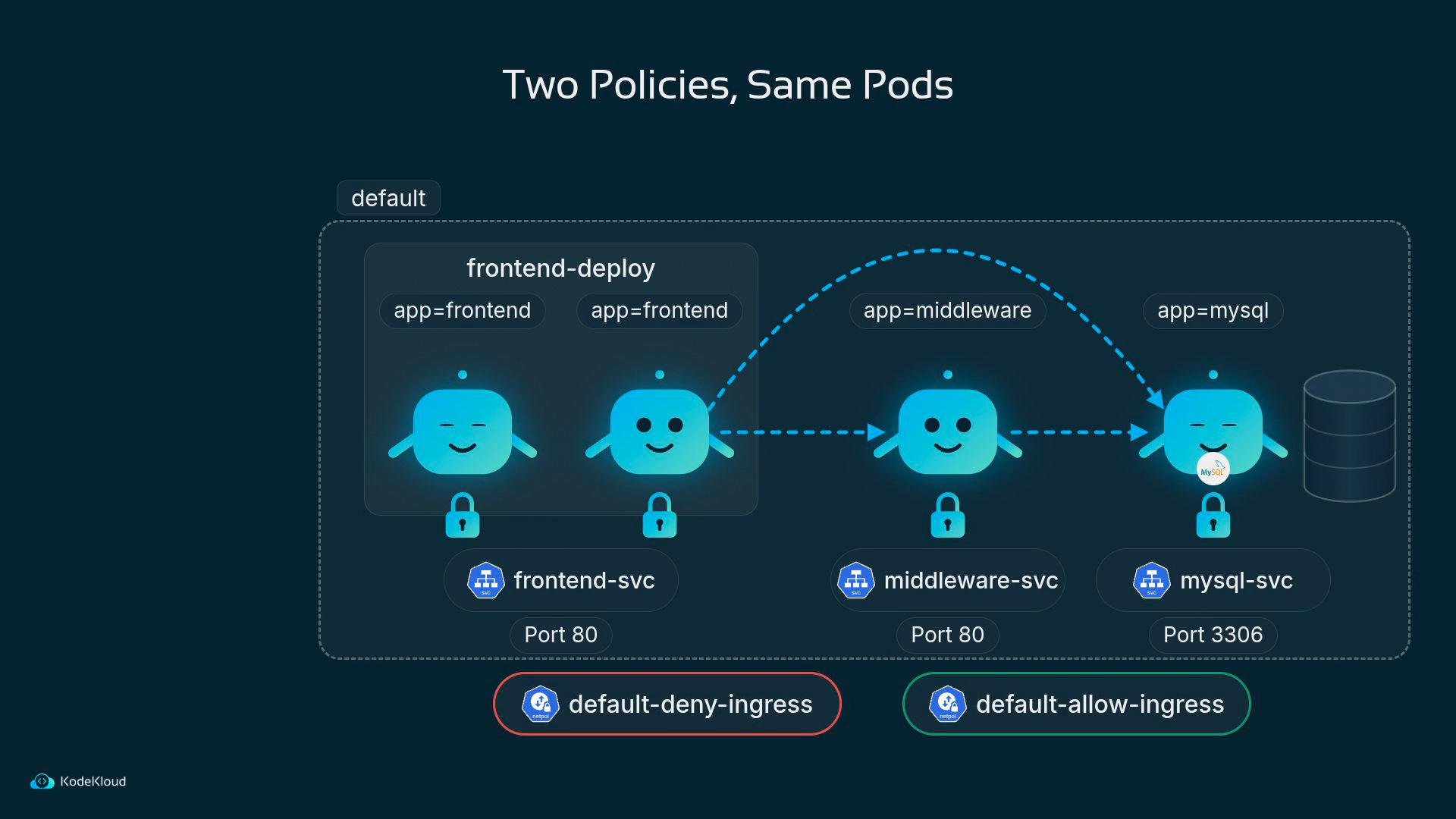
NetworkPolicies are additive: when multiple policies select the same pod, traffic is allowed if any matching policy permits it. There is no “priority” where a deny in one policy overrides an allow in another—omitting rules effectively denies, while an explicit allow in any policy permits traffic.
Expressing “no ingress” — absent ingress vs ingress: []
Bob explores two equivalent ways to express “no ingress rules.” He deletes existing policies and creates a policy named default-deny-ingress-null that omits the ingress field entirely:
ingress to an empty list (ingress: []). Both forms are functionally identical: they result in no allowed ingress. When the cluster stores or prints these policies, it may show either representation. For example, the cluster might present both policies like:
ingress field or setting it to an empty list ([]) yields the same behavior: no ingress is allowed.
Effect: namespace locked down and application broken
With a default-deny ingress policy in place that selects all pods, the namespace is locked down. Incoming connections required by the application are dropped, so the frontend can no longer reach middleware and middleware can no longer reach MySQL.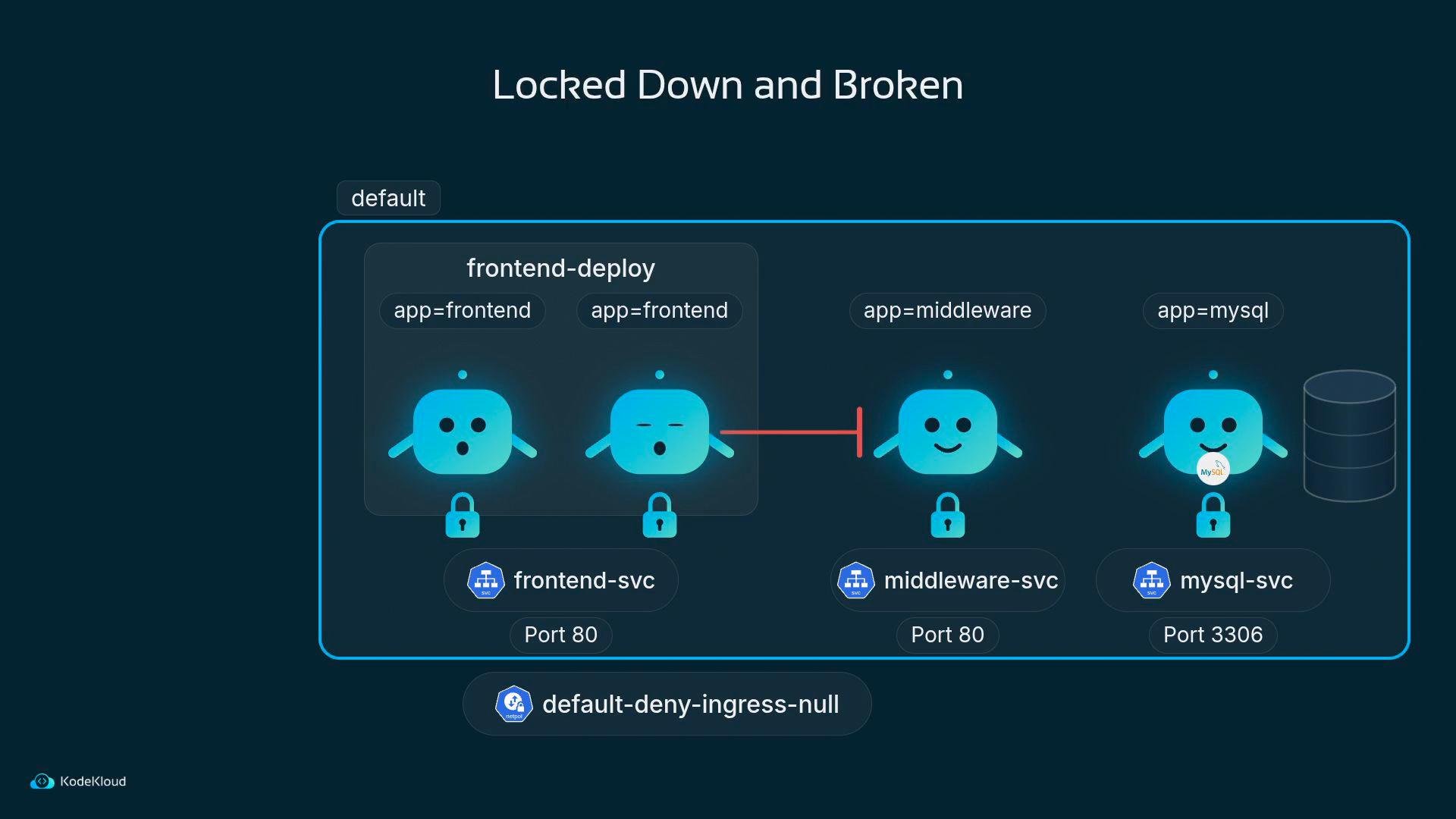
Next step — restore only the minimal allowed paths
To restore required functionality while keeping the namespace secure, add minimal, specific allow rules that permit only the required service-to-service connections. For example:- Allow frontend → middleware on port 80
- Allow middleware → mysql on port 3306
Quick reference: examples and effects
Note: in the table above, examples with curly braces are shown as inline code (e.g., podSelector: {}) so MDX does not interpret them as object literals.
Useful commands and links
Commands- List pods and services:
kubectl get pods,svc - List all NetworkPolicies in a namespace:
kubectl get networkpolicy -n <namespace> - Apply a policy:
kubectl apply -f <policy.yaml> - Test connectivity from a pod:
kubectl exec <pod> -- nc -zv -w 3 <host> <port>