

1) How many Deployments are in the default namespace?
He lists Deployments and sees a single Deployment, deploy-a. The other pods (pod-b and the MySQL pod) were created directly (not managed by a Deployment), so the answer is 1.
2) How is deploy-a exposed? How does a Service select backend pods?
Services select backend pods using label selectors (small key/value pairs attached to objects). Bob lists Services to see what exists in the cluster.
ClusterIP service on port 80 (accessible only from within the cluster). To confirm that service-a fronts deploy-a, Bob inspects the Service selector and compares it with pod labels:
deploy-a’s pod carries the label app=deployA, which matches service-a’s selector. Therefore, deploy-a is exposed through service-a (a ClusterIP service).
Quick reference — Services in this cluster
3) Which port does service-b expose?
Bob describes service-b to read the port, selector, and endpoints. The important lines show port 80/TCP, selector run=pod-b, and the Pod endpoint IP:port.
Endpoints entry points to the pod-b IP on port 80, service-b forwards traffic to pod-b on port 80.
4) Can deploy-a reach the MySQL database (db-service)?
Deployments add a generated suffix to pod names, so Bob lists pods, copies the full pod name for deploy-a, and then checks connectivity from inside that pod using nc (netcat).
-zscans for listening daemons without sending data.-venables verbose output.
deploy-a can reach db-service on port 3306. Using telnet inside the pod illustrates the MySQL handshake as well (the response contains non-printable characters and the server version):
5) What about pod-b? Should it reach the database?
Bob runs the same connectivity check from pod-b (which has no intended reason to access the database):
pod-b can also connect to MySQL. This is expected behavior in a default Kubernetes installation: all pods can talk to all other pods unless network isolation is explicitly configured.
A secure posture typically follows least privilege: allow deploy-a to access the database while blocking unnecessary access from pod-b. The Kubernetes primitive used to implement this restriction is a NetworkPolicy — but creating the YAML is only part of what’s required.
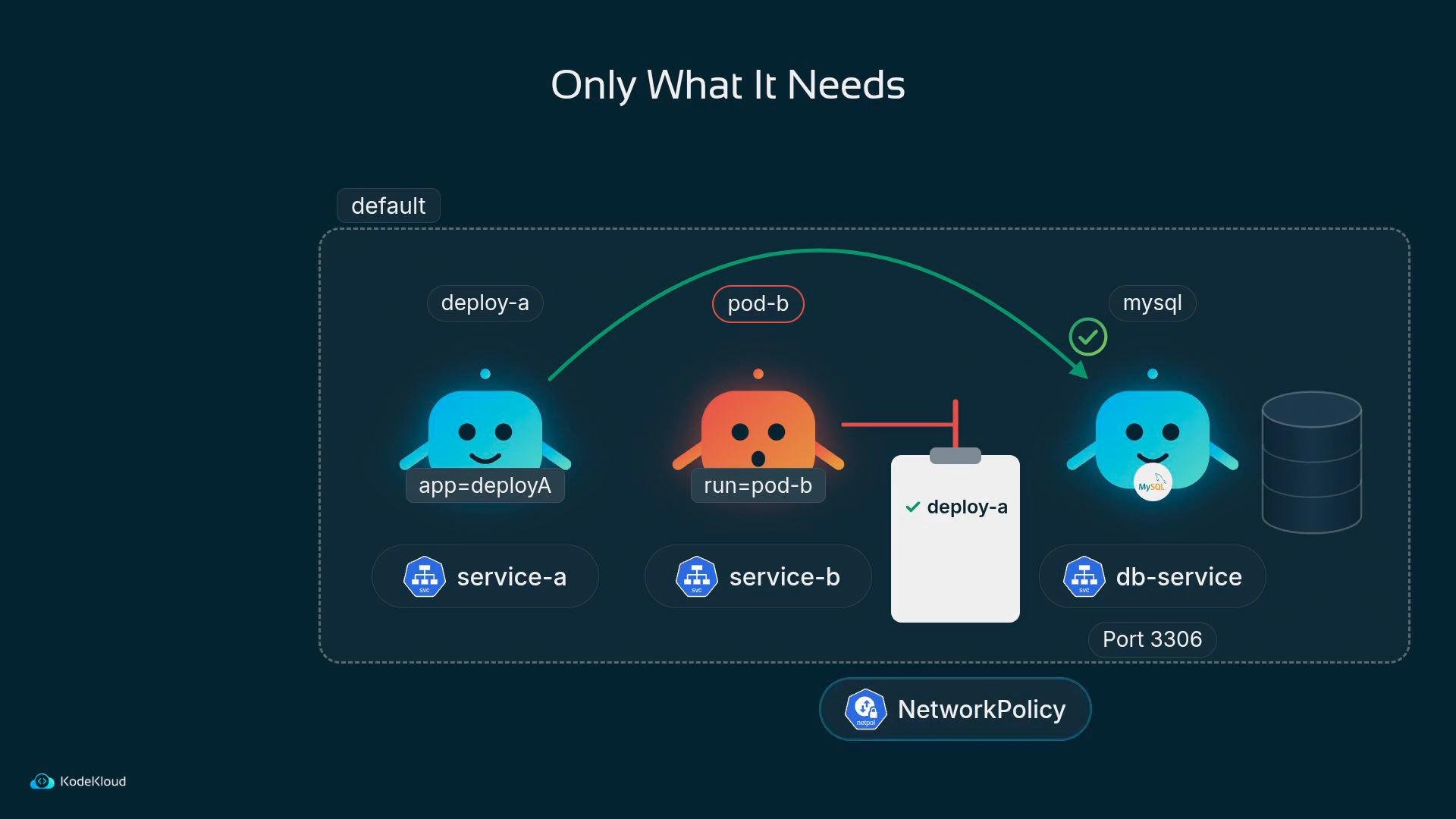
By default, Kubernetes is permissive: all pods can talk to all pods. To enforce isolation you must both create NetworkPolicies and use a CNI that implements them (for example, Calico, Cilium, or other policy-capable CNIs).
Further reading and references
- Kubernetes Network Policies — https://kubernetes.io/docs/concepts/services-networking/network-policies/
- Project Calico — https://projectcalico.docs.tigera.io/
- Cilium — https://cilium.io/