

- How
deny-allingress isolates a namespace. - How to allow an entire namespace using
namespaceSelector. - How to allow only specific pods from another namespace by combining
namespaceSelectorandpodSelector.
Scenario 1 — Restrict production and open specific paths
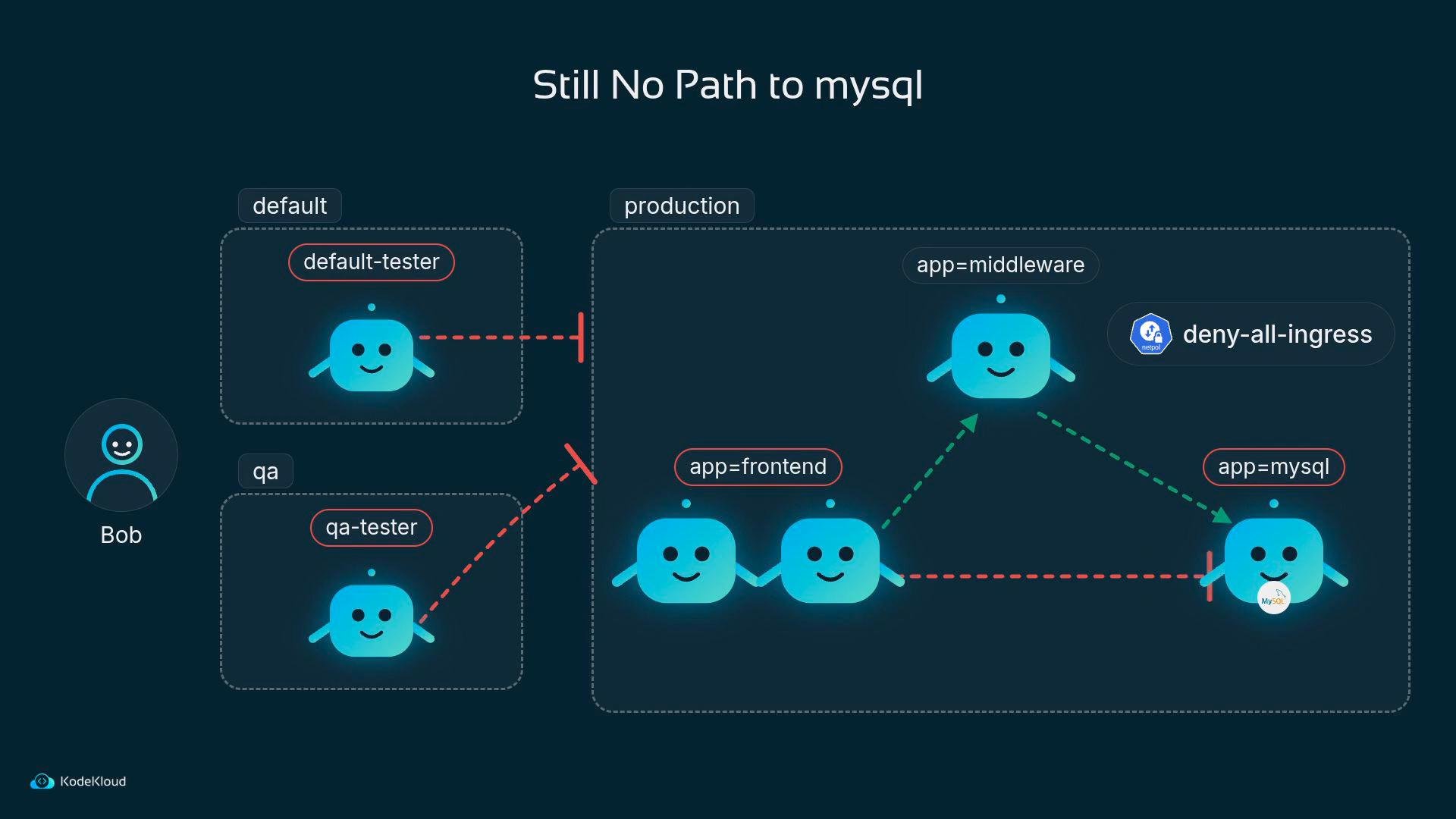
- The three-tier app lives in namespace
productionwith frontend (2 pods), middleware, and MySQL pods and services. - Two tester pods exist in other namespaces:
default(default tester) andqa(qa tester). - Initially there are no policies in
production, so both testers can reach the production pods.
production, while preserving only the necessary app flows:
- Create a
deny-all-ingresspolicy inproduction. - Allow frontend -> middleware using labels already on the pods.
- Allow middleware -> MySQL using labels already on the pods.
nc) from tester pods. To reach a service in another namespace, testers use the service FQDN: service-name.namespace.svc (for example: middleware-service.production.svc).
production namespace
production)
production)
- Testers in
defaultandqashould be blocked from production services unless explicitly permitted. - The frontend can reach middleware.
- Middleware can reach MySQL.
- The frontend should remain blocked from talking directly to MySQL.
- Namespace
alpha-prodcontains two app pods and an existingdeny-allpolicy blocking incoming traffic. - Namespace
alpha-loggerruns centralized logging and must accessalpha-prodto collect logs across the cluster. - Both namespaces share a namespace-level label:
function=logging(that label is applied to the Namespace object, not the pods).
allow-alpha-logger inside alpha-prod that permits all pods from namespaces labeled function=logging to access the alpha-prod pods, without changing any existing pod labels.
Important selector behavior: a podSelector inside a from clause only matches pods in the policy’s own namespace. To select pods from another namespace, use namespaceSelector in the peer.
Example NetworkPolicy that allows all pods from namespaces labeled function=logging:
A
namespaceSelector in a NetworkPolicyPeer selects namespaces by their labels. To restrict further to specific pods within those namespaces, combine namespaceSelector with a podSelector in the same peer — the result matches pods in the selected namespaces that also match the pod selector.- Namespace
beta-prodhas the same deny-all policy. - Namespace
beta-loggeris labeledfunction=logging, but only pods withrole=logger1inside that namespace should be allowed intobeta-prod. - Bob needs a policy
allow-beta-logger-1that permits ingress intobeta-prodonly from pods labeledrole=logger1inside namespaces labeledfunction=logging.
namespaceSelector and a podSelector in the same from entry.
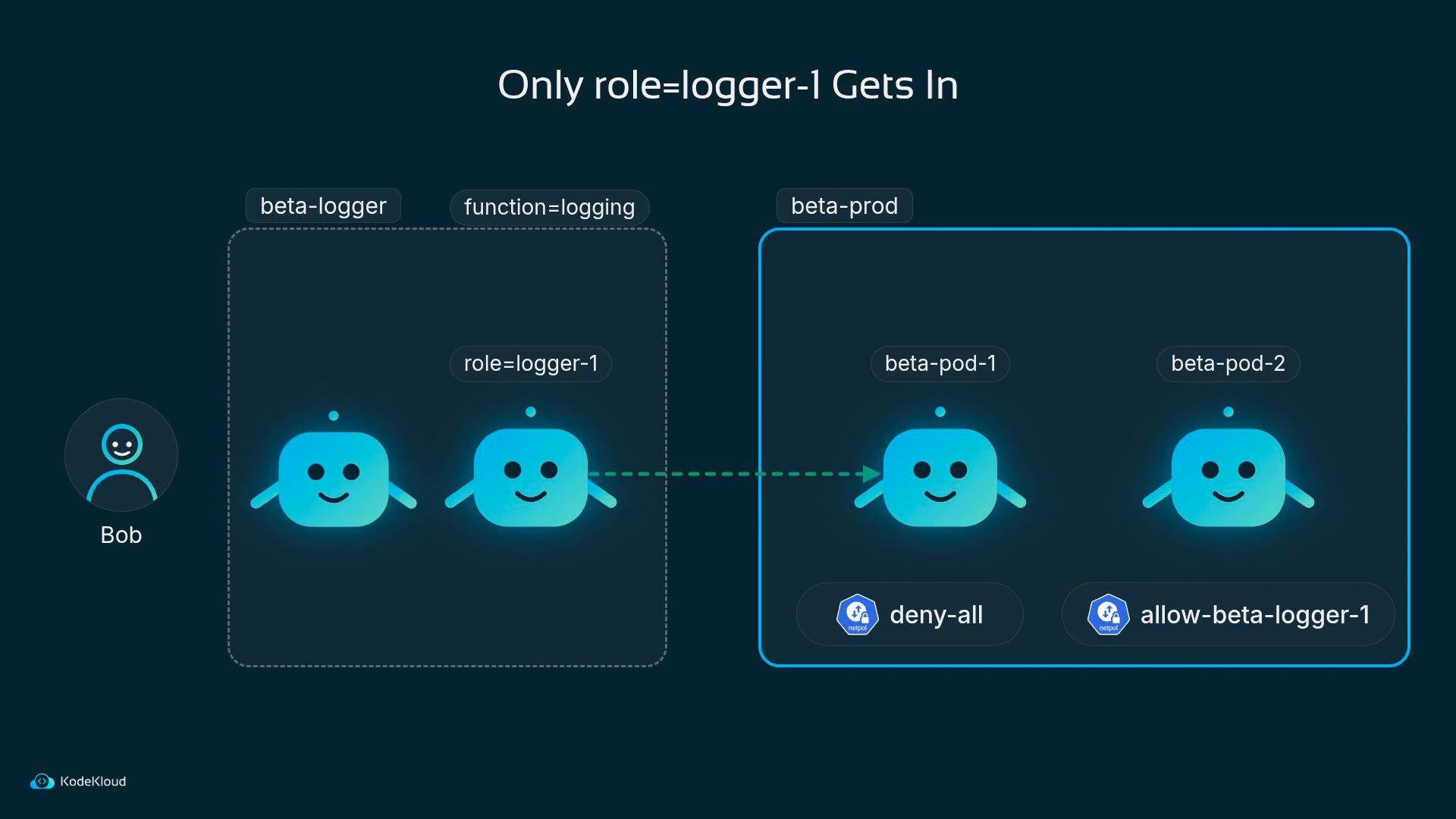
role=logger1 pods coming from namespaces labeled function=logging:
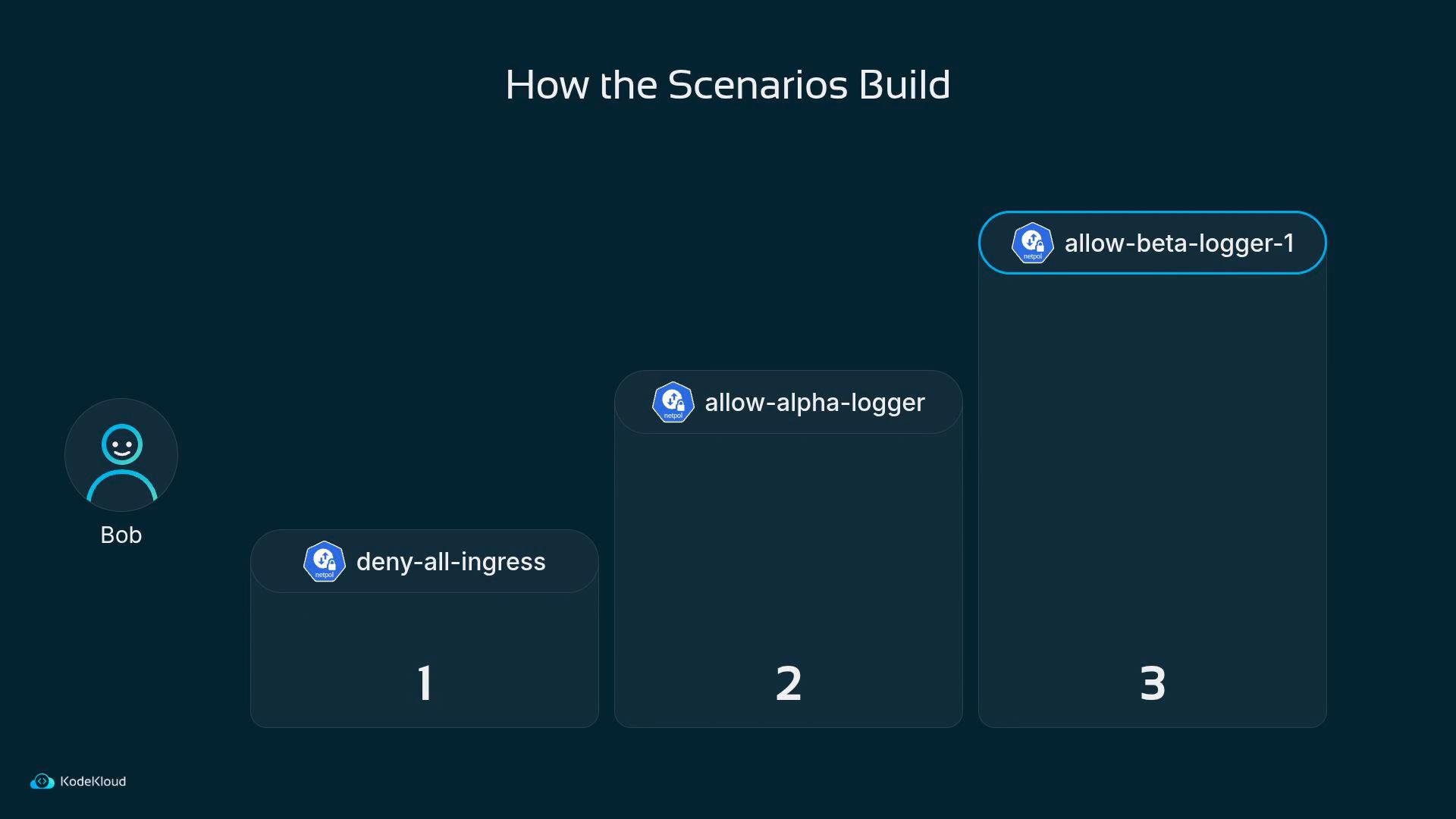
- Start by keeping other namespaces out with a
deny-allingress policy. This establishes a secure default-deny posture for the namespace. - Use
namespaceSelectorto allow an entire external namespace (by namespace label) to access pods. - Use
namespaceSelectortogether withpodSelectorto allow only specific pods from a labeled namespace.
namespaceSelector matching
- From tester pods in other namespaces, use netcat to probe service FQDNs like
service.namespace.svcto confirm connectivity:- Example:
nc -vz middleware.production.svc 3306(adjust ports to the service being tested).
- Example:
- When a
deny-allNetworkPolicy exists in a namespace, you must create explicit allow rules (NetworkPolicies that permit ingress) for any traffic you want to allow. - Use
kubectl get networkpolicy -n <namespace>andkubectl describe networkpolicy <name> -n <namespace>to inspect applied policies and their peers. - For debugging, check Pod and Namespace labels (
kubectl get ns --show-labels,kubectl get pods --show-labels -n <namespace>) to ensure selectors will match as intended.
namespaceSelector and podSelector in Kubernetes NetworkPolicies.