

gamma namespace by matching the built-in namespace label kubernetes.io/metadata.name: gamma. When Bob applies it the API server rejects the manifest because YAML object keys are case-sensitive:
Field names in Kubernetes manifests are case-sensitive. The correct list of egress rules is
egress (lowercase), while policyTypes uses the value Egress (capital E). Use egress: — not Egress: — to define egress rules.default namespace and allows egress only to pods in the gamma namespace.
Narrowing the rule to only access-admin pods in Gamma
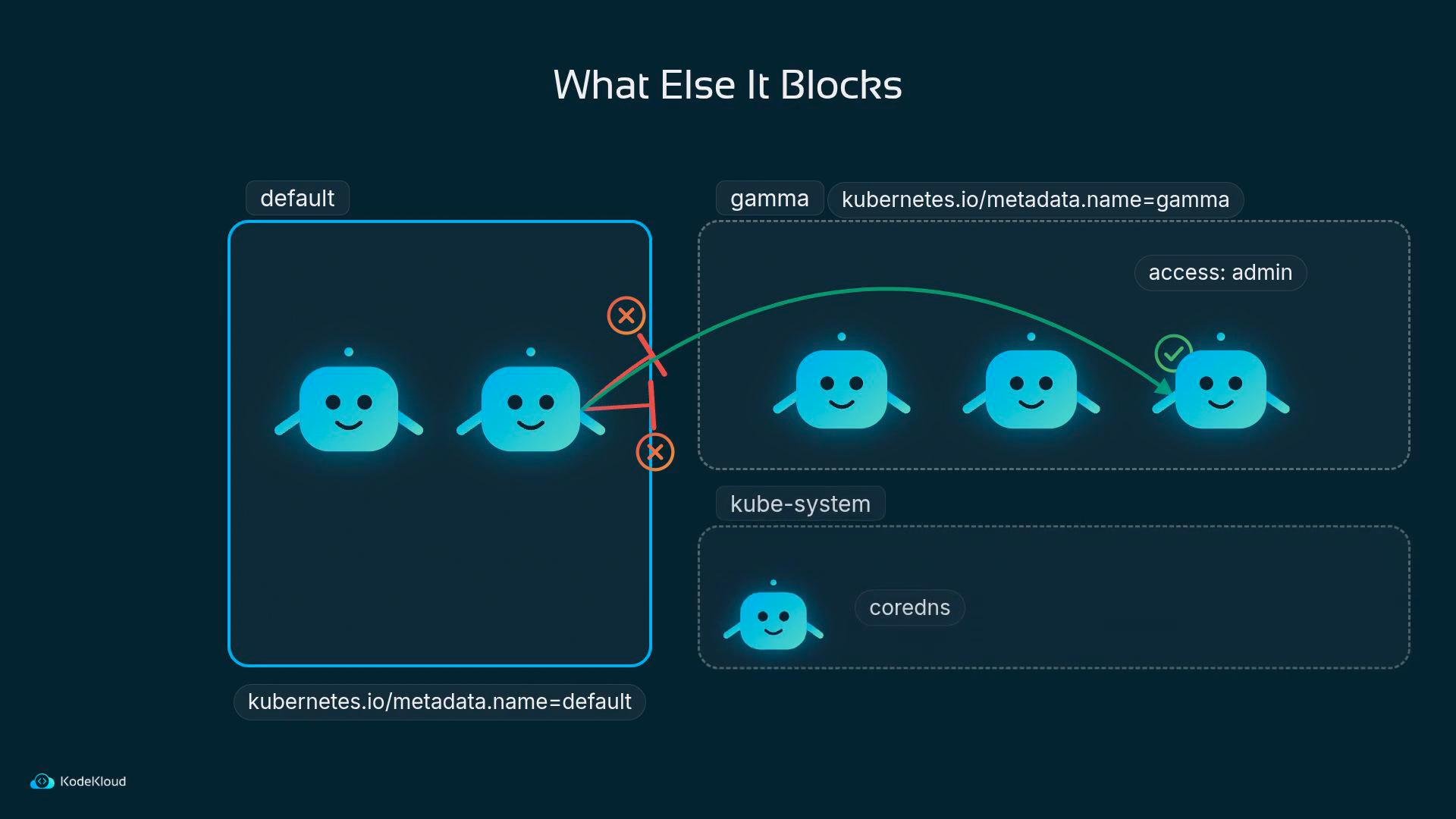
The previous example permits egress to every pod ingamma. To limit access to only pods labeled app=access-admin inside gamma, include a podSelector in the same to item. Both selectors are part of the same map and must match simultaneously:
namespaceSelector and podSelector inside one to map — means the destination must satisfy both conditions. Only pods matching app=access-admin in the gamma namespace will be reachable.
However, be aware: once a NetworkPolicy selects a pod and includes policyTypes: ["Egress"], any outbound traffic not explicitly allowed by rules is denied. That commonly affects DNS.
Restoring DNS while keeping restrictions
Because the restrictive policy blocks most egress (including DNS), pods indefault may fail name lookups. To restore DNS while keeping other restrictions, create a second policy that allows egress to port 53 over TCP and UDP to any destination. A ports list without a to list means “any destination, only these ports”:
Important: when a NetworkPolicy affects egress for a pod, DNS and other outbound traffic will be blocked unless you explicitly allow it (for example, by permitting 53/TCP and 53/UDP).
Patterns and real-world examples
Below are common egress patterns and concise examples you can reuse.Policies for Konoha Corp. — pointing at ramen pods
Konoha Corp. needs pods in thejonin namespace to talk to ramen pods in genin. The ramen pods carry the label app: ramen. The policy below selects all pods in jonin and allows egress to ramen pods in the genin namespace:
podSelector and namespaceSelector are both inside the same to object — both must match for traffic to be allowed.
Testing by IP (DNS may be blocked)
When DNS is not available, test connectivity with pod IP addresses. Successful request to a ramen pod:Blocking all egress from a namespace
To explicitly forbid any outbound traffic from every pod in thegenin namespace, create a NetworkPolicy with an empty egress array. This isolates selected pods for egress:
Allowing specific peers for Hokage
In thedefault namespace, Bob wants the hokage pod to be able to reach either ramen pods in genin or chakra pods in jonin. Each to item is an independent allowed destination (logical OR):
Allowing DNS-only egress from Genin
To make thegenin namespace silent except for DNS, replace the empty egress array from genin-no-egress with a ports-only rule that permits only port 53 for TCP and UDP:
genin pods perform name lookups while disallowing all other outbound connections.
Pod-level control down to a single port
NetworkPolicy lets you control egress precisely across namespaces and between pods — down to a single protocol/port. Keep these patterns in mind:- Combine
namespaceSelectorandpodSelectorinside onetoitem to require both conditions. - Use multiple
toitems under the sameegressentry to allow multiple independent destinations (OR logic). - Use
egress: []to block all outbound traffic for selected pods. - Use
egressentries with onlyports(noto) to permit specified ports to any destination (useful for DNS).
So what happens when a whole cluster needs all of that at once?
When you need cluster-wide policy coverage, follow these practical steps:- Audit existing NetworkPolicies and default behavior — understand which namespaces/pods already have restrictions.
- Design minimal allow-lists: start by allowing DNS and essential control-plane traffic, then add application-specific rules.
- Apply policies progressively, testing connectivity (by IP when DNS may be restricted).
- Use namespace-scoped policies to contain rules and simplify management.
- Document and version your policies with GitOps for reproducibility.
Links and references
Further reading and examples
- For patterns and real-world examples, search for “NetworkPolicy egress patterns”, “allow DNS NetworkPolicy”, and “namespaceSelector podSelector examples” in the Kubernetes docs and trusted community blogs.