

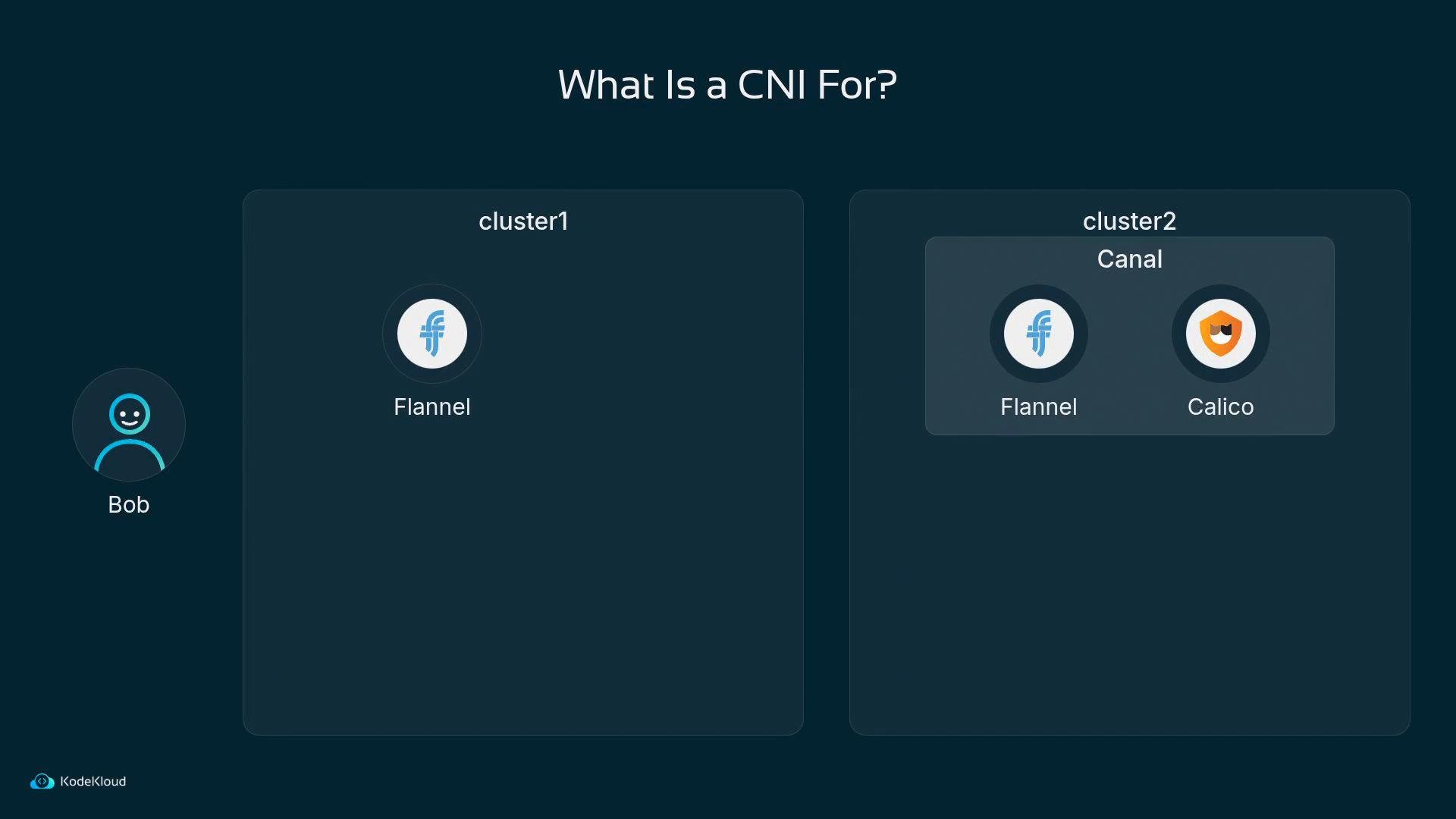
- Goal: verify whether a “deny-all” NetworkPolicy actually blocks traffic on two clusters that use different CNIs.
- Cluster layout:
- cluster1: Flannel (pod networking only; no NetworkPolicy enforcement)
- cluster2: Canal (Flannel for networking + Calico for policy enforcement)
1) Inspect cluster1 (Flannel)
Switch kubeconfig context to cluster1 and list pods across all namespaces to find the Flannel DaemonSet:Create two test pods (cluster1)
Create two NGINX pods in thedefault namespace and check their IPs:
kodekloud curl the community pod IP to verify connectivity (should return the NGINX welcome page):
Apply a “deny-all” NetworkPolicy (cluster1)
Create the following policy which intends to block all ingress and egress for pods in thedefault namespace:
kodekloud to community:
- Even after the policy object exists, traffic is still allowed. Flannel sets up the pod network but does not implement NetworkPolicy enforcement. The NetworkPolicy resource is stored in the API server, but Flannel does not enforce it — so connectivity remains unchanged.
2) Inspect cluster2 (Canal = Flannel + Calico)
Switch context to cluster2 and create two more NGINX pods,alpha and beta:
deny-all policy in the default namespace on cluster2:
- Canal uses Flannel for pod networking but runs Calico on each node for policy enforcement. Calico implements and enforces NetworkPolicy; therefore the same deny-all policy blocks traffic in cluster2.
Why the different behavior?
Summary table:
Key point: A NetworkPolicy resource only has effect when the CNI plugin actually implements enforcement. Flannel provides networking but does not enforce policies; Calico provides enforcement.
A NetworkPolicy object only takes effect when the cluster’s CNI plugin implements enforcement. Some CNI plugins (like Calico) enforce NetworkPolicy; others (like Flannel alone) do not.
- The empty
podSelector: {}in the policy selects all pods in the namespace — that is intentional for a true “deny-all” policy. - When testing NetworkPolicy behavior, always confirm:
- Which CNI components are installed (DaemonSets, Config files).
- That Calico or another policy-capable CNI is present when expecting enforcement.
- For reproducible verification use pod IPs shown by
kubectl get pods -o wideandkubectl execto run client requests.
- A NetworkPolicy will only restrict traffic if the underlying CNI implements enforcement. For hands-on policy work and verifiable rule enforcement, use clusters that include a policy-capable CNI (e.g., Calico). From here on, Bob will continue experiments only on clusters where NetworkPolicies are actually enforced.