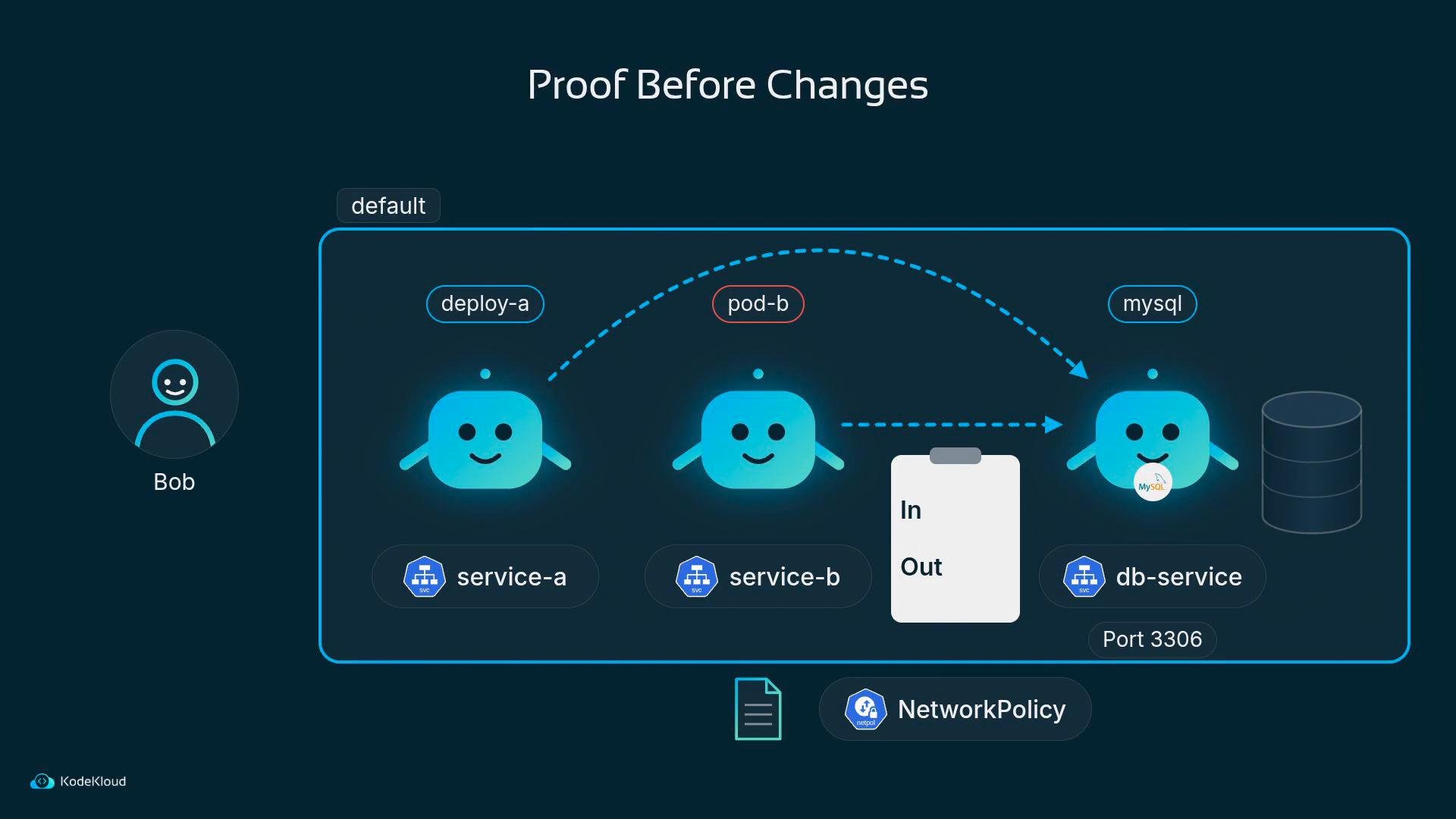
default namespace. The relevant workloads are:
- A Deployment called Deploy A running one pod.
- A standalone Pod called Pod B.
- A MySQL database running in a pod named MySQL that holds the team’s data.
- Deploy A is exposed by Service A.
- Pod B is exposed by Service B.
- The database is exposed by a Service named
mysqlon port3306.
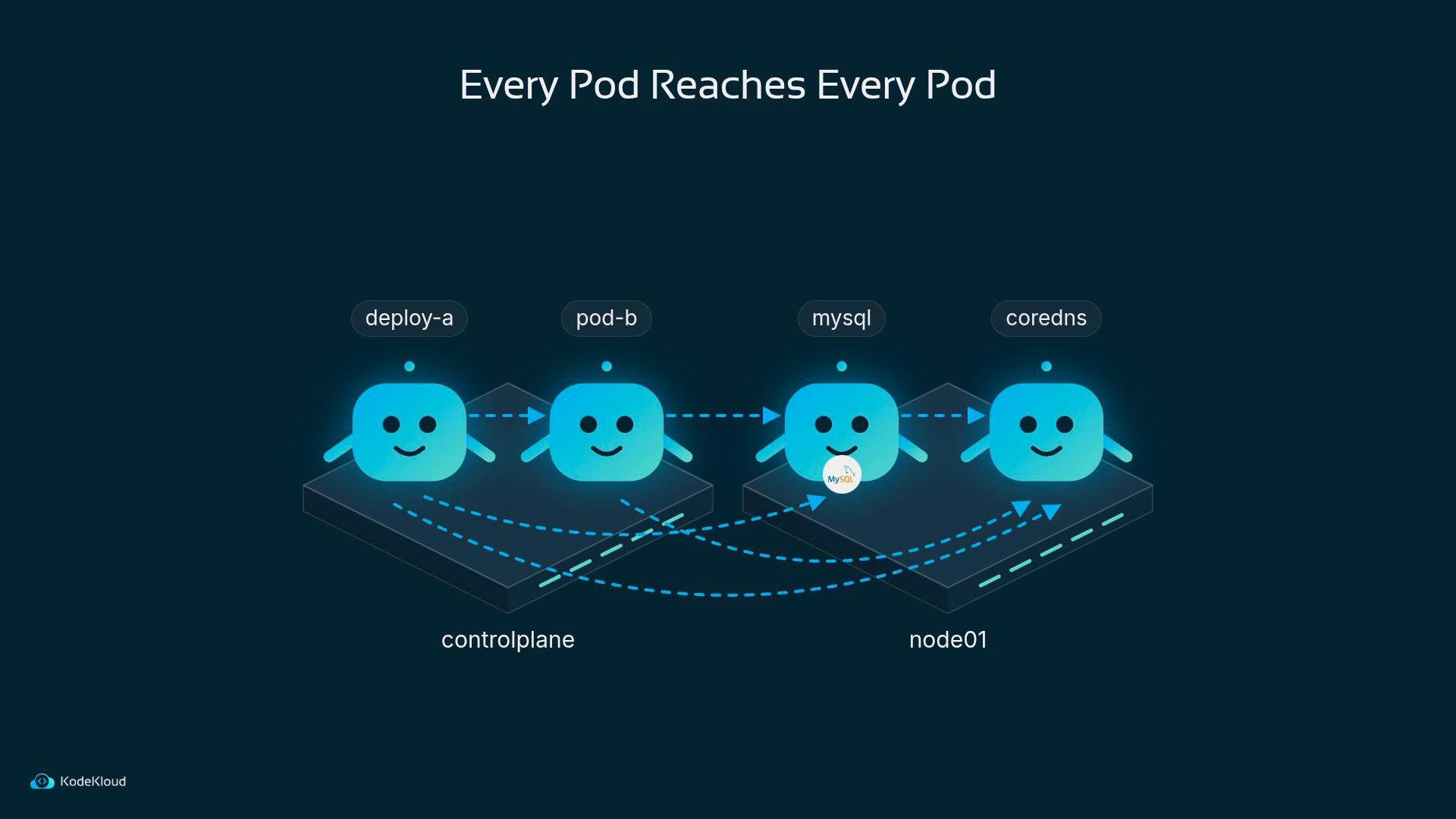
3306 on the database service without needing to compromise Deploy A first. One compromised pod can expose the entire dataset.
What Bob needs is a way to say: “only Deploy A may talk to MySQL; everyone else is denied.” Kubernetes provides a declarative object for that purpose: a NetworkPolicy.
A NetworkPolicy is a Kubernetes resource that defines allowed ingress and egress traffic for selected pods. You express rules in YAML and apply them to the cluster; the cluster’s network plugin (CNI) enforces the rules.
NetworkPolicy objects only have effect if your CNI/network plugin implements them. Popular CNIs that support NetworkPolicies include Calico, Cilium, and kube-router. If your CNI does not enforce policies, creating NetworkPolicy resources will not restrict traffic.
- Questions to answer:
- How many Deployments exist in the
defaultnamespace? - How is Deploy A exposed (which Service)?
- Which port does Service B expose?
- How many Deployments exist in the
Connectivity tests
- From inside the appropriate pods, Bob checks:
- Can Deploy A reach the
mysqlService on port3306? (It should.) - Can Pod B reach the
mysqlService on port3306? (This is the concerning case.)
- Can Deploy A reach the
nc) to test TCP connectivity. Netcat attempts to open a TCP connection to a host and port and reports whether anything answered. Execute it from inside the pod so the traffic originates where real application traffic would.
Common ways to run the tests:
- Start an interactive shell in a pod, then run netcat:
- Run netcat directly via kubectl exec (no interactive shell):
-v for verbose and -z to scan for listening daemons without sending data. If the container image lacks nc, you can run the same test using a simple BusyBox or GNU Inetutils image that includes a compatible utility:
- BusyBox:
busybox nc(or use a BusyBox container image) - GNU Inetutils: provides
ncon images that include inetutils
3306?
Make your guess before continuing.