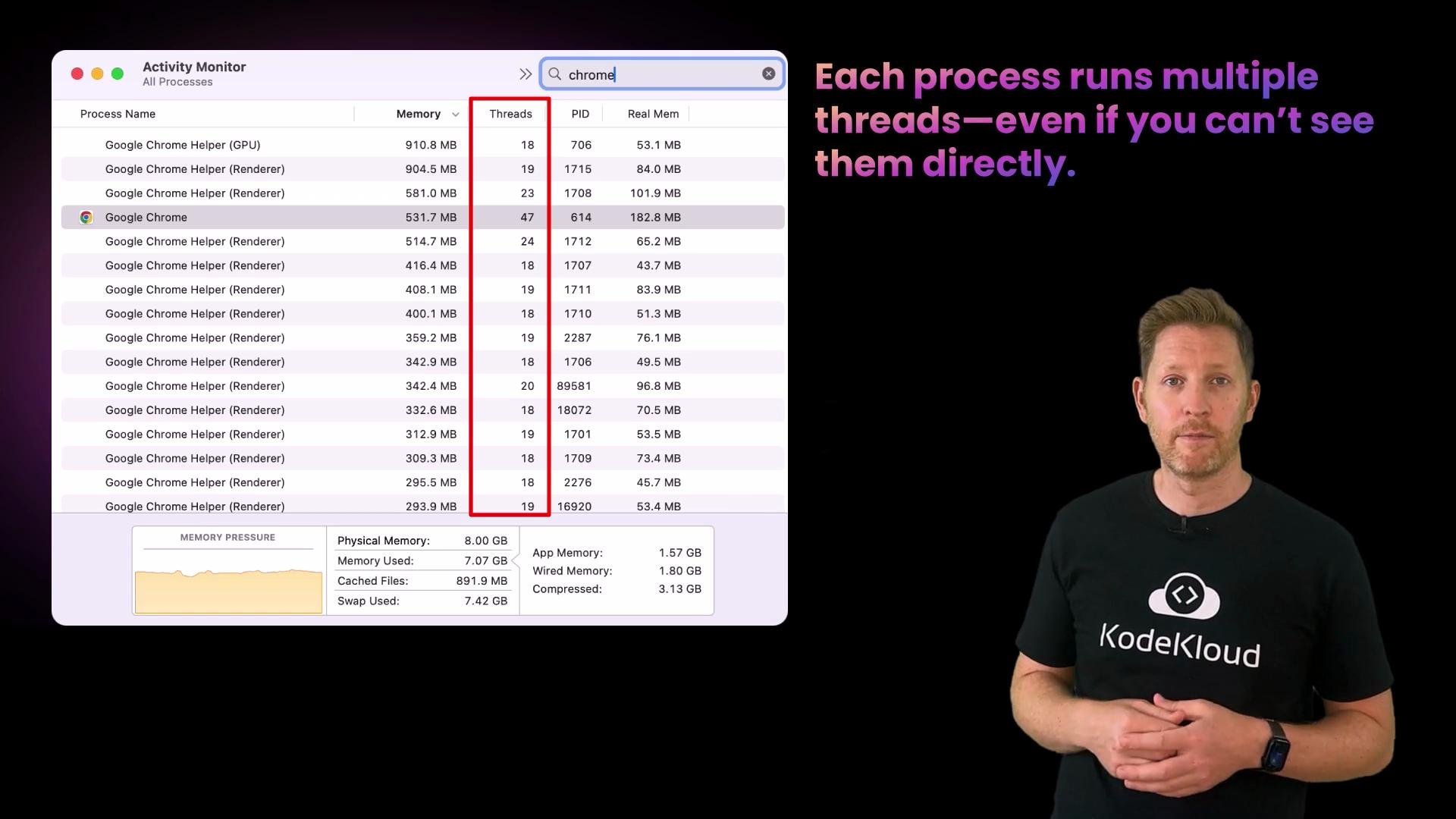
- A thread is a lightweight unit of execution inside a process.
- Threads within the same process share the process’s memory and resources (address space, open files), which makes switching between threads cheaper than switching between processes.
- Because threads share memory, developers must synchronize access to shared data to avoid race conditions.
- Faster context switches compared to process switches because threads share memory and other resources.
- Easier to communicate (shared memory) but requires synchronization (locks, mutexes, semaphores, condition variables) to avoid inconsistent state.
- OS schedulers still manage threads (they can be scheduled individually), but you don’t always see threads listed in simple process viewers.
Threads share the same address space. That makes context switches cheaper than between processes but requires careful synchronization to avoid race conditions.
B. Threads are like mini-tasks inside a process.
C. Threads cannot be scheduled individually by the OS. Correct answer: B. Threads share memory within a process, making them efficient but requiring synchronization. Concurrency vs. Parallelism
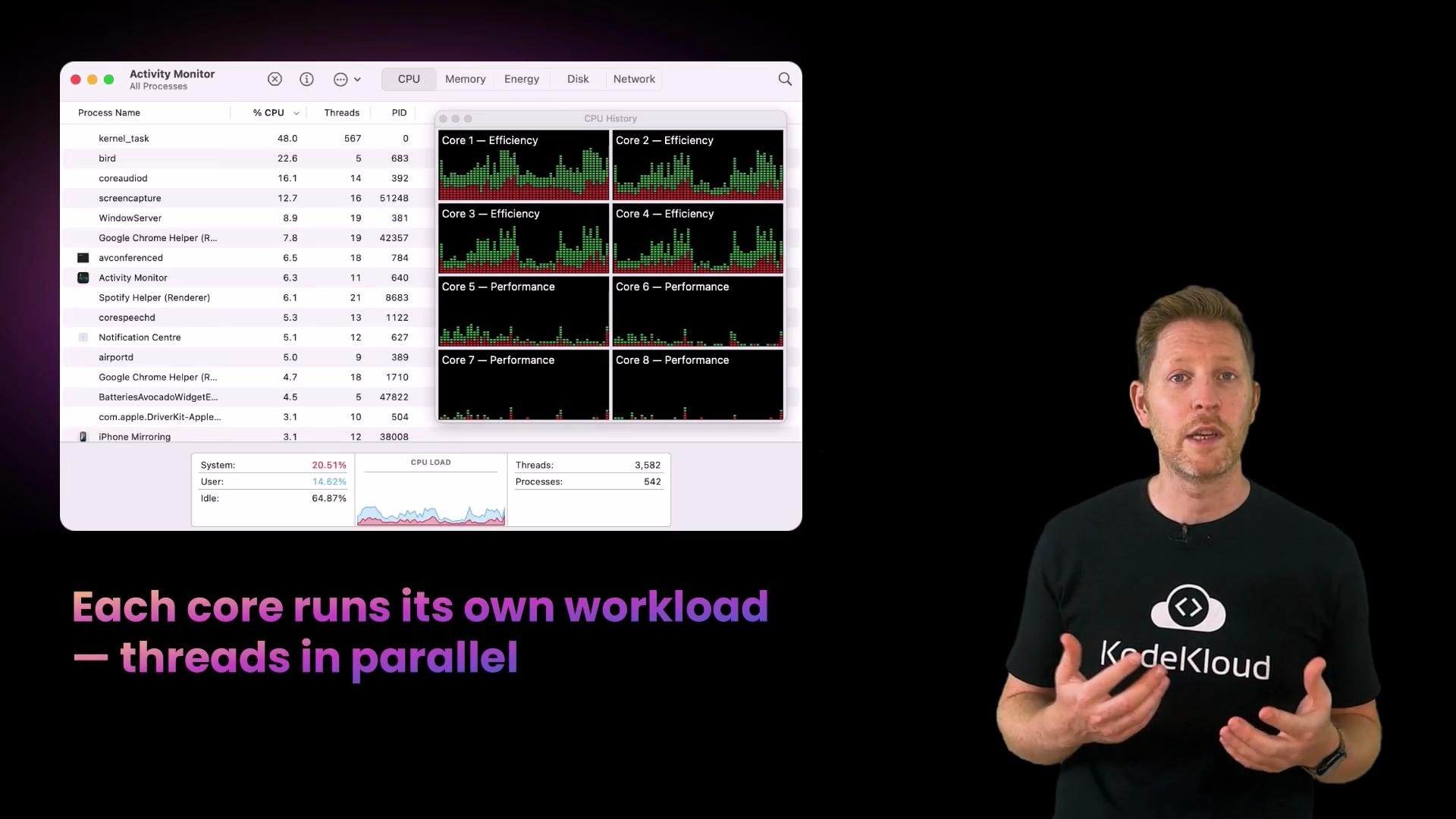
- Concurrency: multiple tasks make progress by interleaving execution on the same core (time-slicing). Think of quickly switching between TV channels.
- Parallelism: multiple tasks execute simultaneously on different CPU cores at the same time. Think of watching multiple screens at once.

- If runnable threads > cores: the OS uses time-slicing (concurrency).
- If runnable threads ≤ cores: the OS can place threads on distinct cores to run simultaneously (parallelism).
B. Tasks run on different CPU cores at the same time.
C. The OS compresses pages to fit more into memory. Correct answer: B. Parallelism means tasks run simultaneously on separate CPU cores. Comparison table — Processes, Threads, Concurrency, Parallelism
Interrupts and the OS scheduling flow
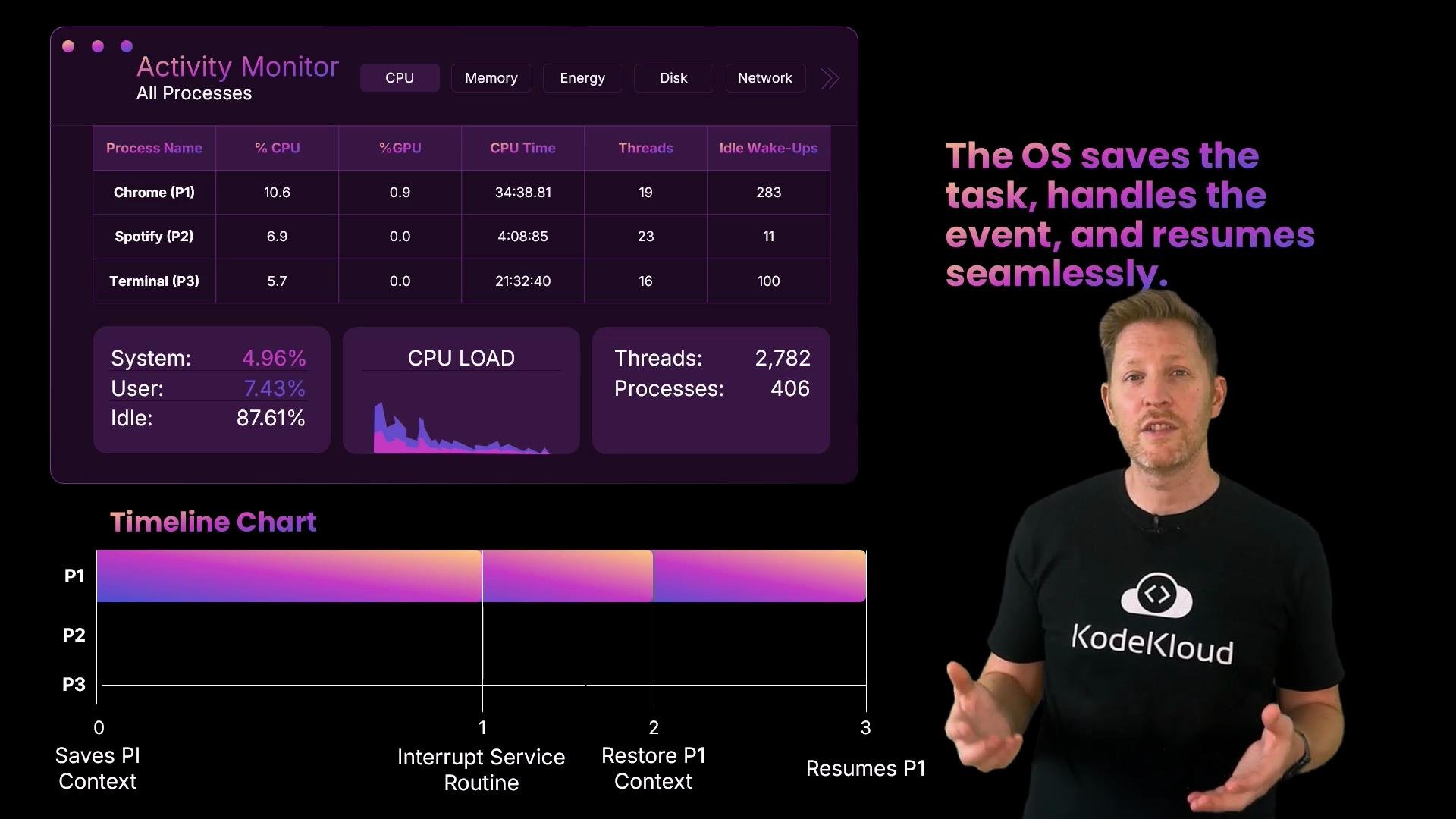
When an external event (like a key press) requires immediate attention, the hardware raises an interrupt. The OS follows a short, predictable sequence:
- Save the current task’s context (registers, program counter, stack pointer).
- Transfer control to the Interrupt Service Routine (ISR).
- The ISR and device driver handle the event (for a keyboard, read scancode).
- Restore the saved context.
- Resume the interrupted task (possibly after a short pause).
Device drivers — the OS translators
- Drivers translate device-specific signals into standard OS operations and vice versa.
- Without a proper driver, the OS cannot control or correctly interpret a device’s hardware signals.
- Drivers often run in kernel space and play a critical role during interrupts by implementing the ISR handler and queuing work for later processing.
B. The OS constantly polls the keyboard for new data.
C. The keyboard sends an interrupt signal and the OS responds immediately. Correct answer: C. Devices raise an interrupt to request attention when needed, and the OS responds. Summary
- Threads are lightweight execution units inside processes that share memory; they enable responsiveness and efficient inter-thread communication but require synchronization.
- Concurrency is about managing multiple tasks by time-slicing; parallelism is about running tasks simultaneously on multiple CPU cores.
- Interrupts allow devices to notify the OS of urgent events; the OS saves context, handles the interrupt (often via a driver), and restores context to resume work.
- Modern operating systems combine these mechanisms to keep systems responsive and utilize multi-core hardware effectively.