This article provides a guide on managing Kubernetes deployments,
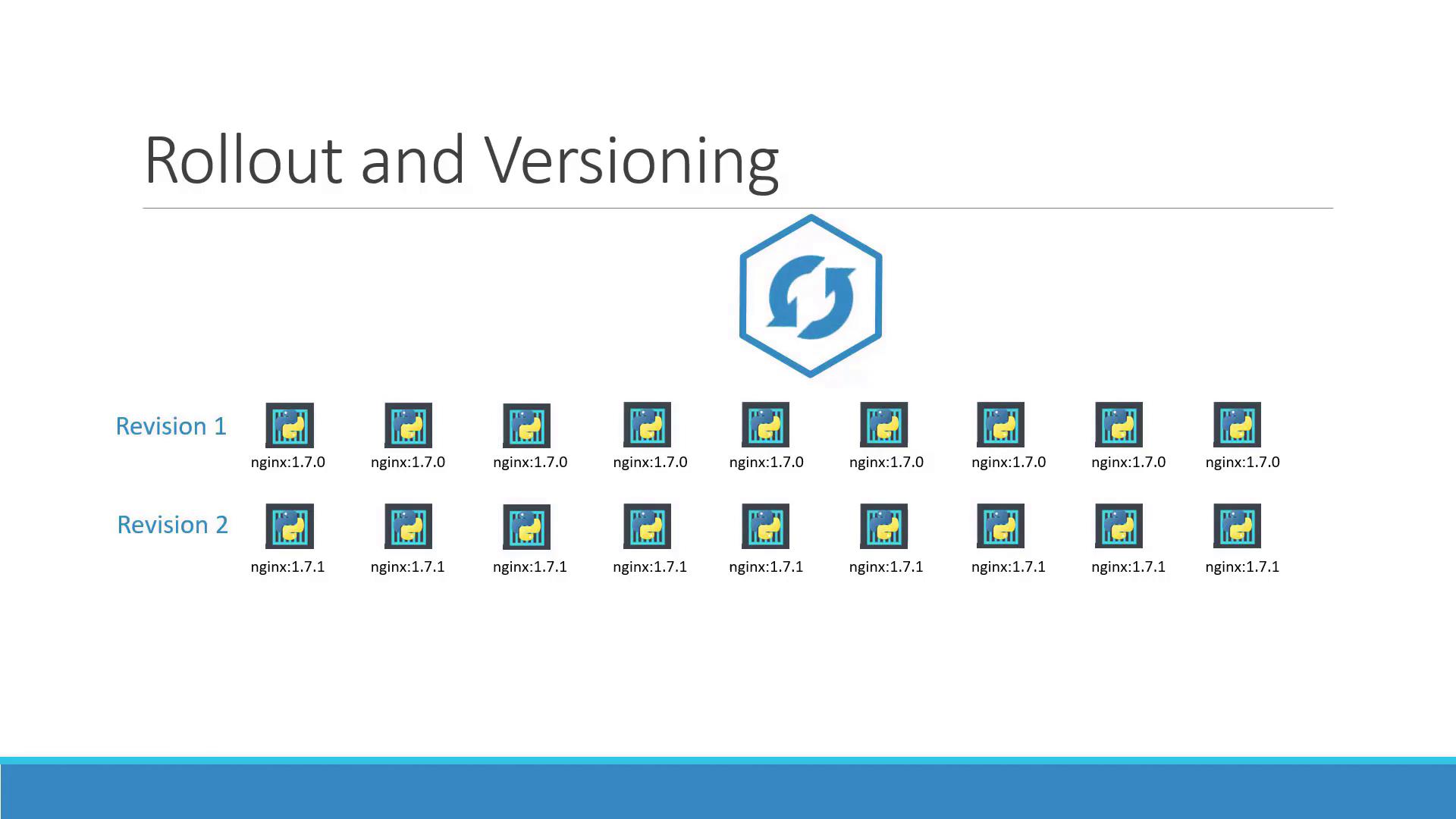
Welcome to this comprehensive guide on managing deployments in Kubernetes. In this article, we explore how to update your application versions and safely roll back changes using Kubernetes deployment strategies.When you create a deployment for the first time, Kubernetes automatically triggers a rollout, creating a new deployment revision (revision one). Later, if you update your application—for example, by changing the container image version—a new rollout generates another deployment revision (revision two). This revision history enables you to track changes and easily revert to a previous version if necessary.For example, the diagram below illustrates a rollout with two revisions using different nginx versions (1.7.0 and 1.7.1):
To check the status of a rollout, execute the following command:
> kubectl rollout status deployment/myapp-deploymentWaiting for rollout to finish: 0 of 10 updated replicas are available...Waiting for rollout to finish: 1 of 10 updated replicas are available...Waiting for rollout to finish: 2 of 10 updated replicas are available...Waiting for rollout to finish: 3 of 10 updated replicas are available...Waiting for rollout to finish: 4 of 10 updated replicas are available...Waiting for rollout to finish: 5 of 10 updated replicas are available...Waiting for rollout to finish: 6 of 10 updated replicas are available...Waiting for rollout to finish: 7 of 10 updated replicas are available...Waiting for rollout to finish: 8 of 10 updated replicas are available...Waiting for rollout to finish: 9 of 10 updated replicas are available...deployment "myapp-deployment" successfully rolled out
You can also view the rollout history with:
> kubectl rollout history deployment/myapp-deployment
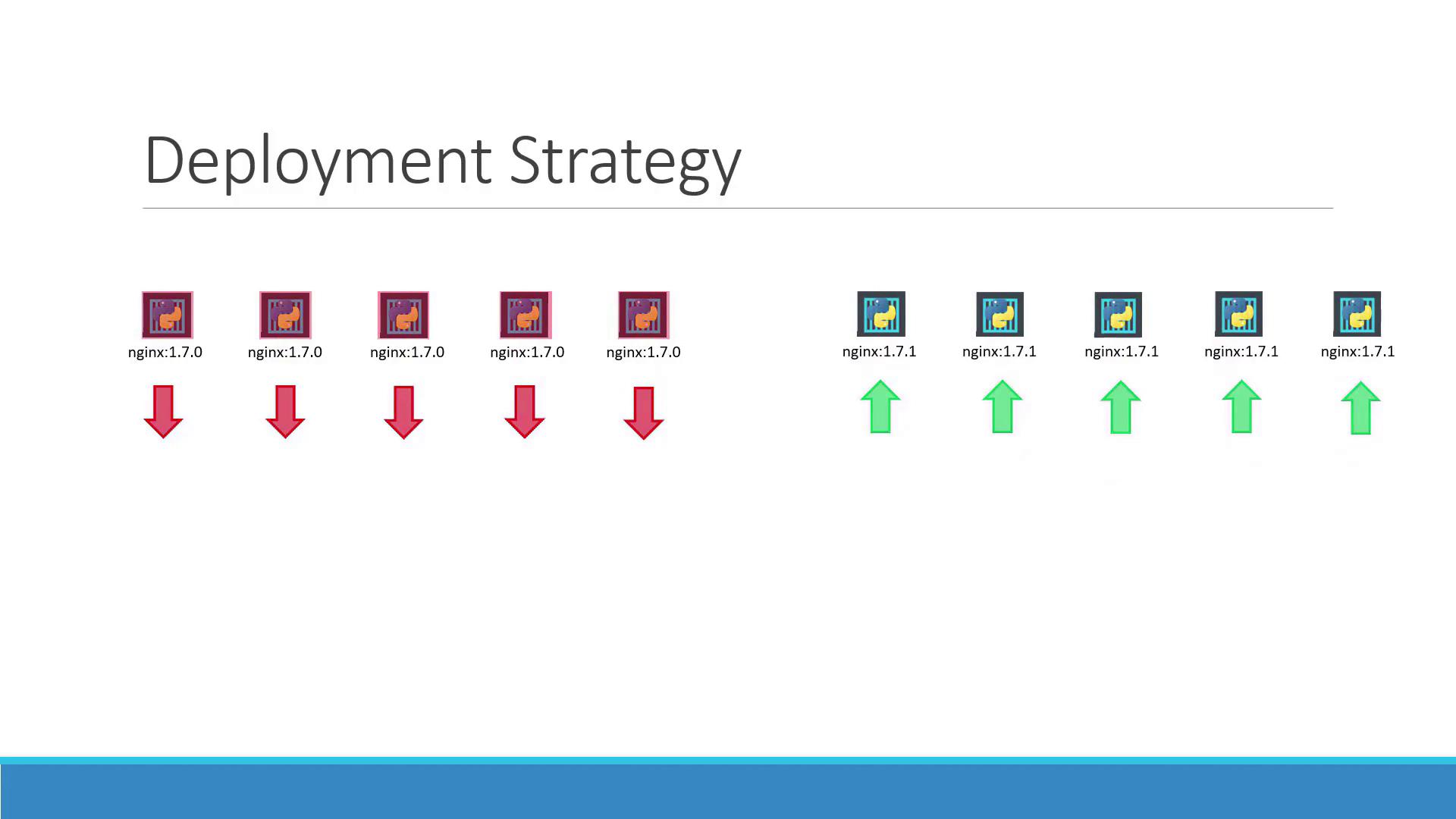
There are two primary deployment strategies in Kubernetes:
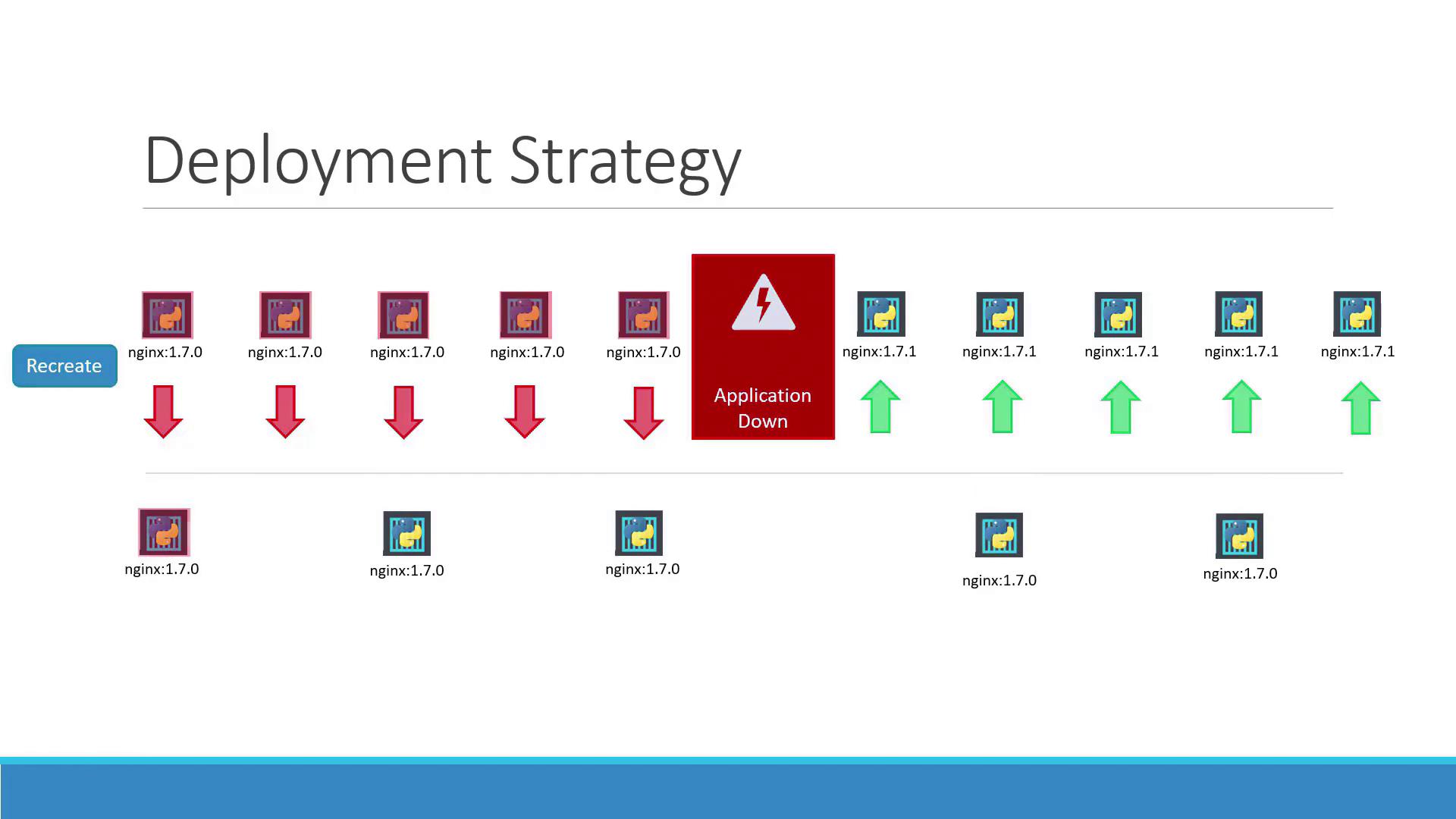
Recreate Strategy:
In this method, when you have multiple replicas (such as five instances of your application), all existing instances are terminated before the new instances are deployed. This approach, while straightforward, causes downtime between shutting down the old pods and starting the new ones.The following diagram demonstrates the recreate strategy:
Rolling Update Strategy:
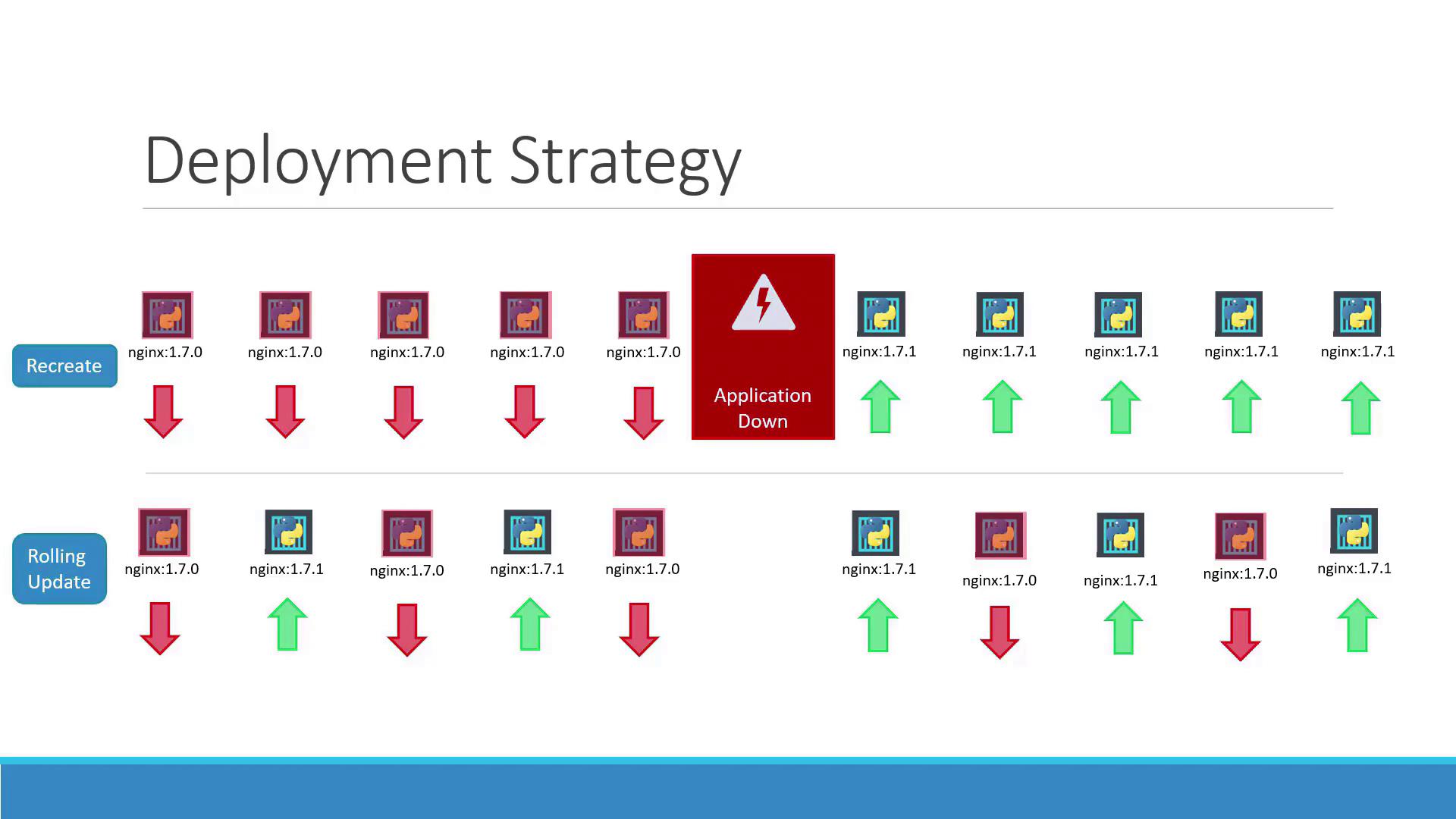
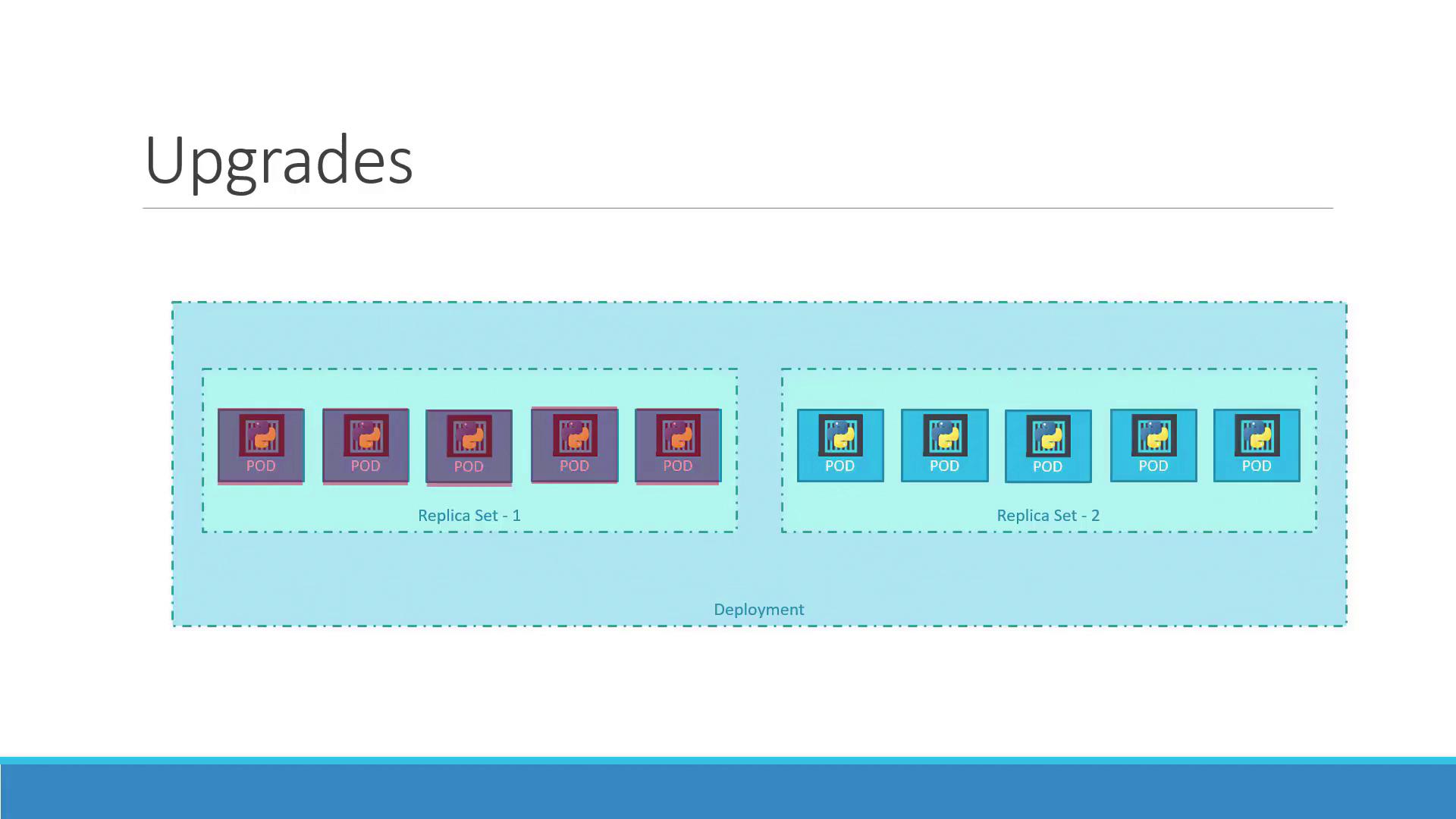
Here, the new version gradually replaces the old version without impacting application availability. Kubernetes incrementally scales up the new pods while scaling down the old ones. The diagram below depicts this seamless transition:
If no strategy is specified, Kubernetes defaults to the rolling update strategy. The diagram below summarizes both “Recreate” and “Rolling Update” strategies:
Updating a deployment can involve modifying the Docker container image, changing labels, or adjusting the number of replicas. You have two methods to update a deployment:
Update your deployment YAML file (for example, deployment-definition.yml) by modifying parameters like the container image version. An updated example might look like this:
If you want to quickly update the container image without changing the rest of the configuration, use:
kubectl set image deployment/myapp-deployment nginx-container=nginx:1.9.1
Keep in mind that updating the image directly can lead to a mismatch with your deployment definition file. It is advisable to update and track changes consistently within your deployment YAML file.
When using the recreate strategy, you may see entries showing that the old ReplicaSet is scaled down to zero before the new ReplicaSet is scaled up. For example:
Name: myapp-deploymentNamespace: defaultCreationTimestamp: Sat, 03 Mar 2018 17:01:55 +0000Labels: app=myappAnnotations: kubectl.kubernetes.io/revision=2 kubernetes.io/change-cause=kubectl apply --filename=...Selector: 5 updated, 5 total | 5 available | 0 unavailableStrategyType: RecreatePod Template: Labels: app=myapp Annotations: nginx-container: Image: nginx:1.7.1 Port: <none> Environment: <none> Mounts: <none>Conditions: Type Status Reason Available True MinimumReplicasAvailable Progressing True NewReplicaSetAvailableOldReplicaSets: <none>NewReplicaSet: myapp-deployment-54c7d6ccc (5/5 replicas created)Events: Type Reason Age From Message Normal ScalingReplicaSet 11m deployment-controller Scaled up replica set myapp-deployment-6795844b58 to 5 Normal ScalingReplicaSet 1m deployment-controller Scaled down replica set myapp-deployment-6795844b58 to 0 Normal ScalingReplicaSet 56s deployment-controller Scaled up replica set myapp-deployment-54c7d6ccc to 5
For the rolling update strategy, the output indicates a gradual scaling of the old and new ReplicaSets:
Name: myapp-deploymentNamespace: defaultCreationTimestamp: Sat, 03 Mar 2018 17:16:53 +0800Labels: app=myappAnnotations: kubectl.kubernetes.io/revision=2 kubectl.kubernetes.io/change-cause=kubectl apply --filename=...Selector: 5 updated | 6 total | 4 available | 2 unavailableStrategyType: RollingUpdateMinReadySeconds: 0RollingUpdateStrategy: 25% max unavailable, 25% max surgePod Template: Labels: app=myapp Annotations: nginx-container: Image: nginx Port: <none> Environment: <none> Mounts: <none>Conditions: Type Status Reason Available True MinimumReplicasAvailable Progressing True ReplicaSetUpdatedOldReplicaSet: myapp-deployment-67c749c58c (1/1 replicas created)NewReplicaSet: myapp-deployment-75d7bdbd8d (5/5 replicas created)Events: Type Reason Age From Message Normal ScalingReplicaSet 1m deployment-controller Scaled up replica set myapp-deployment-67c749c58c to 5 Normal ScalingReplicaSet 15s deployment-controller Scaled down replica set myapp-deployment-67c749c58c to 4 Normal ScalingReplicaSet 0s deployment-controller Scaled up replica set myapp-deployment-75d7bdbd8d to 3 Normal ScalingReplicaSet 0s deployment-controller Scaled down replica set myapp-deployment-67c749c58c to 3 Normal ScalingReplicaSet 0s deployment-controller Scaled down replica set myapp-deployment-75d7bdbd8d to 0 Normal ScalingReplicaSet 0s deployment-controller Scaled down replica set myapp-deployment-67c749c58c to 0
For further clarity, here are two more examples that detail the output for both strategies:Recreate Strategy Example:
C:\Kubernetes>kubectl describe deployment myapp-deploymentName: myapp-deploymentNamespace: defaultCreationTimestamp: Sat, 03 Mar 2018 17:01:55 +0000Labels: app=myappAnnotations: deployment.kubernetes.io/revision=2 kubectl.kubernetes.io/change-cause=kubectl apply --filename=...Selector: 5 desired, 1 updated | 5 total | 5 available | 0 unavailableStrategyType: RecreateMinReadySeconds: 0Pod Template: Labels: app=myapp Type: front-end Containers: nginx-container: Image: nginx:1.7.1 Port: <none> Environment: <none> Mounts: <none> Volumes: <none>Conditions: Type Status Reason Available True MinimumReplicasAvailable Progressing True NewReplicaSetAvailableOldReplicaSets: <none>NewReplicaSet: myapp-deployment-54c7d6ccc (5/5 replicas created)Events: Type Reason Age From Message Normal ScalingReplicaSet 11m deployment-controller Scaled up replica set myapp-deployment-6795844b58 to 5 Normal ScalingReplicaSet 1m deployment-controller Scaled down replica set myapp-deployment-6795844b58 to 0 Normal ScalingReplicaSet 56s deployment-controller Scaled up replica set myapp-deployment-54c7d6ccc to 5
Rolling Update Strategy Example:
C:\Kubernetes>kubectl describe deployment myapp-deploymentName: myapp-deploymentNamespace: defaultCreationTimestamp: Sat, 03 Mar 2018 17:16:53 +0800Labels: app=myappAnnotations: deployment.kubernetes.io/revision=2 kubectl.kubernetes.io/change-cause=kubectl apply --filename=...Selector: 5 desired, 1 updated | 6 total | 4 available | 2 unavailableStrategyType: RollingUpdateMinReadySeconds: 0RollingUpdateStrategy: 25% max unavailable, 25% max surgePod Template: Labels: app=myapp Type: front-end Containers: nginx-container: Image: nginx Port: <none> Environment: <none> Mounts: <none> Volumes: <none>Conditions: Type Status Reason Available True MinimumReplicasAvailable Progressing True ReplicaSetUpdatedOldReplicaSet: myapp-deployment-67c749c58c (1/1 replicas created)NewReplicaSet: myapp-deployment-75d7bdbd8d (5/5 replicas created)Events: Type Reason Age From Message Normal ScalingReplicaSet 1m deployment-controller Scaled up replica set myapp-deployment-67c749c58c to 5 Normal ScalingReplicaSet 1m deployment-controller Scaled down replica set myapp-deployment-75d7bdbd8d to 2 Normal ScalingReplicaSet 0s deployment-controller Scaled up replica set myapp-deployment-67c749c58c to 4 Normal ScalingReplicaSet 0s deployment-controller Scaled down replica set myapp-deployment-75d7bdbd8d to 3 Normal ScalingReplicaSet 0s deployment-controller Scaled up replica set myapp-deployment-67c749c58c to 3 Normal ScalingReplicaSet 0s deployment-controller Scaled down replica set myapp-deployment-75d7bdbd8d to 2
When a deployment is created with multiple replicas (for example, five), Kubernetes automatically generates a ReplicaSet that manages pod creation. During an upgrade, a new ReplicaSet is created with the updated configuration while the old ReplicaSet gradually scales down. You can monitor these changes by listing the ReplicaSets:
If issues are detected with the new version after an upgrade, Kubernetes makes it simple to roll back to a previous working deployment. Execute the following command to undo the latest rollout:
kubectl rollout undo deployment/myapp-deployment
This command stops the new ReplicaSet, scales down its pods, and scales up the pods from the previous ReplicaSet. Verify the rollback by comparing the output of kubectl get replicasets before and after the command.Before the rollback, the output may appear similar to:
> kubectl get replicasetsNAME DESIRED CURRENT READY AGEmyapp-deployment-67c749c58c 0 0 0 22mmyapp-deployment-7d57dbd8d 5 5 5 20m
After executing the rollback, the ReplicaSets will reverse their roles:
> kubectl get replicasetsNAME DESIRED CURRENT READY AGEmyapp-deployment-67c749c58c 5 5 5 22mmyapp-deployment-7d57dbd8d 0 0 0 20m
The confirmation message will confirm the rollback:
deployment "myapp-deployment" rolled back
Always verify your ReplicaSet status after a rollback to ensure that the correct version is deployed and that the scale-up process is complete.
Below is a table summarizing key commands for managing deployments in Kubernetes:
Command
Description
kubectl create -f deployment-definition.yml
Create a new deployment from the YAML definition
kubectl get deployments
List all deployments
kubectl apply -f deployment-definition.yml
Apply updates to the deployment from the YAML file
kubectl set image deployment/myapp-deployment nginx-container=nginx:1.9.1
Update the image for a specific container in the deployment
kubectl rollout status deployment/myapp-deployment
Check the status of the rollout
kubectl rollout undo deployment/myapp-deployment
Roll back to the previous deployment revision
These commands enable you to create, update, monitor, and roll back deployments effectively.This concludes our article on updating and rolling back Kubernetes deployments. For more detailed documentation, refer to the official Kubernetes Documentation.