Containers and Docker Overview
Let’s dive into containers by exploring Docker, the most popular container technology available. If you’re already comfortable with Docker, feel free to continue to later sections. Otherwise, this section will cover the essential fundamentals.
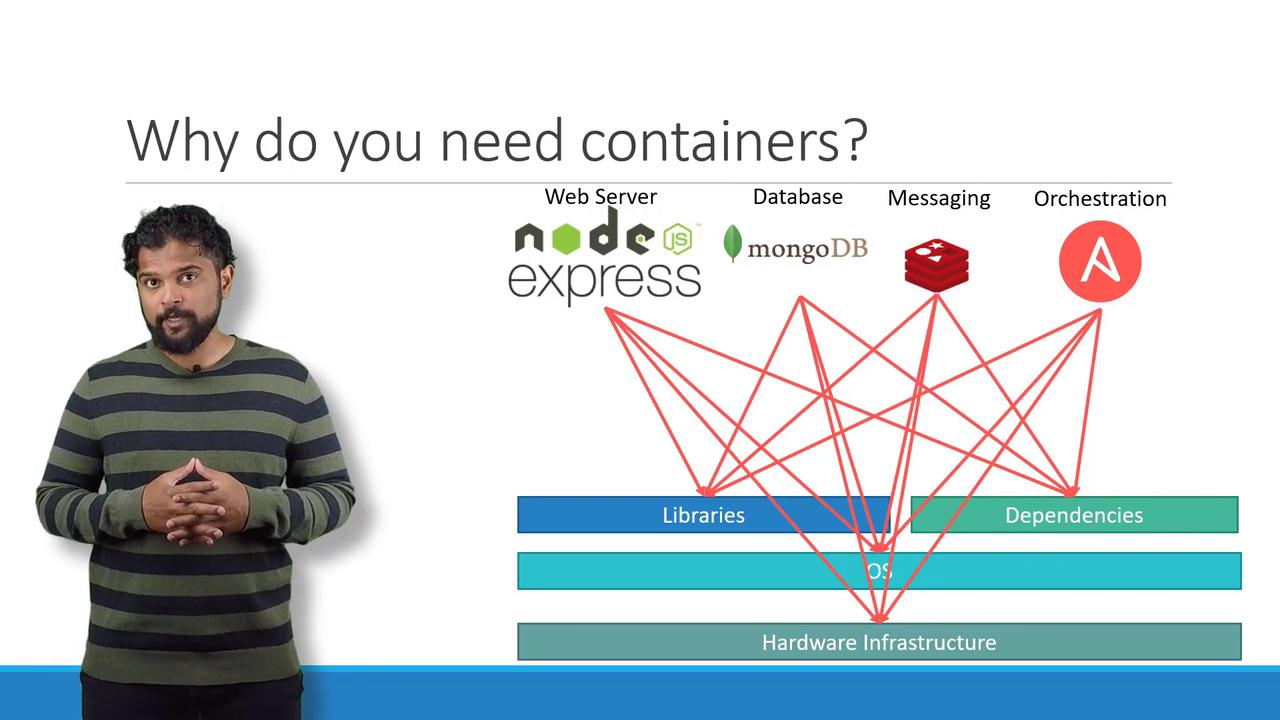
- Hardware and operating system compatibility across different components.
- Dependency conflicts where one application required a specific library version while another needed a different one.
- Constantly evolving application architecture, which I often refer to as the “matrix from hell.”
- Onboarding complexities, as new developers had to meticulously follow extensive setup instructions, leading to inconsistencies among development, testing, and production environments.
What Are Containers?
Containers are isolated environments that can run their own processes and services, manage mounts, and have dedicated networking interfaces—much like virtual machines (VMs). However, containers are more efficient because they share the host’s OS kernel rather than carrying separate OS images. Although container technology has been around for about a decade (with examples like LXC, LXD, and LXCFS), Docker revolutionized container usage by providing a high-level interface with enhanced functionality.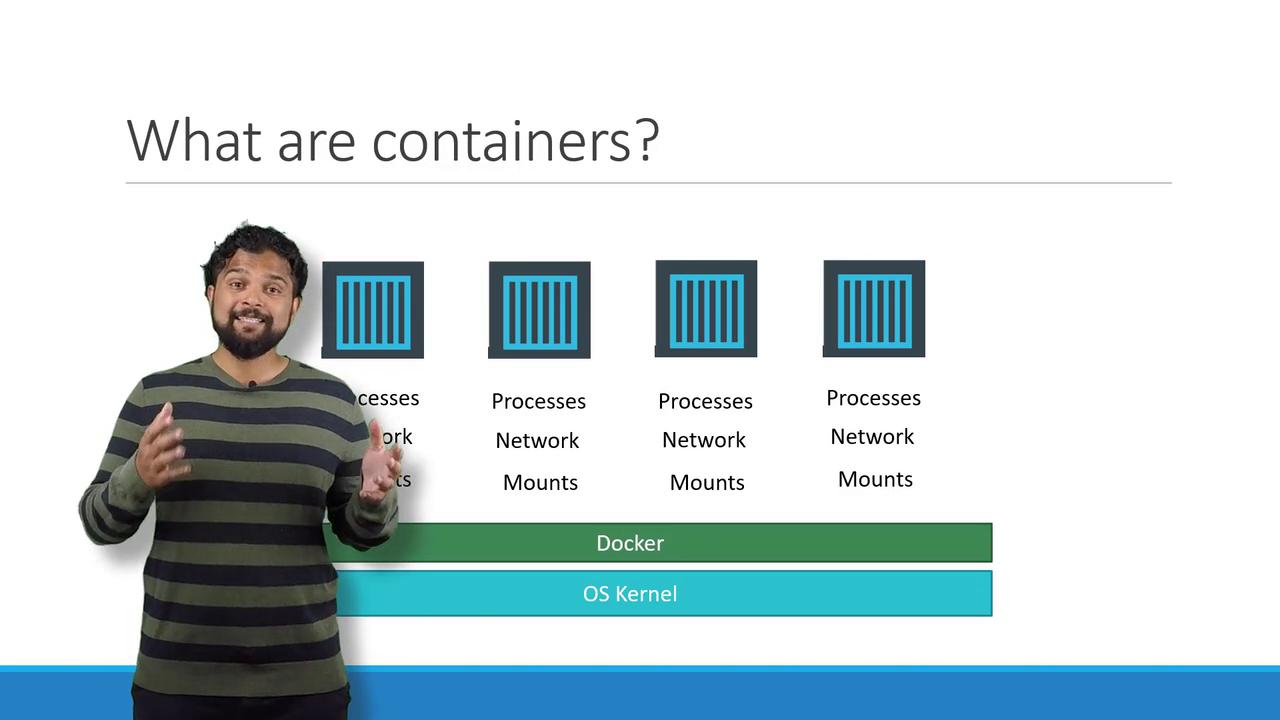
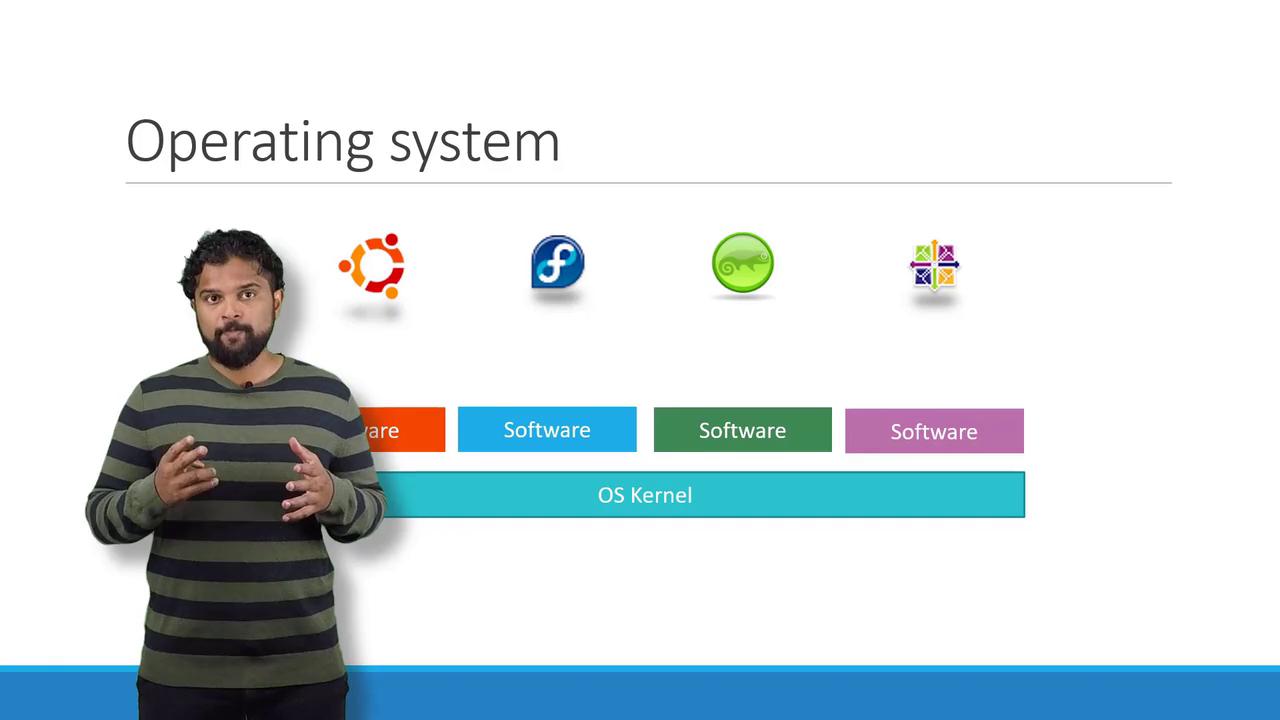
- The OS kernel, which directly interacts with the hardware.
- A suite of software that differentiates one distribution from another (including user interfaces, drivers, compilers, file managers, and developer tools).
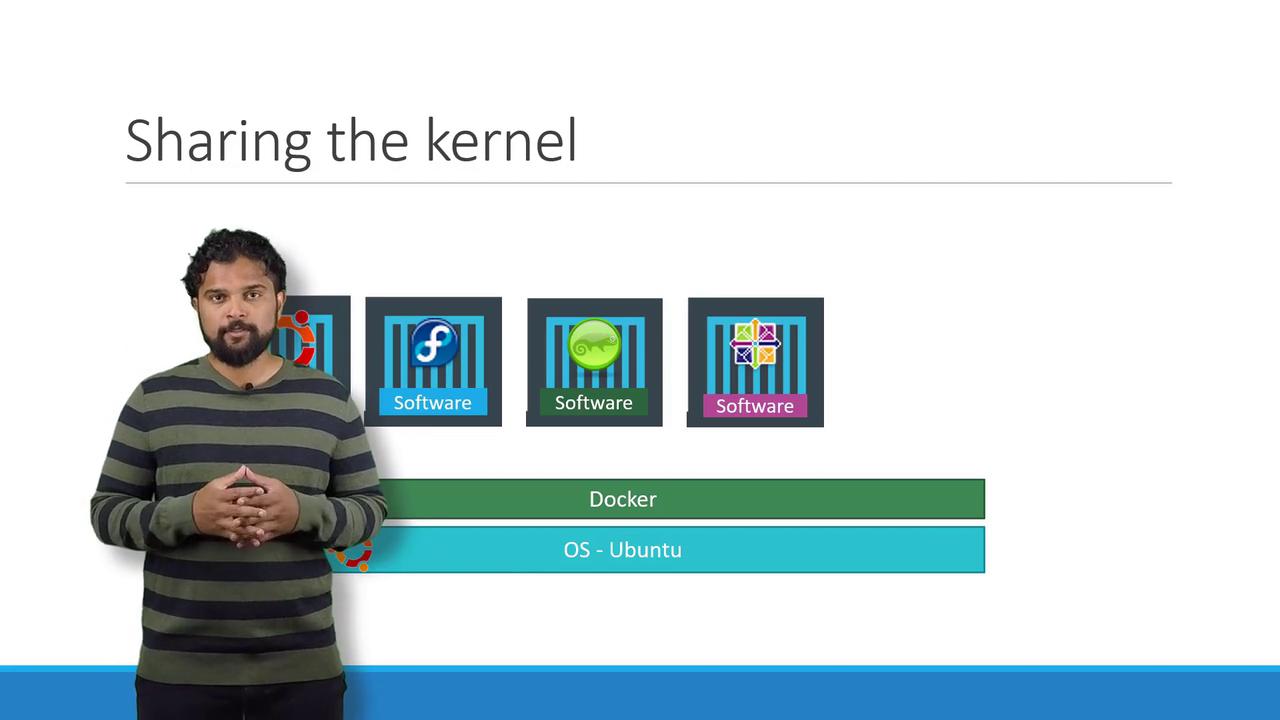
Docker’s goal is not to virtualize different operating systems like hypervisors do; instead, it focuses on containerizing and deploying applications with consistent behavior across environments.
Containers vs. Virtual Machines
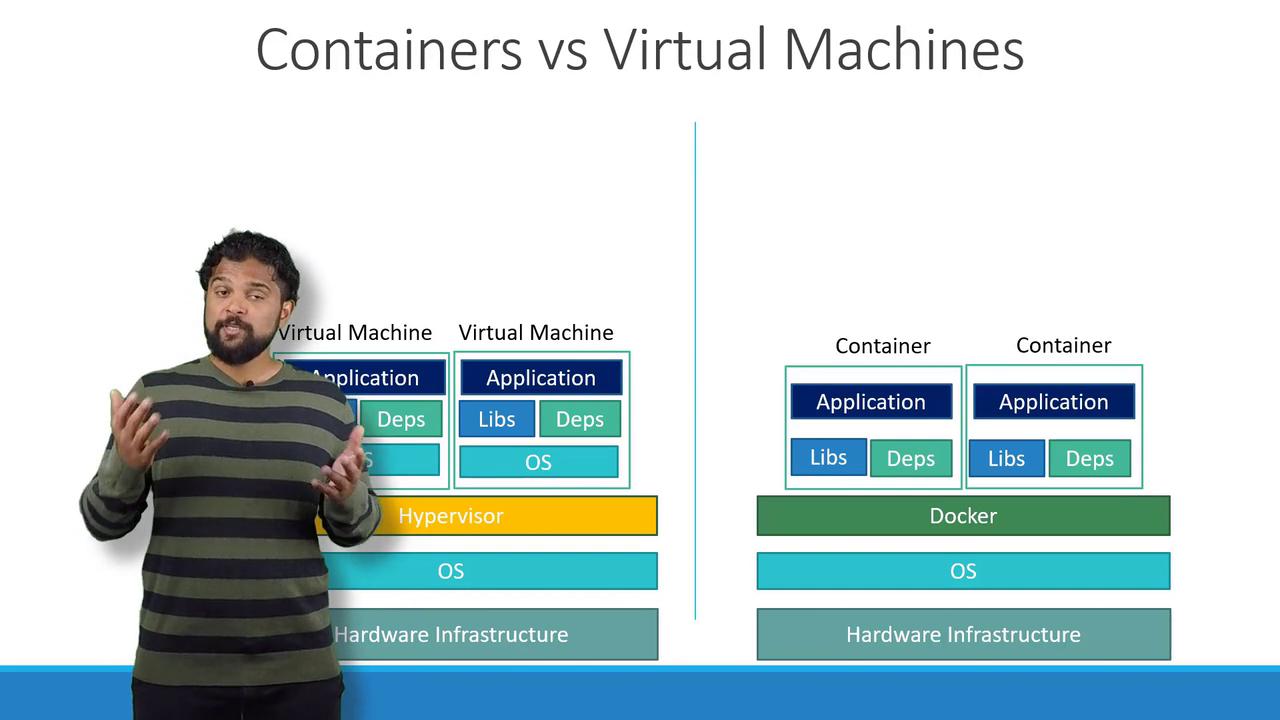
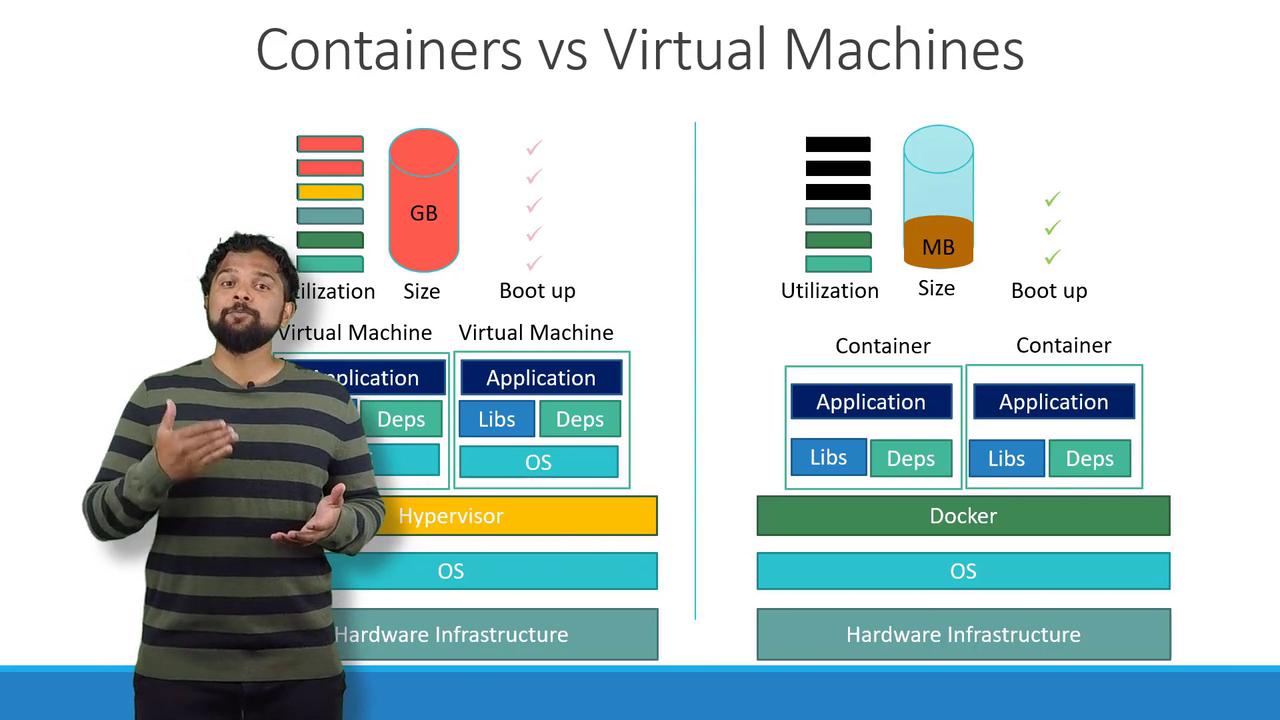
Understanding the differences between Docker containers and virtual machines (VMs) is crucial. Here’s a brief comparison:- In a Docker-based architecture, the flow is:
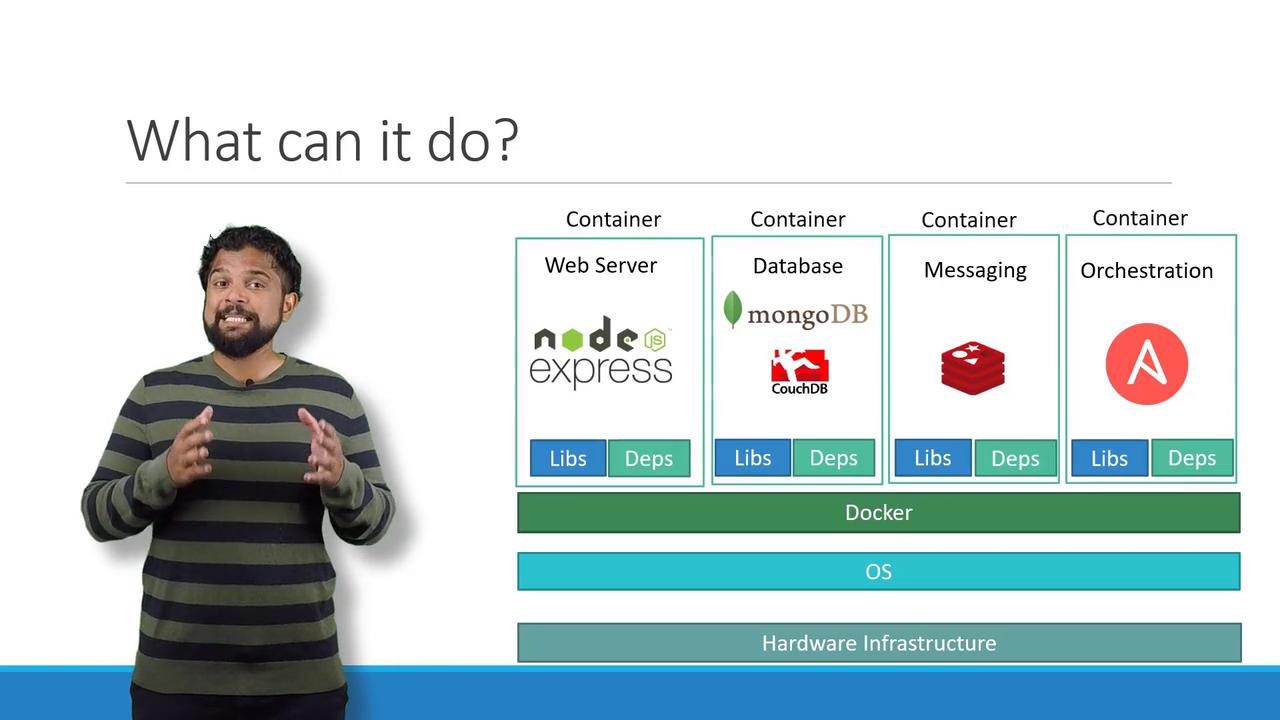
Hardware → Operating System → Docker → Containers (with their own libraries and dependencies) - In a VM setup, the flow is:
Hardware → Host Operating System → Hypervisor (e.g., ESXi) → Virtual Machines (each with its own guest OS, libraries, and applications)
Running Containerized Applications
Today, many containerized applications are available in public Docker registries such as Docker Hub or Docker Store. These registries host images for operating systems, databases, and various services. Once you identify the necessary images, you can install Docker on your host and deploy your application stack with a single command. For instance, to deploy services like Ansible, MongoDB, Redis, or Node.js, you can use:Images vs. Containers
It’s important to distinguish between images and containers. An image is a template, similar to a VM template, used to create one or more containers. Containers are the running instances of these images, each operating as an isolated environment with its own processes.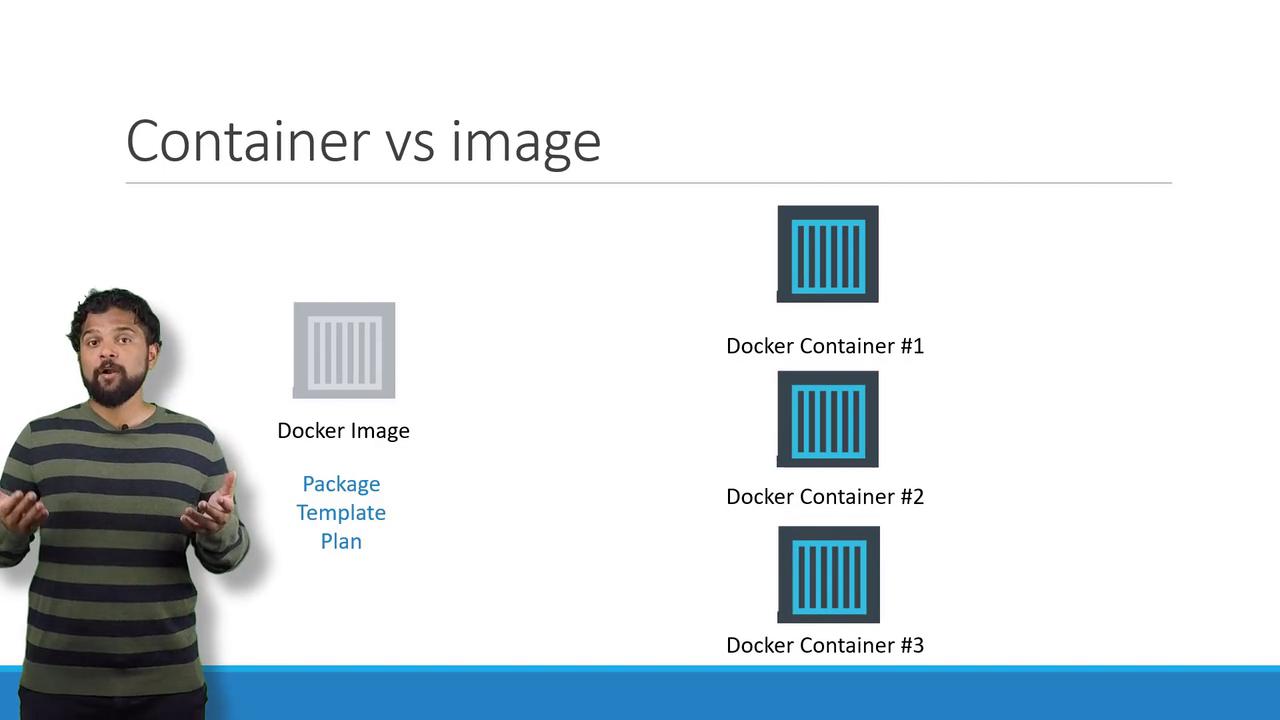
Streamlining Development and Operations
Traditionally, development and deployment were separate processes. Developers built the application, and then the operations team used detailed instructions to deploy and manage it. This handoff often led to misconfigurations and delays. With Docker, developers can package setup instructions directly into a Dockerfile, ensuring that the same environment is utilized in both development and production. This approach minimizes deployment issues, as the operations team works with a pre-tested image.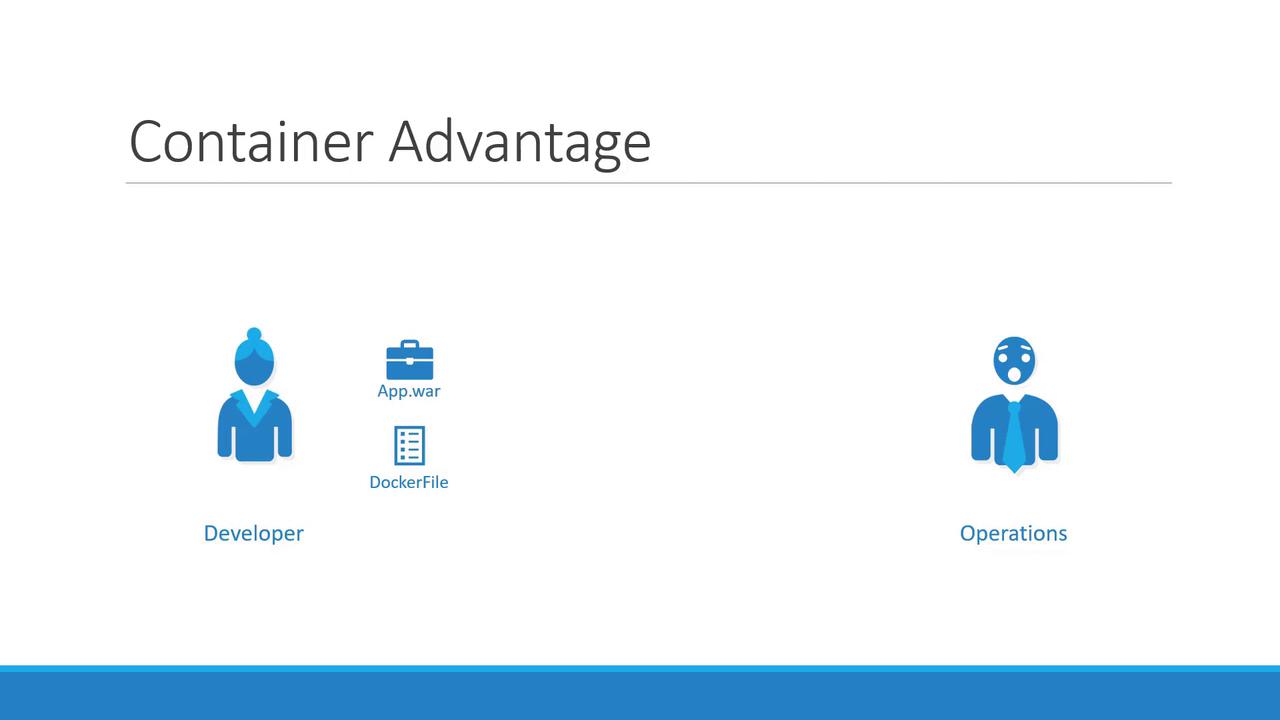
Conclusion
Docker simplifies containerization by resolving compatibility issues, accelerating environment setup, and ensuring consistent deployments across diverse environments. With an abundance of containerized application images available, Docker’s lightweight and efficient design sets it apart from traditional virtual machines. This article has provided an overview of containers, Docker fundamentals, and a comparison between containers and VMs, paving the way for a deeper exploration of container orchestration through Kubernetes. For further learning, consider exploring additional courses such as Docker Training Course for the Absolute Beginner and Docker - SWARM | SERVICES | STACKS - Hands-on to gain practical experience with Docker commands and Dockerfiles.