

- There are two authoritative sources of truth:
- Pod truth: each model server (pod) reports its internal state — queue size, cache usage, token times — via a metrics endpoint.
- Fleet truth: the router (or front-end) reports fleet-level signals — readiness of endpoints and flow-control queue depth — which capture unmet demand across the service.
A typical pod metrics endpoint looks like this:
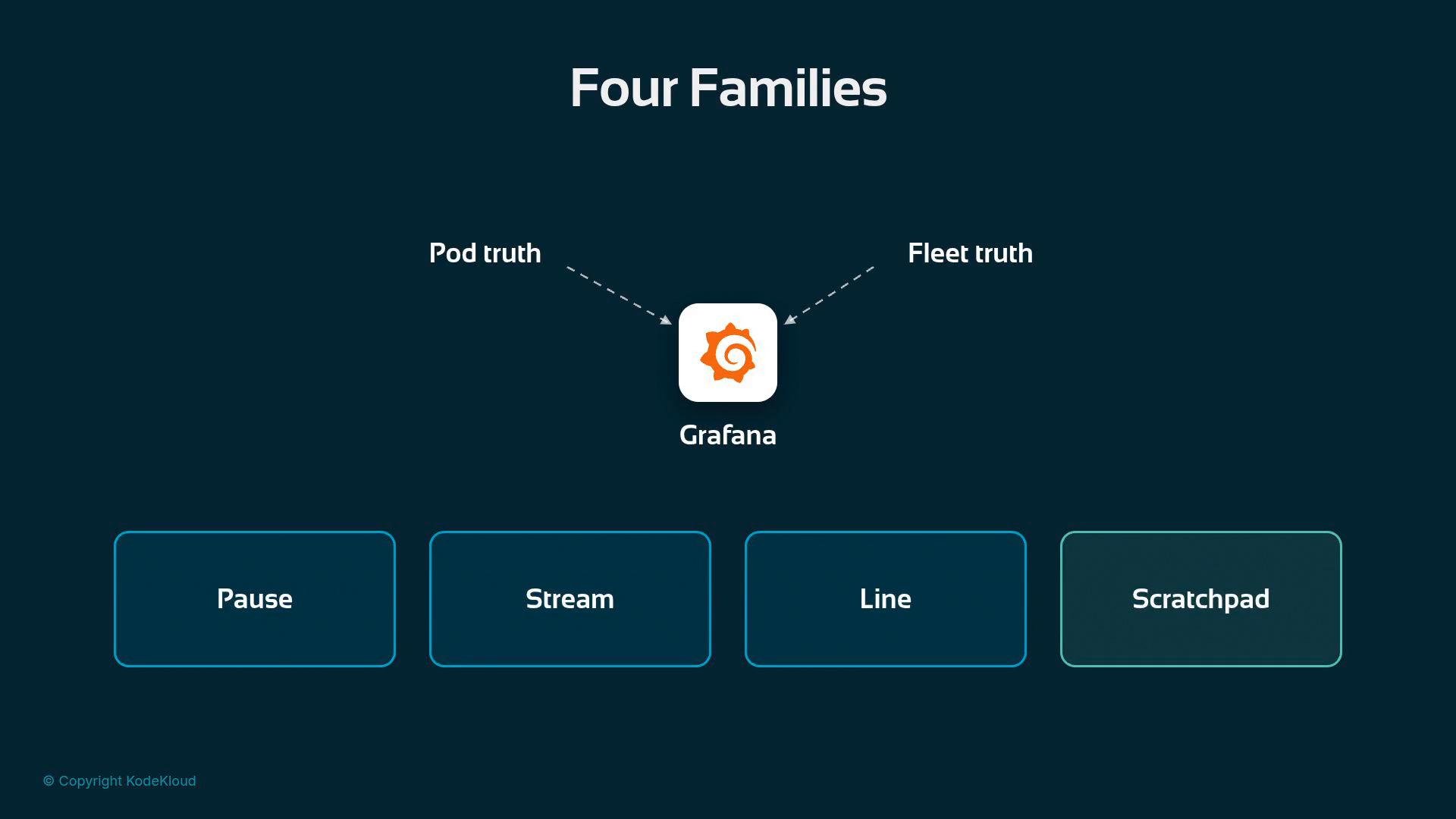
- Pause — Time-to-first-token (prefill)
- What it measures: the initial wait before the first token of an answer is produced for each request.
- Common metric:
TimeToFirstTokenSeconds(exposed by vLLM). - Why it matters: it’s the user-visible startup latency — users often judge responsiveness by this.
- Stream — Time per output token
- What it measures: the average gap between emitted tokens while streaming.
- Common metric:
vllm:time_per_output_token_secondsreported continuously by pods.
- Why it matters: streaming throughput affects long responses and perceived smoothness; combine it with Pause for end-to-end latency.
- Line — Concurrency and queueing
- What it measures: requests currently running and requests waiting per pod, plus router flow-control queue depth across the fleet.
- Example metrics:
vllm:num_requests_running,vllm:num_requests_waiting, and the router’s queue-depth metric. - Why it matters: the router queue depth is the single best indicator of unmet demand — it shows when capacity is insufficient.
- Scratchpad — Cache health
- What it measures: per-pod KV cache usage and prefix-cache hits (e.g., GPU cache utilization).
- Example metric:
vllm:gpu_cache_usage_perc. - Why it matters: a high cache-hit ratio indicates a healthy working set and lower tail latency; cache degradation often looks like increased latency.
Reading latency correctly: percentiles, not averages
Averages can hide pain. A fleet could have a pleasant average first-token time while a small fraction of users experience very long waits. Instead, report latency as percentiles.
- P50 (median): the typical case — 50% of requests are faster.
- P95 / P99: tail metrics. P99 captures the slowest 1 in 100 requests and often drives SLAs because every user eventually hits the tail.
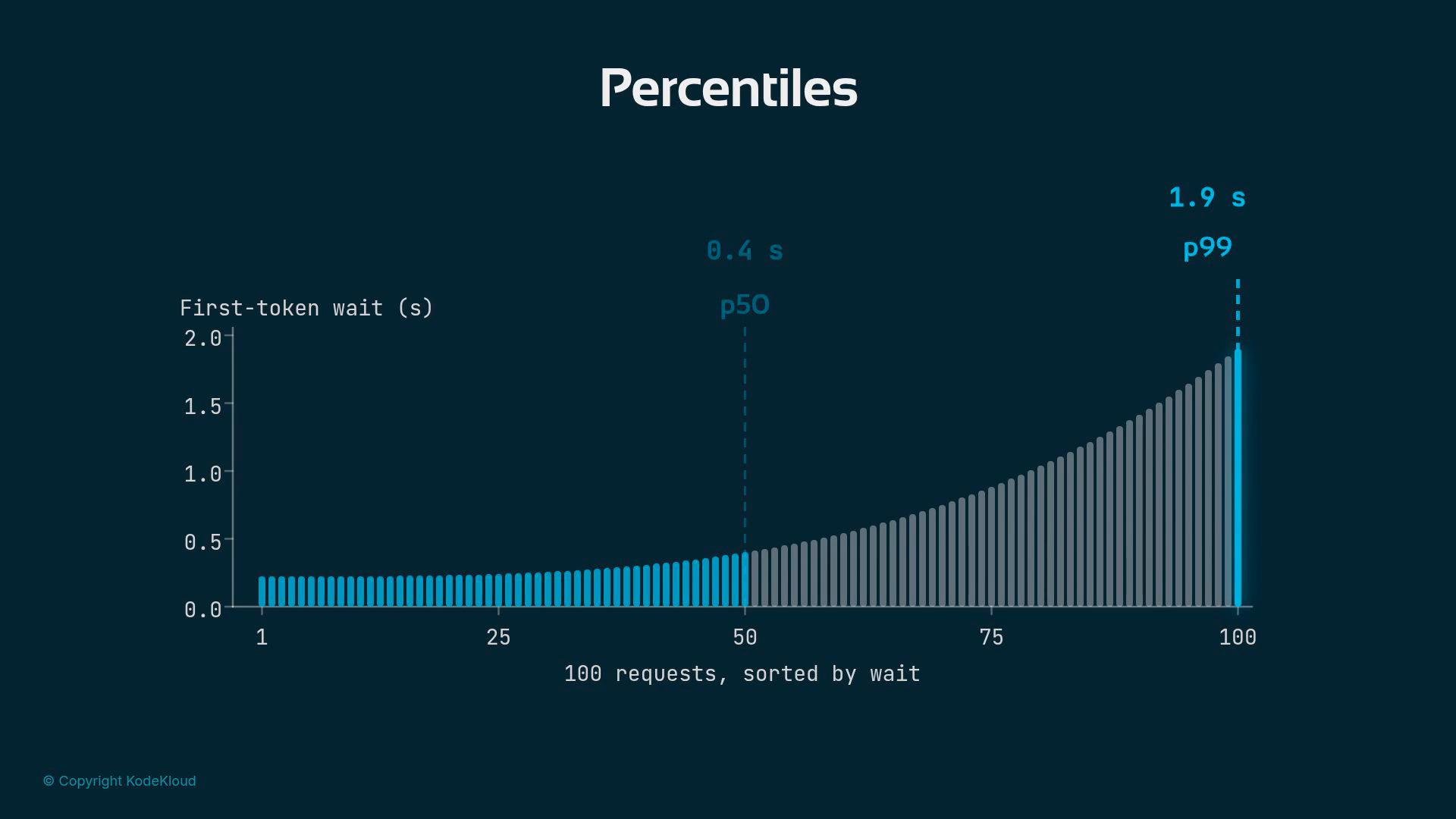
Always monitor percentile latency (P99, P95) to understand real user impact. A low P50 with a high P99 typically indicates tail issues that affect some users and will surface during real traffic.
- Dashboards should show both pod truth (per-pod panels for local failures and cache behavior) and fleet truth (router queue depth, ready endpoints).
- Surface percentiles (P50, P95, P99) for any latency measured in seconds.
- Treat the router queue depth as your primary signal of unmet capacity; investigate per-pod
num_requests_waitingandnum_requests_runningto find hotspots. - Track cache metrics (e.g.,
vllm:gpu_cache_usage_perc) because cache health often explains tail latency spikes.
- Two vantage points: pod truth and router/fleet truth.
- Four metric families to monitor: Pause (prefill), Stream (token timing), Line (concurrency/queuing), Scratchpad (cache health).
- Use percentiles, not averages, for latency. These controls and conventions form the vocabulary you’ll use on-call to quickly diagnose serving issues.
- vLLM: https://github.com/vllm-project/vllm
- Percentile (Wikipedia): https://en.wikipedia.org/wiki/Percentile