

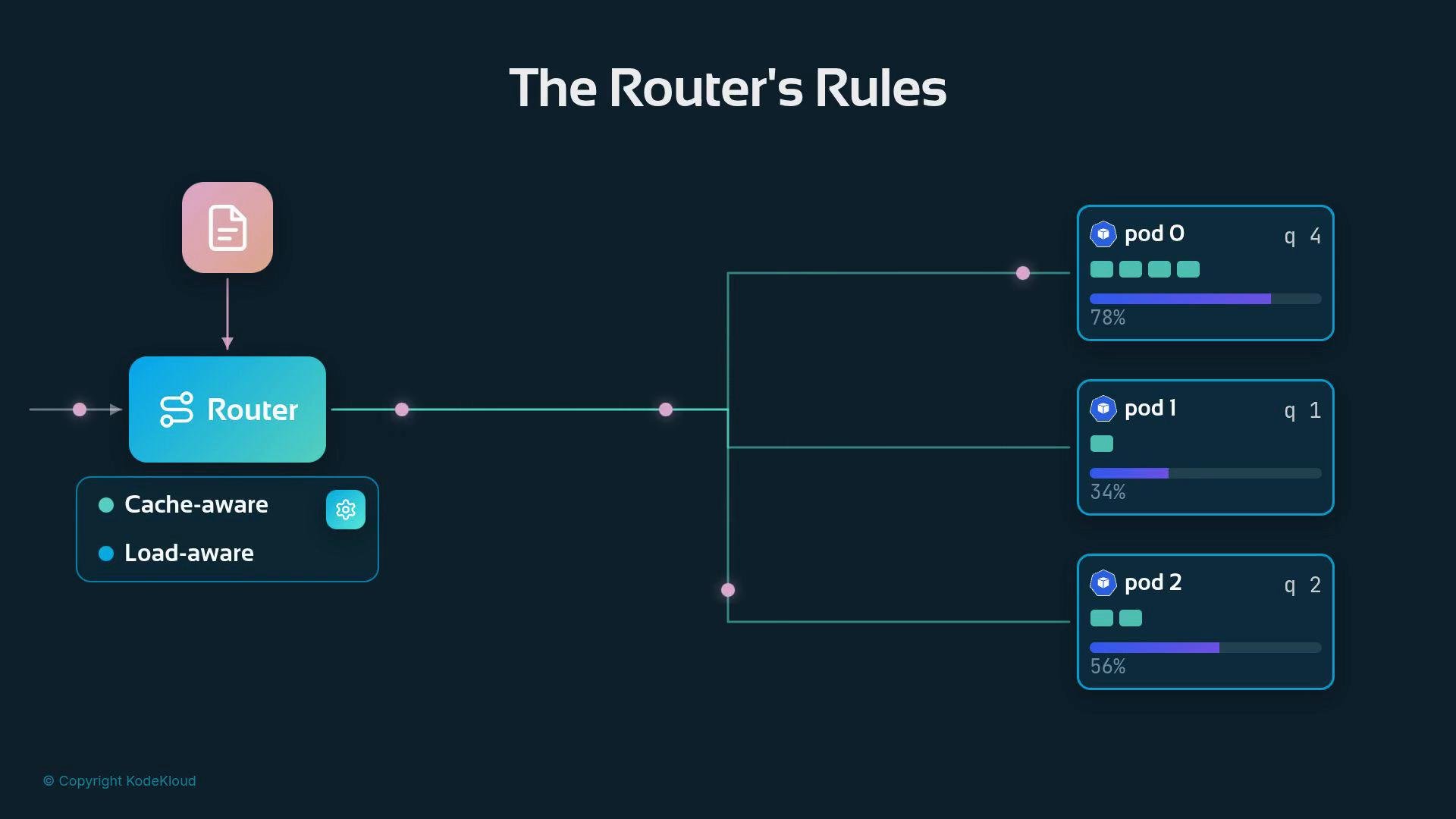
No installation or feature flag is required. The quickstart-epp deployment you already ran includes an active, cache-aware, and load-aware routing pipeline — the intelligence has been on since the first request.
llm-d namespace and find the quickstart-epp ConfigMap that contains the plugin configuration:
quickstart-epp ConfigMap to view the router plugin pipeline. The file expresses the three-stage pipeline (filter → score → select) and lists which scorers are active plus the scheduling profile that assigns numeric weights to each scorer:
The star of this configuration is the
prefix-cache-scorer (weight 3). It rewards pods where saved work for the incoming prompt is most likely to exist — reducing latency and compute by allowing the router to skip or shorten prefill work. In this quickstart the cluster runs the approximate flavor: instead of querying every pod for exact cache contents it uses routing history and heuristics to predict where prompts likely live. The precise flavor, which consumes live CacheEvent updates from pods, is a higher-fidelity mode we’ll cover later.
2 in the shown scheduling profile:
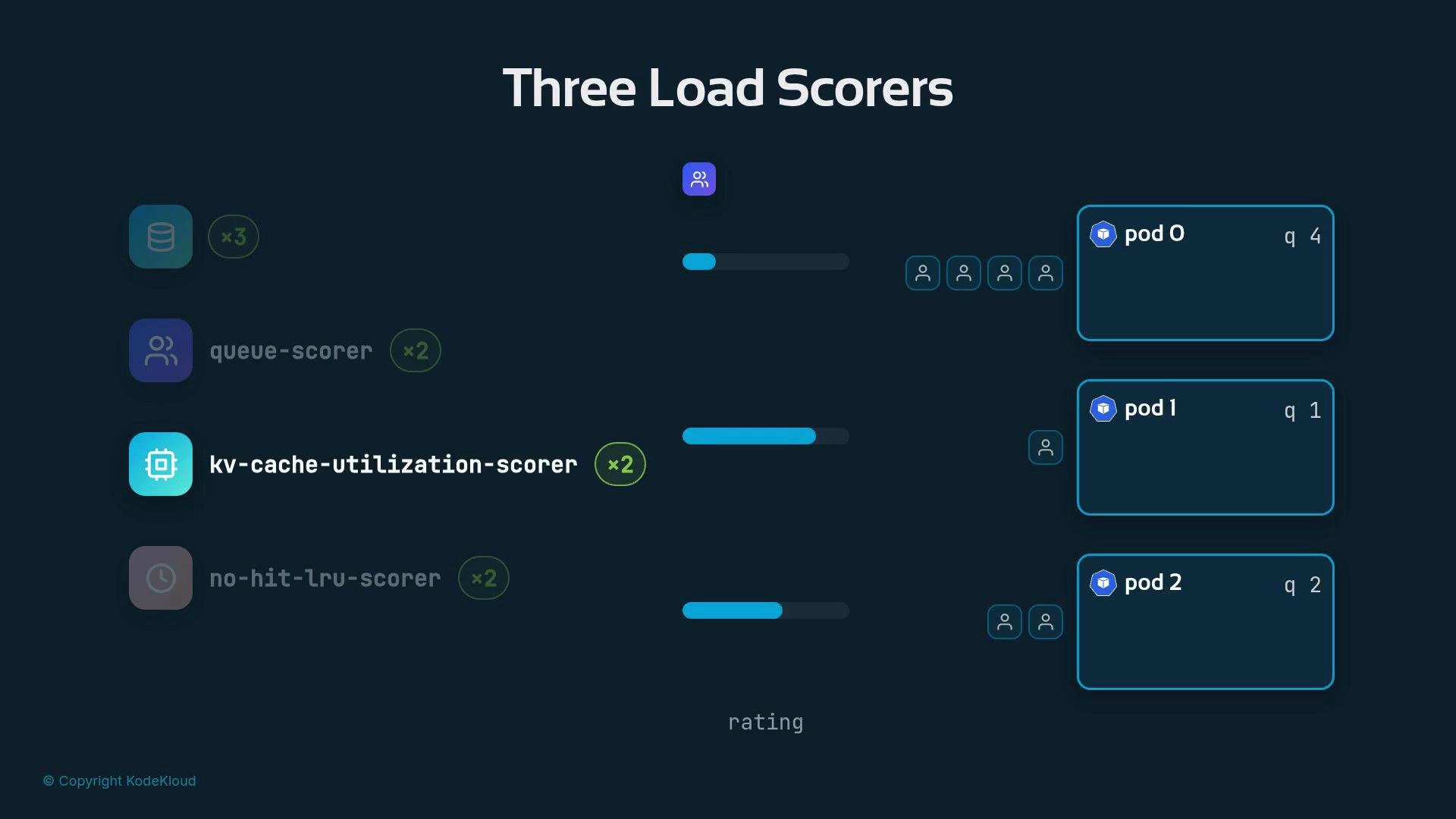
queue-scorer: rates pods by current queue length (shorter is better).kv-cache-utilization-scorer: rates pods by how much of their scratchpad memory is used (more free memory is better).no-hit-lru-scorer: biases routing for “cold” or previously-unseen prompts to spread them across pods.
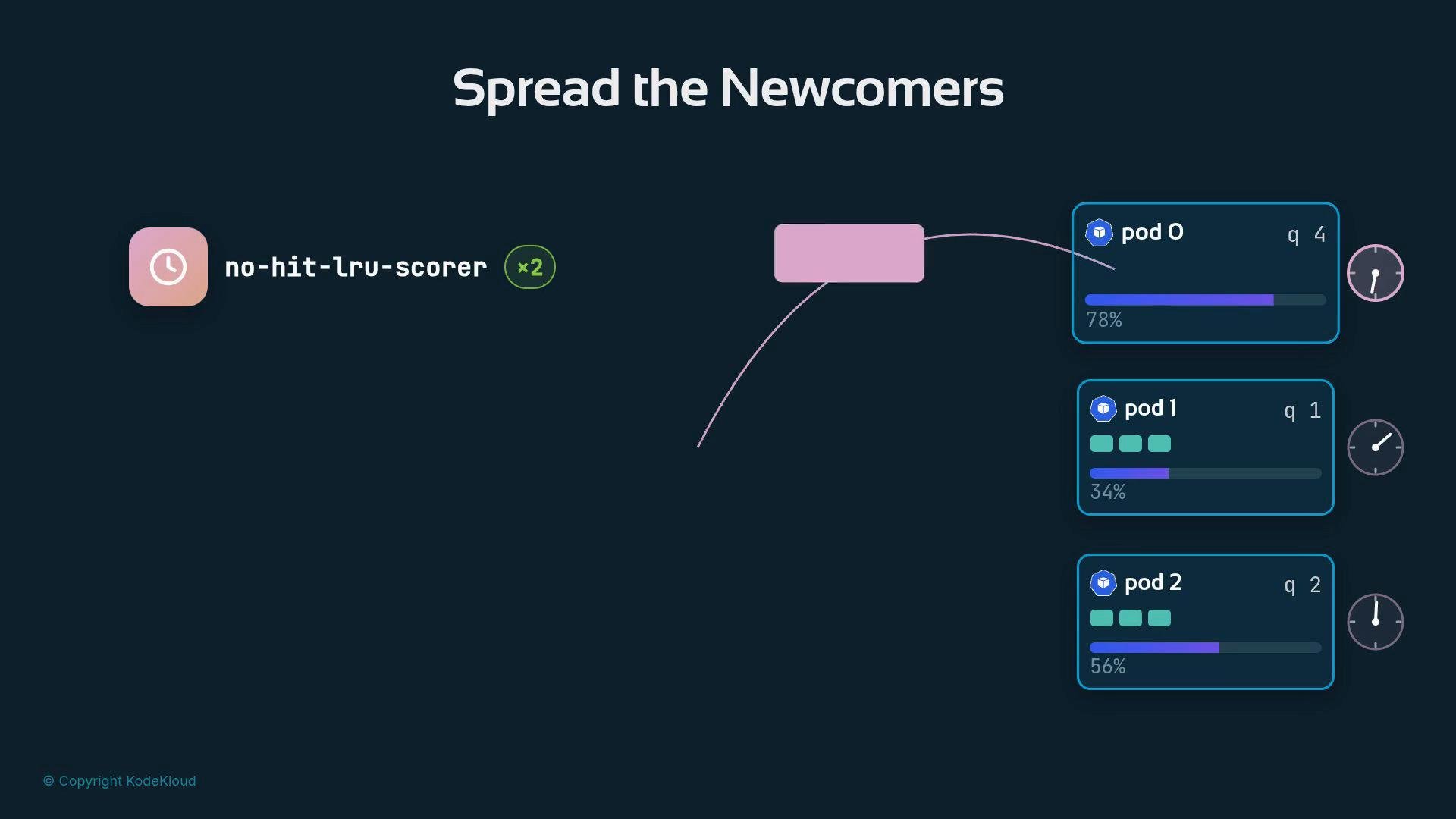
no-hit-lru-scorer. It only influences routing for “strangers” — prompts that have no saved work anywhere in the cluster. Since every newcomer will seed a fresh cache trail wherever it lands, the router intentionally spreads newcomers so new cache entries are distributed instead of all landing on one pod. The no-hit-lru-scorer steers a cold request toward the pod that received a cold request least recently.
3) has higher influence than any single busyness signal (weight 2), which means avoiding prefill work is often worth accepting a slightly higher queue.
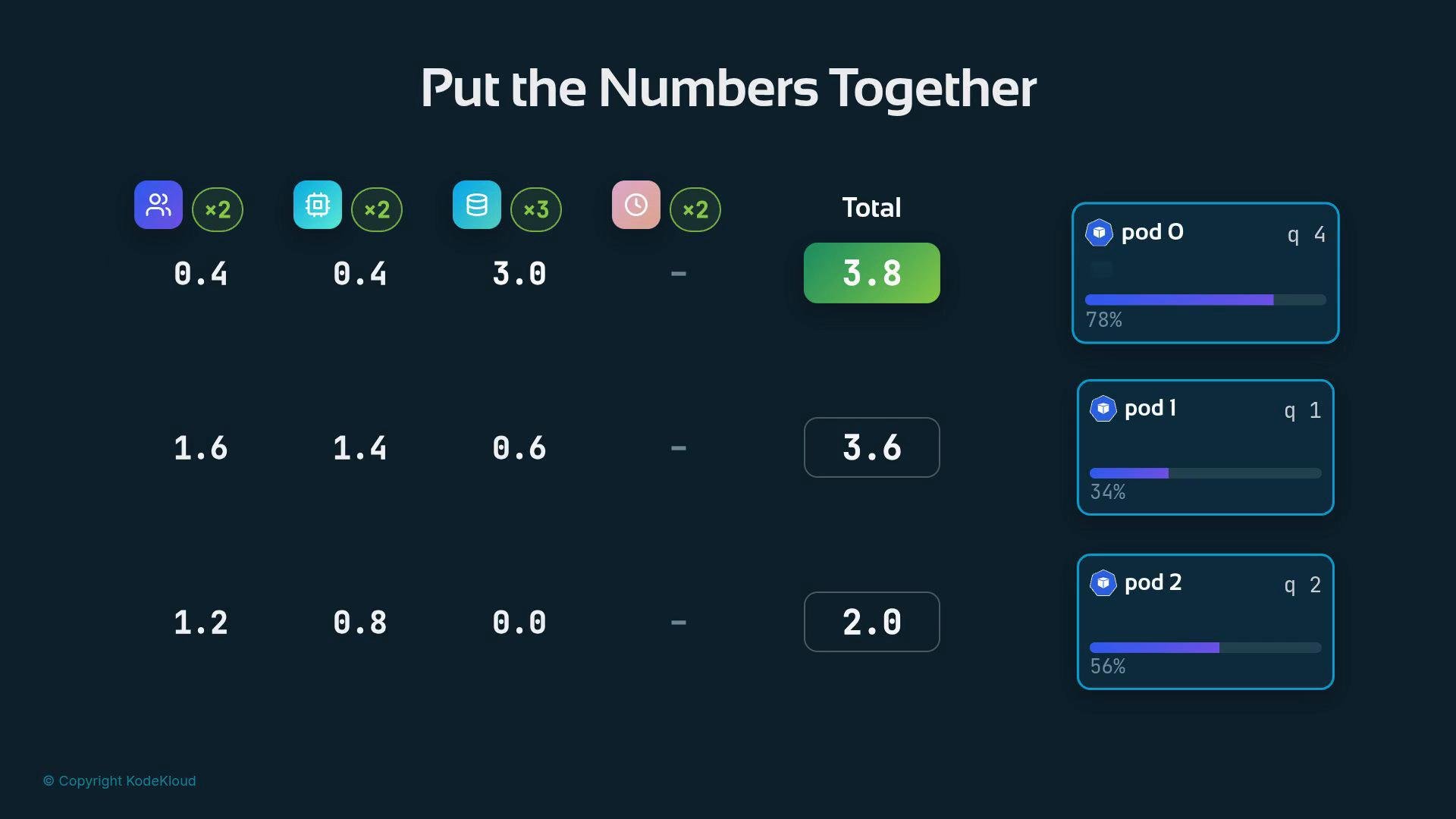
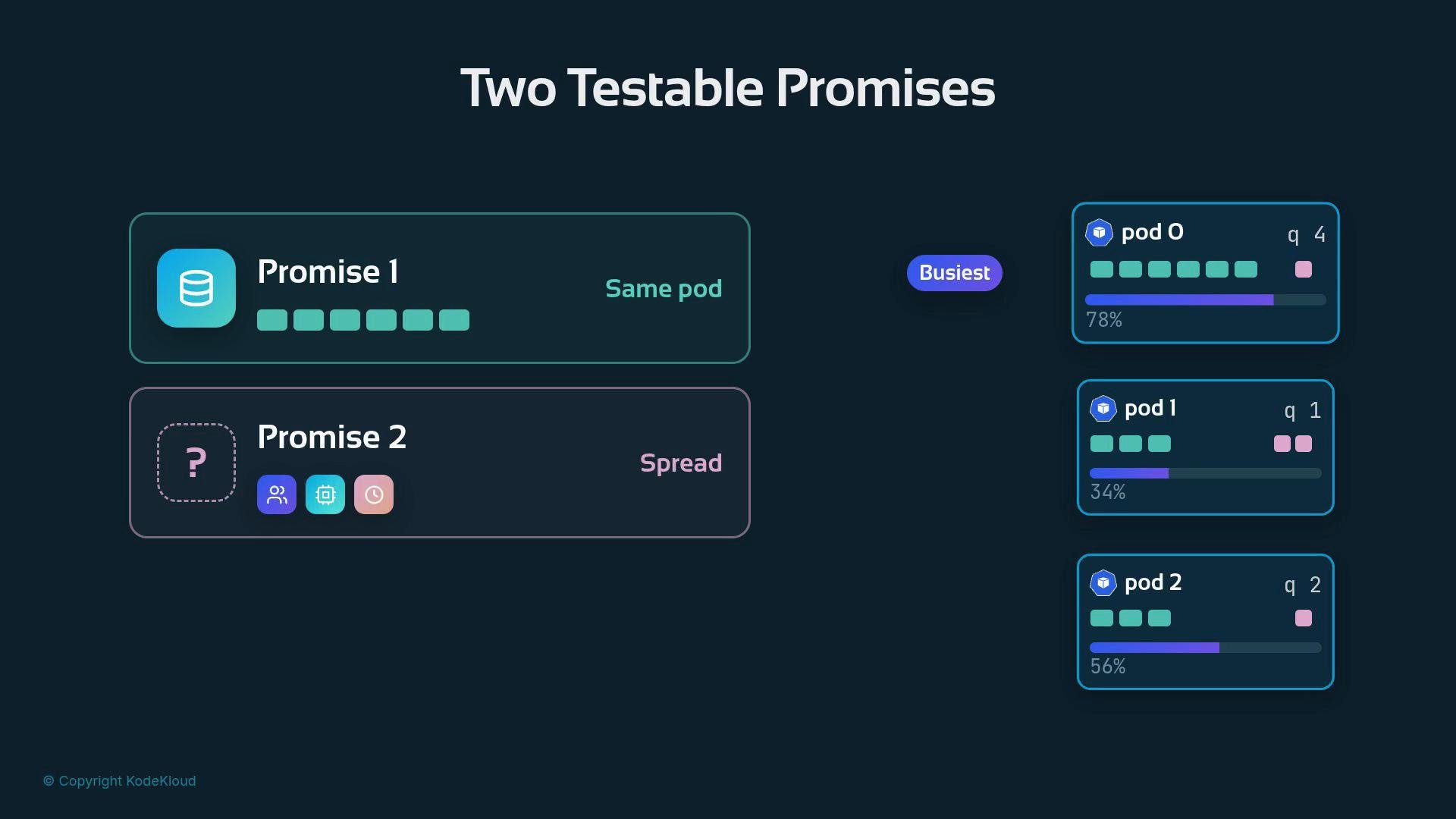
- Promise 1: Repeated prompts the cluster has seen before should be routed back to the same pod repeatedly (cache benefit outweighs a single busyness metric).
- Promise 2: A stream of brand-new prompts (no saved work anywhere) should be spread across pods, due to load scorers and the newcomer spreader.
If your cluster uses the approximate flavor, scoring is based on history and heuristics rather than live cache indices. For the precise, CacheEvent-backed flavor, the router consults real-time cache membership published by each pod.
- Kubernetes ConfigMap: https://kubernetes.io/docs/concepts/configuration/configmap/
- Scheduling and plugin design patterns (router scoring, cache-aware routing)
- For deeper details on cache event streams and the precise flavor, consult the project’s CacheEvent design notes and deployment docs.