

- Isolates resources between customers and between workloads in the same account.
- Lets you segment networks (public/private subnets) and apply fine-grained controls.
- Integrates with managed AWS networking services (Internet Gateway, NAT Gateway, Transit Gateway, VPN).
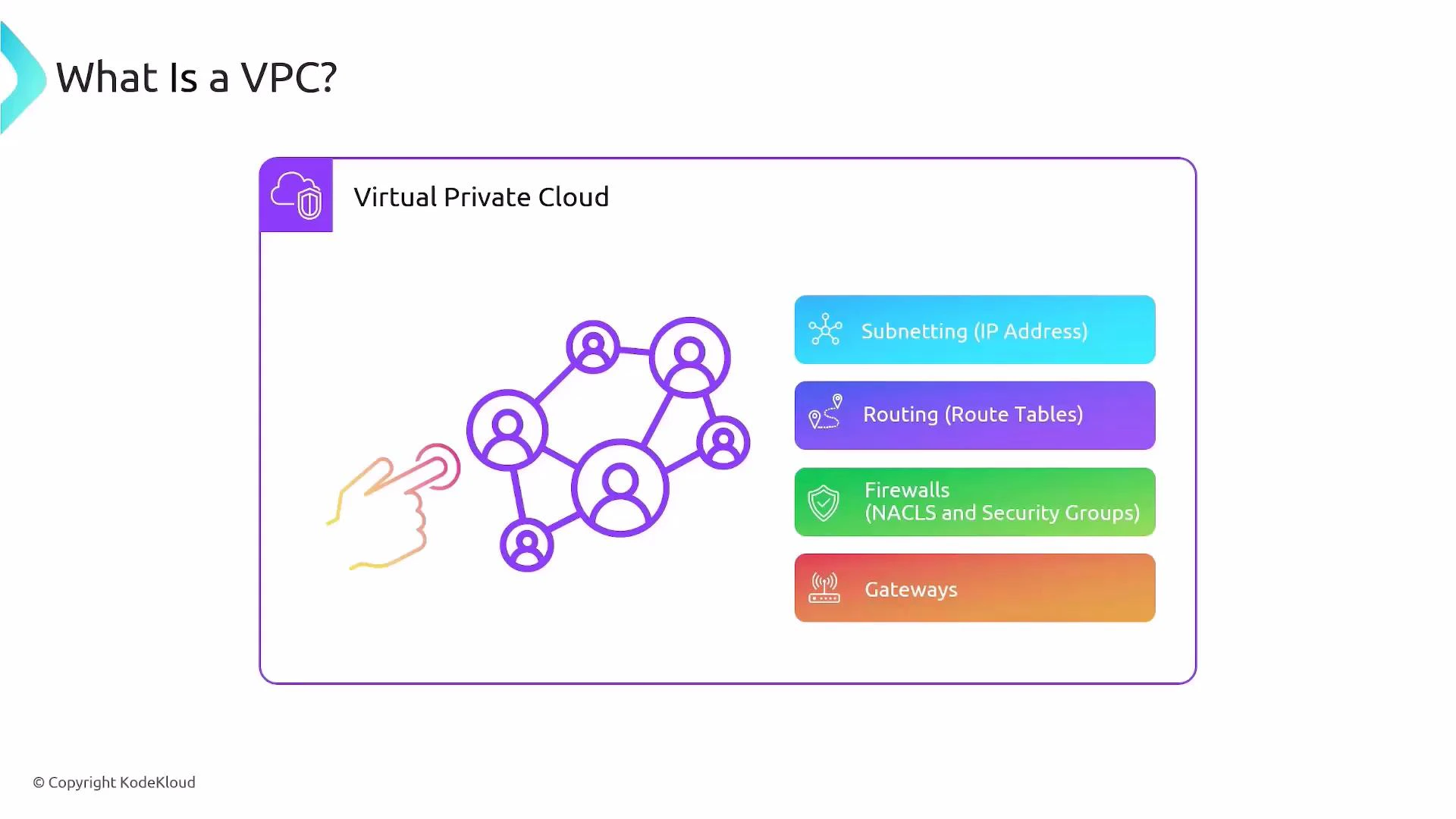
- Subnetting: define IPv4/IPv6 CIDR ranges and place resources into subnets.
- Routing: configure route tables to control traffic flow.
- Firewalls: enforce traffic rules with Security Groups and Network ACLs (NACLs).
- Gateways: attach Internet Gateways, NAT Gateways, or VPN/Transit Gateways to enable external connectivity.
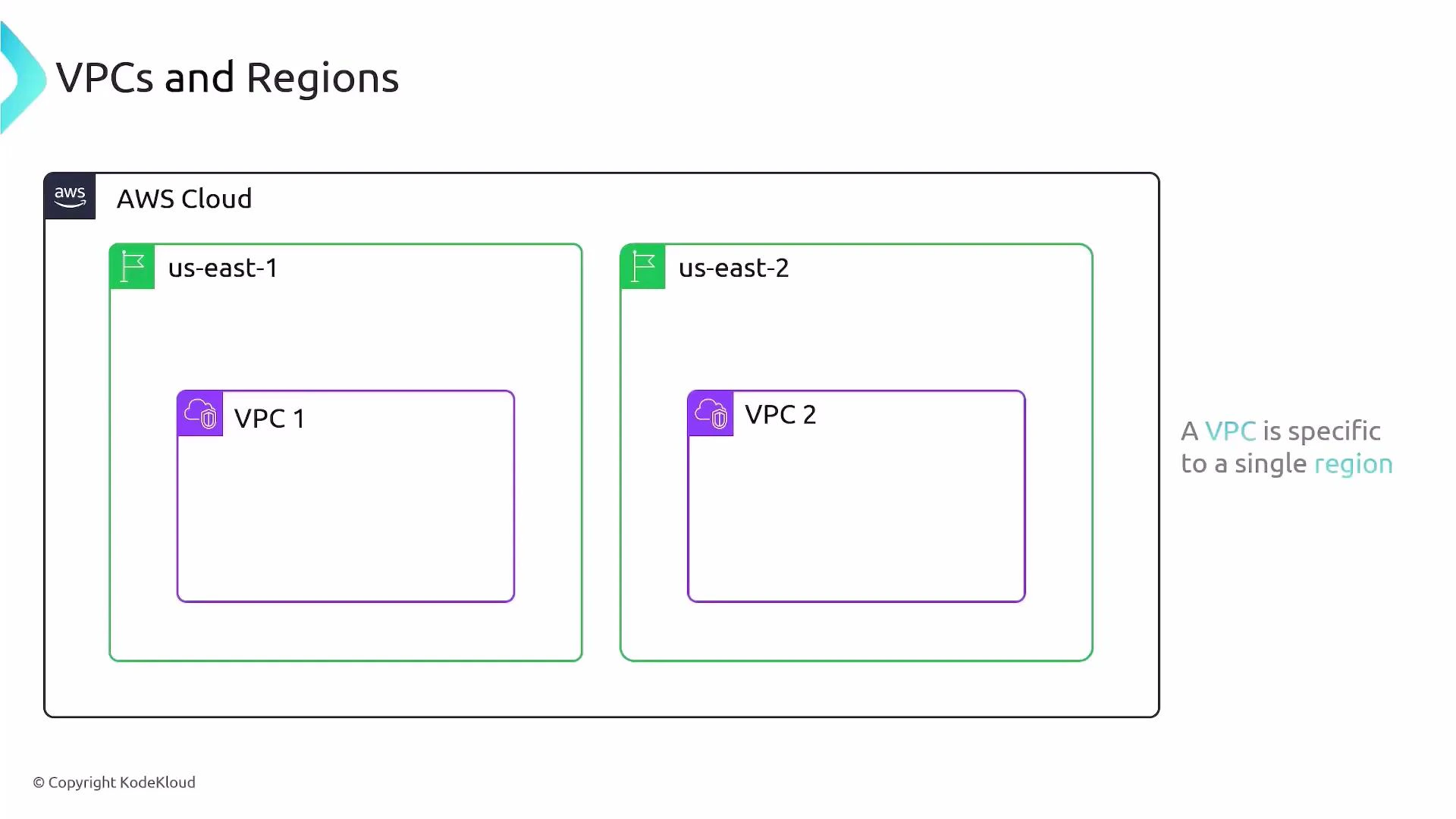
VPCs are regional
- A VPC exists inside a single AWS region and cannot span regions. A VPC created in us-east-1 is separate from one created in us-east-2.
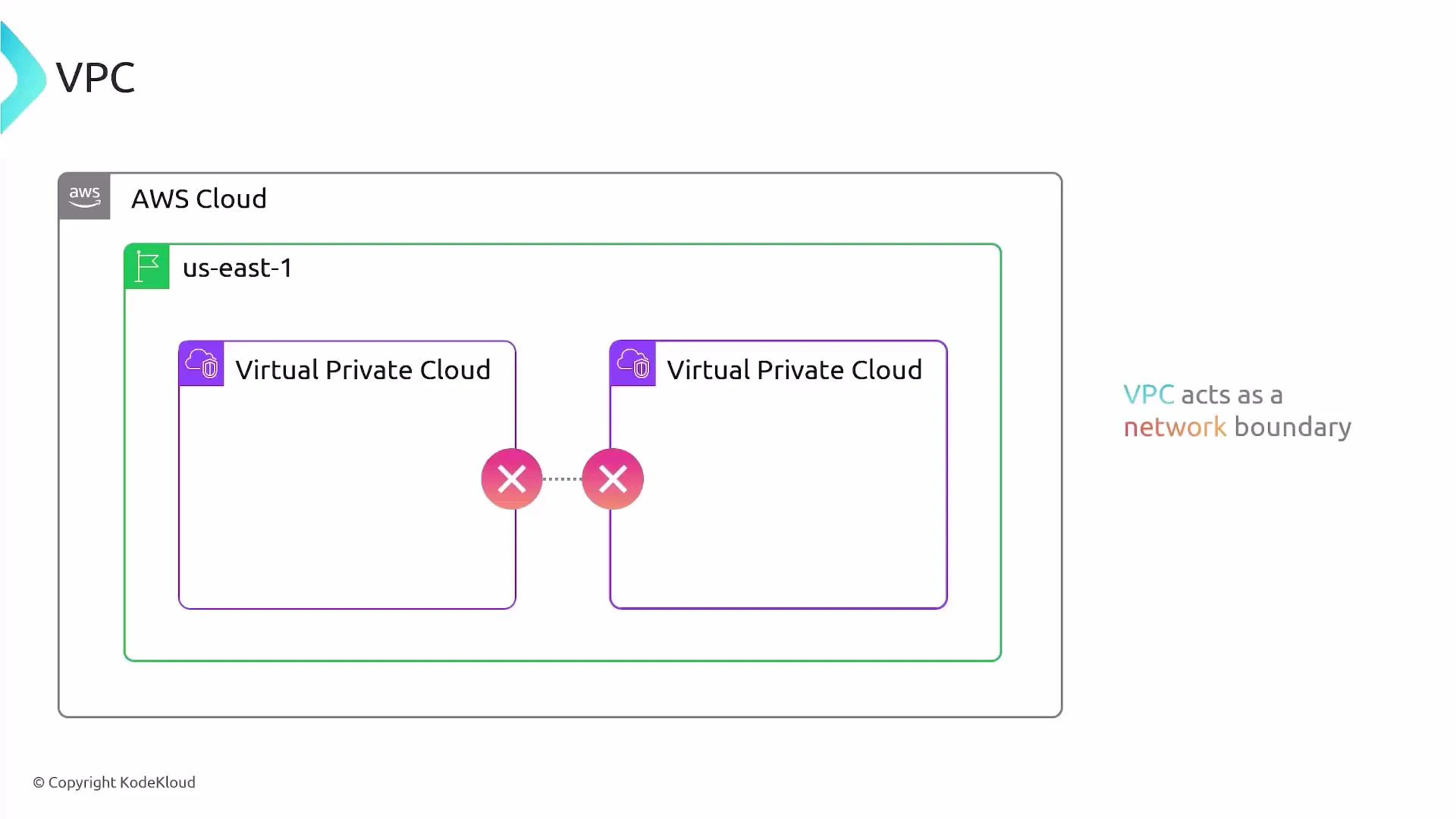
- Resources in different VPCs are isolated by default. Cross-VPC communication requires explicit configuration (VPC Peering, Transit Gateway, VPC endpoints, or VPN).
Default VPCs created per region
When you create an AWS account, AWS provisions a default VPC in each region with a standard, ready-to-use configuration. The default VPC is convenient for getting started because it enables Internet access for launched instances without manual network setup.Every region in your AWS account receives a default VPC. Use it to quickly launch instances without configuring networking from scratch.
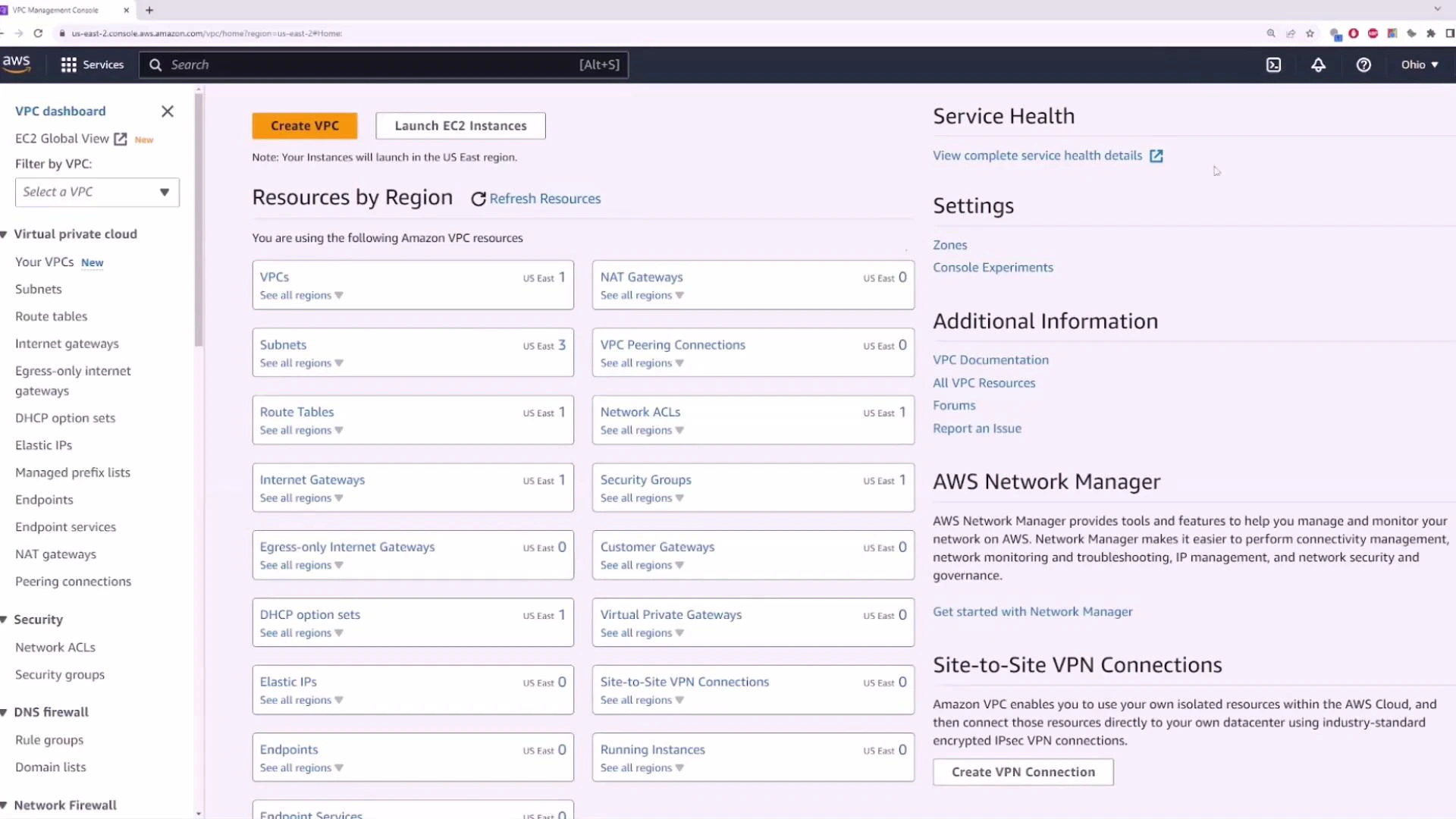
Typical default VPC configuration
- CIDR block: 172.31.0.0/16 (default for the default VPC).
- Subnets: AWS creates one default subnet per Availability Zone in the region (e.g., us-east-1 typically has one in each AZ).
- Routing: A default route table and an Internet Gateway (IGW) are attached so instances in default subnets can obtain public IPs and reach the Internet (when auto-assign public IPv4 is enabled).
- Security: Default security group permits outbound traffic and limited inbound traffic; NACLs are permissive by default.
Default VPCs are convenient but not hardened for production workloads. For production, design private subnets, tighten security groups/NACLs, and avoid placing sensitive services in default public subnets.
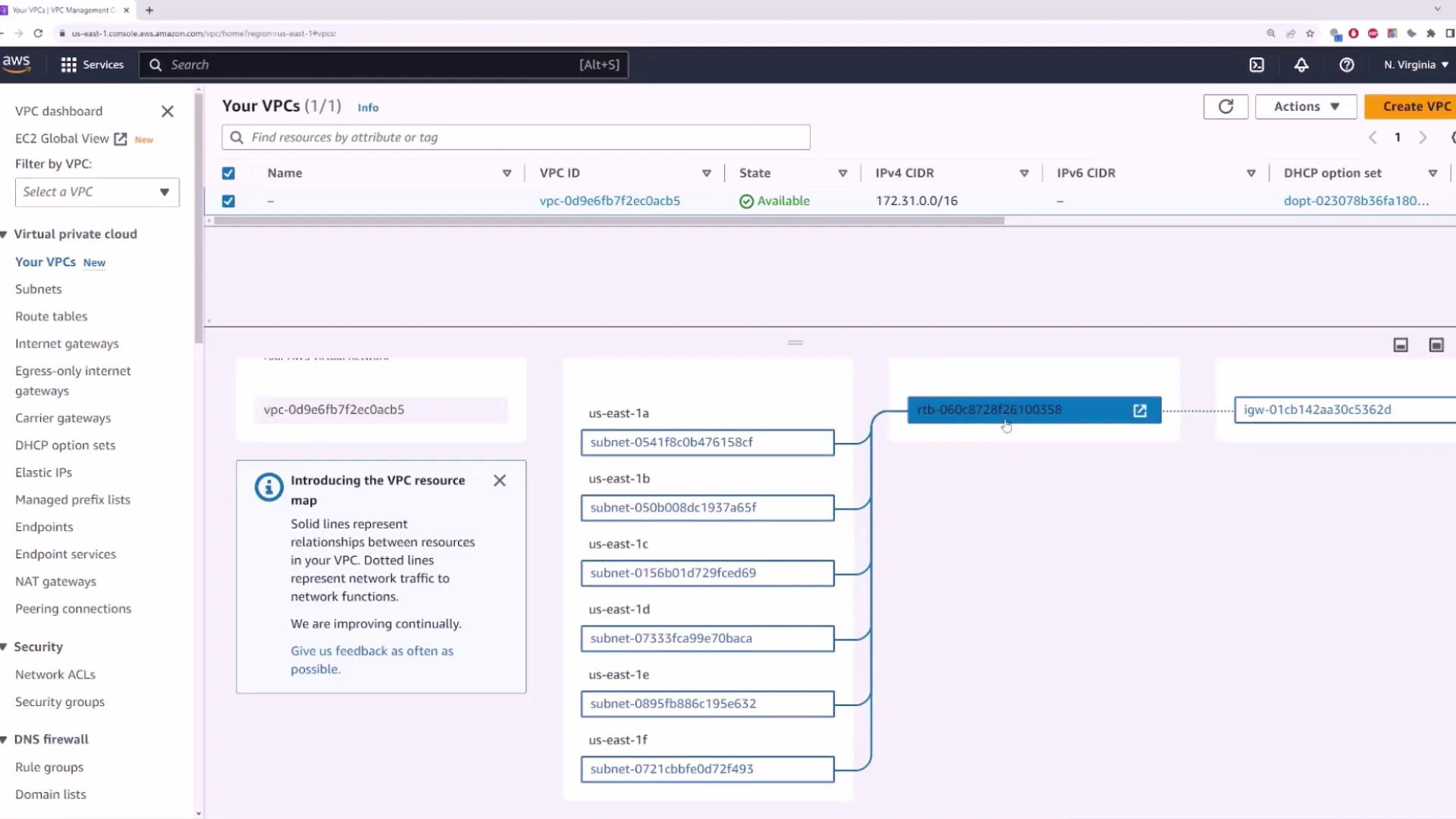
Subnets and Availability Zones
Open the Subnets view for a VPC to see the subnets that AWS created (or that you created). A typical default VPC has one subnet per AZ; each subnet controls the IP addressing and can be configured to auto-assign public IPv4 addresses.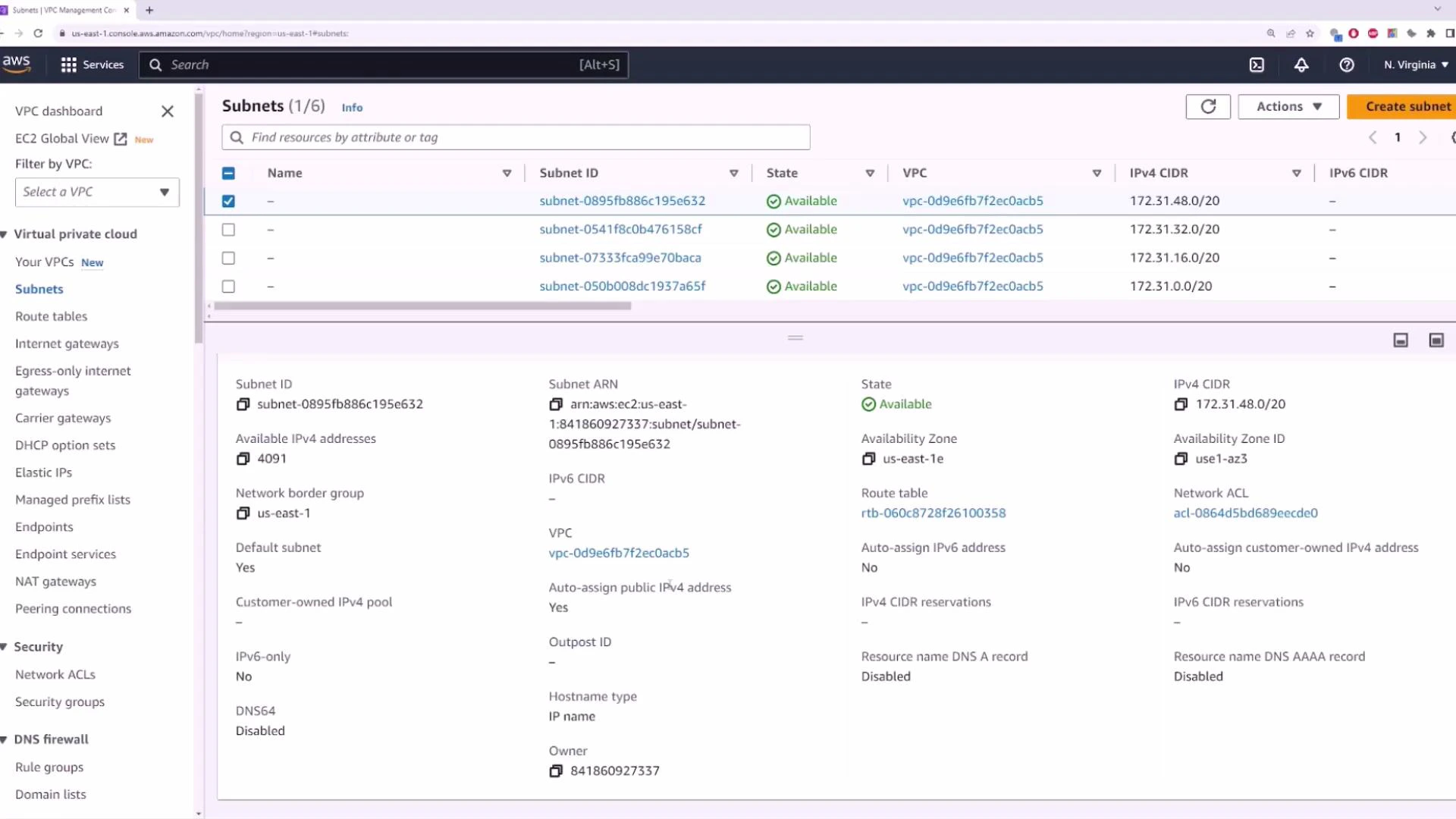
Launching an EC2 instance into the default VPC
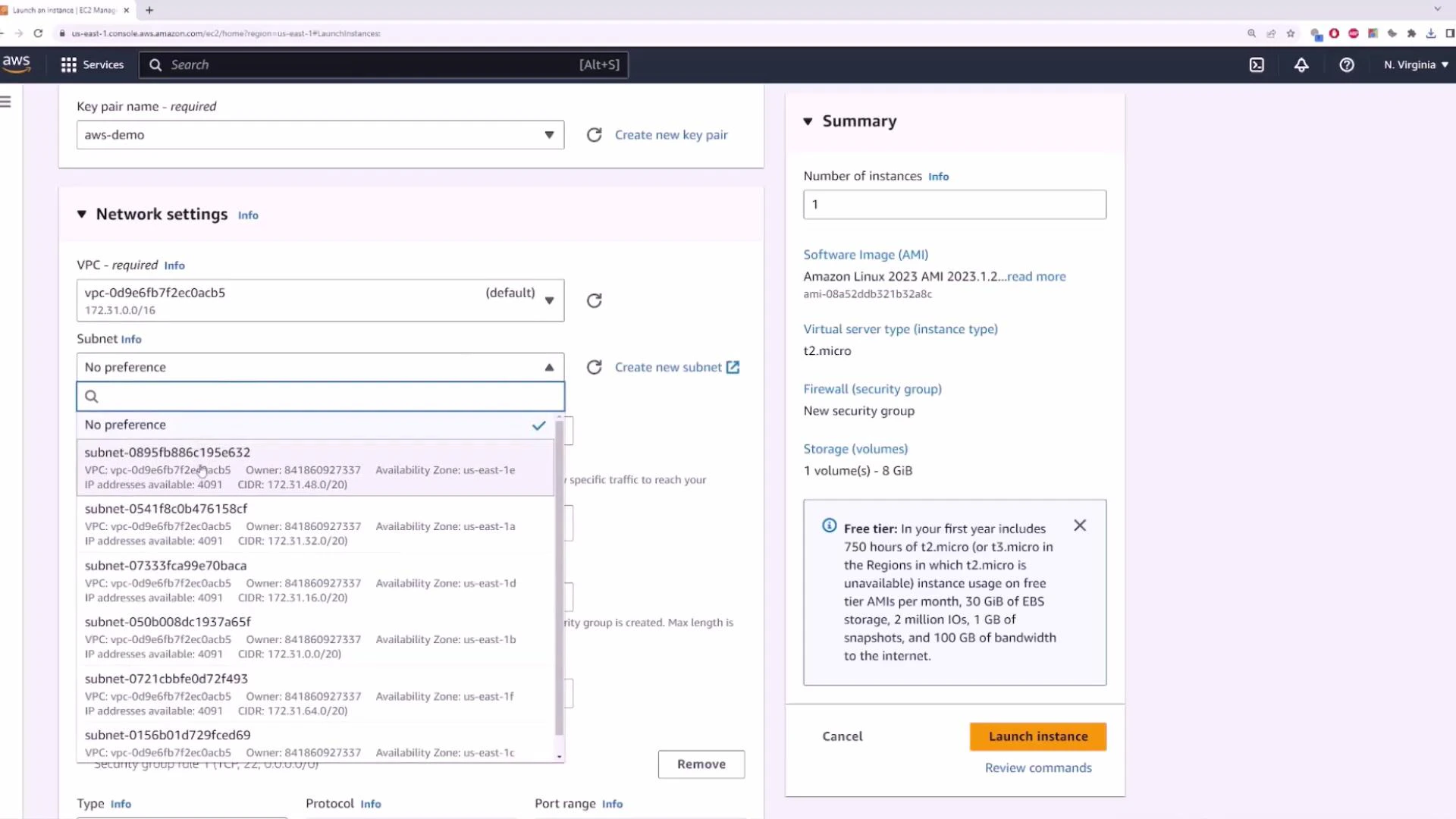
When you use the EC2 Launch Instance wizard and choose the default VPC (or leave networking at default), the instance receives a public IPv4 address (if auto-assign is enabled) and becomes reachable from the Internet—subject to Security Group rules.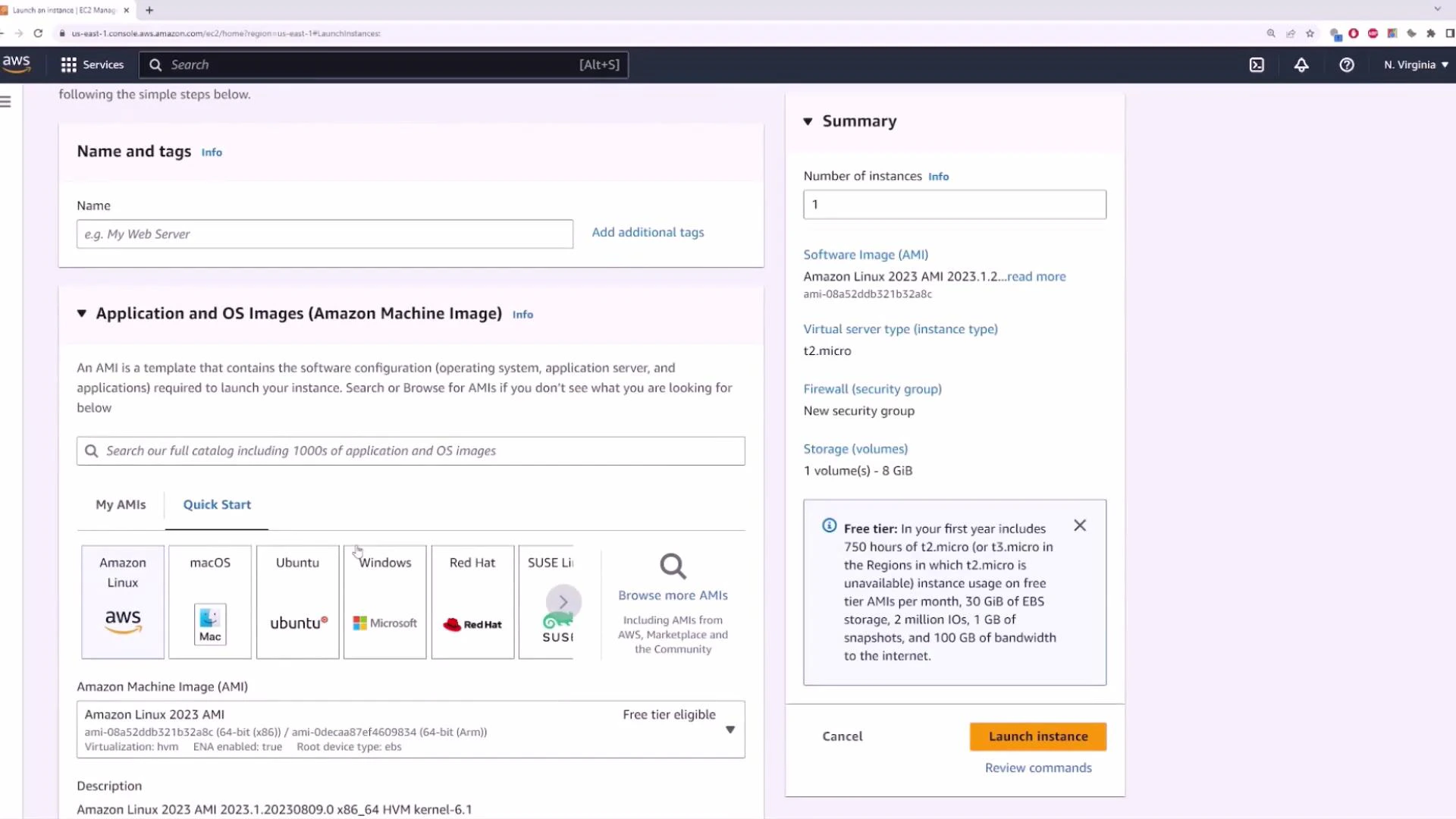
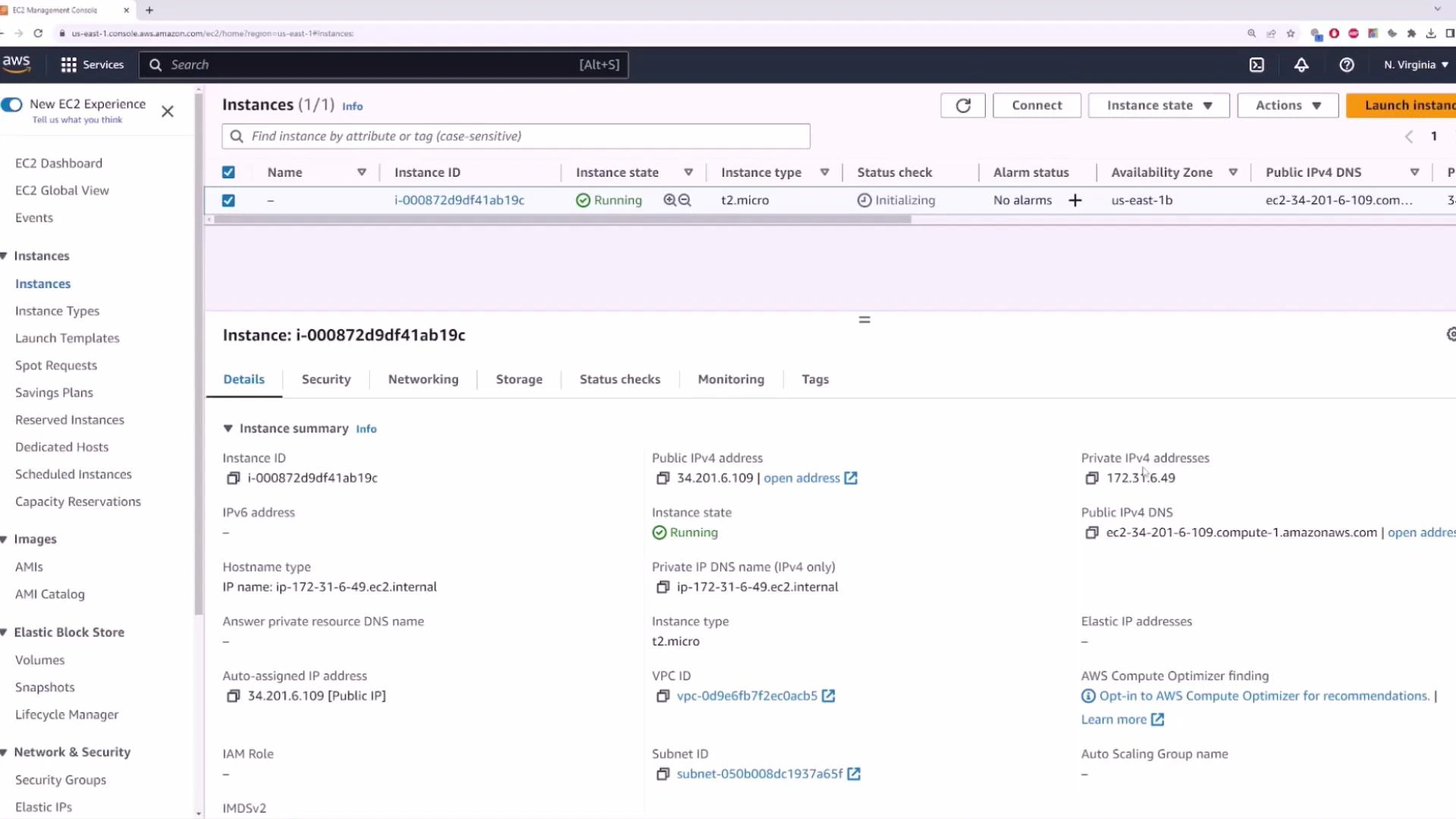
- Replace aws-demo.pem with your private key file and 34.201.6.109 with the instance’s public IP.
Quick reference table: VPC components and purpose
Recap
- Amazon VPC provides isolated, configurable virtual networks inside AWS.
- Each VPC is regional and isolated by default.
- AWS creates a default VPC per region with a 172.31.0.0/16 CIDR and default subnets (one per AZ).
- To provide Internet access to instances: attach an Internet Gateway, assign public IPs at subnet or instance level, and configure Security Groups and routing appropriately.
- For production, design layered topologies (private subnets, NAT Gateways, VPC Peering/Transit Gateway, VPNs) and harden network policies.
Links and references
- AWS VPC Documentation
- Amazon EC2 Documentation
- AWS Transit Gateway
- AWS NAT Gateway
- Learn more about EC2: https://learn.kodekloud.com/user/courses/amazon-elastic-compute-cloud-ec2