

Why Use Arrays?
In many situations, you may need to store a significant amount of data of the same type. For example, instead of creating three different integer variables to store a student’s marks in three subjects, you can declare an array namedgrades to hold all the values together.
Remember, arrays in Go have a fixed length. After declaring an array with a specific size, you cannot change its length, and every element must be of the same type. In Go, an array stores a pointer to its first element along with its length (the number of elements) and capacity (which, for arrays, is the same as the length).
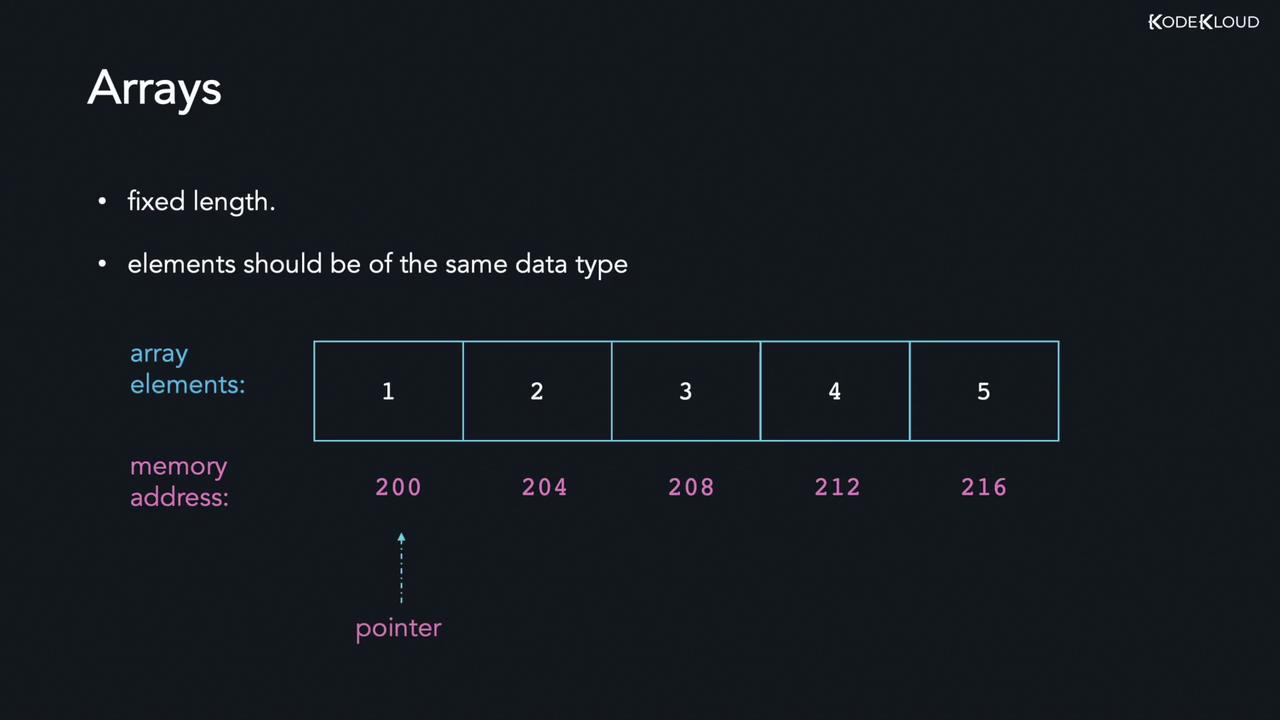
Declaring Arrays in Go
Declaring arrays is straightforward. You use thevar keyword, specify the array name, define its size inside square brackets, and mention the data type. For example, to declare an array of five integers:
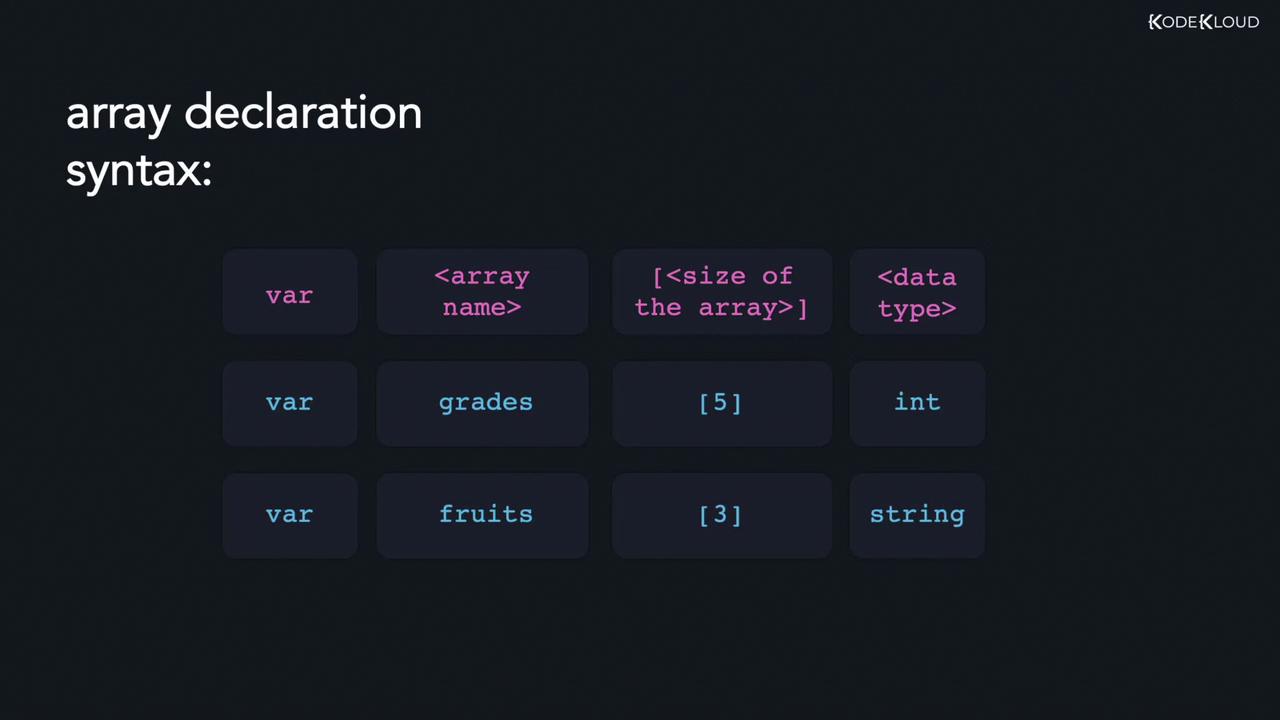
Example: Printing an Array
Let’s declare an array of five integers and print its contents. By default, an uninitialized array of integers holds the zero value (0):An empty string is the zero value for a string in Go.
Initializing Arrays
There are several methods to initialize arrays in Go:Explicit Initialization
Initialize an array of three integers by explicitly specifying all values:Shorthand Declaration
You can use the shorthand declaration to both declare and initialize an array:Using Ellipses
Let the compiler determine the array length automatically by using ellipses:names array to the number of elements provided.
Below is a complete example that declares and prints three arrays:
Working with Array Length
The built-inlen() function returns an array’s length. For example, consider the following code:
fruits array contains two elements.
Array Indices
Array indexing starts at 0. For an array of five elements, the first element is at index 0 and the last element at index 4. The diagram below illustrates an array named “grades” with values 90, 86, 76, 42, and 85, along with their corresponding indices: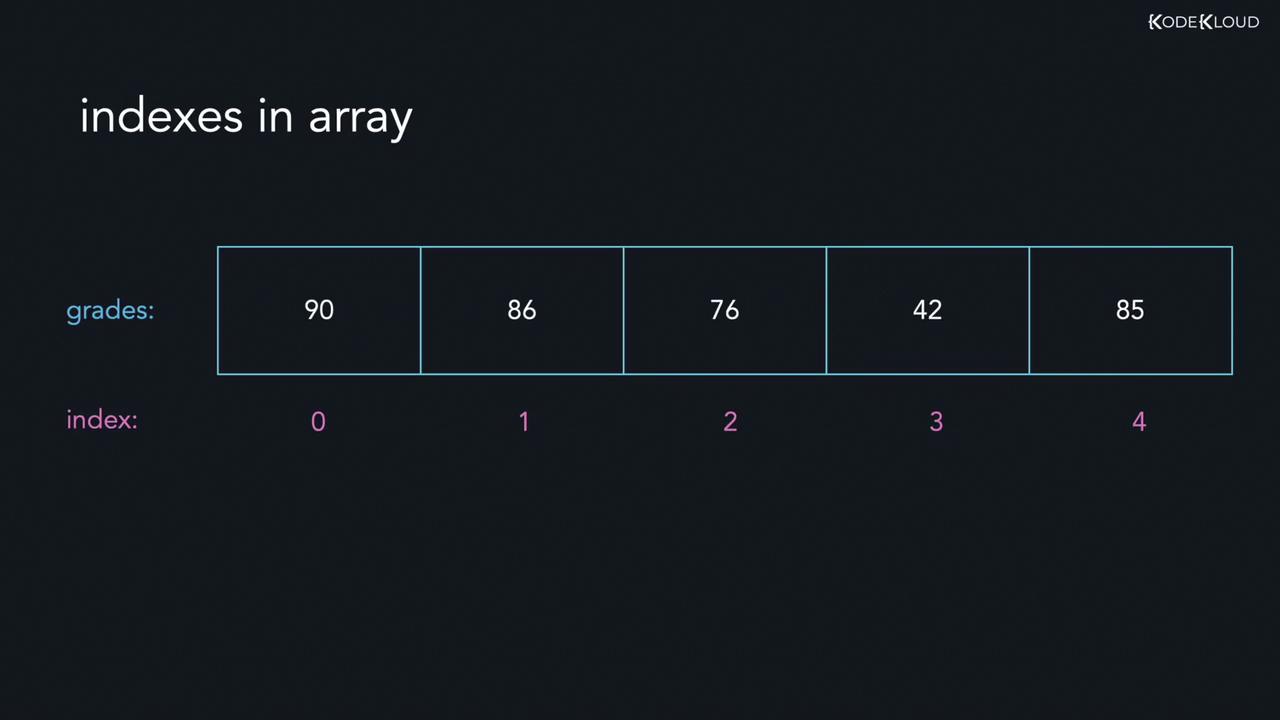
Example: Index Out of Bounds
Consider the following string array of size five:Modifying Array Elements
You can update array elements by referring to their indices. Consider the following example:grades prints:
Looping Through Arrays
There are multiple ways to iterate over arrays in Go.Using a Traditional For Loop
A classicfor loop lets you iterate through array elements by index:
Using the Range Keyword
Alternatively, therange keyword simplifies iteration by returning both the index and the element:
Multi-Dimensional Arrays
A multi-dimensional array is essentially an array of arrays. The simplest form is a two-dimensional (2D) array. For example, a 3x2 array has three sub-arrays with two elements each. To access elements in a 2D array, use two indices. Consider the following guidelines:- To access the element 64, use:
arr[2][1] - To access the element 4, use:
arr[1][0] - To retrieve the first element of the first sub-array, use:
arr[0][0]
{8, 64}, and the element at index 1 within that sub-array is 64.
That’s it for this guide on arrays in Go. Head over to the labs to start practicing these concepts. Happy coding!