Understanding Control Flow
Control flow determines the order in which instructions are executed. Instead of following a strict top-to-bottom order, the program’s execution flow is guided by conditions. Consider the following flowchart that illustrates the evaluation process for determining if a user is eligible to vote: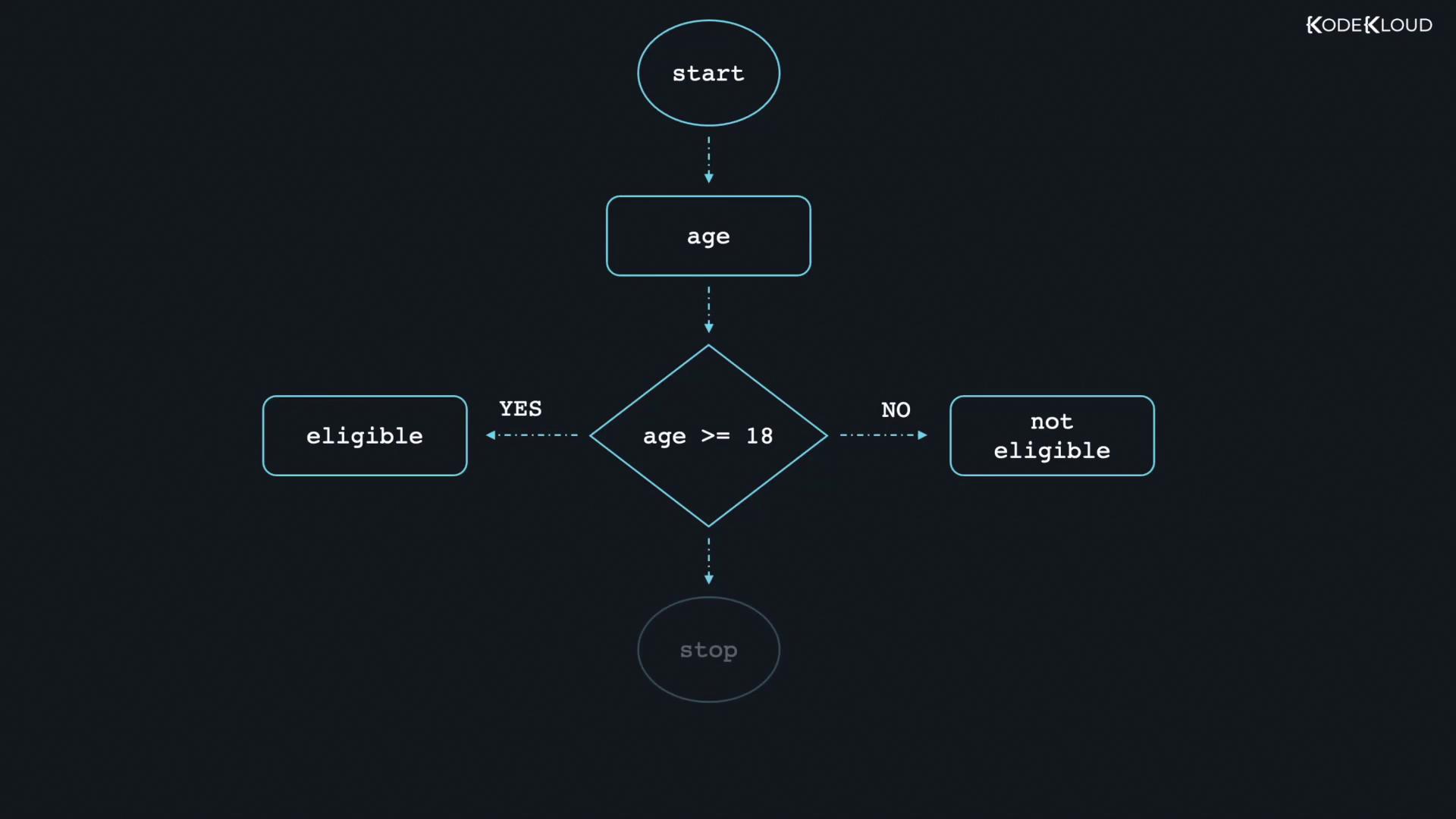
The If Statement
The if statement is used to execute code only when a specified condition is true. If the condition is false, the code block is skipped. Note that parentheses around the condition are optional in Go.Syntax
Example: Using an If Statement
In the example below, we declare a string variable and check if its value equals “happy”. If the condition is true, it prints the value:The If-Else Statement
The if-else statement extends the if statement by introducing an alternative block of code that executes when the condition is false. It is crucial to place the else statement on the same line as the closing brace of the if block to avoid syntax errors.Correct Syntax
Incorrect Syntax Example
Avoid formatting the else block on a new line after the closing brace:Correct Example
By placing else on the same line as the closing brace, the program executes without errors:Remember to always place the else on the same line as the closing brace to prevent syntax errors in Go.
The Else-If Statement
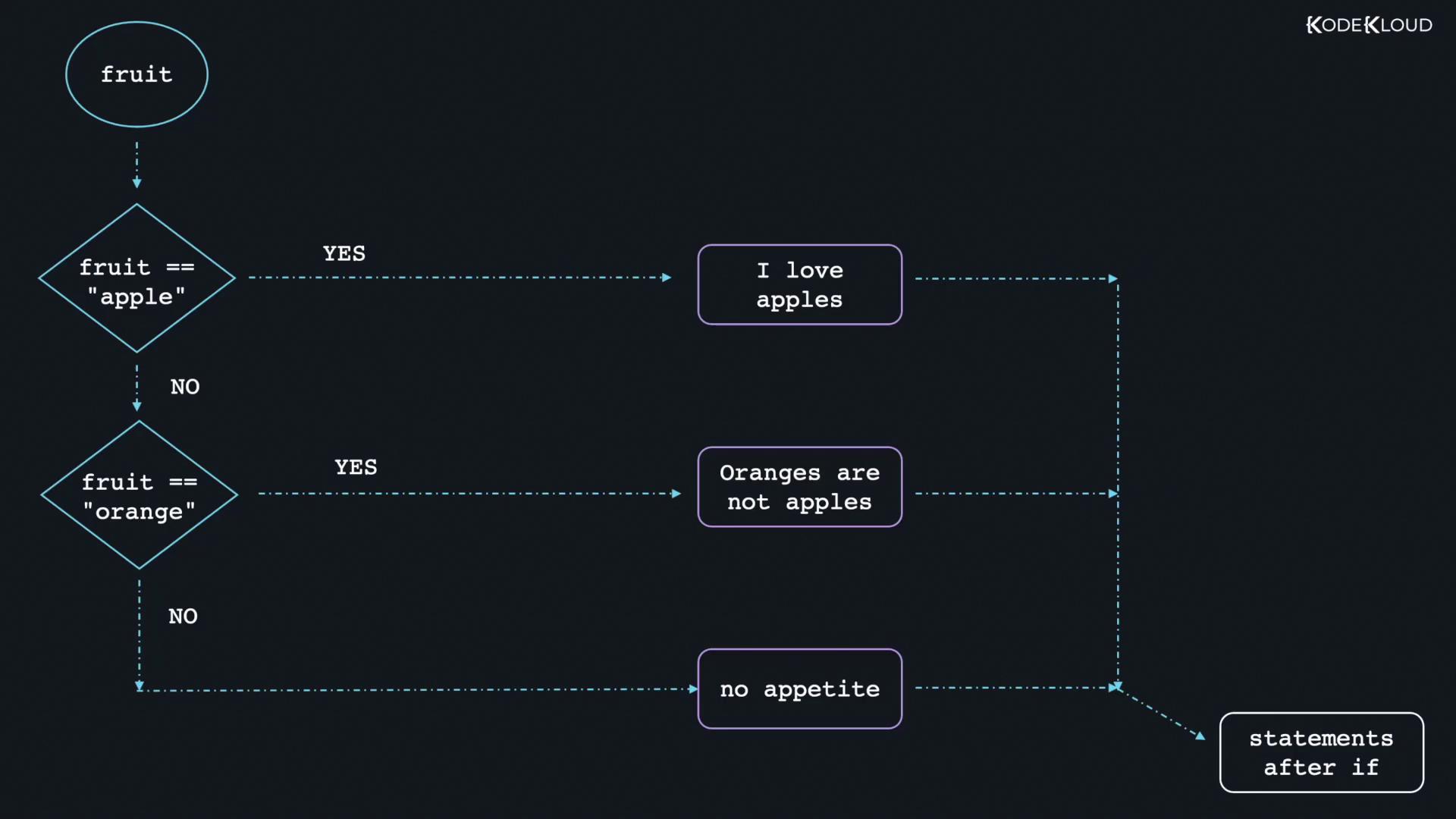
When there are multiple conditions to evaluate, the else-if statement provides an elegant solution. It allows you to test additional conditions if the prior ones evaluate to false. Once a condition is met, the control flow exits the conditional statement.Structure
Example: Using If, Else-If, and Else
In the following example, the program checks the value of a variable named “fruit”. Depending on the value, it prints a specific message. The corresponding flowchart visually represents this decision-making process: