

- Overview of the Linux Kernel as an interface between hardware and software.
- Differences between kernel space and user space.
- Interaction with hardware resources and the use of kernel modules.
- A hands-on lab exercise.
- A simplified overview of the Linux boot process and various runlevels.
- An explanation of Linux file types and the filesystem hierarchy.
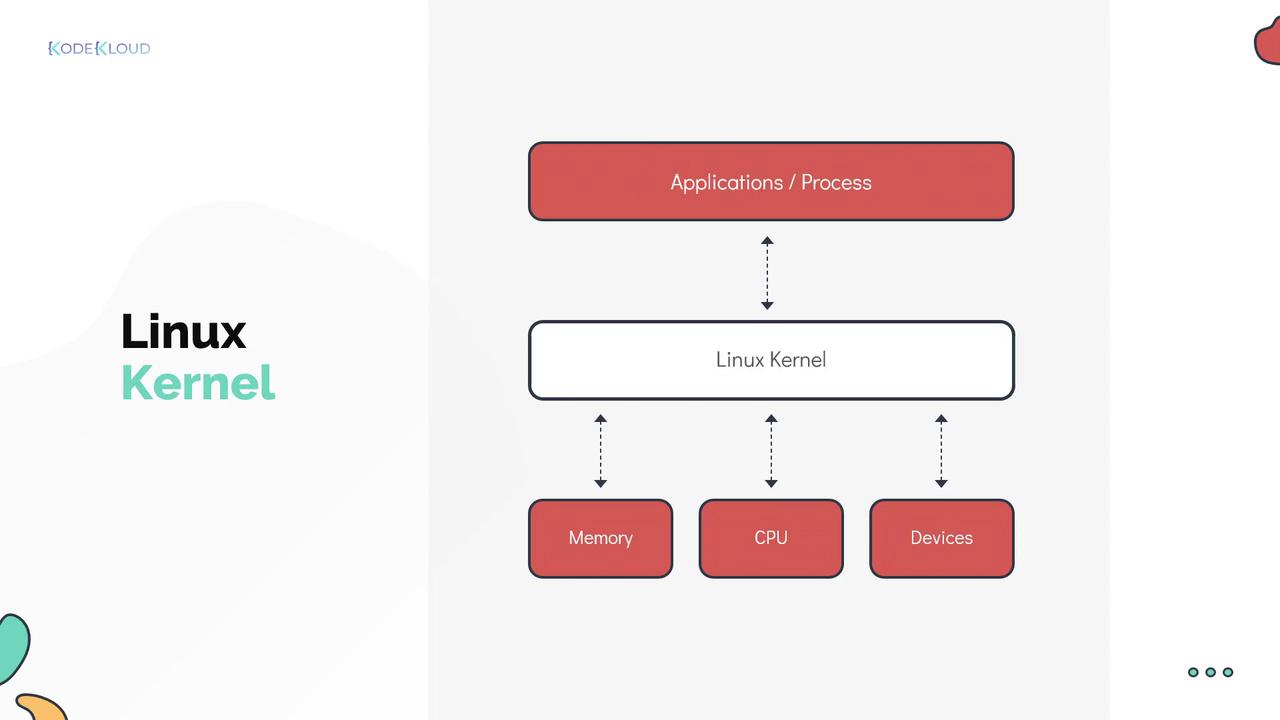
- The library represents the operating system.
- The books and media symbolize hardware resources.
- The students represent application processes.
- The librarian is analogous to the Linux Kernel, managing resource allocation and ensuring orderly operation.
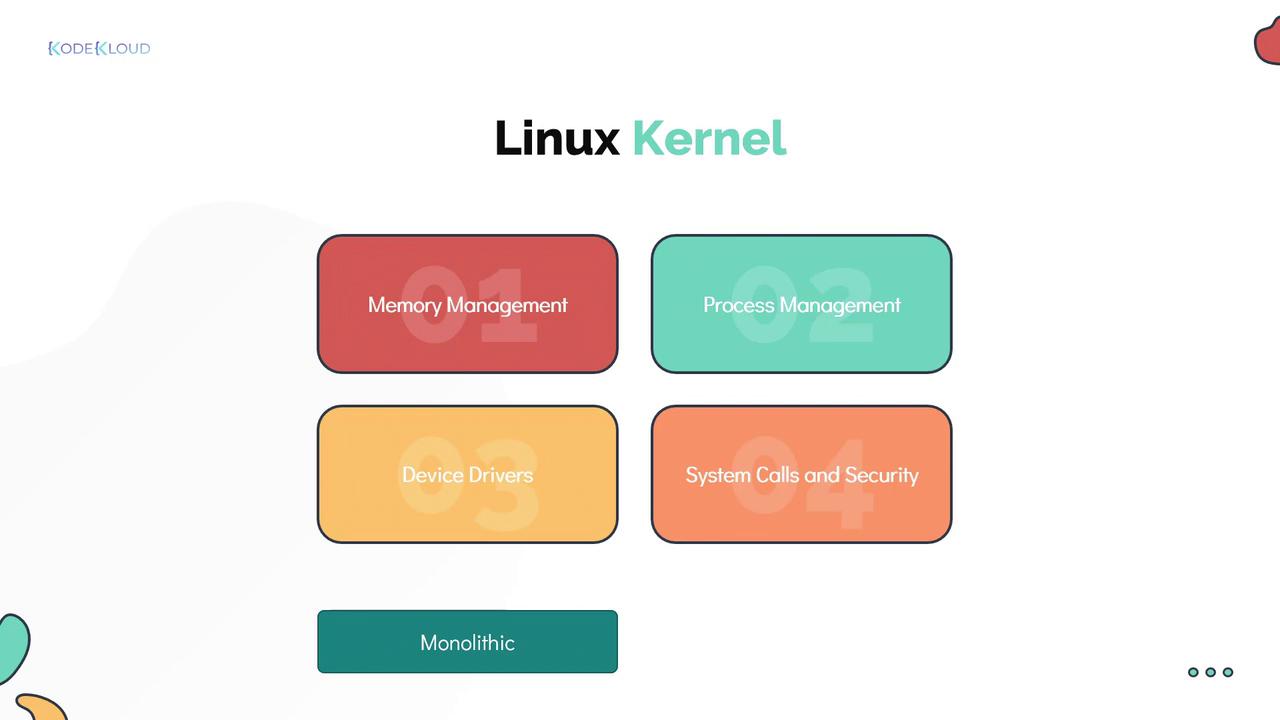
- Memory Management: Tracks memory usage and allocation.
- Process Management: Schedules processes on the CPU and determines their execution order.
- Device Drivers: Acts as an intermediary between hardware devices and software processes.
- System Calls and Security: Handles requests from processes and enforces security policies.
Although the Linux Kernel is monolithic—handling CPU scheduling, memory management, and other operations on its own—it is designed to be modular. This modularity allows dynamic extension via kernel modules.
Checking the Linux Kernel Version
Knowing your Linux Kernel version is crucial for troubleshooting and ensuring system compatibility. You can retrieve kernel information using theuname command. While running uname by itself returns a summary, using flags such as -r or -a gives detailed information. For example:
- The first number (4) indicates the primary Linux Kernel version.
- The second number (15) corresponds to the major version.
- The third number (0) specifies the minor version.
- The fourth number (72) denotes the patch level.
- The suffix (generic) provides distribution-specific details.
Understanding Kernel and User Space
A fundamental function of the Linux Kernel is managing memory, which is divided into two primary areas: kernel space and user space (also known as kernel mode and user mode, respectively).Kernel Space
- Kernel Space: Reserved exclusively for the kernel’s execution and its critical services. Processes operating in kernel space have complete access to the system’s hardware resources. In our library analogy, kernel space is like a restricted section that only the librarian or administrators can access.
User Space
- User Space: Dedicated to processes running outside the kernel, with restricted access to hardware resources. This area hosts various utilities, programming languages, and graphical tools collectively known as the userland, similar to the publicly accessible areas of the library designed for readers and reference.
/etc/os-release file to determine the operating system version, it makes a system call to request the file’s contents:
close, getpid, readdir, strlen, and closedir.
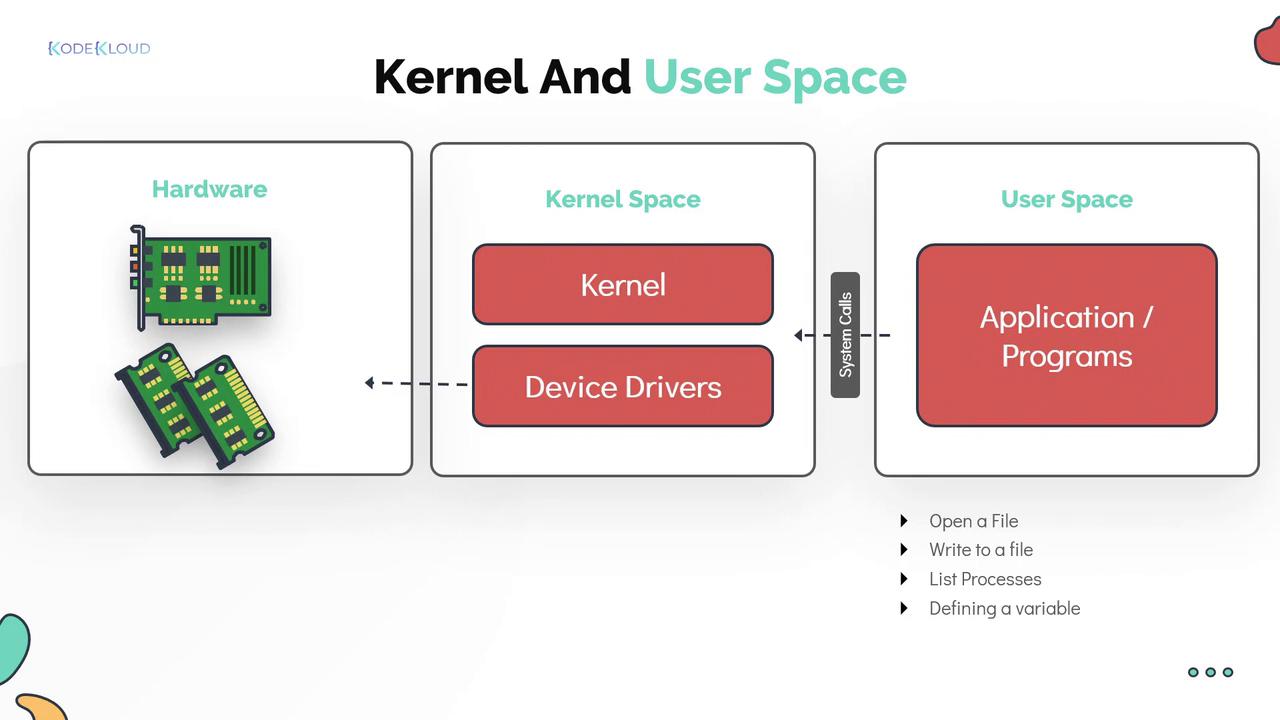
System calls provide a secure interface for user programs to request services from the kernel, ensuring the stability and security of the system.