

ls -l command, the first character in the output indicates the file type. For example:
-) signifies that “bash-script.sh” is a regular file. Other file type identifiers include:
- d: directory
- c: character device
- b: block device
- l: symbolic link
- s: socket
- p: named pipe
rwx) represent permissions grouped into three categories:
- Owner (u) permissions – the first three characters after the file type.
- Group (g) permissions – the next three characters.
- Others (o) permissions – the final three characters.
r(read) permits reading the file (octal value: 4).w(write) allows modifying the file (octal value: 2).x(execute) grants the ability to run the file as a program (octal value: 1).
Note: Directory Permissions For directories, the permissions work similarly:Consider a directory owned by Bob that has only the execute permission for the owner:
- The
rbit allows viewing the directory’s contents.- The
wbit permits altering the directory’s contents.- The
xbit is necessary to access (cd into) the directory. Without read permission, a user can still traverse the directory provided they know a file name, though listing its contents may yield a permission error.
- r (read) = 4
- w (write) = 2
- x (execute) = 1
- No permission = 0
rwxequals 7 (4+2+1)r-xequals 5 (4+0+1)-wxequals 3 (0+2+1)
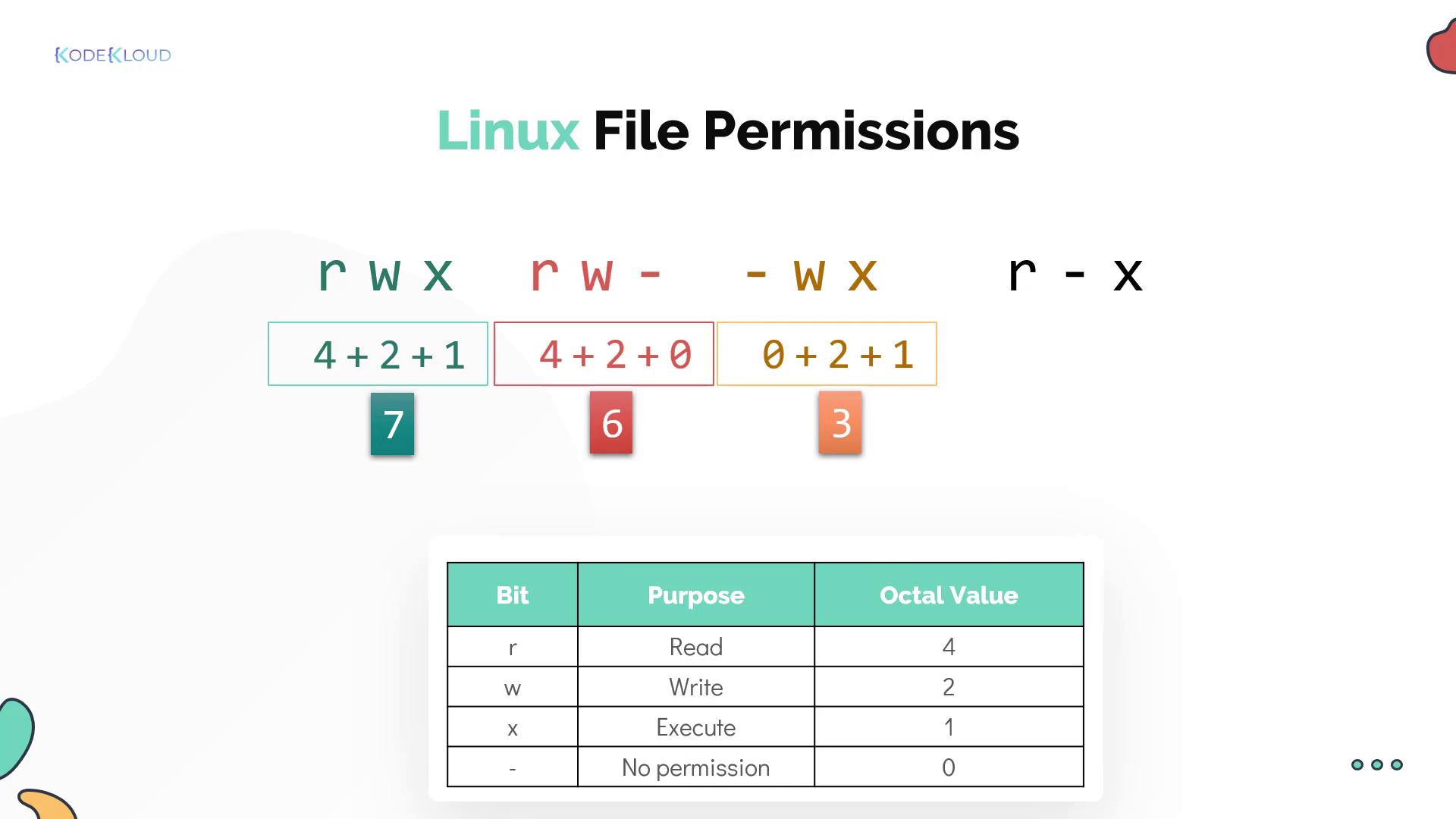
Changing File Permissions with chmod
Linux provides two modes to modify file permissions using thechmod command: symbolic mode and numeric mode.
Symbolic Mode
In symbolic mode, you specify the target (user, group, or others) usingu (user), g (group), or o (others). You then adjust permissions by using the + operator to add or the - operator to remove permissions. Here are some examples:
Numeric Mode
In numeric mode, you provide a three-digit octal number:- The first digit sets permissions for the owner.
- The second digit sets permissions for the group.
- The third digit sets permissions for others.
chmod 777 test-filegrants read, write, and execute for everyone.chmod 555 test-filegrants read and execute permissions for everyone.chmod 660 test-filegrants read and write permissions to the owner and group, but no permissions for others.chmod 750 test-filegrants complete access to the owner, read and execute access to the group, and no permissions for others.
Changing Ownership with chown and chgrp
Ownership changes for files or directories are handled by thechown and chgrp commands.
To change both the owner and group of a file, use:
test-file: